

Key Takeaways
- Managing two separate social platforms manually eats into time you could spend on your actual business, and most professionals don’t realize automation can handle it entirely.
- You can set up cross-platform posting using third-party tools, Zapier, or WordPress plugins without technical expertise.
- Using hashtag filters can help you control exactly which content is automatically shared across platforms.
- Basic automation keeps your brand consistent across Facebook and LinkedIn, but the right tool goes further and puts your content in front of audiences you haven’t tapped yet.
- AmpiFire’s AmpCast AI automates distribution across 300+ sites in 8 formats to reach your audience far beyond Facebook and LinkedIn.
Auto Posting Between Facebook and LinkedIn: Here’s How to Do It
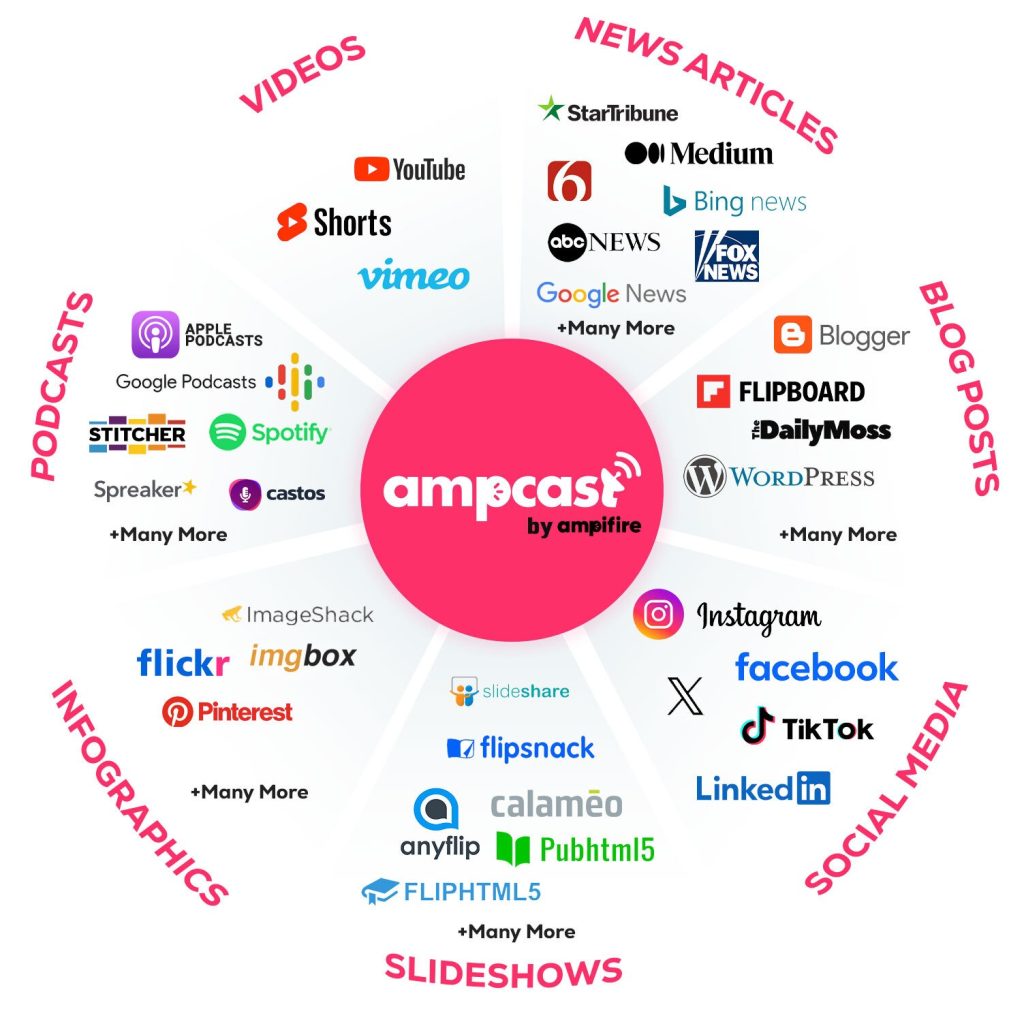
You can auto-post between Facebook and LinkedIn using automation platforms, WordPress plugins, or multi-channel distribution tools that push your content to both networks at once. AmpiFire’s AmpCast AI takes this a step further by automating distribution across 300+ high-authority sites in 8 content formats, turning a single piece of content into news articles, blog posts, interview podcasts, longer informational videos, reels/shorts, infographics, flipbooks/slideshows, and social posts.
Each method fits a different budget and skill level, so the right setup depends on how much control and reach you need. Below, we break down three simple ways to connect your accounts, advanced tactics to filter and customize your cross-posts, and how multi-platform distribution can scale your results beyond two networks.

How AmpiFire Works:
- Research & Target: Find high-demand topics your buyers search for.
- Create & Repurpose: AmpiFire’s AmpCast AI generates news articles, blog posts, interview podcasts, longer informational videos, reels/shorts, infographics, flipbooks/slideshows, and social posts.
- Distribute & Amplify: Auto-publish to 300+ sites, including Google News, YouTube, Spotify, and major news networks.
Get more traffic from people who want to buy your stuff, and powerful “As Seen On” trust badges for your site.
Do It Yourself (with AI), Done For You Content, & 100% Managed Organic Growth options available.
Grow Your Free Traffic From Everywhere
How Do You Auto Post Between Facebook and LinkedIn?
1. Use AmpiFire’s AmpCast AI
AmpiFire’s AmpCast AI does more than mirror a Facebook post to LinkedIn. AmpCast AI takes your content and distributes it across 300+ high-authority sites, including Facebook pages, LinkedIn profiles and company pages, Google News, YouTube, Spotify, Pinterest, FOX affiliate sites, and Instagram. For professionals looking to build authority and drive traffic, this is a significant upgrade over point-to-point automation.
Here’s how to get started with AmpCast AI:
- Create your AmpiFire account at ampifire.com and log into your dashboard.
- Connect your Facebook and LinkedIn accounts using secure OAuth authentication (no passwords stored, no manual logins required).
- Create or upload your content. AmpCast AI can repurpose your existing content into news articles, blog posts, interview podcasts, longer informational videos, reels/shorts, infographics, flipbooks/slideshows, and social posts.
- Select your distribution targets. Choose Facebook, LinkedIn, and any other platforms you want included in your broadcast.
- Set your scheduling preferences and hit publish. AmpCast handles the rest, formatting content appropriately for each platform.
AmpCast reformats your content to suit each platform’s native style. LinkedIn posts get a more professional tone, while Facebook content is adjusted for community engagement. This matters because raw cross-posting often results in awkward formatting that signals automation to your audience.
2. Using Third-Party Automation Platforms
Tools like Zapier, IFTTT, and Buffer work by creating trigger-based rules. When something happens on one platform, an action fires on another. For Facebook-to-LinkedIn automation, this means a new Facebook post can automatically trigger a LinkedIn post within seconds.
IFTTT works similarly but with a simpler interface. You can create an “applet” that monitors your Facebook Page posts and automatically shares them to LinkedIn — though personal profile triggers depend on current Meta API permissions, so confirm availability before building this into your workflow. Buffer takes a different approach: you schedule content once inside Buffer’s dashboard, and it distributes to both platforms at the same time — giving you more control over timing.
The key limitation with these tools is that they typically do a straight copy of your content without platform-specific formatting. Images may not always transfer correctly, and LinkedIn’s character limits or formatting preferences may not be respected automatically. Always test your automation with a few sample posts before going fully live.
3. Set Up Post Filters and Use Smart Tags
Not every post you write for Facebook belongs on LinkedIn. A casual community poll fits Facebook perfectly but could undermine your professional brand on LinkedIn. Smart post filters solve this by letting you control which posts get cross-posted based on specific rules you define.
The most common filtering method uses hashtag triggers. Tools like Bit Social and certain Zapier configurations let you set a rule that only cross-posts Facebook content that includes a specific hashtag.
For example, when you include #crosspost or #linkedin in a Facebook post, the automation fires. When you don’t, it stays on Facebook only. This gives you precise control without breaking your automation workflow.
Beyond hashtag filters, some advanced tools let you filter by post length, media type, or even keyword presence. This level of control is especially useful for businesses that run different content strategies on each platform but want to automate the overlap efficiently.
Why Is AmpCast AI a Better Alternative to Basic Auto-Posting?
Cross-posting between Facebook and LinkedIn is a solid starting point, but it only gets your content to two audiences. AmpiFire’s AmpCast AI removes the manual work entirely by transforming your content into 8 formats and distributing it to over 300 sites, so the same effort reaches a much bigger audience. AmpiFire handles all the distribution automatically, freeing you up to focus on what actually grows your business.
When potential customers keep seeing your brand — on LinkedIn, Facebook, news sites, and video platforms — it builds your credibility fast and positions you as a recognized authority in your industry.
Frequently Asked Questions (FAQs)
Will automating my social posts hurt my engagement rates?
Properly implemented automation typically increases engagement by ensuring consistent posting schedules and optimal timing for each platform. When automation is set up properly with platform-specific timing and formatting, posting becomes more consistent — and consistent posting is one of the clearest drivers of better engagement over time.
How do I control which content gets shared across platforms?
Most automation systems offer hashtag filters where you tag posts you want cross-posted (like #shareall) or exclude content (like #noshare). Advanced tools provide content-type filtering that automatically determines cross-posting suitability based on format, topic, and engagement potential.
Do I need coding skills to set up social media auto-posting?
No technical knowledge is required. Modern automation tools feature simple interfaces with step-by-step setup processes. Connecting accounts typically takes under 5 minutes via standard platform authorization systems that require only a few clicks.
Can I schedule posts in advance for multiple platforms simultaneously?
Yes, scheduling across platforms is standard in automation tools. You can prepare content weeks ahead and set platform-specific publishing times optimized for when each audience is most active, maintaining a consistent presence even during vacations or busy periods.
Can I customize content for different social platforms when auto-posting?
Quality automation tools allow platform-specific customization, including different character lengths, hashtag strategies, and image dimensions.
AmpiFire’s AmpCast AI transforms your message into 8 formats and distributes it to over 300 high-authority sites. This ensures your content respects each platform’s unique environment, resulting in higher engagement than generic, copy-pasted posts.
*Disclaimer: Results may vary based on individual circumstances, business type, and content strategy. The time savings and outcomes mentioned are based on typical user experiences and are not guaranteed. For specific pricing and service details, please visit AmpiFire.
Author
Related Posts

How to Auto Post Vimeo Videos to LinkedIn
Learn how to auto-post Vimeo videos to LinkedIn with Zapier, IFTTT, and social media tools. Save 5 hours weekly with…

How to Auto Post between X/Twitter & LinkedIn
Learn how to auto post between X/Twitter and LinkedIn. Find out tools and methods to streamline your social media content…
How to Auto Post YouTube Videos to Facebook
Learn simple ways to automatically post YouTube videos to Facebook. Save time with automation tools that share your content instantly.
How to Auto Post between Facebook & Instagram
Learn how to auto-post between Facebook and Instagram. Save 2–3 hours weekly with automated cross-posting strategies and tools.

How to Auto Post between Facebook & X/Twitter
Learn how to auto post between Facebook and X/Twitter. Find out tools and methods to streamline your social media content…

How to Auto Post between Facebook & TikTok
Learn how to auto-post between Facebook and TikTok. Find out about tools and methods to streamline your social media content…








