


Key Takeaways
- Automating video distribution between YouTube and Vimeo saves creators hours of manual work and eliminates formatting errors.
- AmpCast AI and Zapier are two automation tools for cross-platform video publishing.
- Proper metadata transfer ensures your discoverability efforts work double-duty across both platforms.
- Staggered release strategies can maximize audience engagement compared to simultaneous publishing.
- AmpiFire’s AI-powered AmpCast platform automatically transforms a single topic into 8 distinct content formats and distributes them to 300+ high-authority sites, maximizing organic traffic beyond just YouTube and Vimeo.
Tools to Automate YouTube-Vimeo Video Posting

1. AmpCast
At AmpiFire, our AmpCast AI is the industry-leading platform for organic traffic growth. Instead of just syncing uploads, AmpCast AI takes a single topic and transforms it into 8 unique content formats, including news articles, blog posts, and interview podcasts. It then automatically and simultaneously distributes these assets to YouTube, Vimeo, and 300+ high-authority sites, ensuring maximum reach without the manual grind.
2. Zapier
Zapier uses a trigger-action system that even complete beginners can master quickly. When a new video file is added to a cloud folder (like Google Drive), Zapier can automatically upload it to both YouTube and Vimeo while preserving your metadata.

How AmpiFire Works:
- Research & Target: Find high-demand topics your buyers search for.
- Create & Repurpose: AmpiFire’s AmpCast AI generates news articles, blog posts, interview podcasts, longer informational videos, reels/shorts, infographics, flipbooks/slideshows, and social posts.
- Distribute & Amplify: Auto-publish to 300+ sites, including Google News, YouTube, Spotify, and major news networks.
Get more traffic from people who want to buy your stuff, and powerful “As Seen On” trust badges for your site.
Do It Yourself (with AI), Done For You Content, & 100% Managed Organic Growth options available.
Grow Your Free Traffic From Everywhere
How to Automate Multi-Channel Video Distribution Using AmpCast AI
AmpCast AI handles the entire process from topic to publication; just add your topic and source info once, and the AI generates a complete suite of assets. You can then publish to YouTube, Vimeo, and hundreds of other platforms simultaneously, saving time while amplifying your organic reach.
- Log in and Start a New Amp: Log in to your AmpiFire account, scroll to the Amps section (this is where all your automated content projects are stored), and click “Amp” to start a new campaign and initiate the content creation workflow.
- Choose Your Category: Select the category that best matches your business or campaign goal. Add your company name for personalization and brand consistency, and if your company isn’t listed, click “Add,” enter your company details, then click “Generate Amp” to move forward.
- Add Your Background Information: Provide AmpCast with the context it needs to produce high-quality outputs. Add the core details you’d give a human creator, including your key points, target audience, and any source material you want the AI to reference.
- Generate Platform-Optimized Videos: AmpCast AI automatically generates landscape and portrait videos from your content to match how audiences consume video across different platforms. The landscape videos are automatically optimized for long-form viewing on platforms like YouTube and Vimeo, while the portrait videos are optimized for short-form and vertical video platforms.
- Review and Refine: Review the generated assets for accuracy, brand voice, and any final tweaks you want to make. This keeps everything aligned with your messaging while still saving you major production time.
- Auto-Post to YouTube and Vimeo: Publish directly through AmpCast AI. The platform simultaneously distributes your video content to YouTube, Vimeo, and its massive network of high-authority sites, eliminating the need for separate uploads or repetitive metadata entry.
In a single Amp campaign, you’ll get 8 unique content formats: news articles, blog posts, interview podcasts, longer informational videos, reels/shorts, infographics, flipbooks/slideshows, and social posts. AmpCast AI optimizes these formats and distributes them across 300+ sites, including Google News, YouTube, Spotify, Pinterest, and major news networks. This helps build organic traffic across search, social, video, podcasts, AI recommendations, and news
By transforming a single topic into a full set of assets and publishing them across multiple platforms from a single workflow, AmpCast helps you build organic traffic across platforms while keeping YouTube-to-Vimeo posting automated.
How to Set Up YouTube to Vimeo Auto-Posting & Vice Versa using Zapier
YouTube to Vimeo Auto-Posting
- Connect Your YouTube & Vimeo Accounts: In Zapier, create a new Zap and select YouTube as your trigger app. For the trigger event, choose “New Video in Channel” or “New Video in Playlist” depending on your preference, and add Vimeo as your action app.
- Configure Your Trigger Events: Fine-tune your trigger to determine exactly when to cross-post videos. Filter by video titles, descriptions, or privacy settings to ensure only specific content is transferred.
- Customize Your Video Transfer Settings: In the action setup, configure how your video content transfers between platforms. Specify whether to use the highest available quality or compress for faster processing.
- Set Up Proper Metadata Transfer: Configure your automation to copy titles, descriptions, tags, and categories from YouTube to Vimeo. Pay special attention to tag formatting differences between platforms
- Test Your Automation Workflow: Thoroughly test the workflow with a non-critical video. Upload a test video to YouTube and monitor how it transfers to Vimeo, checking title formatting, description layout, tag transfer, and most importantly, video quality.
- Launch Your Automation: Compare the original and transferred versions side by side to verify resolution, color accuracy, and audio synchronization. Make adjustments to your workflow as needed, then implement it in your regular content schedule.
Vimeo to YouTube Auto-Posting
- Authenticate Both Platform Connections: Begin by connecting your Vimeo account to Zapier, selecting “New Video” as your trigger event. You’ll need to grant upload access to your channel.
- Set Up Your Vimeo Trigger: Configure the specific conditions that will initiate a cross-post to YouTube. Options typically include “Any New Video,” “New Video in Portfolio,” or “New Video in Showcase.”
- Configure YouTube Upload Parameters: Set monetization, age restrictions, category, and license type based on your channel policies. You can either set these as static values (the same for every video) or dynamic values (pulled from Vimeo custom fields).
- Handle Privacy Settings & Scheduling: Configure your automation to set appropriate visibility settings based on your content strategy. You can set automated uploads as “Unlisted” initially, allowing for manual review before making them public.
- Test Your Automation: Upload a test video to verify the title formatting, description layout, tag transfer, and video quality.
- Launch Your Automation: Configure the system to upload videos to YouTube and set them to publish at specific times aligned with your content calendar.
Transform Your Content Distribution with AmpiFire’s AI-Powered Technology
Cross-posting videos between YouTube and Vimeo is a strong starting point, but audiences don’t consume content in a single format or on a single platform. Expanding reach today means meeting your audience wherever they are, in the format they prefer.
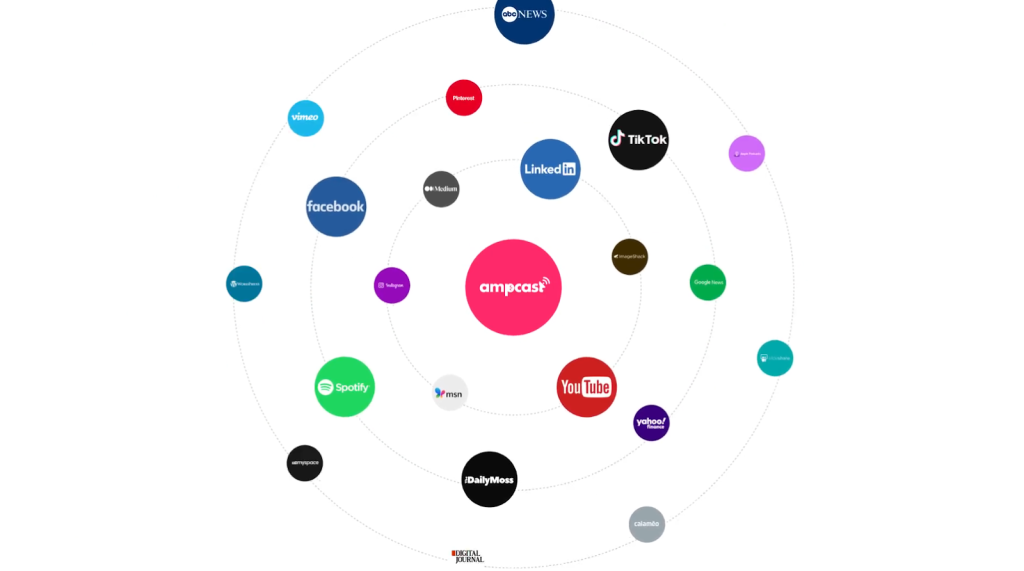
Our AmpCast AI platform makes that expansion easy. Instead of manually managing uploads to YouTube and Vimeo, it automatically repurposes your video content into multiple content formats and distributes it across YouTube, Vimeo, and a network of 300+ high-authority platforms.
This approach transforms a single video into long-lasting organic traffic across search, social, video, podcasts, AI recommendations, and news. It makes your content work harder by building visibility, authority, and organic traffic over time without added complexity or ad spend.
Frequently Asked Questions (FAQs)
Does auto-posting between YouTube and Vimeo affect my video quality?
When implemented correctly, auto-posting preserves the original video quality. Automation tools transfer the source file directly, but platforms like YouTube and Vimeo will always transcode (re-encode) the video for streaming. Using a high-quality master file minimizes generation loss during this process.
The key is to select an automation service that supports your highest-quality format and resolution.
Can I use Vimeo videos on YouTube without copyright?
You can use Vimeo videos on YouTube without copyright issues only if you own the video or have explicit permission from the copyright holder.
Unless the video is your own, licensed for reuse (such as under a Creative Commons license that allows redistribution), or you’ve received written permission, reposting it on YouTube can result in copyright claims or takedowns.
What happens if my video violates YouTube’s guidelines but not Vimeo’s?
Content violations on one platform don’t automatically affect the other, as each platform manages policy enforcement independently. If your video is flagged on YouTube but remains active on Vimeo, there’s no mechanism for YouTube to notify Vimeo about the violation.
However, patterns of violations can eventually affect your account standing on both platforms if similar content repeatedly violates guidelines.
How can AmpCast AI amplify the reach of my video content?
AmpiFire’s AmpCast platform transforms your video content into multiple formats, reaching audiences beyond traditional video platforms. Its AI-powered content repurposing creates 8 different content formats: news articles, blog posts, interview podcasts, longer informational videos, reels/shorts, infographics, flipbooks/slideshows, and social posts.
Each is optimized for its specific channel and distributed through an extensive network of over 300 high-authority sites. This multi-format and multi-channel approach generates significantly more visibility and traffic than video-only distribution strategies.
*Disclaimer: Results may vary based on individual circumstances, business type, and content strategy. The time savings and outcomes mentioned are based on typical user experiences and are not guaranteed. For specific pricing and service details, please visit AmpiFire.
Author
Related Posts

How to Auto Post Vimeo Videos to Instagram [Post, Story & Reel]
Learn the best ways to share Vimeo videos on Instagram Posts, Stories, and Reels. Discover semi-automated tools that simplify the…

How to Auto Post Vimeo Videos to Twitter/X
Learn how to automatically post Vimeo videos to Twitter/X. Step-by-step guide with tools, best practices, and automation strategies to grow…
How to Auto Post Vimeo Videos to LinkedIn
Learn how to auto-post Vimeo videos to LinkedIn with Zapier, IFTTT, and social media tools. Save 5 hours weekly with…
How to Auto Post YouTube Videos to Facebook
Learn simple ways to automatically post YouTube videos to Facebook. Save time with automation tools that share your content instantly.


Where to Share Vimeo Videos to Get More Views
The best places to share Vimeo videos include your website, Facebook, LinkedIn, X, email newsletters, and niche communities. Here's how…
Where to Share YouTube Videos & Shorts to Get More Views
Discover the best places to share YouTube videos and shorts for more views. Learn effective promotion strategies to grow your…








