

Key Takeaways
- Kit (formerly ConvertKit) is a legitimate email marketing platform built specifically for creators, bloggers, and small teams.
- The free plan supports up to 10,000 subscribers with unlimited emails but includes Kit branding, while paid plans start at $33–$39 per month and come with a 14-day free trial.
- Kit holds a 4.6 out of 5 rating on Software Advice from 238 verified reviews, with users consistently praising campaign management and mobile optimization.
- If you’re building an audience and want to monetize through digital products or paid newsletters, Kit has built-in tools that most email platforms don’t offer out of the box.
What is Kit (Formerly ConvertKit)?
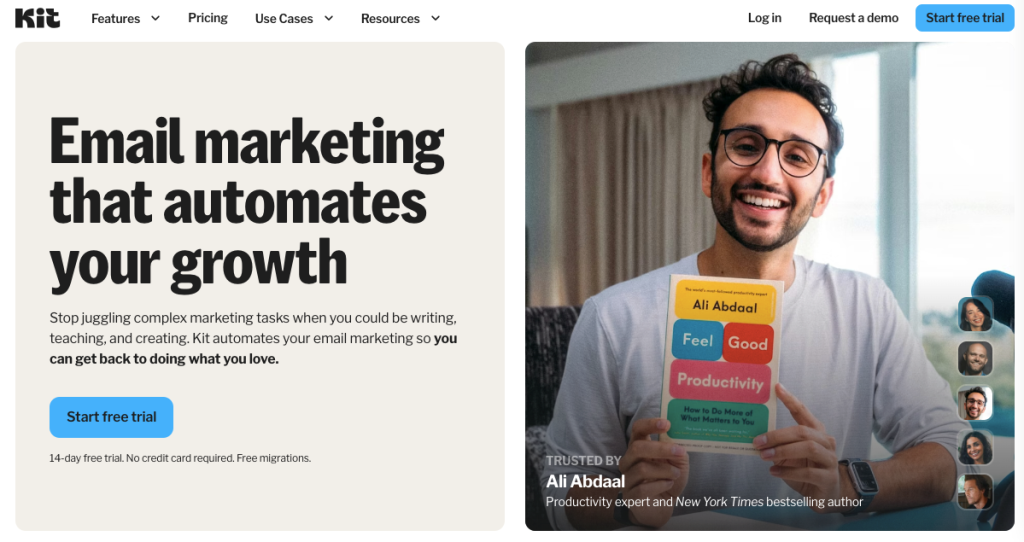
Kit, formerly known as ConvertKit, is a legitimate, well-established email marketing platform designed for creators who want to grow, engage, and monetize their audience through email.
Founded in 2013 by Nathan Barry, Kit offers email campaign building, automation, landing page building, digital product sales, newsletter subscriptions, and a sponsor network. The platform has a free plan and three pricing plans starting at $33–$39/month.
Below, you’ll find more information on this email marketing tool, including real customer reviews and a breakdown of its key features.

How AmpiFire Works:
- Research & Target: Find high-demand topics your buyers search for.
- Create & Repurpose: AmpiFire’s AmpCast AI generates news articles, blog posts, interview podcasts, longer informational videos, reels/shorts, infographics, flipbooks/slideshows, and social posts.
- Distribute & Amplify: Auto-publish to 300+ sites, including Google News, YouTube, Spotify, and major news networks.
Get more traffic from people who want to buy your stuff, and powerful “As Seen On” trust badges for your site.
Do It Yourself (with AI), Done For You Content, & 100% Managed Organic Growth options available.
Grow Your Free Traffic From Everywhere
Kit Features Breakdown
Email Marketing & Campaign Creation
Kit’s email builder is clean, minimal, and intentionally simple. You can create broadcast emails or build out full email sequences. The platform supports customizable templates, and the editor keeps you focused on copy and content rather than overwhelming you with design options.
Automation Workflows & Audience Segmentation
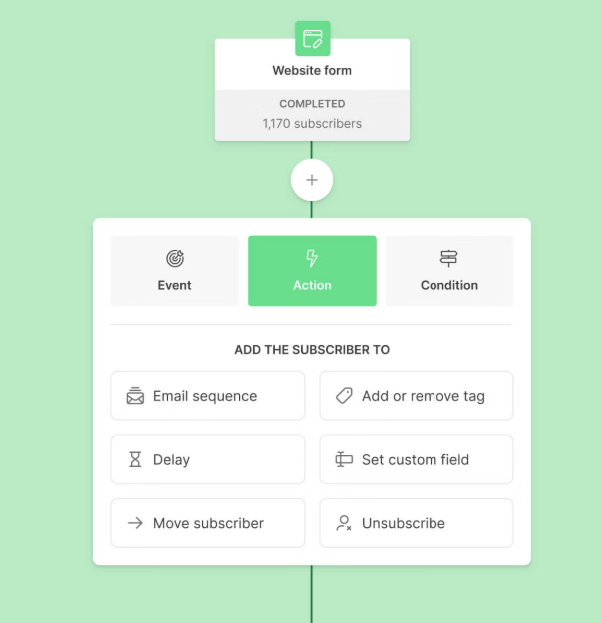
Kit’s visual automation builder lets you map out subscriber journeys using a drag-and-drop interface. You can trigger sequences based on actions like form submissions, link clicks, purchases, or tag assignments.
The tagging system is one of Kit’s strongest features. Instead of managing multiple lists, you apply tags to subscribers and then target based on behavior. This keeps your database clean and your segmentation precise, making it easy to build an audience for your brand.
Landing Pages, Forms, & List Building
Kit includes built-in landing pages with unique URLs, no website required. This is a standout feature for new creators who want to start building their list before their site is ready. The forms are customizable and can be embedded on most website platforms, including WordPress and Squarespace.
Monetization Tools & Creator Network
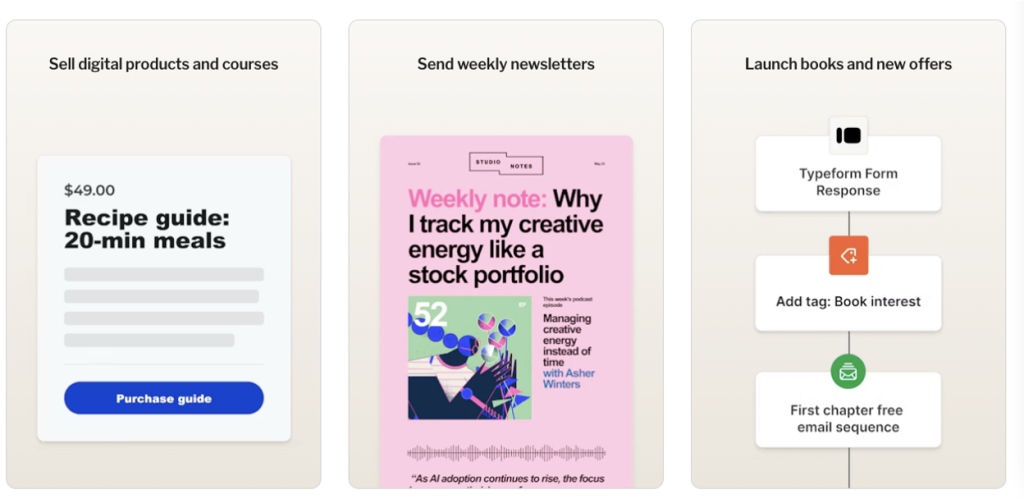
Unlike most email platforms that focus purely on sending messages, Kit has built-in tools to sell digital products, set up paid newsletters, and accept payments through Stripe. The Creator Network also allows you to recommend other Kit creators and grow your list through cross-promotions.
Drag-and-Drop Email Builder
Kit’s email editor is intentionally minimal. You get a drag-and-drop builder with content blocks for text, images, buttons, and dividers. The design philosophy here is text-first, which aligns with how creator audiences typically respond. You can also switch between a visual builder and a plain-text mode depending on your campaign type.
Tagging, Segmentation & Targeting
Rather than siloing subscribers into separate lists, Kit uses a single subscriber database where tags and segments define how you communicate with each person.
You can tag based on purchase behavior, content interests, link clicks, form sources, or custom fields. This means a subscriber who buys your course, reads your newsletter, and opts into a lead magnet all live in a single record, with full behavioral context attached.
Third-Party Integrations: Shopify, Teachable & Stripe
Kit integrates directly with Shopify, allowing you to trigger email sequences based on purchase activity, abandoned carts, and product interests. For course creators, the Teachable integration syncs student enrollment data so you can follow up with the right content at the right time.
Stripe powers Kit’s built-in commerce features, meaning you can sell digital products or subscriptions directly through Kit without needing a separate checkout tool. Beyond those core integrations, Kit integrates with Zapier, opening the door to hundreds of additional tools.
Kit Pricing: What You Actually Pay
Kit has a free plan and offers a 14-day free trial on its paid plans, no credit card required. Pricing is subscription-based.
- Newsletter: Free (1 basic Visual Automation, unlimited landing pages & forms, Unlimited email broadcasts, audience tagging & segmentation, sell digital products & subscriptions).
- Creator: $39/month paid monthly, $33/month paid yearly (everything in Newsletter plan, plus unlimited visual automations, unlimited email sequences, A/B test subject lines, remove Kit branding, apps & integrations, RSS campaigns, and more).
- Pro: $79/month paid monthly, $66/month paid yearly (everything in Creator plan, plus unlimited users, insights dashboard, deliverability reporting, subscriber engagement scoring, collaborative editing, A/B test subject lines & content, Facebook custom audiences, and more).
Reviews: What Real Users Say About Kit
Users consistently call out Kit’s campaign management tools and mobile-optimized emails as standout strengths. Emails render cleanly across devices without extra configuration, which matters more than ever, given that the majority of email opens now happen on mobile.
Reviewers also highlight how intuitive it is to create forms and newsletters without needing design experience.
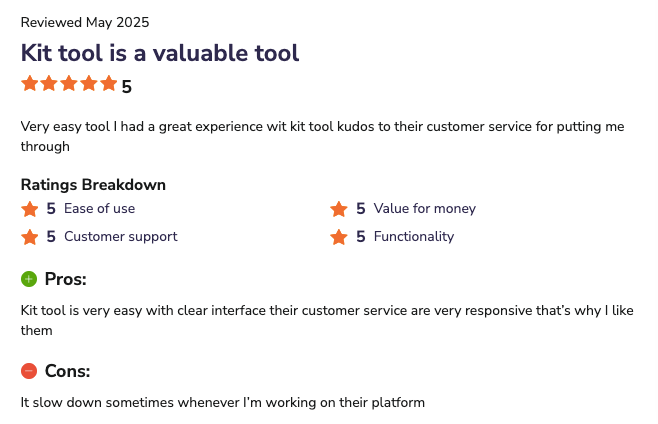
On Software Advice, Kit has a 4.6 out of 5 rating based on 238 verified user reviews, and the rating breakdown is as follows:
- Ease of Use: 4.4 out of 5.
- Value for Money: 4.3 out of 5.
- Customer Support: 4.4 out of 5.
- Functionality: 4.5 out of 5.
Final Verdict: Kit Is Worth It for Creators
If you’re a creator, blogger, newsletter operator, course seller, or indie brand building an audience from scratch, Kit is absolutely worth it.
The free plan alone, with 10,000 subscriber capacity, unlimited sends, and no branding on outgoing emails, is one of the most generous entry points in the entire email marketing space.
The paid plans are reasonably priced relative to what you get, especially the built-in monetization tools that would otherwise require a separate platform and additional monthly costs.
How Kit & AmpiFire’s AmpCast AI Can Work Together to Strengthen Your Marketing Strategy
Your email marketing list grows fastest when your content reaches new audiences beyond your existing subscribers. That’s where AmpiFire’s AmpCast AI comes in. It creates 8 content formats from a single topic (news articles, blog posts, interview podcasts, longer informational videos, reels/shorts, infographics, flipbooks/slideshows, and social posts), then automatically publishes them across 300+ sites, including Google News, YouTube, Spotify, and major news networks.
Kit handles the relationship once someone’s on your list. AmpCast AI drives the consistent stream of new visitors that gets them there, without relying on social media algorithms or paid ads alone.
Frequently Asked Questions (FAQs)
Is Kit the same as ConvertKit?
Yes. Kit is the same platform as ConvertKit; it was rebranded in 2024. The product, the team, and the underlying technology are the same. If you see older reviews or tutorials referencing ConvertKit, all of that information is still relevant to the current Kit platform. If you had an existing ConvertKit account, it automatically became a Kit account during the transition.
Does Kit have a free plan?
Yes, Kit has a free plan, and it’s one of the better free plans available in email marketing right now. The free tier supports up to 10,000 subscribers, includes unlimited email sends, and gives you access to unlimited forms and landing pages. The main limitations are that you only get one basic visual automation, and customer support is limited to email support and Kit’s AI assistant, rather than live chat or 24/7 availability.
Is Kit good for beginners?
Kit is genuinely beginner-friendly. The interface is clean, the learning curve is low, and the free plan gives you enough room to build real traction before spending anything. Verified users on Software Advice note that it’s easy to use, intuitive to get started, and the core features don’t require any technical background.
What are the best alternatives to Kit for email marketing?
The right alternative depends on your needs. EmailOctopus is a good alternative for budget-conscious creators who want good core functionality at a lower price point than Kit’s paid tiers. MailerLite is another good alternative for bloggers and newsletter operators who want a Kit-like experience with slightly different pricing.
How can I use Kit and AmpCast AI to strengthen my marketing strategy?
AmpiFire’s AmpCast AI gets your brand in front of new audiences by creating eight distinct content formats from a single topic and automatically distributing them across 300+ sites, including Google News, YouTube, Spotify, and major news networks. On the other hand, Kit handles conversion and retention, turning those new visitors into subscribers and keeping them engaged over time.
*Disclaimer: Results may vary based on individual circumstances, business type, and content strategy. The time savings and outcomes mentioned are based on typical user experiences and are not guaranteed. For specific pricing and service details, please visit AmpiFire.
Author
Related Posts


ZeroBounce Reviews & Pricing: Is This Email Validation Tool Legit?
Looking for an email validation solution that actually delivers on its promises? Email bounces can devastate your sender reputation and…


Bouncer Reviews & Pricing: Is This Email Verification Tool Legit?
Bouncer email verification checks syntax, domain, MX records, and mailboxes to keep your list clean. See pricing, real G2 reviews,…

Sender Reviews, Pricing & Features: Is This a Good Email Marketing Tool for Ecommerce?
Learn how Sender powers e-commerce growth with email & SMS marketing, automation, segmentation, analytics, and affordable plans for every business.

Hunter.io Reviews, Pricing & Features: Is this Email Finder and Verifier Legit?
Get honest Hunter.io reviews. Learn pricing, features, and if this email finder and verifier is legitimate for your lead generation…

HumanPal Reviews, Pricing & Alternatives: Is This AI Video Software Legit?
Create AI avatar videos in minutes with HumanPal. Read reviews, pricing, features, and top alternatives to find the right fit…

Sinag Marketing Reviews & Pricing Plans: Is This a Good Email & SMS Marketing Tool?
Find out how Sinag Marketing boosts eCommerce sales with email & SMS retention, plus how AmpiFire/s AmpCast AI drives organic…








