


Key Takeaways
- Mailchimp has three billing options: a Free plan (up to 250 contacts), Pay As You Go credits (buy only what you need), and monthly subscriptions (for regular senders) — so your actual costs depend entirely on how often you send.
- Pay As You Go charges per email, making it the right fit for seasonal or occasional campaigns.
- Credits expire after 12 months, so plan carefully to avoid losing value.
- Monthly plans scale with the number of contacts and include automation, templates, behavioral targeting, and reporting.
- AmpiFire amplifies results by turning one topic into 8 content types and distributing across 300+ high-authority platforms for long-term, multi-channel traffic.
Mailchimp Pricing Explained: Find the Plan That Fits Your Business
Mailchimp pricing runs from $0 to $350+ per month depending on which plan you choose. The Free plan supports up to 250 contacts, Pay As You Go lets you buy credits only when you need them, and monthly subscriptions scale with your contact list. Which one saves you the most depends on how often you actually send.
Pay As You Go vs. Monthly Subscription
Monthly subscriptions charge based on your contact list, regardless of how often you email. Pay As You Go only charges when you send emails, with one credit per contact per email. This difference matters: a business running a quarterly campaign doesn’t need the same structure as an e-commerce brand sending weekly newsletters or automated sequences. One size doesn’t fit all.
Pay As You Go suits seasonal businesses, event organizers, freelancers, and nonprofits — anyone who only needs to email a few times a year. Monthly plans make more sense once you’re sending weekly or daily, where the lower per-email cost and predictable billing outweigh the flexibility of credits.

How AmpiFire Works:
- Research & Target: Find high-demand topics your buyers search for.
- Create & Repurpose: AmpiFire’s AmpCast AI generates news articles, blog posts, interview podcasts, longer informational videos, reels/shorts, infographics, flipbooks/slideshows, and social posts.
- Distribute & Amplify: Auto-publish to 300+ sites, including Google News, YouTube, Spotify, and major news networks.
Get more traffic from people who want to buy your stuff, and powerful “As Seen On” trust badges for your site.
Do It Yourself (with AI), Done For You Content, & 100% Managed Organic Growth options available.
Grow Your Free Traffic From Everywhere
How Does Mailchimp’s Pay As You Go Plan Actually Work?
Mailchimp’s Pay As You Go plan is a flexible alternative to monthly subscriptions. Instead of a recurring bill, you buy email credits as needed and spend them only when you send emails. This makes it ideal for infrequent or irregular senders like seasonal businesses, quarterly newsletters, or occasional campaigns.
How Mailchimp Credit Sending Works
In this plan, you use email credits to cover your sending needs. Every email sent to one contact uses one credit. This applies to test emails, automated sends, and regular campaigns. Credits expire 12 months after purchase, so plan your purchases around your actual sending schedule.
What’s Included With Pay As You Go
Paying differently doesn’t mean getting less. Pay As You Go includes the same core features as the Essentials plan. You still have access to email themes, layouts, pre-built audience segments, and basic reporting. You’re paying differently, but you aren’t missing any essential functionality.
How to Buy and Use Credits
Credit blocks start at 5,000 credits, which is the minimum purchase under this plan. Credits cannot be used with other Mailchimp plans, and purchasing credits automatically switches your account to Pay As You Go. For low-frequency sending, this approach ensures you only pay for what you actually use.
Practical Example of Credits in Use
For example, sending a campaign to 500 contacts costs 500 credits, while sending to 2,000 contacts costs 2,000 credits. A seasonal business sending four campaigns to 2,000 contacts a year would need 8,000 credits. Purchasing two 5,000-credit blocks would cover all campaigns and leave 2,000 credits for future use.
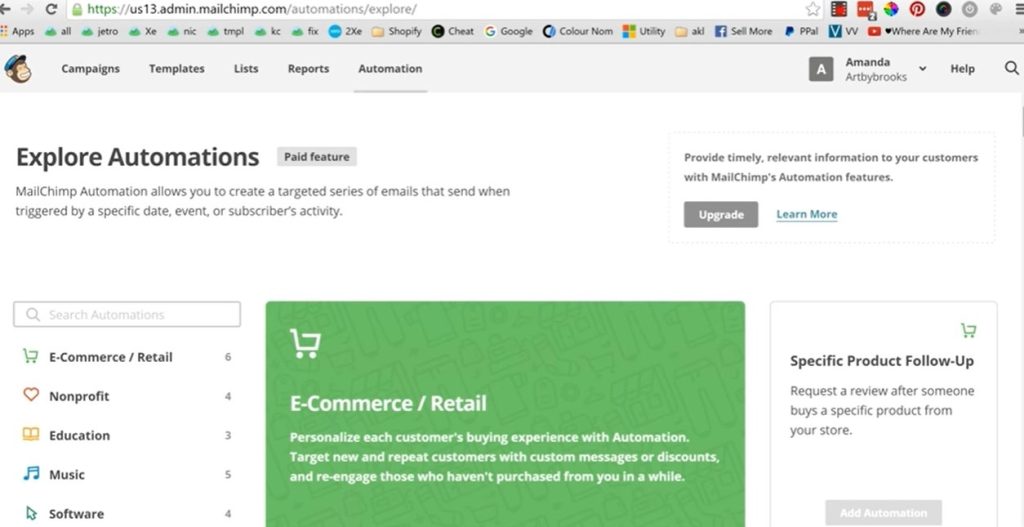
Pricing & Subscription Cost
Credit blocks start at 5,000 for $150, scaling up from there — see Mailchimp’s pricing page for the full table. There is no monthly fee. You only pay for the credits you purchase, which makes this a cost-effective option for small businesses that send emails occasionally or seasonally.
Key Things to Know
Credits expire after 12 months with no refunds, so plan purchases carefully. Mailchimp does not issue refunds for unused credits unless there is a system malfunction. If you switch to a monthly plan, remaining credits may convert to account credits applied to your bill.
Monthly Subscription Plans Broken Down
Mailchimp’s monthly plans are structured around how many contacts you store and emails. The more contacts you have, the higher your pricing tier and therefore your monthly bill. This model rewards senders who engage consistently with their full list, since the effective per‑email cost often drops as your volume grows. There are three core paid tiers beyond the free plan: Essentials, Standard, and Premium.
Free Plan
Mailchimp’s Free plan costs $0 per month and is designed for very early‑stage users just starting with email marketing. It includes basic email campaign tools and allows you to manage a small audience and send a limited number of emails each month. As your business grows, these limits can quickly become restrictive, prompting an upgrade to a paid tier.
Essentials Plan
The Essentials plan starts at around $13 per month for accounts with a small number of contacts. It unlocks features like A/B testing, email scheduling, a larger template library, and 24/7 email and chat support. Pricing increases as your contact count grows, and the plan allows significantly higher monthly email sends compared with the Free tier.
Standard Plan
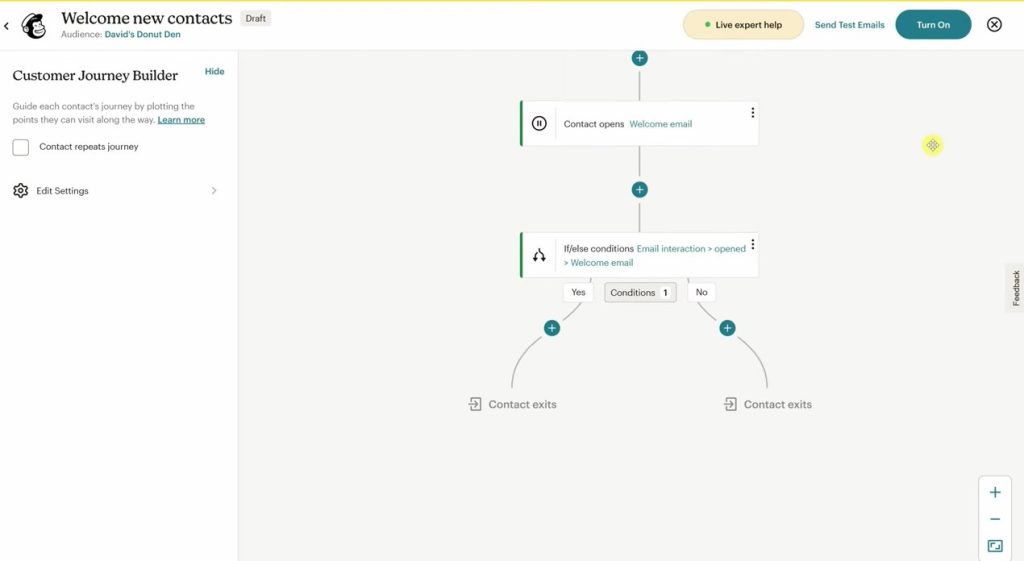
The Standard plan starts at about $20 per month for smaller contact lists. It adds more advanced features such as behavioral targeting, send‑time optimization, multi-step automation and interactive content, and multi‑step automation sequences. This makes it better suited for businesses that use email as a core marketing channel and need deeper audience insights and automation capabilities than the Essentials tier offers.
Premium Plan
The Premium plan starts at approximately $350 per month and is aimed at high‑volume or enterprise‑level senders. This tier includes the most advanced features, including 200,000 contacts, advanced segmentation, multivariate testing, priority phone support, and detailed reporting. Premium is built for larger teams and organizations with high-volume, sophisticated email marketing operations.
Note on Pricing:
Exact monthly costs for Essentials, Standard, and Premium vary based on the number of contacts you store, as Mailchimp bills higher for larger audiences. The figures above reflect starting prices for smaller lists; for larger audiences, actual monthly costs are higher, and Premium often requires custom pricing.
Which Mailchimp Plan Is Right for Your Business?
| Plan / Type | Cost / Starting Price | Best For | Key Features & Notes |
| Free | $0 / month | Beginners, very small lists | Basic email campaigns, limited audience size, limited monthly sends |
| Pay As You Go | 5,000 credits $150 | Infrequent or irregular senders | Buy credits as needed, 1 credit per email per contact, credits expire after 12 months, same core features as Essentials, no monthly fee |
| Essentials | $13 / month | Small businesses send regularly | Unlimited sends within monthly limit, email templates, A/B testing, 24/7 support, pricing scales with contacts |
| Standard | $20 / month | Growing businesses with automation needs | Behavioral targeting, send-time optimization, interactive content, multi-step automation sequences |
| Premium | $350 / month | High-volume or enterprise senders | Advanced segmentation, multivariate testing, priority support, 200,000 contacts, and detailed reporting |
Note: Price ranges shown are approximate starting prices based on the smallest contact tier and are subject to change. Visit Mailchimp’s pricing page for current rates.
Beyond Mailchimp: How to Get More From Every Campaign Dollar
For businesses looking to grow their email marketing results and organic reach beyond what standard platforms provide, AmpiFire provides a done-for-you content solution. AmpiFire transforms a single topic into eight content formats — news articles, blog posts, interview podcasts, longer informational videos, reels/shorts, infographics, flipbooks/slideshows, and social posts — and distributes them across 300+ high-authority platforms.
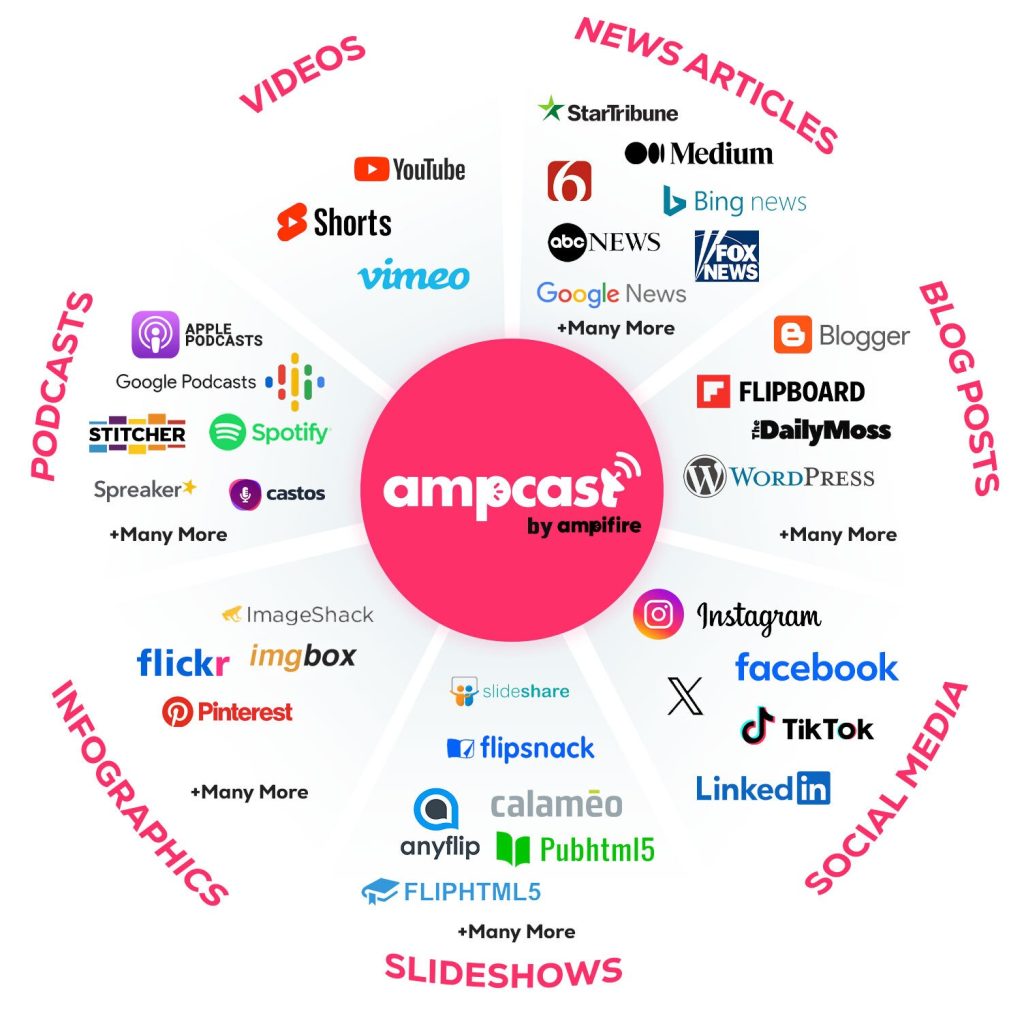
This approach drives traffic from multiple channels simultaneously: search engines, social media, podcasts, and video platforms. Clients have seen up to 51x return on content investment, with results like $180,000 in additional monthly sales and more targeted buyer clicks per month.
AmpiFire is ideal for businesses that want sustainable, long-term traffic growth without relying solely on paid ads. The system uses proprietary AmpCast AI technology to push content further and wider, giving businesses a concrete alternative to manual campaigns or email-only strategies.
For companies ready to take email and content marketing to the next level, AmpiFire gives you a measurable way to attract and convert more leads without the overhead of running campaigns in-house.
Frequently Asked Questions (FAQs)
What happens to free plan sends if I buy Pay As You Go credits?
Purchasing credits upgrades your account from Free to Pay As You Go, unlocking Essentials-level features like email templates, pre-built segments, and basic reporting. You’re no longer on the Free tier once credits are active, giving you a more professional toolkit for campaigns.
Can I switch from Pay As You Go to a monthly plan later?
Yes, you can switch at any time through your account settings. Unused credits do not transfer or get refunded, so it’s best to schedule campaigns strategically before making the move. Planning ahead ensures you don’t waste credits you’ve already purchased.
Do unused Mailchimp credits roll over?
No. Credits expire 12 months after purchase with no refund or rollover. This means any unused credits are lost if not used within that period. To avoid losing funds, plan purchases around your realistic sending schedule — seasonal campaigns, quarterly promotions, and one-off sends included. Keeping an eye on your credit balance ensures you get full value from every purchase.
Is the Pay As You Go plan available in all countries?
No. Some regions or currencies are restricted due to tax, payment processing, or local regulations. If the option isn’t visible in your account, a monthly subscription plan will be your only paid choice.
How can I maximize the impact of my email campaigns?
Mailchimp gives you flexible billing and core tools, but for broader reach and long-term growth, AmpiFire transforms a single topic into eight content formats — news articles, blog posts, interview podcasts, longer informational videos, reels/shorts, infographics, flipbooks/slideshows, and social posts — and publishes them across 300+ high-authority platforms. This drives traffic from search, social, video, and podcasts at once, complementing your email campaigns and boosting ROI, even for seasonal or infrequent sends.
*Disclaimer: Results may vary based on individual circumstances, business type, and content strategy. The time savings and outcomes mentioned are based on typical user experiences and are not guaranteed. For specific pricing and service details, please visit AmpiFire.
Author
Related Posts


Mailchimp vs Constant Contact for Email Marketing Campaigns: Cost, Pros & Cons
Compare Mailchimp vs Constant Contact to find the best email marketing platform for your business. Learn the pricing, features, pros,…


SendX Pricing, Features & Reviews: Is This AI-Powered Email Marketing Software Worth the Cost?
See real SendX reviews covering pricing, AI-powered features, and deliverability tools. Learn if this email marketing software is worth it.

Hootsuite vs Buffer Social Media Management Tools: Free Plan & Pricing Comparison
See how Buffer and Hootsuite compare on pricing, free plans, and features. Learn which social media management tool has the…

iContact Reviews, Cost & Features: Is This Email Marketing Software Worth It?
Discover if iContact is right for your business. Learn about pricing from $9/month, key features, and user reviews for this…


Hunter.io Reviews, Pricing & Features: Is this Email Finder and Verifier Legit?
Get honest Hunter.io reviews. Learn pricing, features, and if this email finder and verifier is legitimate for your lead generation…

How to Implement Your Own Brand News Writing Strategy: Inverted Pyramid Approach Explained
In this post, I'm showing you how to master the inverted pyramid style of writing that journalists use when crafting…








