

Key Takeaways
- Mailtrap is best positioned as a developer-focused email deliverability platform built for reliable, scalable email sending.
- Its core strength lies in improving inbox placement through structured email streams, strong authentication, fast integration, and detailed delivery analytics.
- Pricing is competitive, with Email Sending starting at around $15/month for 10,000 emails, making it accessible for startups while supporting enterprise scale.
- Users consistently highlight fast setup, reliable email delivery, and strong infrastructure stability, with testing safety features seen as a secondary value.
- AmpCast AI drives top-of-funnel traffic, while Mailtrap ensures reliable email delivery at scale, making both tools complementary in a full marketing and growth funnel.
Is Mailtrap the Best Email Deliverability Platform?
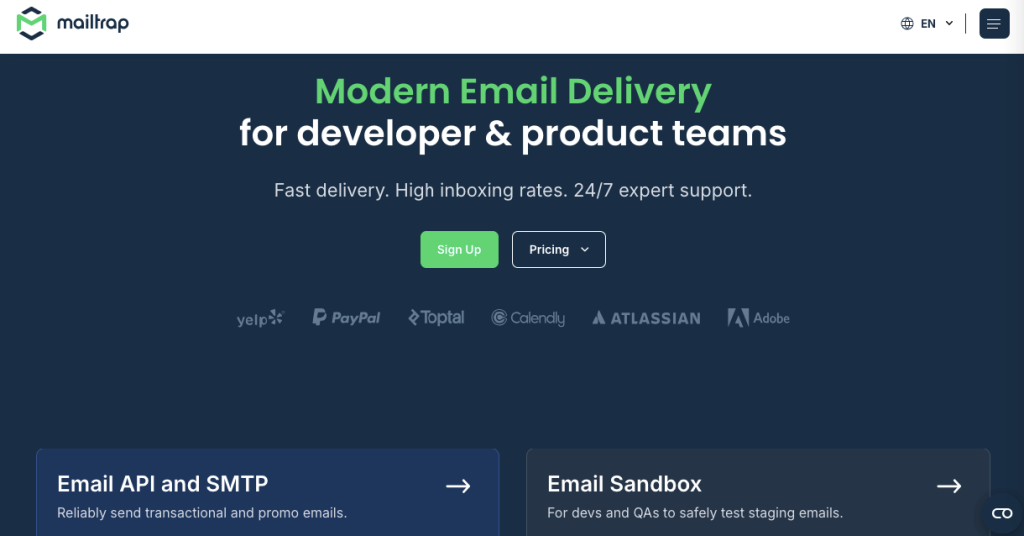
For developers, product teams, and growing SaaS companies, Mailtrap is a modern email deliverability platform built to ensure emails are reliably sent, authenticated, and delivered at scale.
Mailtrap is designed to power the entire email delivery pipeline, helping teams send transactional and marketing emails with high deliverability, strong authentication, and deep visibility into performance.
Built for fast-moving engineering and AI-driven workflows, Mailtrap combines specialized email streams, strong authentication controls, developer-friendly integrations, and detailed analytics into a single platform.
A free plan is available, with pricing starting at $15/month for Email Sending, making it a cost-effective option for startups and enterprises looking for reliable email infrastructure.
The sections below explore Mailtrap’s core deliverability capabilities, integrations, pricing structure, and real-world user feedback.

How AmpiFire Works:
- Research & Target: Find high-demand topics your buyers search for.
- Create & Repurpose: AmpiFire’s AmpCast AI generates news articles, blog posts, interview podcasts, longer informational videos, reels/shorts, infographics, flipbooks/slideshows, and social posts.
- Distribute & Amplify: Auto-publish to 300+ sites, including Google News, YouTube, Spotify, and major news networks.
Get more traffic from people who want to buy your stuff, and powerful “As Seen On” trust badges for your site.
Do It Yourself (with AI), Done For You Content, & 100% Managed Organic Growth options available.
Grow Your Free Traffic From Everywhere
Mailtrap’s Core Features
Mailtrap is built around one primary goal: helping your emails reliably reach the inbox. Instead of fragmented tools, it provides a unified deliverability-focused infrastructure.
Specialized Email Streams
Mailtrap allows teams to separate email traffic into structured streams, such as transactional and promotional sending.
This separation helps protect sender reputation and improves inbox placement by ensuring critical emails (like password resets or receipts) are not affected by marketing volume.
Strong Email Authentication & Deliverability Controls
Deliverability starts with trust, and Mailtrap supports full authentication setup, including:
- SPF configuration
- DKIM signing
- DMARC alignment
These protocols help verify sender identity and reduce the risk of emails being flagged as spam. Combined with dedicated sending infrastructure, Mailtrap helps businesses maintain consistent inbox placement rates.
Fast Setup for Developers
One of Mailtrap’s strongest advantages is its developer-first setup experience. Teams can connect their applications in minutes using SMTP or API, with minimal configuration required. This makes it easy to plug Mailtrap into existing stacks without disrupting workflows.
SDKs & Modern Integrations
Mailtrap provides well-maintained SDKs and integrates smoothly into modern development environments, including:
- Vercel
- Supabase
- Custom backend frameworks
- AI-driven workflows (including MCP support)
This makes it particularly useful for teams building cloud-native apps and AI-powered products that rely on automated email delivery.
Deep Analytics & Delivery Insights
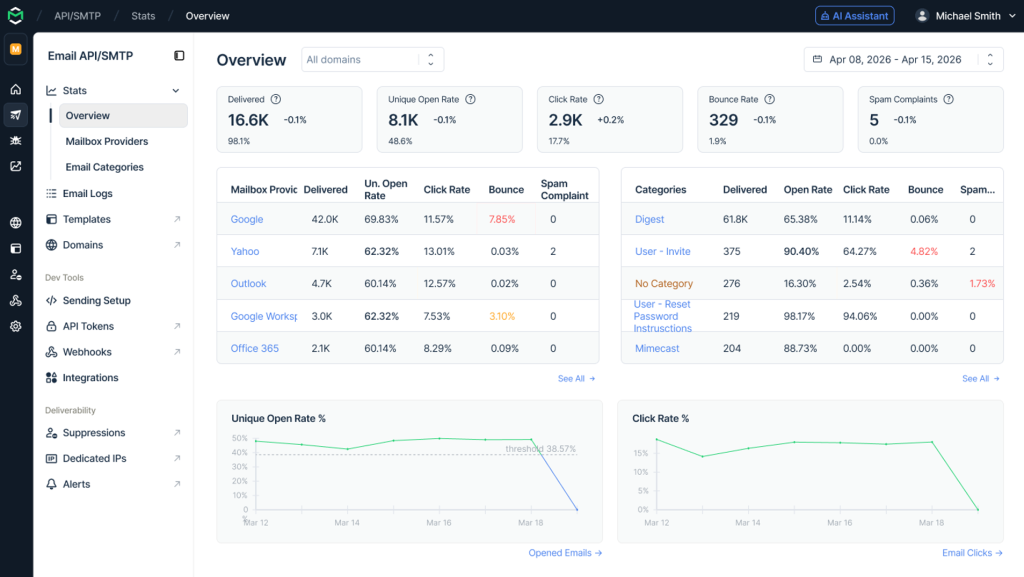
The platform provides detailed delivery analytics that help teams monitor sends, bounces, failures, and engagement trends. These insights make it easier to optimize performance and quickly diagnose deliverability issues.
Team Collaboration & Scalable Infrastructure
Mailtrap supports multiple projects and team structures, allowing engineering, QA, and marketing teams to operate independently while using the same platform. This separation improves operational clarity and ensures email workflows scale cleanly across teams and environments.
How Much Does Mailtrap Cost? Plans & Pricing
Mailtrap offers two pricing tiers: one for Email Sending (production delivery) and one for Email Sandbox (testing). You can use either independently or together, and both tracks include a free tier to get started.
Email Sending (Email API/SMTP) Plans
Email sending plans are priced separately based on monthly email volume. Pricing scales with send volume, making it accessible for early-stage startups while remaining capable enough for businesses sending at scale.
- Free: 4,000 emails, 1 user, 3 days of email logs, 1 domain.
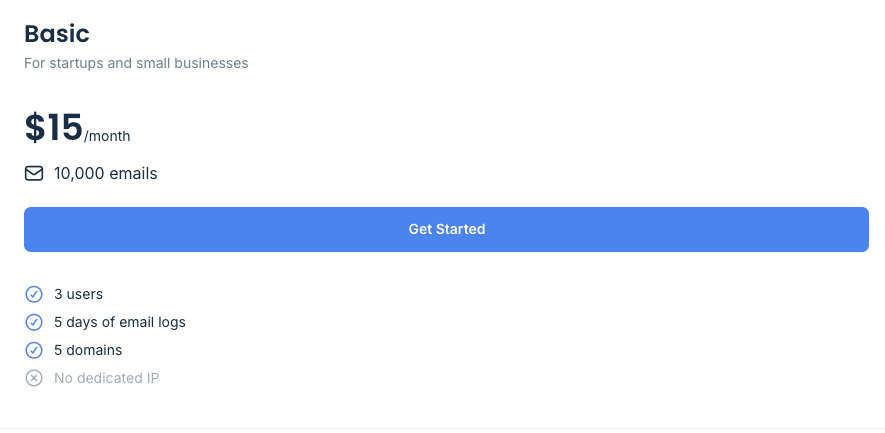
- Basic: from $15/month, 10,000 emails, 3 users, 5 days of email logs, 5 domains, no dedicated IP.
- Business: from $85/month, 100,000 emails, 1,000 users, 15 days of email logs, 3,000 domains, dedicated IP.
- Enterprise: from $750/month, 1,500,000 emails, 30 days of email logs, priority support, custom contracts, enterprise billing.
- Mailtrap for Big Senders: Custom pricing and volume discounts.
Email Testing (Sandbox) Plans
For the Sandbox plans, higher-tier plans scale up team size, inbox count, and monthly test email limits for larger engineering teams with more complex QA needs.
- Free: 50 test emails, 1 user, 1 sandbox, 10 emails per sandbox.
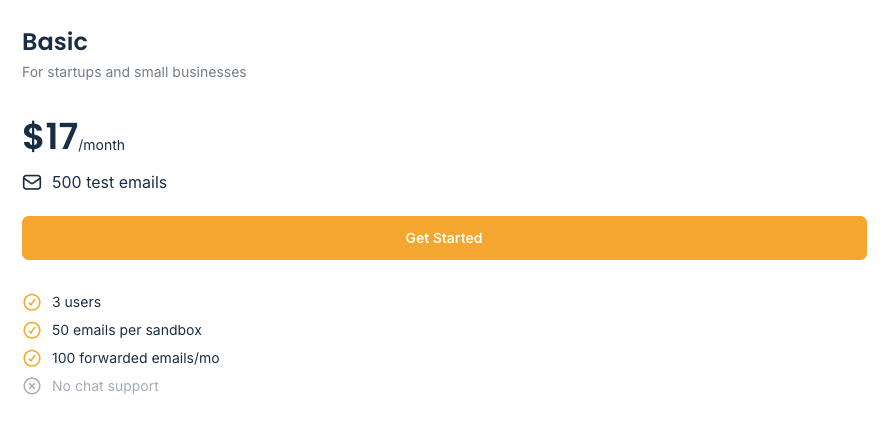
- Basic: $17/month, 500 test emails, 3 users, 50 emails per sandbox, 100 forwarded emails/month.
- Team: $42/month, 5,000 test emails, 5 users, 5 sandboxes, priority support, chat support.
- Business: $123/month, 50,000 test emails, 50 sandboxes, 2,000 forwarded emails/month.
- Enterprise: $498/month, 5,000,000 test emails, 1,000 users, 300 sandboxes, SSO, priority support.
Mailtrap Reviews: What Real Users Say
Across verified review platforms, including G2 (4.8/5), Mailtrap reviews consistently highlight strong email deliverability and sending reliability, with testing and safety features mentioned as a secondary benefit. Overall, users describe it as a dependable email infrastructure tool, with minor concerns typically focused on edge-case deliverability tuning or initial integration clarity rather than core performance.
On the deliverability side, users frequently praise its fast SMTP setup and stable sending performance. Many report being able to integrate quickly and achieve reliable delivery with minimal configuration, while also valuing its authentication and infrastructure consistency.
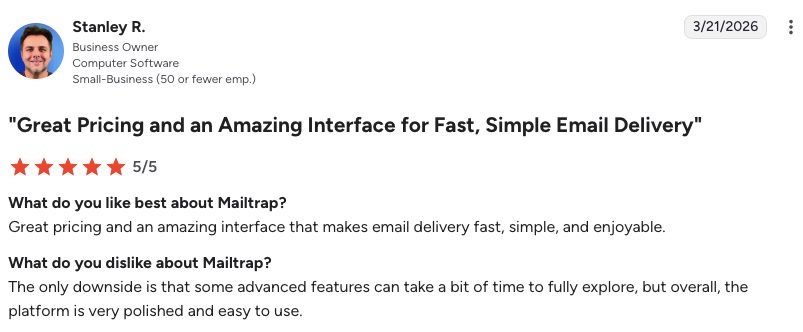
On the testing side, the sandbox is widely seen as a safety layer that prevents accidental emails from reaching real users. The interface is often described as clean and easy to use, especially for technical teams.
As one verified G2 reviewer noted: “Mailtrap helped us centralize and scale our transactional email infrastructure across multiple financial products. The SMTP and API options were flexible and easy to integrate with our microservices, and we’re seeing consistently strong inboxing rates.”
So, Is Mailtrap the Best Email Deliverability Platform?
Mailtrap is a strong contender for one of the best email deliverability platforms for development teams and SaaS companies.
Its key strengths are reliable email infrastructure, strong authentication controls, fast integration with up-to-date stacks, and actionable delivery analytics. It is particularly well-suited for teams building API-driven or AI-powered products that need dependable email delivery at scale.
Where it stands out most is in how quickly teams can integrate it and begin sending production emails with confidence.
Why AmpCast AI + Mailtrap Is the Smartest Stack
AmpCast AI by AmpiFire and Mailtrap operate at two distinct but highly complementary stages of the marketing funnel. AmpCast AI by AmpiFire handles the top of the funnel. It creates eight content formats (news articles, blog posts, interview podcasts, longer informational videos, reels/shorts, infographics, flipbooks/slideshows, and social posts) and automatically publishes them to 300+ platforms, including Google News, YouTube, Spotify, and major news networks.
This builds visibility across search, social, video, podcasts, news, and AI recommendations, generating inbound traffic, third-party media credibility, and backlinks that strengthen your domain authority over time. AmpCast AI builds inbound traffic that grows your audience and brand, while Mailtrap ensures the email infrastructure supporting your promotional campaigns is technically sound and consistently deliverable.
Frequently Asked Questions (FAQs)
Does Mailtrap work with WordPress?
Yes. Mailtrap integrates with WordPress through SMTP configuration, typically using a plugin like WP Mail SMTP. You point WordPress’s outgoing mail settings to Mailtrap’s SMTP credentials, and all emails generated by your WordPress site get routed into your Mailtrap sandbox for inspection.
Can you send real emails with Mailtrap?
Yes, the Mailtrap Email API/SMTP service supports full transactional email delivery with SPF, DKIM, and DMARC authentication, real-time delivery analytics, and dedicated sending infrastructure.
Is Mailtrap free to use?
Mailtrap offers a free plan for the Email API/SMTP product and the Email Sandbox. The free Email API/SMTP plan allows 4,000 emails and 1 user, while the free Email Sandbox allows 50 test emails, 1 user, and 1 sandbox. The free tiers are useful for solo developers running personal projects or evaluating Mailtrap before proposing it to a team.
What is the difference between Mailtrap’s Email API/SMTP and Email Sandbox features?
The Email API/SMTP service is the production counterpart: it delivers real emails to real inboxes using dedicated infrastructure with delivery tracking, authentication support, and real-time analytics. Meanwhile, the Email Sandbox captures and holds outgoing emails in a virtual inbox for inspection, without real delivery, with full visibility, and with zero risk of hitting actual recipients.
How does AmpCast AI complement Mailtrap?
AmpCast AI by AmpiFire creates eight content formats (news articles, blog posts, interview podcasts, longer informational videos, reels/shorts, infographics, flipbooks/slideshows, and social posts) and then distributes them to 300+ platforms, including Google News, YouTube, Spotify, and major news networks, increasing traffic from search, social, video, news, podcasts, and AI recommendations.
Paired with Mailtrap, both create a closed-loop marketing strategy: AmpCast AI builds inbound traffic and brand authority, while Mailtrap ensures the email infrastructure supporting your campaigns is technically sound and consistently deliverable.
*Disclaimer: Results may vary based on individual circumstances, business type, and content strategy. The time savings and outcomes mentioned are based on typical user experiences and are not guaranteed. For specific pricing and service details, please visit AmpiFire.
Author
Related Posts


Warmy.io Pricing, Reviews & Features: Is This Email Deliverability Test Tool Worth It?
Discover Warmy.io's email warm-up features, pricing plans, and user reviews. Learn how this AI-powered tool can boost your email deliverability…


Moosend Features, Reviews & Pricing: Is This Email Marketing & Automation Platform Worth It?
Get honest Moosend reviews. Learn features, pricing, and whether this email marketing and automation platform is worth it for your…


GetProspect Reviews, Pricing & Features: Is This B2B Email Finder Legit?
See how GetProspect performs as a B2B email finder, with a breakdown of its verification model, pricing plans, database size,…


Sender Reviews, Pricing & Features: Is This a Good Email Marketing Tool for Ecommerce?
Learn how Sender powers e-commerce growth with email & SMS marketing, automation, segmentation, analytics, and affordable plans for every business.

SendX Pricing, Features & Reviews: Is This AI-Powered Email Marketing Software Worth the Cost?
See real SendX reviews covering pricing, AI-powered features, and deliverability tools. Learn if this email marketing software is worth it.


Hunter.io Reviews, Pricing & Features: Is this Email Finder and Verifier Legit?
Get honest Hunter.io reviews. Learn pricing, features, and if this email finder and verifier is legitimate for your lead generation…








