
Key Takeaways
- YouTube and Instagram serve different purposes, since YouTube favors deeper learning while Instagram Reels reward quick, vertical, mobile-first clips.
- Repurposing follows five steps: use the original file, reframe to 9:16, add checked captions, add a first-frame hook, and trim clips under 90 seconds.
- Short Reels of 7 to 15 seconds suit entertainment, tutorials work best at 15 to 30 seconds, and explainers can run up to 90 seconds if every second adds value.
- Tools including AmpiFire’s AmpCast AI, CapCut, Adobe Premiere Pro, Descript, and BrandGhost help with editing, captions, clip selection, and scheduling depending on the workflow.
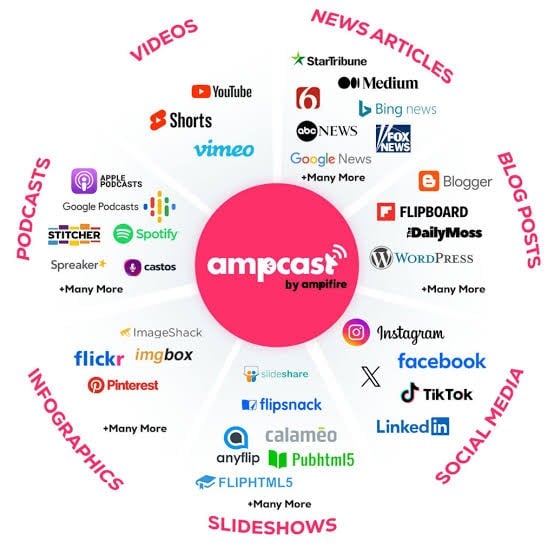
- AmpiFire’s AmpCast AI turns one YouTube video’s core message into 8 content formats and distributes them across 300+ platforms, building organic reach beyond YouTube or Instagram alone.
YouTube & Instagram Serve Different Content Needs
Repurposing a YouTube video for Instagram means reshaping the same message for a different viewing habit, not just cutting it shorter. YouTube viewers settle in for longer, more detailed content, while Instagram users scroll fast and decide within seconds whether to keep watching. Missing that distinction is why so many repurposed clips fall flat, even when the original video performed well.
For businesses that want this repurposing to scale past manual editing, AmpiFire’s AmpCast AI takes one video’s message and reshapes it into multiple formats built for different platforms, not just Instagram. That broader reach is where a single YouTube upload can start working harder without extra production time. It also saves content teams from creating separate assets for every channel, freeing up more time to focus on strategy, campaigns, and new ideas instead of repetitive editing.

How AmpiFire Works:
- Research & Target: Find high-demand topics your buyers search for.
- Create & Repurpose: AmpiFire’s AmpCast AI generates news articles, blog posts, interview podcasts, longer informational videos, reels/shorts, infographics, flipbooks/slideshows, and social posts.
- Distribute & Amplify: Auto-publish to 300+ sites, including Google News, YouTube, Spotify, and major news networks.
Get more traffic from people who want to buy your stuff, and powerful “As Seen On” trust badges for your site.
Do It Yourself (with AI), Done For You Content, & 100% Managed Organic Growth options available.
Grow Your Free Traffic From Everywhere
Step-by-Step: How to Edit a YouTube Clip Into an Instagram Reel
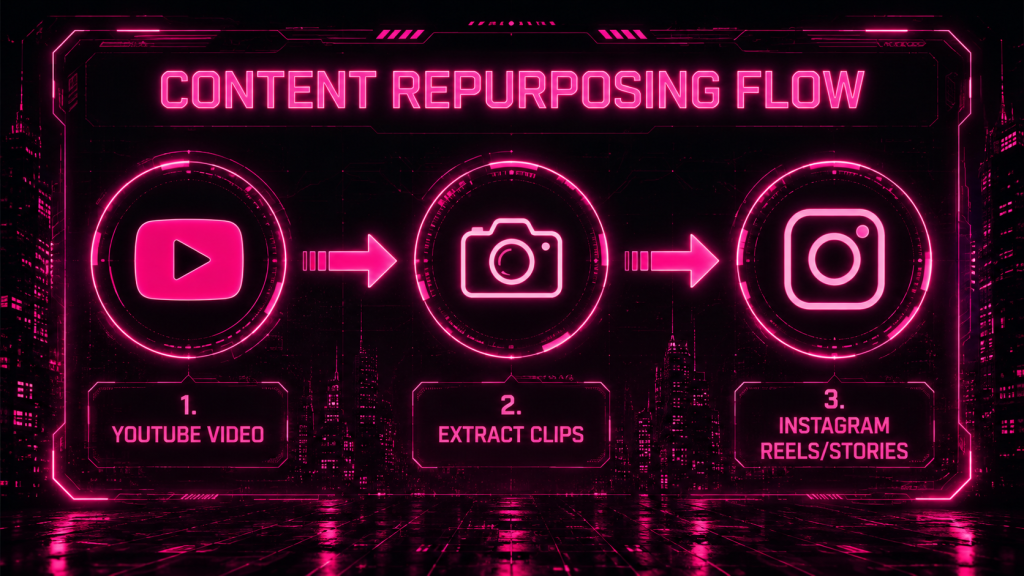
Turning a YouTube video into an Instagram Reel is straightforward. The goal is not to recreate the content but to reshape it for a different audience and viewing experience. By following a few simple steps, you can turn one long-form video into multiple short, engaging Reels.
- Export From Your Original File, Not a YouTube Download: Whenever possible, start with your original video file rather than downloading the video from YouTube. The original file will typically provide better quality and make editing easier. If you no longer have access to it, use the highest-quality version available. Keeping original files organized can save time and help maintain consistency when repurposing content in the future.
- Reframe to 9:16 Without Cropping Out the Subject: Instagram Reels are designed for vertical viewing, so you’ll need to adjust your video to fit that format. As you reframe the clip, make sure the main subject remains clearly visible throughout. Whether it’s a speaker, product demonstration, or tutorial, viewers should always be able to focus on the most important part of the video without distractions.
- Add Auto-Captions and Check Them for Errors: Captions are an important part of Reel performance because many people watch videos without sound. Auto-generated captions can save time, but they should always be reviewed before publishing. Correcting mistakes and improving readability helps viewers follow the content more easily and creates a more professional viewing experience.
- Add a Hook Overlay on the First Frame: The first few seconds determine whether someone keeps watching or scrolls away. A short text overlay at the beginning of the Reel can immediately convey the clip’s value and encourage viewers to stay engaged. Focus on highlighting the key takeaway, surprising insight, or problem the video helps solve.
- Trim to Under 90 Seconds Where Possible: Shorter Reels are often easier for viewers to watch all the way through. Focus on a single idea, tip, or insight rather than trying to include too much information in one clip. Remove unnecessary introductions, pauses, or extra explanations so the content gets to the point quickly while still delivering value.
What Are the Best Converter Tools to Repurpose YouTube Videos for Instagram?
1. AmpCast AI: Best for MultiCasting Content Online
Most repurposing tools help you turn a YouTube video into an Instagram Reel, but that still leaves your content reaching audiences primarily on a single platform.
AmpiFire’s AmpCast AI takes a broader MultiCasting approach. It helps businesses turn one high-demand topic into 8 platform-optimized content formats: news articles, blog posts, interview podcasts, longer informational videos, reels/shorts, infographics, flipbooks/slideshows, and social posts. Those assets are then automatically distributed across 300+ high-authority sites, including YouTube, Vimeo, Instagram, TikTok, Spotify, Pinterest, Google News, and more.
For businesses focused on long-term organic traffic rather than just social media publishing or even manual video editing, AmpCast AI helps your content appear where potential customers search, scroll, watch, and listen across search, social media, video, podcasts, and news, all from a single idea.
2. CapCut: Best Free Option for Beginners
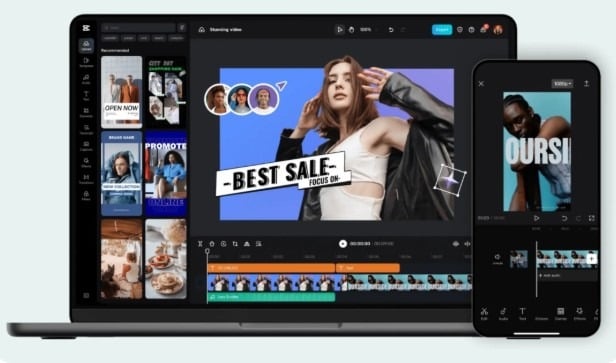
CapCut is one of the easiest tools for turning YouTube videos into Instagram Reels. It includes vertical video templates, captions, text overlays, and basic editing features in a simple interface. For creators and marketers who want a quick, low-cost workflow, CapCut provides everything needed to create and publish short-form content.
3. Adobe Premiere Pro: Best for Experienced Editors
Adobe Premiere Pro is a strong option for users who already edit their YouTube videos on the platform. Since your footage and project files are already in one place, creating Reel versions becomes much more efficient. While it provides advanced editing capabilities, it is generally best suited for experienced editors rather than beginners.
4. Descript: Best for AI-Assisted Clip Identification
Descript simplifies the repurposing process by allowing users to work from a video transcript instead of a traditional editing timeline. This makes it easier to find key moments, create shorter clips, and speed up production.
Its AI-powered features can also help identify highlights and streamline repetitive editing tasks. No single tool handles every part of the workflow perfectly. Many content teams use one tool for editing and another for scheduling and publishing.
5. BrandGhost: Best for Automating Captions & Scheduling
Editing is only part of the repurposing process. Once your clips are ready, you still need captions, posting schedules, and content organization. BrandGhost helps automate these tasks, making it easier to maintain a consistent publishing schedule.
For businesses and creators regularly turning YouTube videos into Instagram Reels, using a scheduling platform can save significant time and help keep content flowing across multiple channels.
Top 5 Tools to Repurpose YouTube Videos for Instagram
| Tool | Best For | Key Strength | Ideal User |
| AmpCast AI (AmpiFire) | Full-scale content repurposing | Turns one topic into 8 content formats (longer informational videos, reels/shorts, news articles, blog posts, interview podcasts, infographics, flipbooks/slideshows, and social posts) and supports automatic distribution across 300+ online sites | Businesses focused on long-term content growth and multi-channel reach |
| CapCut | Simple video editing for beginners | Easy editing, captions, templates, and vertical formatting in a user-friendly interface | Beginners and creators who need quick, low-cost Reels |
| Adobe Premiere Pro | Advanced video editing | Professional-level control and efficient workflow for users already editing YouTube content | Experienced video editors |
| Descript | AI-assisted editing | Uses transcripts to quickly find key moments and create short clips | Creators who want faster editing and clip extraction |
| BrandGhost | Scheduling and automation | Automates captions, posting, and content scheduling for consistent publishing | Teams and creators managing regular posting |
One YouTube Video Can Reach Further With AmpiFire
The most effective way to repurpose YouTube videos for Instagram is to turn key moments from your long-form content into short, standalone clips and publish them consistently. This allows you to reach new audiences, extend the lifespan of every video, and get more value from the content you’ve already created.
At AmpiFire, we help businesses scale this strategy much faster. Instead of relying on a single channel, businesses can build long-term organic traffic from search, social media, video, podcasts, and news platforms. This helps them reach potential customers wherever they do their research. Start scaling your content with us today.
Frequently Asked Questions (FAQs)
Can you upload a YouTube video to Instagram?
No, not in a meaningful way. Instagram Reels are built for short, vertical content, while most YouTube videos are long and horizontal, so a direct upload usually looks misaligned and doesn’t perform well. The format and viewing style are different, which is why YouTube videos need to be adjusted before they can work properly on Instagram.
How long should a successful Instagram reel be?
There is no single ideal length for an Instagram Reel. The best duration depends on how quickly you deliver value while keeping viewers watching until the end.
Short Reels of 7 to 15 seconds often perform well for entertainment or trend-based content because they are easy to watch in full and can loop naturally. Tutorials and educational content typically work best at 15 to 30 seconds, while more in-depth explainers or stories can run up to 90 seconds if every second adds value.
Although Instagram now allows longer Reels, videos under 90 seconds are still more likely to be recommended to new audiences, making concise, engaging content the better choice for most creators.
How many reels can you get from a single YouTube video?
The number depends on how much usable, standalone content exists in the video. Longer or more content-rich videos naturally provide more potential clips, but quality matters more than quantity, since only moments that make sense without extra context will perform well as Reels.
Can I grow my Instagram using YouTube videos?
Yes. You can turn YouTube videos into short Instagram Reels to reach new audiences and extend the value of your content. To scale this process, AmpiFire’s AmpCast AI transforms a single idea into multi-format, multi-platform content campaigns known as amps.
*Disclaimer: Results may vary based on individual circumstances, business type, and content strategy. The time savings and outcomes mentioned are based on typical user experiences and are not guaranteed. For specific pricing and service details, please visit AmpiFire.
Author
Related Posts

How to Repurpose YouTube Videos for TikTok
Learn how to repurpose YouTube videos for TikTok using AmpiFire's AmpCast AI and other tools, so you reach more people…


How to Turn a YouTube Video Into a Blog Post: Step-by-Step Guide
Learn how to turn a YouTube video into a blog post with our step-by-step guide. Discover easy tips to repurpose…

How to Auto Post Vimeo Videos to Instagram [Post, Story & Reel]
Learn the best ways to share Vimeo videos on Instagram Posts, Stories, and Reels. Discover semi-automated tools that simplify the…

6 Steps To Optimize Your YouTube Videos and 50x Your Traffic & Engagement? [Infographic]
Are you getting the most out of your YouTube videos? Follow these 6 steps to get more engagement, more traffic,…

Instagram Reels vs YouTube Shorts: Views, Reach & Content Strategy Compared
Compare Instagram Reels and YouTube Shorts on engagement rates, reach longevity, and content strategy, then learn how to grow visibility…
Where to Share YouTube Videos & Shorts to Get More Views
Discover the best places to share YouTube videos and shorts for more views. Learn effective promotion strategies to grow your…








