

Key Takeaways
- Buffer is built around simplicity and speed for solo creators, freelancers, and small businesses, while ContentStudio is built for agencies and teams looking for AI tools and white-label reporting.
- Buffer wins on ease of setup, mobile app reliability, and clean visual calendar scheduling. ContentStudio features AI writing assistance, a content discovery engine, and multi-workspace support.
- Buffer charges per channel: a free plan covers 3 channels, and the Essentials plan runs $5/month per channel. ContentStudio uses tiered pricing, starting at $29/month, for the Standard pricing and custom Enterprise pricing.
- Buffer users consistently praise its easy setup and clean mobile experience, while flagging its limited analytics depth. ContentStudio users rate the platform highly for feature breadth, with the main criticism being the learning curve.
- Both tools stop at your existing audience, but AmpiFire’s AmpCast AI extends past it. AmpCast AI turns one message into 8 content formats, then distributes them across the sites buyers use during their early research, building familiarity with your brand before they ever reach your social feed.
Buffer vs ContentStudio: An Overview
Buffer and ContentStudio are popular social media management tools, but they serve different needs. Buffer focuses on simple, streamlined scheduling, while ContentStudio is a more advanced content marketing platform built for teams managing multiple clients, campaigns, and content workflows.
Starting at $5/month per channel, Buffer is great for the solo operator who needs a scheduler that works on day one without a manual. Meanwhile, starting at $29/month, ContentStudio optimizes for the agency or in-house team juggling multiple workspaces, approval chains, and client reports.
Both platforms publish to the same major networks, but everything around that core function differs. What they share, though, is a ceiling: both are built to publish to the audience you already have. Neither helps you reach the buyers still in the research phase, and the ones searching Google, scrolling YouTube, or listening to podcasts before they ever find your social profile.
That’s the gap AmpiFire’s AmpCast AI fills by turning a single message into news articles, videos, podcasts, slideshows, and more, then distributing them across the platforms buyers actually use during early research. So, by the time they reach your social feed, your brand already feels familiar.

How AmpiFire Works:
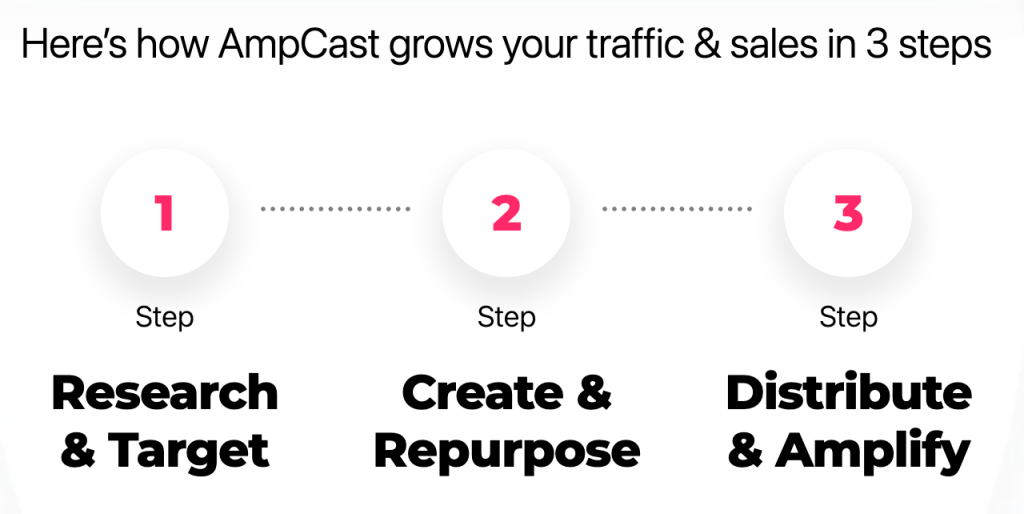
- Research & Target: Find high-demand topics your buyers search for.
- Create & Repurpose: AmpiFire’s AmpCast AI generates news articles, blog posts, interview podcasts, longer informational videos, reels/shorts, infographics, flipbooks/slideshows, and social posts.
- Distribute & Amplify: Auto-publish to 300+ sites, including Google News, YouTube, Spotify, and major news networks.
Get more traffic from people who want to buy your stuff, and powerful “As Seen On” trust badges for your site.
Do It Yourself (with AI), Done For You Content, & 100% Managed Organic Growth options available.
Grow Your Free Traffic From Everywhere
What is Buffer?
Buffer launched in 2010 and built its reputation on one thing: making social media scheduling simple. It connects to Instagram, Facebook, Twitter/X, LinkedIn, Pinterest, TikTok, and Google Business Profile. You write your post, set a time, and Buffer handles the rest.
Buffer has almost no learning curve. New users can connect their accounts and schedule their first post within minutes. It’s a great pick for freelancers, bloggers, and small business owners who need consistent posting without having to manage a complex dashboard.
What is ContentStudio?
ContentStudio is an all-in-one social media management and content marketing platform built for teams and agencies that need more than a basic scheduling queue. It brings together post scheduling and multi-platform publishing, an AI writing assistant, content discovery and curation, social listening, a unified social inbox, analytics and white-labeled reporting, and approval workflows in a single platform.
Where Buffer keeps things simple, ContentStudio adds layers of functionality designed for scale. You can manage personalized workspaces for each client’s social channels and assign custom roles, with streamlined approval workflows giving stakeholders real-time status updates. It also curates trending content via AI-powered topic discovery and RSS feeds.
Feature Comparison: Buffer vs ContentStudio
Social Media Scheduling & Publishing
Buffer’s scheduling is fast and smooth. You can queue posts individually, set up a weekly posting schedule, and let Buffer auto-fill your queue. The drag-and-drop calendar gives you a clean visual overview.
Buffer added bulk CSV import in 2025, letting you upload up to 100 posts per CSV on paid plans. However, ContentStudio’s bulk scheduling supports larger calendars and more recurring post controls.
ContentStudio handles bulk scheduling natively and lets you set up recurring posts, content categories, and campaign-based publishing queues.

Content Creation & AI Assistance
ContentStudio has a built-in AI writing assistant directly inside the post composer. You can generate captions, rewrite content for different tones, and pull in content ideas from its discovery engine.
Buffer added an AI assistant in recent updates, but it’s more limited in scope. ContentStudio’s AI tools also extend to blog-style content creation, making it a more complete content production environment for teams running both social and long-form content strategies.
Analytics & Reporting Depth
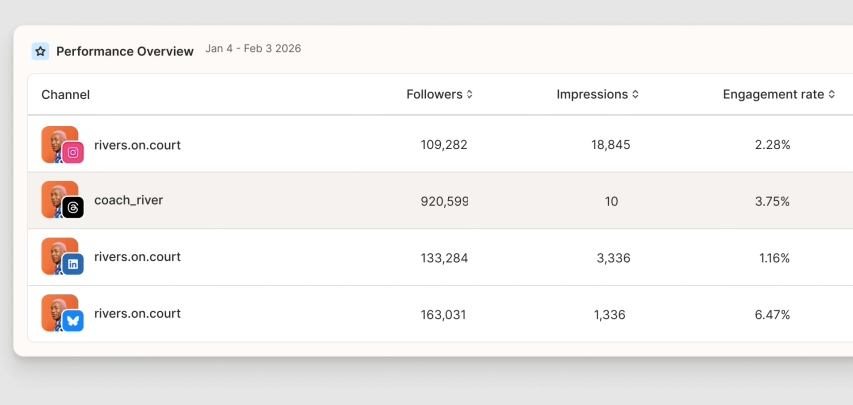
Buffer provides clean, straightforward analytics covering reach, engagement, and post performance per channel. It’s easy to read and enough for most small businesses.
ContentStudio’s analytics go deeper, offering audience growth tracking, best time to post recommendations, competitor analysis, and the ability to generate branded PDF reports for clients.
For agencies that need to demonstrate ROI to clients in polished reports, Buffer’s analytics won’t cut it. ContentStudio’s white-label reporting feature alone justifies the price difference for many agency users.
Team Collaboration & Approval Workflows
Buffer supports team members on its Team plan, including unlimited team members, role-based access levels, and content approval workflows that let drafts go through a review step before publishing. The workflow is functional but less layered than ContentStudio’s.
ContentStudio was built with team workflows in mind from the start. You can create multi-step approval chains where content moves from creator to reviewer to client sign-off before anything goes live.
Pricing Differences
Buffer’s pricing model is per-channel, which is unusual in the industry. ContentStudio uses a more traditional tiered plan structure based on features and workspace access. Neither model is objectively better, but they suit very different buying decisions.
Buffer Pricing
- Free: Up to 3 social channels, 10 scheduled posts per channel, basic analytics.
- Essentials: $5/month per channel, unlimited scheduling, engagement inbox, and analytics.
- Team: $10/month per channel, adds unlimited team members and drafting tools.
ContentStudio Pricing
ContentStudio offers a free trial, and its pricing is structured around workspaces and features rather than per-channel billing. The prices below reflect monthly billing, but yearly billing comes with discounts.
- Standard: $29/month, AI Studio (text, image, video), AI brand knowledge & voice, unlimited social posting, multi-view content planner, social media analytics, media and assets library.
- Advanced: $69/month, social inbox, competitor analytics, campaign and label analytics, post recycling (evergreen), bulk scheduling via CSV, RSS autoposting.
- Agency Unlimited: $139/month, complete client management, live training, priority support, guided onboarding, dedicated account manager.
- Enterprise: Custom pricing, custom account limit, unlimited users, unlimited workspaces, unlimited clients, and higher AI text and image credits.
User Reviews: Buffer vs ContentStudio
Buffer Reviews
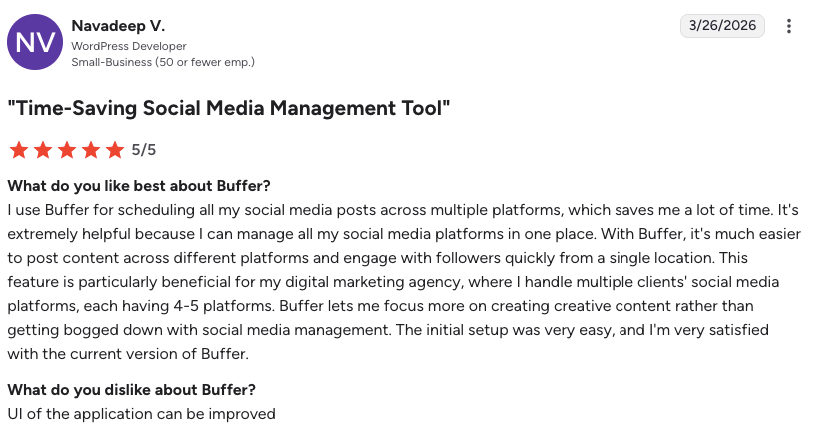
Buffer is rated 4.3/5 stars from 1,040 G2 reviews. Users consistently highlight how fast it is to get started and how clean the interface feels compared to more complex tools. Common praise centers on the visual calendar and the reliability of scheduled posts going out on time.
Where reviewers push back is on the depth of analytics and the absence of content discovery or AI writing tools that competing platforms now include as standard. Several G2 reviewers specifically mention hitting a ceiling with Buffer as their team or client base grew.
ContentStudio Reviews
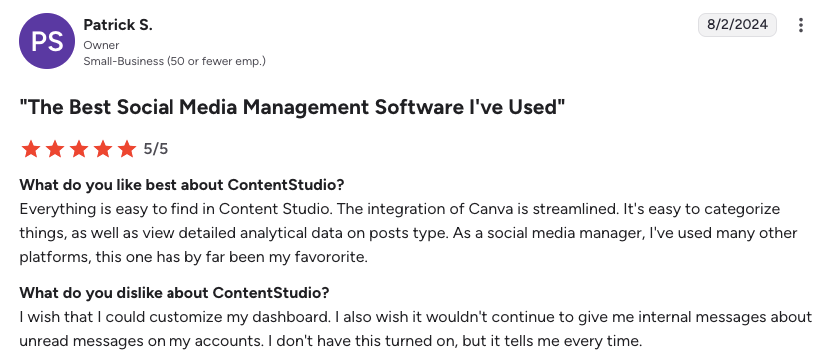
ContentStudio is rated 4.6/5 stars from 352 G2 reviews. Users rate the platform highly for its breadth of features, particularly its content discovery engine, AI writing assistant, and agency-focused reporting tools. The most common criticism is the learning curve, as new users frequently mention needing time to understand the workspace structure and navigate the more complex publishing options.
Reviewers who manage multiple clients, however, consistently describe ContentStudio as worth the initial time investment in learning. Support responsiveness is also rated positively, with ContentStudio edging slightly ahead of Buffer in this area according to G2 data.
AmpCast AI vs Buffer vs ContentStudio: Comparison Table
| Feature | AmpCast AI | Buffer | ContentStudio |
| Best For | Brands that want amplified visibility by reaching new buyers, not just posting to existing social media followers | Solo creators, freelancers, small businesses | Agencies, teams, multi-client content operations |
| Free Plan | Custom onboarding and consultation available | Yes | No, free trial available |
| Starting Paid Plan | A $397 DIY credit or AI AmpCast credit from $495, plus a $27/month maintenance fee | $5/month per channel (Essentials) | $29/month (Standard) |
| AI Writing Assistant | Complete AI-powered content amplification engine for 8 unique content formats | Basic AI assistant in recent updates | Full AI Studio (text, image, video) with brand voice |
| Ratings | 4.6 (Trustpilot) | 4.3/5 (G2) | 4.6/5 (G2) |
How AmpiFire’s AmpCast AI Complements Your Social Media Strategy
Whether you choose Buffer or ContentStudio, both tools solve the same core problem: getting your content published consistently to your existing social audience. What neither tool does is help you reach the buyers who haven’t found you yet (the ones earlier in their journey, still researching, comparing options, and deciding who to trust). AmpiFire fills that gap by helping your brand reach these buyers.
AmpCast AI takes your core message and automatically generates 8 distinct content formats, including news articles, blog posts, interview podcasts, longer informational videos, reels/shorts, infographics, flipbooks/slideshows, and social posts. It then distributes them across news sites, podcast platforms, video channels, slideshow networks, and more. This results in multiple high-authority touchpoints that introduce your brand to buyers during early research and build familiarity over time, well before they land on your social feed or sales page. If you want to attract new buyers alongside the audience your scheduling tool already nurtures, try AmpCast AI today.
Frequently Asked Questions (FAQs)
Is Buffer trustworthy?
Yes, Buffer is a trustworthy social media management tool used by brands, agencies, and creators worldwide. The platform maintains a strong 4.3/5 rating on G2, with users consistently praising its reliability and customer support. It offers consistent scheduling, analytics, and a range of other social media management tools.
What is ContentStudio used for?
ContentStudio is a social media management platform built primarily for agencies, marketing teams, and businesses managing multiple brands or clients. It’s used to plan, create, schedule, and publish social media content across major networks, with added tools for AI writing, content discovery, approval workflows, and white-label reporting.
Is Buffer free or paid?
Buffer offers both: a free plan covers up to 3 social channels with basic scheduling and analytics, suitable for solo creators just starting out. Paid plans begin at $5/month per channel on the Essentials tier, with higher tiers adding team collaboration, deeper analytics, and engagement tools.
Is ContentStudio easy to learn and use?
ContentStudio is feature-rich, which means there’s a moderate learning curve for new users, particularly around its multi-workspace structure and approval workflows. Most users get comfortable within a short period once they’ve set up their first workspace and connected their accounts.
How can I use AmpiFire’s AmpCast AI alongside Buffer or ContentStudio?
AmpiFire’s AmpCast AI serves as a parallel content-amplification layer on top of whichever social media scheduler you’re already running. Use Buffer or ContentStudio to handle your direct social presence, and use AmpCast AI to generate different content formats from a single topic to help more people discover your content across the internet during their research journey.
*Disclaimer: Results may vary based on individual circumstances, business type, and content strategy. The time savings and outcomes mentioned are based on typical user experiences and are not guaranteed. For specific pricing and service details, please visit AmpiFire.
Author
Related Posts

ContentStudio vs Buffer: Which Social Media Management Tool is Better?
Compare ContentStudio vs Buffer to see which social media tool fits your needs, from simple scheduling to advanced content marketing…
Metricool vs ContentStudio for Social Media Management: Pricing, Features & Alternatives
Compare Metricool vs ContentStudio pricing, features, and alternatives like Buffer, Hootsuite, and AmpiFire to pick the right social media tool.


Planable vs Buffer for Social Media Management: Pricing, Features & Alternatives
In this Planable vs Buffer guide, compare pricing, features, and top alternatives to find the best social media management tool…
ContentStudio vs Hootsuite for Social Media Management: Features, Pros & Cons
Compare ContentStudio vs Hootsuite, their features, pros, cons, and find a smarter way to grow reach beyond social media with…


Hootsuite vs Buffer Social Media Management Tools: Free Plan & Pricing Comparison
See how Buffer and Hootsuite compare on pricing, free plans, and features. Learn which social media management tool has the…


Publer vs Buffer for Social Media Scheduling: Features & Pricing
Read Publer vs Buffer for social media scheduling, including features, pricing, free plan differences, and how AmpCast AI distributes content…









