

Key Takeaways
- Movavi Video Editor is user-friendly yet powerful, making it ideal for beginners and intermediate creators seeking professional results without a steep learning curve.
- AI features like motion tracking, transcription, and background removal are built in, saving time and simplifying editing.
- Tools like smart timelines, scene detection, color correction, audio mixing, and text animation help produce polished videos quickly.
- Pricing is flexible, with the Video Suite at $29.95 per month, Video Suite Plus at $94.95 per year, and the Video Suite with Photo Editor available at $99.95 per year or $149.95 for lifetime access, along with a 7-day free trial.
Is Movavi the Best Video Editor in 2026?
For many creators, Movavi Video Editor stands out as a well-rounded, accessible tool in 2026. Movavi isn’t built for complex professional workflows. For import-to-export editing with reliable AI tools, though, it gets the job done.
Movavi is ideal for beginners and intermediate users who want professional results without a steep learning curve. Its flexible pricing, including both subscription and one-time purchase options, along with support for Windows and macOS, makes it accessible for almost any setup.
Advanced color grading and multi-cam editing are outside its scope, but for weekly YouTube videos, course content, and social clips, it keeps up. The free trial allows you to test it firsthand, making it easy to see why Movavi remains one of the smartest video editor choices in 2026.

How AmpiFire Works:
- Research & Target: Find high-demand topics your buyers search for.
- Create & Repurpose: AmpiFire’s AmpCast AI generates news articles, blog posts, interview podcasts, longer informational videos, reels/shorts, infographics, flipbooks/slideshows, and social posts.
- Distribute & Amplify: Auto-publish to 300+ sites, including Google News, YouTube, Spotify, and major news networks.
Get more traffic from people who want to buy your stuff, and powerful “As Seen On” trust badges for your site.
Do It Yourself (with AI), Done For You Content, & 100% Managed Organic Growth options available.
Grow Your Free Traffic From Everywhere
Movavi Video Editor Features
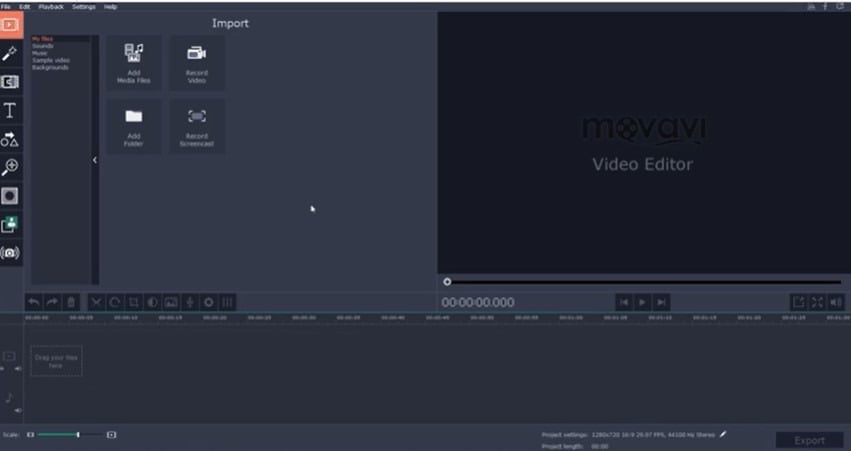
Movavi’s real strength is in how its tools perform under everyday editing. Each feature is designed to make video creation faster, easier, and more precise.
Timeline & Cutting Tools
The timeline supports multiple video content and audio tracks with clear visuals for each clip. Zoom controls let you move from a project overview down to frame-accurate edits. Cutting uses a razor tool, while smart scene detection automatically splits clips at natural breakpoints, saving time on long footage. Magnetic snapping keeps clips together, and speed ramping adds slow or fast-motion effects with ease.
Color Correction & Visual Effects
Movavi offers beginner-friendly color tools, including brightness, contrast, saturation, hue, and white balance sliders, along with one-click cinematic LUTs. Its library includes filters, overlays, transitions, and animated titles, with extra packs available through the Movavi store. The color tools are aimed at everyday creators rather than pro colorists, covering all the basics most editors need
Audio Mixing & Text Animation
Audio editing lets you balance volumes, apply fades, and remove background noise with AI. Text animation includes customizable titles with keyframing for movement and timing, letting you create polished sequences without additional software.
AI Motion Tracking
Motion tracking attaches text, graphics, or effects to moving objects. AI generates tracking paths automatically, with manual adjustments if needed. It handles standard movements like walking people or moving objects reliably, though complex shots may need light correction.
Movavi Pricing Plans Explained
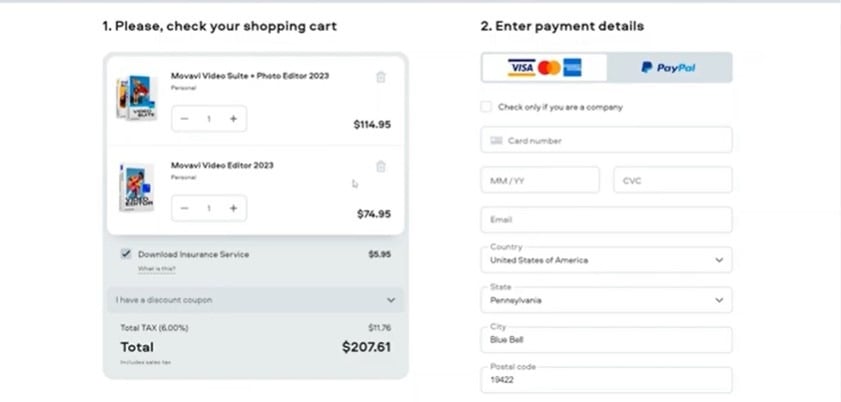
Movavi offers flexible pricing with several options designed to fit different video‑editing needs. You can choose from monthly or annual subscriptions for the main video suite, and all paid plans remove watermarks and unlock the full toolset. A 7‑day free trial lets you test features with a watermark before deciding.
Video Editor
The Video Editor (Basic Plan) is priced at $18.95 per month as a subscription and includes essential editing tools along with AI features, screen recording, and media conversion capabilities.
Video Suite
The standard Video Suite plan is priced at $29.95 per month. This gives you access to the core suite of video tools, including the video editor, screen recorder, and file converter tools, plus full access to Movavi Effects during your subscription. The monthly plan renews automatically after a 7‑day free trial unless canceled.
Video Suite Plus
If you prefer an annual plan, Video Suite Plus is currently offered at $94.95 for one year. This plan includes everything in Video Suite, plus three bonus effects packs to help jump‑start your creative projects. The annual model removes export watermarks and provides a full year of updates and support.
Video Suite + Photo Editor
The Video Suite + Photo Editor bundle is priced at $99.95 for one year and $149.95 for a lifetime, combining the core video tools with a full photo editor. This adds AI‑enhanced photo tools such as background removal, restoration, and a library of filters, giving you extra creative flexibility for both video and images.
Choosing the Right Plan
All Movavi paid plans remove the export watermark and unlock the full set of tools. The monthly subscription is ideal if you want flexibility and the ability to cancel anytime. The annual plans offer more value if you edit frequently or want additional creative tools bundled together. Subscription plans also include continuous feature updates and support throughout the billing period.
Real User Reviews: What People Actually Think of Movavi
Here’s a look at what users had to say about their experience with Movavi Video Editor and how it performs in real-world use.
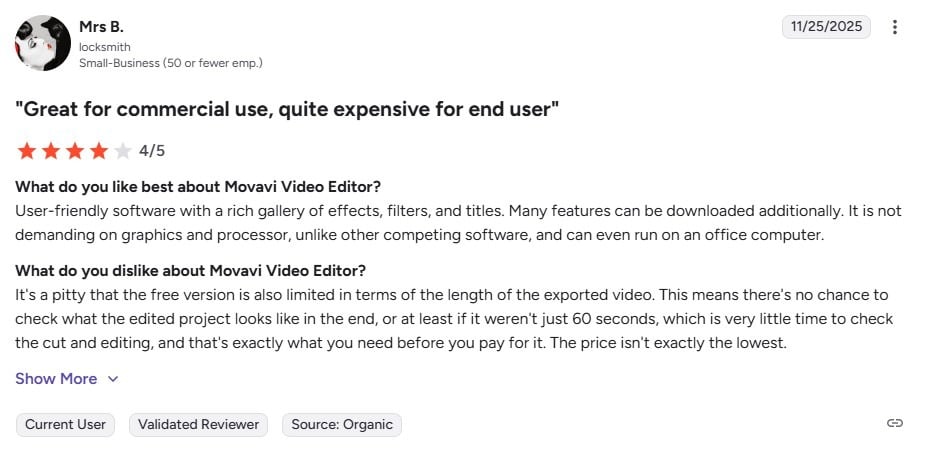
One user, a small business owner, highlighted Movavi Video Editor’s user-friendly interface and rich library of effects, filters, and titles. They appreciated that it runs smoothly even on standard computers.
However, they noted that the free version limits exports to 60 seconds and that the price can be high for individual users.
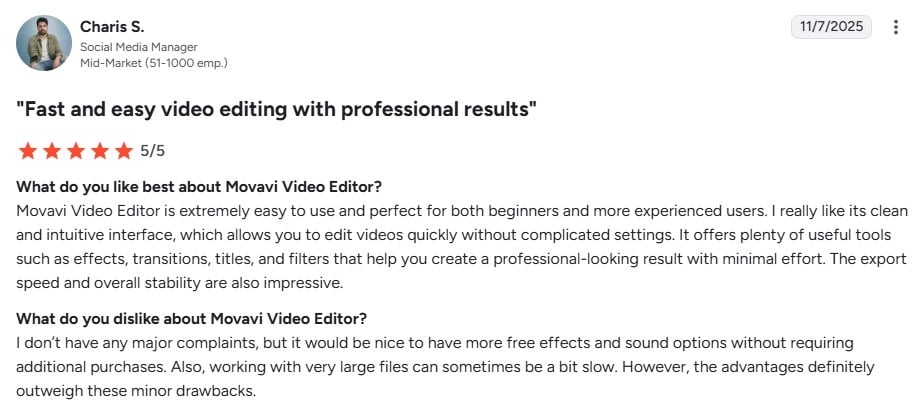
Users have found Movavi Video Editor to be a powerful yet accessible tool for creating professional-quality videos. Its combination of simplicity and a wide range of editing features makes it suitable for both beginners and more experienced editors, allowing them to produce polished results without a steep learning curve.
A social media manager noted that it would be helpful to have more free effects and sound options without additional purchases.
Amplify Your Videos with AmpiFire
With Movavi, you can create high-quality, professional videos, but reaching the right audience is just as important as producing them. AmpiFire’s AmpCast AI takes your video topic and turns it into 8 content formats: news articles, blog posts, interview podcasts, longer informational videos, reels/shorts, infographics, flipbooks/slideshows, and social posts. These get published across 300+ platforms, including Google News, YouTube, Spotify, and major news networks – putting your content in front of buyers across search, social, video, podcasts, news, and AI platforms.
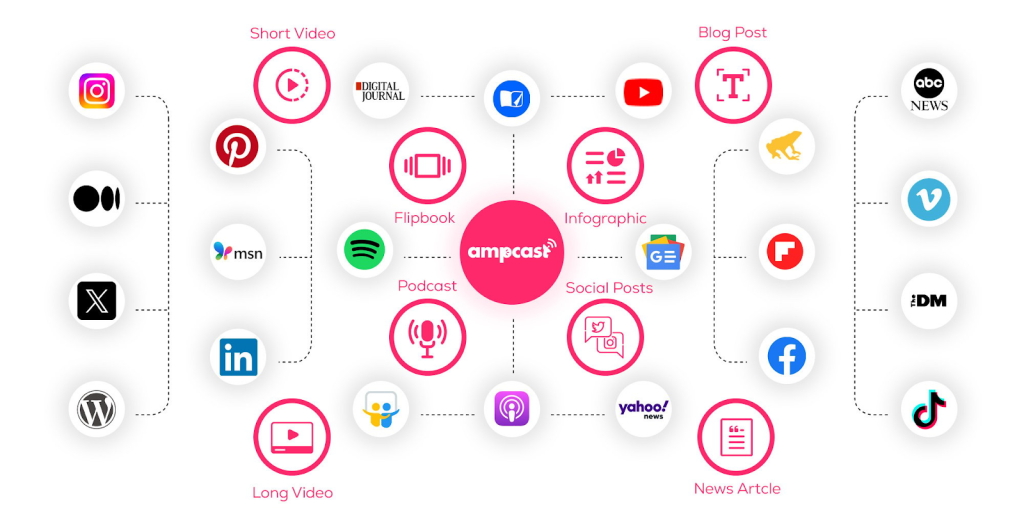
The platform handles content creation and distribution automatically, getting more of your content in front of more buyers without extra work. Pair Movavi’s editing tools with AmpiFire’s multi-channel publishing, and you have a content system that keeps growing your audience long after you hit publish.
Frequently Asked Questions (FAQs)
Is Movavi Video Editor good for beginners?
Yes, Movavi Video Editor is a strong choice for beginners. Its interface follows a simple, logical flow that makes editing easy to understand from the start. Most users can begin editing confidently in their first session without prior experience. The free trial also allows beginners to try out the tool before committing.
Does Movavi offer a free trial?
Yes, Movavi provides a free trial with access to all its features, including AI tools. This allows users to fully test the editing workflow and tools before upgrading. One of the limitations is a watermark on exported videos. Overall, it’s a helpful way to evaluate the software risk-free.
Is Movavi a one-time purchase or a subscription?
Movavi gives users the flexibility to choose between a one-time purchase and a subscription. One option lets you own the software, while the other keeps your tools updated. The right choice depends on how often you edit and your need for new features. This flexibility makes it suitable for different types of creators.
Is Movavi available on both Windows and Mac?
Yes, Movavi is available on both Windows and macOS, offering the same features across platforms. This makes it accessible to a wide range of users regardless of their setup. The desktop app is smooth and reliable across both platforms. It works well for creators focused on editing from their computer.
How can you grow your videos after editing with Movavi?
After editing with Movavi, getting found by the right people is the real challenge. AmpiFire’s AmpCast AI turns one topic into 8 content formats and publishes them across 300+ channels – so you get found on Google, YouTube, Spotify, news sites, and more. That makes it easier to stay consistent and grow without starting from scratch each time.
*Disclaimer: Results may vary based on individual circumstances, business type, and content strategy. The time savings and outcomes mentioned are based on typical user experiences and are not guaranteed. For specific pricing and service details, please visit AmpiFire.
Author
Related Posts


Peech AI Features & Pricing: How Does this AI Video Editor Work?
Learn Peech AI's video editing features, pricing plans, and how this AI tool transforms long videos into engaging social media…

Vidalytics Features, Benefits, & Pricing: 2026’s New King of Video Marketing & Hosting?
Vidalytics turns video viewers into paying customers with smart autoplay, gated opt-ins, and deep engagement analytics. See features, pricing, and…

Semrush Reviews, Pricing Plans & Features: Is This Keyword Research Tool Worth It?
Get honest Semrush reviews. Learn pricing plans, features, and if this SEO and keyword research tool is worth your investment…


SEMrush Subscription Cost: Pricing & Plans in 2026
SEMrush pricing explained. Compare Pro, Guru, and Business plans, review features, limits, and costs to select the best plan for…


Tagshop AI Reviews, Features & Pricing: Is This Video Ad Generator Worth It?
Learn honest Tagshop AI reviews, top features like URL-to-Video and 1,000+ AI avatars, plus pricing from free to $99/mo. See…

Phedra AI Reviews, Features & OTO: Is This AI Image Editor Legit?
Phedra AI review: Is this AI image editor legit? Explore features, pricing & text/voice editing capabilities in our detailed analysis.








