

Key Takeaways
- Most AI image generators garble, misspell, or distort on-image text, but five tools in 2026 have solved this: AmpCast AI, Nano Banana, Midjourney, ChatGPT Images, and Canva AI all render text accurately and legibly.
- Nano Banana is free through Google Gemini, ChatGPT offers limited free generations, and Canva’s free tier includes basic AI image access.
- Check commercial rights before using AI images in campaigns: Midjourney includes commercial rights on all paid plans, and OpenAI grants full ownership of outputs to users.
- Free tiers exist on Nano Banana, ChatGPT Images, and Canva AI, but for teams who need both accurate visuals and wide distribution, a platform that combines both is the stronger long-term play.
- For teams producing visual content at volume, AmpCast AI generates infographics, branded images, and eight other content formats from one topic, then distributes everything across 300+ sites automatically.
What Are Best AI Image Generators That Actually Render Text Properly?
The five AI image generators that handle text most reliably in 2026 are AmpCast AI by AmpiFire, Nano Banana AI, Midjourney, OpenAI’s ChatGPT Images, and Canva AI. All five maintain spelling accuracy, font consistency, and prompt faithfulness in real-world use, with free options available on three of them. Below is a full breakdown of features, pricing, and ideal use cases.
What separates these tools from the rest is how they process language inside the image. Instead of treating letters as shapes, they apply dedicated text-rendering layers that keep words intact from prompt to output.

How AmpiFire Works:
- Research & Target: Find high-demand topics your buyers search for.
- Create & Repurpose: AmpiFire’s AmpCast AI generates news articles, blog posts, interview podcasts, longer informational videos, reels/shorts, infographics, flipbooks/slideshows, and social posts.
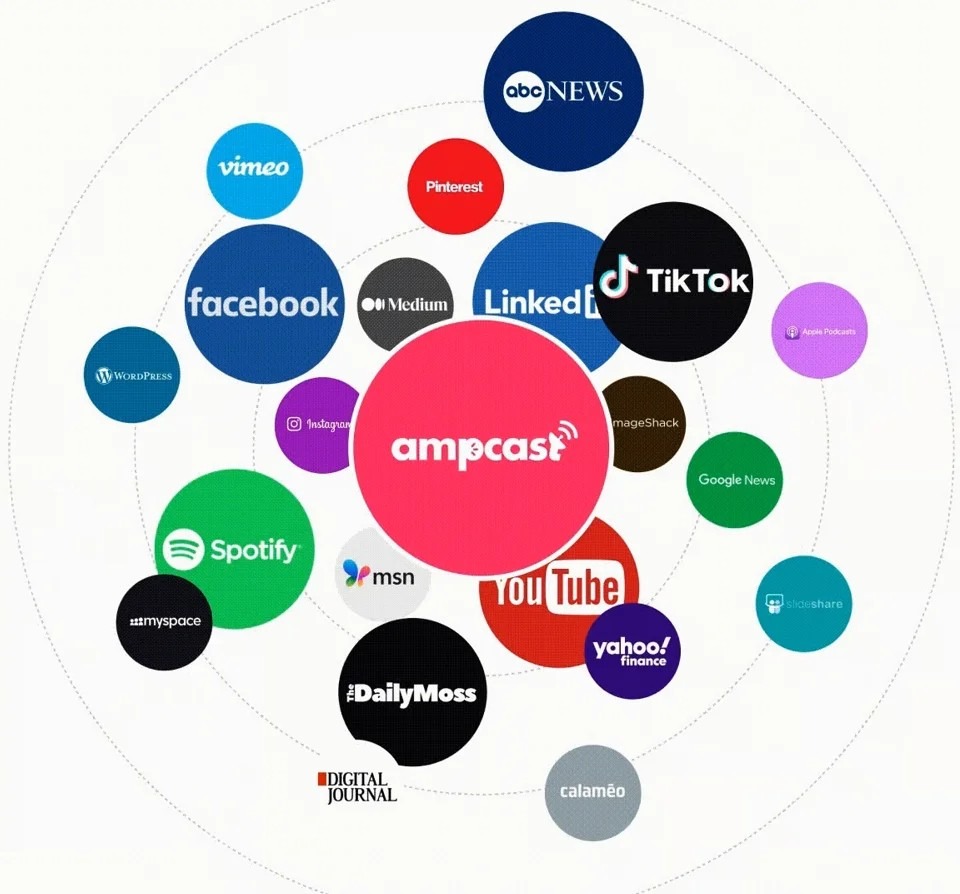
- Distribute & Amplify: Auto-publish to 300+ sites, including Google News, YouTube, Spotify, and major news networks.
Get more traffic from people who want to buy your stuff, and powerful “As Seen On” trust badges for your site.
Do It Yourself (with AI), Done For You Content, & 100% Managed Organic Growth options available.
Grow Your Free Traffic From Everywhere
Best AI Image Generators with Excellent Text Rendering
1. AmpCast AI by AmpiFire
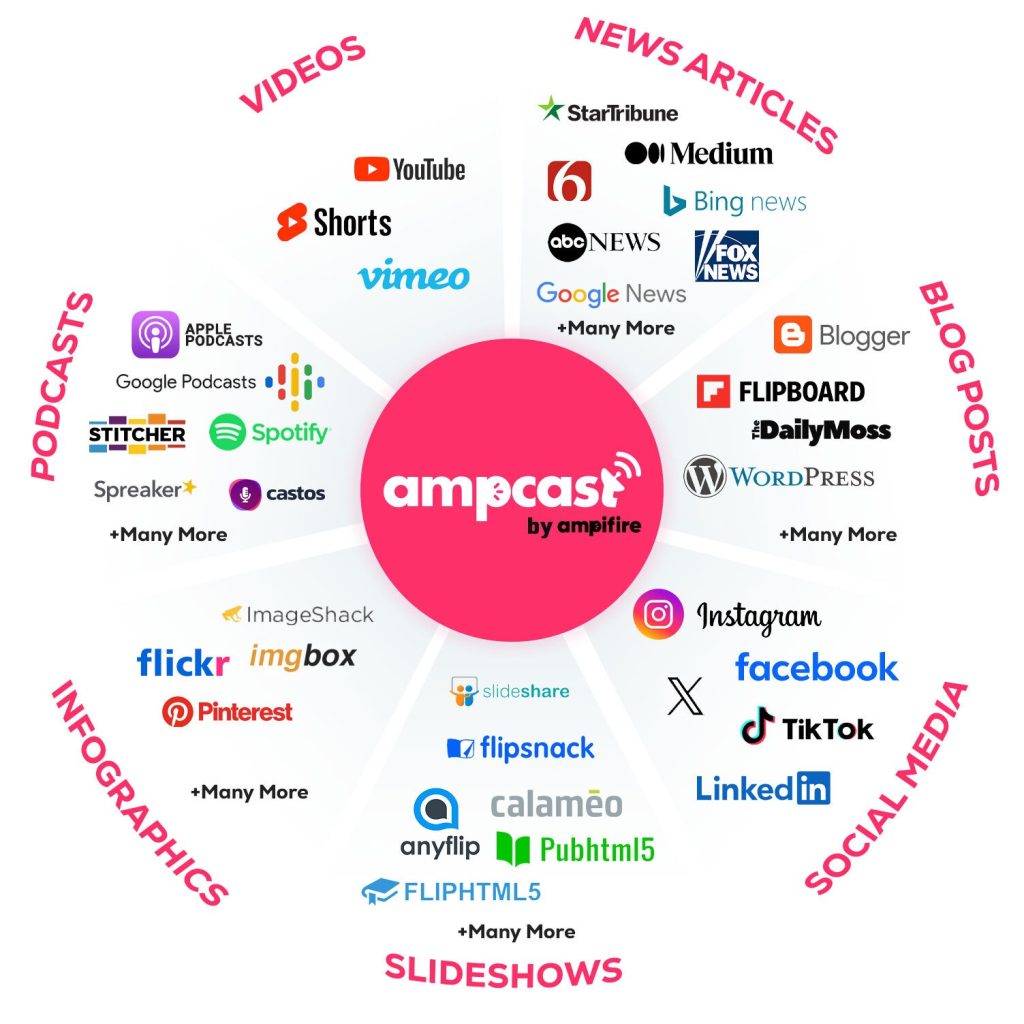
AmpCast AI is AmpiFire’s all-in-one content creation and distribution platform that goes far beyond simple image generation. While most AI image tools stop at creating a single graphic, AmpCast AI generates complete visual content assets (including custom images, branded infographics, slideshows, and video thumbnails) then distributes them across 300+ platforms automatically.
For this use case, the most useful feature is AmpCast AI’s infographic generation engine. Input your topic once, and the AI transforms your content into a vertical infographic built for social sharing and Pinterest marketing. Unlike slideshows that require sequential viewing, AmpCast AI’s infographics present your entire message in a single, comprehensive visual story, complete with data points, key takeaways, and branded design elements you can customize to match your brand.
Here are the key features of AmpCast AI:
- Multi-Format Content Creation: Transforms one topic into all 8 professional content formats: news articles, blog posts, interview podcasts, longer informational videos, reels/shorts, infographics, flipbooks/slideshows, and social posts
- Massive Distribution Network: Automatically publishes to 300+ high-authority sites including Google News, YouTube, Spotify, Pinterest, FOX affiliate sites, and major social platforms
- Speed: Creates publication-ready content in minutes instead of days
- Professional Quality Output: Each format maintains brand consistency and professional standards
Pricing & Reviews
AmpiFire offers Done-With-You campaigns at $495, $995, or $1,895 per campaign with human-written content and full distribution. AmpCast AI’s self-service platform charges a $27/month maintenance fee for unlimited AI content creation. Visit the AmpiFire website for current plans and package availability.
Reviewers highlight the time savings as AmpCast’s biggest advantage, with one independent tester noting a complete content set produced in roughly 20 minutes from a single topic. Users also praise the customization options for images, colors, and brand consistency.
2. Nano Banana AI
Nano Banana is Google’s native image generation technology built into Gemini. It supports text-to-image creation, natural language photo editing, multi-image blending, and character-consistent generation. What makes Nano Banana stand out is how natural the prompts can be. These Nano Banana prompts let users easily create detailed instructions, making image editing and generation feel intuitive and creative.
Three model tiers are available: Nano Banana for fast, high-volume generation; Nano Banana Pro for studio-quality output with advanced text rendering; and Nano Banana 2 and 3 combining Pro-level quality with Flash speed.
Pricing & Reviews
Nano Banana is accessible free through Google’s Gemini app and AI Studio, with usage included in Google AI Pro, Plus, and Ultra subscriptions. API pricing through Google runs approximately $0.039 per image.
Users praise Nano Banana for its natural language editing and character consistency. The model’s ability to produce images that don’t look AI-generated is frequently cited as the reason it caught on quickly.
3. Midjourney
Midjourney has significantly improved its text rendering with Version 7 and the recently launched V8 Alpha, which is 4–5x faster and features native 2K resolution. The platform treats text as a design element that harmonizes with the overall image aesthetic.
What sets Midjourney apart is its artistic style flexibility. Extensive parameter controls let you create text-inclusive images ranging from photorealistic to painterly or abstract, making it ideal for poster designs and conceptual work.
Pricing & Reviews
Midjourney offers four subscription tiers: Basic ($10/month), Standard ($30/month), Pro ($60/month), and Mega ($120/month), with a 20% discount on annual billing. All paid plans access the same models and include commercial rights.
Professional designers consistently praise Midjourney for its artistic quality, noting it produces results that feel less templated than competing generators. Reviewers highlight the Standard plan ($30/month) as the best value for most users, since its unlimited Relax Mode makes it a cost-effective production tool at scale.
4. OpenAI’s ChatGPT Images
ChatGPT Images, powered by OpenAI, delivers strong text rendering with broad multilingual support. It processes text and visuals together, which produces more accurate, prompt-faithful results than its DALL-E predecessors.
The iterative editing workflow stands out. After generating an image, you can modify specific text elements through conversation without regenerating the entire composition. Images also render up to four times faster than before.
Pricing & Reviews
Image generation is included in all ChatGPT plans: Free (limited generations), Go ($8/month), Plus ($20/month) with generous daily limits, Pro ($200/month) with near-unlimited access, Team ($25/user/month annual) with enterprise-grade privacy, and Enterprise with custom pricing.
OpenAI reported over 130 million users generated 700 million images in the first week of launch, reflecting massive adoption. Reviewers praise its photorealism and instruction-following precision, though non-Latin script rendering is a known weak point flagged by multiple reviewers.
5. Canva AI Image Generator
Though Canva’s text accuracy is more modest than dedicated generators, its integration within a full design platform makes it a strong practical choice. Generated images drop straight into your project as editable, layered designs.
The real advantage is the workflow. AI-generated images can be immediately refined using Canva’s robust text overlay, Magic Edit, and background removal tools, effectively compensating for any text rendering shortcomings without leaving the platform.
Pricing & Reviews
Canva’s free tier includes limited access to AI image generation through Magic Media and Dream Lab. Canva Pro ($15/month) and Business ($20/user/month, or less with annual billing) unlock higher AI allowances, with all premium AI tools sharing a single monthly usage pool.
Reviewers consistently praise Canva for making AI image generation accessible to non-designers, noting that the real value isn’t raw image quality but the all-in-one workflow: generate, edit, brand, resize, and publish without switching tools. Text rendering can be inconsistent, but built-in editing tools compensate well.
Top 5 AI Image Generators With Accurate Text: Summary Table
| Tool | Best For | Text Accuracy | Starting Price | Free Tier | Key Strength |
| AmpCast AI | Businesses & marketing teams | High (infographics & branded visuals) | $495/campaign (DWY) or $27/mo (self-service) | No | 8 content formats + auto-distribution to 300+ sites |
| Nano Banana | Creators & developers | Very High | Free (Gemini app); ~$0.039/image (API) | Yes | Natural language editing, character consistency, 3 model tiers |
| Midjourney | Designers & creative professionals | High (V8 Alpha) | $10/month (Basic) | No | Artistic style flexibility, native 2K resolution |
| ChatGPT Images | Multilingual & general-purpose use | Very High | Free (limited); $20/mo (Plus) | Yes | Iterative text editing, broad language support, 4x faster rendering |
| Canva AI | Beginners & non-designers | Moderate (compensated by editing tools) | Free (limited); $15/mo (Pro) | Yes | All-in-one design workflow |
Note: Price ranges are approximate and subject to change based on market conditions. Contact individual providers for the most up-to-date pricing.
Why Stop at Creating Images When You Can Distribute Them Everywhere?
The right AI image generator creates accurate visuals, but visuals sitting on your hard drive don’t reach anyone. AmpCast AI solves this by turning one topic into branded infographics, videos, and slideshows ready for instant publishing.
Stop creating content platform by platform. AmpCast AI automatically distributes every visual asset across 300+ high-authority sites including Google News, YouTube, Pinterest, and FOX affiliates. Start your first campaign and put your visuals to work across 300+ sites at once.
Frequently Asked Questions
Why is text so difficult for AI image generators to render correctly?
Most AI image models generate visuals by recognizing patterns, not by understanding language, so they treat letters as shapes rather than meaningful characters, causing misspellings and distortions. Newer models like OpenAI’s gpt-image-1 and Nano Banana solve this by adding dedicated text-processing layers that ensure letter accuracy throughout generation.
One related consideration when working with AI-generated images is watermarking. Google’s SynthID technology embeds an invisible watermark into images created by its Gemini and Imagen models, which can be a concern for creators who want clean assets for commercial use or publishing. Tools like a SynthID remover can strip these invisible markers from generated images before you distribute them — useful to know if you’re pulling visuals from multiple AI sources and need consistent, unencumbered files across your content workflow.
Can I legally use AI-generated images with text for commercial purposes?
Most major platforms grant commercial rights: Midjourney includes commercial rights with all paid plans and OpenAI assigns full ownership of generated outputs to users. Always review each platform’s specific terms of service before using AI-generated images for business-critical applications.
How much computing power do I need to run these AI image generators?
Most leading tools are cloud-based, so any modern computer or smartphone can access them through web interfaces or apps. Local open-source alternatives like SDXL and FLUX exist but require GPUs with 8GB+ VRAM and typically can’t match cloud-based text rendering quality.
Are there any copyright concerns when generating images with specific text?
Yes. Generating images containing trademarked phrases or copyrighted text could create legal issues, and most platforms have filters blocking well-known brand names. Legal responsibility falls on the end user, so always conduct trademark searches before using AI-generated text in commercial content.
Can AmpiFire’s AmpCast AI help me create visual content for my marketing campaigns?
Yes, AmpCast AI automatically generates infographics, slideshows, and platform-optimized visual elements, then distributes them across 300+ sites as part of one connected system. Unlike standalone image generators, it integrates visual creation with distribution across 300+ sites, ensuring your content reaches the right audiences while maintaining brand consistency.
*Disclaimer: Results may vary based on individual circumstances, business type, and content strategy. The time savings and outcomes mentioned are based on typical user experiences and are not guaranteed. For specific pricing and service details, please visit AmpiFire.
Author
Related Posts

Best AI Website Builders for Beginners in 2026: Reviews & Free Options
Discover the best AI website builders for 2026. Compare Wix ADI, Shopify Magic & Zyro plus free options to create…
Add Logo to Image Tool (free): Bulk add text or graphic to any image or ad
What is this? Every branded ad or image needs your logo. Adding it to images one at a time burns…
Textmagic Reviews, Price & Features: Is This a Legit Text Messaging Tool?
Honest Textmagic review covering pricing, key features, and legitimacy. Discover if this business SMS platform is the right messaging solution…
Artistly AI Reviews & Pricing: Is This Text to Image Generator Legit?
Create AI-generated images with ease using Artistly AI. Learn features, pricing, and real user feedback in this detailed guide.

Soro Reviews, Price & Alternatives: Is This SEO Content Generator Legit?
Soro review: features, pricing, reviews, and alternatives explained. See if this AI SEO content tool is actually legit and right…
Best 8 Web 2.0 Submission Sites with High DA in 2026 [Free & Paid]
Discover top Web 2.0 submission sites with high Domain Authority (DA) in 2026. Build powerful backlinks with proven strategies for…








