

Key Takeaways
- Most Instagram Reels stop getting views within hours of posting and that’s because Instagram tests each Reel on a small audience first, and only keeps distributing it if that early engagement is strong.
- Engaging with comments promptly can encourage further conversation on your Reel, which supports overall engagement quality.
- Sharing your Reel across other platforms — like YouTube Shorts, TikTok, or Facebook — drives external traffic back to Instagram and can restart distribution after views stall.
- Sharing your Reel to Stories strategically and pinning top-performing Reels can help extend your content’s visibility days after publishing.
- Instead of chasing views on one platform, AmpiFire uses AmpCast AI to convert a single topic into 8 content formats and distribute them across 300+ platforms, so your brand builds multi-channel credibility beyond Instagram.
Getting More Instagram Reel Views After Posting: Here’s How To Do It
You can boost your Instagram Reel views after posting by engaging with comments early on, sharing your Reel to Stories strategically, and pinning your strongest content to your profile.
Instagram tests every Reel on a small group of users (including non-followers whose interests match your content) before deciding whether to distribute it further. The engagement your content earns during that early window determines its reach. Here’s how to make that window work harder for you.

How AmpiFire Works:
- Research & Target: Find high-demand topics your buyers search for.
- Create & Repurpose: AmpiFire’s AmpCast AI generates news articles, blog posts, interview podcasts, longer informational videos, reels/shorts, infographics, flipbooks/slideshows, and social posts.
- Distribute & Amplify: Auto-publish to 300+ sites, including Google News, YouTube, Spotify, and major news networks.
Get more traffic from people who want to buy your stuff, and powerful “As Seen On” trust badges for your site.
Do It Yourself (with AI), Done For You Content, & 100% Managed Organic Growth options available.
Grow Your Free Traffic From Everywhere
What Can You Do After Posting to Get More Views on Instagram Reels?
1. Engage With Comments Early On
The hours after posting are important for building engagement momentum. Set aside time for responding to every comment that comes in, especially early on. Write thoughtful, conversational responses that encourage further dialogue.
Instagram interprets this back-and-forth as high-quality engagement, signaling that your content is generating meaningful interactions.
2. Share Your Reels to Stories (Right Away)
As soon as your Reel is live, share it to your Instagram Stories. Add a poll sticker, a question box, or a short text teaser that sets up the Reel without giving away the payoff. Each tap, reply, and poll vote generates early engagement signals that drive your warmest audience straight to the Reel within minutes of posting.
This matters because Instagram’s algorithm weighs DM sends as one of the top ranking signals for Reels, and Stories are the primary place where followers find and forward your content to friends. A well-crafted Story share turns passive followers into active distributors: they watch, they send it to someone, and those sends tell the algorithm your Reel is worth pushing wider. Think of your Story not as a repost, but as a launchpad that converts follower attention into the exact engagement signals Instagram rewards most.
3. Create Conversation-Starting Captions
Your caption is a powerful tool for boosting engagement signals. The most effective post-publishing caption strategy includes a specific call to action that encourages meaningful comments.
Ask open-ended questions that invite real responses, create polls that spark debate, or request specific feedback about your Reel.

4. Pin Your Best-Performing Reel to Your Profile
Instagram’s pinning feature makes your best content more visible to anyone visiting your profile. When you pin a Reel, it stays at the top of your grid, giving new visitors an immediate look at your strongest work and increasing the chance they’ll engage with it.
For the best outcome, pin a Reel that’s already showing strong engagement, then drive traffic to your profile through Stories or other social platforms. This combination can create a new surge of views for content that’s days or even weeks old.
5. Repurpose Top Reels With New Audio
When a Reel performs well but reaches a view plateau, consider creating a variation with the duplicate visual content but trending audio. Instagram’s algorithm prioritizes content that uses popular sounds, especially when that content already has proven engagement metrics.
To do this, download your original Reel, then re-edit it with trending audio, a new hook, different text overlays, and fresh caption copy. Make the new version feel substantially different — new hook, re-edited pacing, and fresh caption copy.
6. Add Text Overlays to Existing Reels
If your Reel has stalled in views but performed well initially, consider downloading it and creating a meaningfully different version. Combine new text overlays with a different hook, re-edited pacing, or a fresh opening shot. Instagram’s visual fingerprinting system can detect near-duplicate uploads and suppress their reach, so the new version needs to feel like a distinct piece of content.
Text overlays on their own increase watch time and make your content accessible to viewers who watch without sound, but they work best as one element of a broader transformation.
When the new version is different enough to pass Instagram’s originality check, the improved retention metrics can trigger additional distribution. Use concise, high-contrast text that adds context or humor rather than repeating what’s already obvious in the video.
Which Instagram Metrics Actually Affect How Many Views Your Reels Get?

Watch Time vs. Completion Rate
Instagram’s algorithm weighs both completion rate and total watch time, so a shorter Reel that people finish doesn’t automatically beat a longer one. When analyzing performance, look for patterns in content length and pacing that correlate with higher completion rates. Reels with high completion rates tend to receive continued distribution for days or weeks after posting, regardless of initial view counts.
Non-Follower View Percentage
A high percentage of views from non-followers is a useful indicator that Instagram sees your content as having broad appeal beyond your existing audience. To push this metric up, make every Reel work as standalone content: skip inside jokes, avoid references to previous posts, and deliver value immediately so first-time viewers stick around.
Saves-to-Views Ratio
Sends (DM shares) and saves both carry significant algorithmic weight (more than likes) because they signal that your content inspired real action beyond a simple tap. To increase your save ratio, create reference-worthy Reels (step-by-step tutorials, actionable tips, resource roundups) and add a simple “Save this for later” text overlay at the moment you deliver your highest-value information. For a broader approach to building content engagement across every channel, see how AmpiFire’s multi-platform strategy compounds these signals well beyond Instagram.
Amplify Your Instagram Success with AmpCast AI
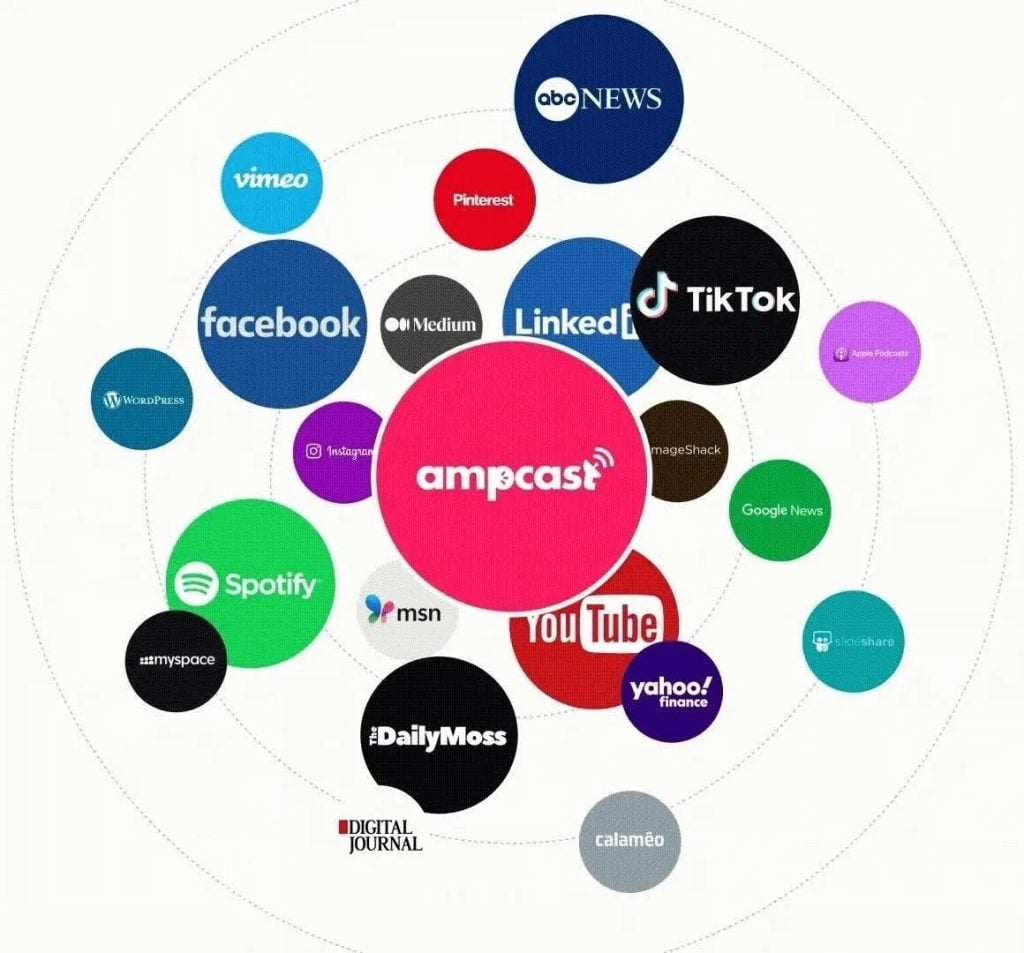
These tactics can lift your Reel views, but they depend on one platform’s algorithm, and that algorithm changes constantly. We built AmpCast AI so your growth doesn’t hinge on a single feed. One topic becomes 8 content formats, distributed automatically across 300+ high-authority platforms — including Google News, YouTube, Spotify, Pinterest, and FOX affiliate sites.
When your audience spots your brand on YouTube, Spotify, Google News, and Instagram at the same time, credibility compounds. AmpiFire handles your entire content lifecycle so you can focus on serving customers and growing your business.
Frequently Asked Questions (FAQs)
How long after posting should I engage with comments?
The hours right after posting matter most for building momentum. Respond to every comment with thoughtful replies that encourage conversation. This early engagement signals to Instagram that your content is generating meaningful interactions, which supports continued distribution.
Can I boost an old Reel that stopped getting views?
Yes. Pin the Reel to your profile, promote it through Stories, or repurpose it with trending audio as a substantially re-edited new post (Instagram’s duplicate detection suppresses near-identical uploads, so the new version needs to feel meaningfully different — new hook, pacing, and opening shot, not just a different audio track). Cross-promote to other platforms to drive external traffic back to Instagram.
What’s the ideal Reel length for maximum views?
There’s no single ideal Reel length. Instagram expanded the in-app recording limit to 3 minutes in early 2025, then began rolling out a 20-minute option to select accounts in late 2025. Reels between 30 and 90 seconds often deliver strong engagement, but the algorithm weighs both completion rate and total seconds watched.
Test different durations while tracking both watch time and completion-rate metrics to find your audience’s sweet spot.
Do hashtags still matter for Reels in 2026?
Not for views, as Instagram’s chief Adam Mosseri has confirmed repeatedly that hashtags don’t boost reach. As of December 2025, Instagram even capped posts and Reels at just 5 hashtags, down from 30. Hashtags now serve as content labels for search and categorization: they won’t drive views or algorithmic distribution.
How does AmpCast AI help with Instagram Reels visibility?
AmpiFire’s AmpCast AI transforms your topic into 8 content formats — news articles, blog posts, interview podcasts, longer informational videos, reels/shorts, infographics, flipbooks/slideshows, and social posts — then distributes across 300+ platforms. When audiences see your brand on YouTube, Spotify, Google, and Instagram simultaneously, it builds credibility that single-platform posting cannot achieve, driving traffic back to all your social profiles.
*Disclaimer: Results may vary based on individual circumstances, business type, and content strategy. The time savings and outcomes mentioned are based on typical user experiences and are not guaranteed. For specific pricing and service details, please visit AmpiFire.
Author
Related Posts

How to Get More Views on TikTok After Posting: 5 Tips
Learn 5 proven ways to get more TikTok views after posting, from hashtag updates to cross-promotion with AmpiFire's AmpCast AI.


How to Promote Your Blog on Instagram: Tips & Examples
Promote your blog on Instagram with proven strategies. Learn how to use carousel posts, Stories, Reels, Viral Shorts, and how…

BigCommerce Instagram Integration Guide | Boost Your Instagram Shopping Revenue
Read how eCommerce brands can tap into Instagram's massive audience, leverage seamless shopping through BigCommerce Instashop integration, and utilize Instagram…

How to Auto Post between Instagram & TikTok
Learn how to automatically post content between Instagram and TikTok. Find out tools, strategies, and best practices for seamless cross-platform…
How to Auto Post Vimeo Videos to Instagram [Post, Story & Reel]
Learn the best ways to share Vimeo videos on Instagram Posts, Stories, and Reels. Discover semi-automated tools that simplify the…

Fliki AI Features & Pricing: Can This Text-to-Video AI Generator Create Reels?
Learn Fliki AI's features, pricing & Reels creation capabilities. Complete guide to this text-to-video generator for social media content in…








