
Key Takeaways
- Upsell.com is an upsell and cross-sell app for Shopify, Shopify Plus, and Wix, built to raise average order value with targeted offers across the shopping journey.
- The app offers six placement types: product page, cart, checkout (Shopify Plus only), post-purchase, thank-you page, and order status page, each serving a distinct moment in the buying process.
- Pricing starts free and moves through Scale at $199/month and Elite at $499/month to custom Enterprise pricing, based on monthly orders or upsell revenue.
- Customer reviews highlight responsive support and effective campaign results, though some users note a learning curve when setting up more advanced offer logic.
- Ecommerce brands using Upsell.com to grow revenue can pair it with AmpiFire’s AmpCast AI to build brand visibility and drive more qualified traffic to their Shopify store.
Is Upsell.com Worth It?
Upsell.com is worth serious consideration for Shopify merchants focused on growing average order value without rebuilding their store. Most merchants underestimate how much revenue they leave on the table between the product page and the confirmation screen, and that’s the gap this app is built to close.
The platform positions itself as a full-funnel upsell solution, covering every major touchpoint from first product view to post-purchase follow-up. That breadth is meaningful because a single placement, like a post-purchase offer alone, captures only a fraction of the opportunity. The ability to run coordinated offers across the cart, checkout, and thank-you page in one system is what separates Upsell.com from lighter add-on tools.
Ecommerce brands looking to strengthen both on-site conversion and off-site brand reach can pair Upsell.com with AmpiFire’s AmpCast AI, which helps build brand recognition through content distribution.

How AmpiFire Works:
- Research & Target: Find high-demand topics your buyers search for.
- Create & Repurpose: AmpiFire’s AmpCast AI generates news articles, blog posts, interview podcasts, longer informational videos, reels/shorts, infographics, flipbooks/slideshows, and social posts.
- Distribute & Amplify: Auto-publish to 300+ sites, including Google News, YouTube, Spotify, and major news networks.
Get more traffic from people who want to buy your stuff, and powerful “As Seen On” trust badges for your site.
Do It Yourself (with AI), Done For You Content, & 100% Managed Organic Growth options available.
Grow Your Free Traffic From Everywhere
How Upsell.com Works

Upsell.com is a Shopify app that turns each step of the checkout process into a chance to increase order value. It places automated upsell and cross-sell offers across six points in the shopping journey, from the product page through to the order confirmation screen.
The app handles most of the setup through AI. Describe the offer you want, and it builds the campaign, selects the targeting, and writes the copy.
Where Upselling Happens
One of the most important decisions in any upsell strategy is placement. Show an offer too early, and shoppers ignore it. Show it too late, and the purchase window has closed. Upsell.com addresses this by supporting six distinct placement types, each mapped to a specific moment in the customer journey.
- Product Page: The product page placement lets merchants introduce complementary items or upgrades while shopper intent is at its peak. This is where a customer considering a camera bag might see a lens cleaner or a camera strap before they even decide to add the main item to their cart.
- Cart: The cart placement is one of the most commercially significant touchpoints. Upsell.com allows merchants to show personalized cross-sells, bundles, and cart-value-triggered offers here, including inside a store’s slide-out cart drawer. This means a shopper with $45 in their cart could see a bundle offer that pushes them over a $50 free-shipping threshold, increasing both conversion and order value simultaneously.
- Checkout: The checkout placement is exclusive to Shopify Plus merchants and operates through Shopify’s checkout extensibility framework. This is a high-stakes moment: the shopper has already committed to buying and is one step from completing the transaction.
- Post-Purchase: The post-purchase offer responds to what the shopper just purchased and can be structured as a sequence, where a second offer appears depending on whether the shopper accepted or declined the first.
- Thank-You Page: The thank-you page appears once, right after checkout, while the customer is still engaged and the sale is confirmed. Upsell.com recommends products based on what the customer just bought, their cart value, or how they responded to an earlier post-purchase offer. This placement works on every Shopify plan, no Plus subscription required.
- Order Status Page: Customers check their order status more than once while a package is in transit, which gives this placement repeat visibility that the thank-you page does not. Offers here can reference outcomes from the thank-you page and both post-purchase pages, making it the widest sequencing option of any placement. Like the thank-you page, it works on all Shopify plans.
Features & Integrations
Beyond placement, Upsell.com provides merchants with a library of widgets and a set of ecosystem integrations designed to work within an existing Shopify tech stack.
The upsell widgets available in Upsell.com give merchants flexible building blocks for constructing offer presentations. Each widget serves a specific function within a campaign:
- Product Recommendations: Surfaces related or complementary items based on what the shopper is viewing or has added to their cart.
- Bundles: Groups multiple products together into a single offer, encouraging shoppers to add more items in one action.
- Forms: Collect additional shopper input as part of the offer flow, useful for customization or preference-based upsells.
- Timers: Adds a countdown element to create urgency around a limited-time offer or deal.
- Banners: Displays promotional messaging across the store to highlight offers or threshold incentives like free shipping.
On the integration side, Upsell.com connects with tools that many Shopify merchants already rely on. Supported ecosystem integrations include Loox and Trustpilot for social proof and reviews, and Judge.me and Search & Discovery for product discovery and credibility signals. These connections let review content and product data surface alongside upsell offers, which can improve conversion by giving shoppers more confidence at the point of decision.
Supported Platforms
Upsell.com currently supports three platforms: Shopify, Shopify Plus, and Wix. For most merchants, Shopify and Shopify Plus will be the primary context, with Shopify Plus unlocking the additional checkout placement described above. Wix support extends the platform’s reach beyond Shopify’s ecosystem, though the full placement suite is most comprehensively available on Shopify.
Shopify Plus merchants get the most complete version of the platform, including the checkout placement powered by Shopify’s checkout extensibility framework. For high-volume stores already on Shopify Plus, this makes Upsell.com one of the more complete upsell solutions available natively within their existing infrastructure.
Upsell.com Pricing Plans
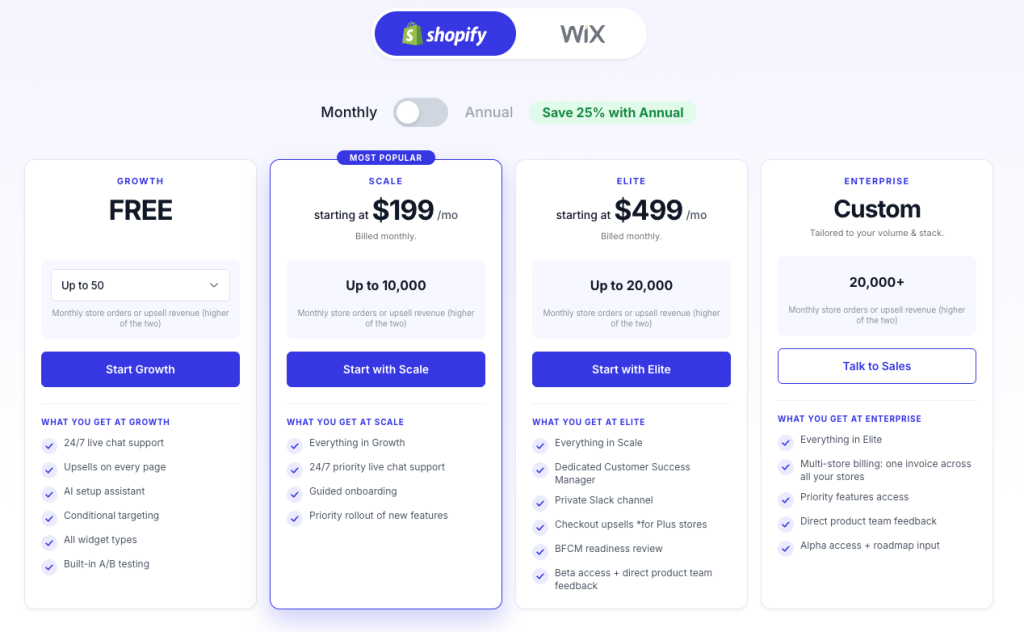
Upsell.com structures its pricing across tiers, with usage calculated on the higher of monthly store orders or upsell revenue generated. This means a store processing significant order volume will hit tier thresholds based on total orders rather than revenue attributed to upsell campaigns. The plans available are as follows:
- Growth (free, then paid by volume): Free up to 50 monthly orders or $50 in upsell revenue, scaling to $9.99/month at up to 2,000 monthly orders
- Scale ($199/month): Up to 10,000 monthly orders or upsell revenue
- Elite (starting at $499/month): Up to 20,000 monthly orders or upsell revenue
- Enterprise (custom): 20,000+ monthly orders or upsell revenue
Note: The prices above reflect monthly billing. Annual plans are also available and offer up to 25% in savings.
Customer Reviews
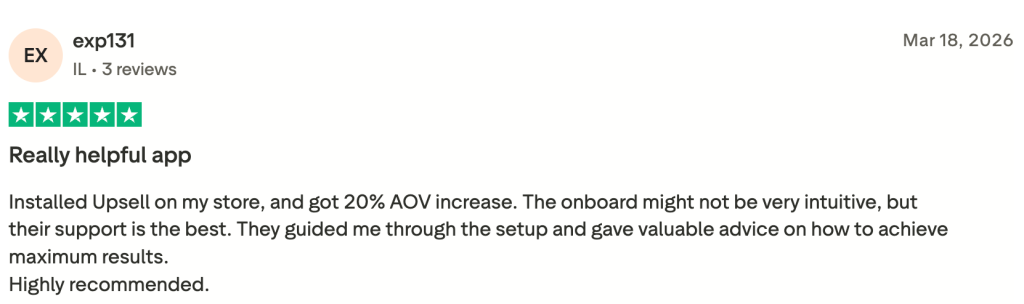
Customer feedback on Upsell.com points to two recurring themes: the support team’s quality and the platform’s effectiveness when campaigns are actively managed. Reviewers noted that the initial setup, particularly for more advanced offer logic and targeting configurations, can involve a learning curve.
However, in those same reviews, users reported that the support team stepped in directly to guide them through the process, and the outcomes justified the effort. One reviewer specifically noted that despite setup complexity, they gave the app a strong recommendation after working through it with support assistance.
Scale Your Shopify Revenue With Upsell.com & Build Your Brand With AmpiFire
Upsell.com gives Shopify merchants structured tools to increase order value from the product page through to the order status screen. But on-site offers only convert shoppers who are already in the store, so revenue growth eventually stalls without a steady flow of new, qualified visitors.
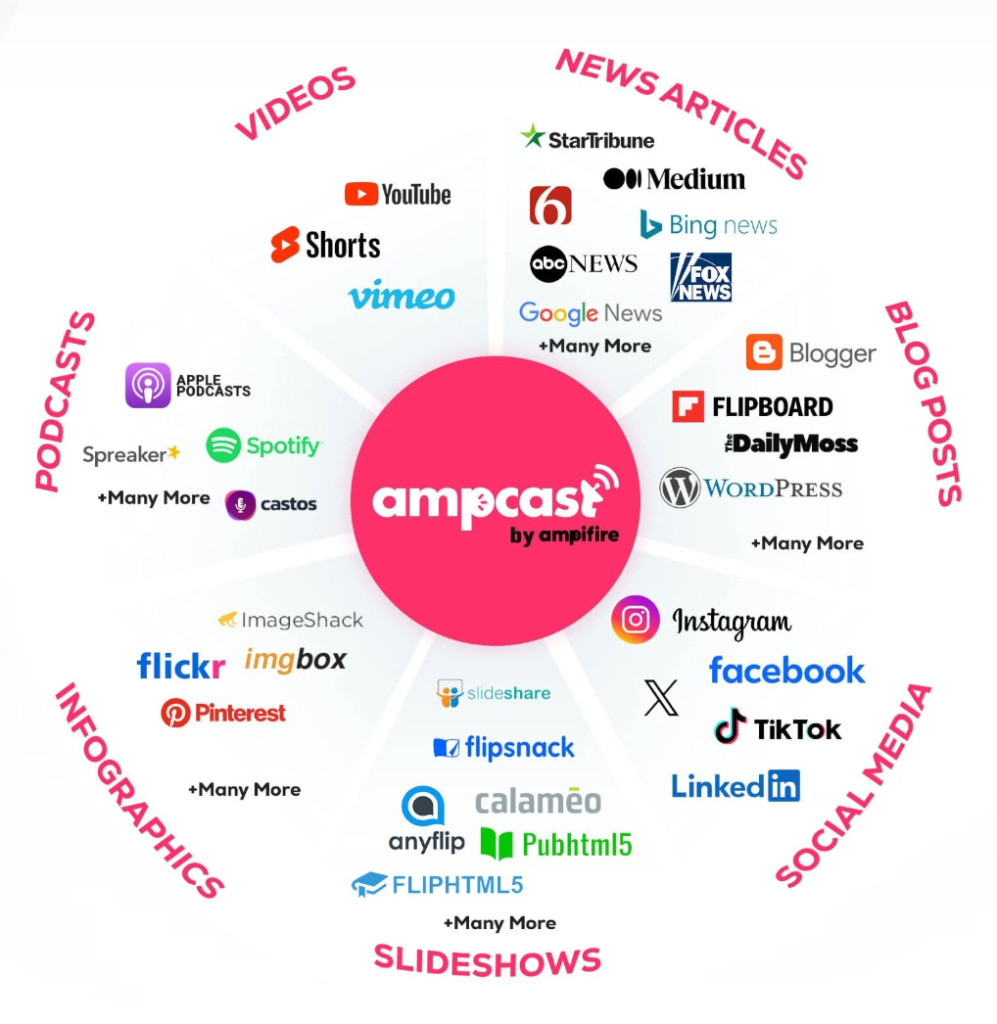
At AmpiFire, we build the brand recognition that brings more qualified shoppers to your store. Our AmpCast AI researches the topics your buyers search for during their early purchase journey, then turns each one into eight content formats: news articles, blog posts, interview podcasts, long-form videos, reels and shorts, infographics, slideshows, and social posts. This content is then distributed automatically across YouTube, Pinterest, Spotify, major news networks, podcast platforms, and slideshow sites, so your brand reaches buyers wherever they are. Try AmpCast AI and see how it fits into your ecommerce growth plan.
Frequently Asked Questions (FAQs)
How can you do upsells on Shopify?
Upselling on Shopify is implemented through dedicated apps that integrate with your store’s existing pages and checkout flow. Upsell.com, for example, supports placement on the product page, cart, checkout (Shopify Plus only), post-purchase page, thank-you page, and order status page. Each placement targets a different moment in the shopper’s journey to present a relevant offer.
What is upselling in ecommerce?
Upselling in ecommerce is the practice of encouraging a customer to purchase a higher-value version of a product they are already considering, or to add complementary items that increase the total order value. It differs from cross-selling, which focuses on recommending related products rather than upgrades. Both strategies are designed to increase average order value without acquiring new customers.
What is an upsell vs cross-sell?
An upsell presents the shopper with a premium version or upgrade of the item they are viewing, such as a larger size, a bundle, or a higher-tier product. A cross-sell recommends a separate but related product, such as a phone case offered alongside a phone purchase. Upsell.com supports both approaches across its placement types and widget options.
Is Upsell free?
Upsell.com has a free entry point on its Growth plan, covering up to 50 monthly store orders or $50 in upsell revenue. This plan includes access to core upsell features and is designed to let merchants test the platform before committing to a paid tier. Paid pricing begins inside the Growth plan, which scales with volume to $9.99/month at up to 2,000 monthly orders, and continues through Scale at $199/month and Elite at $499/month.
Why should ecommerce brands consider AmpiFire?
Ecommerce brands that have optimized their on-site conversion with tools like Upsell.com can use AmpiFire’s AmpCast AI to grow their off-site brand presence. AmpCast AI distributes content across news outlets, podcasts, and digital media channels to build brand recognition and drive qualified traffic. It works independently of on-site tools, adding a marketing layer focused on reach and visibility rather than conversion optimization.
*Disclaimer: Results may vary based on individual circumstances, business type, and content strategy. The time savings and outcomes mentioned are based on typical user experiences and are not guaranteed. For specific pricing and service details, please visit AmpiFire.
Author
Related Posts


SEO Discovery Reviews & Pricing Plans: Is This Digital Marketing Agency Worth It?
Learn what SEO Discovery's reviews and pricing plans reveal, see what each SEO package costs, and find out how AmpCast…


Pion333rs Reviews, Features & Pricing Plans: Is This Brand Growth Service Worth It?
Find out Pion333rs core features and pricing plans. Read client testimonials to know if this brand growth consultancy is worth…


Semrush Reviews, Pricing Plans & Features: Is This Keyword Research Tool Worth It?
Get honest Semrush reviews. Learn pricing plans, features, and if this SEO and keyword research tool is worth your investment…

Lucky Orange Reviews, Features & Pricing: Is This The Best CRO Tool for Shopify?
Find out if Lucky Orange is the best CRO tool for Shopify. Learn its features for e-commerce stores, pricing plans,…


Sellfy Reviews & Pricing Plans: Is This E-Commerce Tool For Creators Legit?
See Sellfy reviews, pricing plans, and sales caps explained, so you can decide if this creator store builder truly fits…


TestParty AI Reviews, Pricing & Features: Is This Automated Shopify WCAG Compliance Tool Legit?
Find out if TestParty AI reviews, pricing, and features justify the cost for Shopify merchants who need WCAG 2.2 AA…








