

Key Takeaways
- vidIQ is a browser extension and dashboard that adds keyword research, competitor tracking, and optimization scores directly onto YouTube pages while you plan and publish uploads.
- Boost costs $19 per month ($16.58 billed yearly), and Max costs $49 per month ($39 billed yearly), with a free tier that covers basic keyword checks and trend spotting.
- Users rate the keyword tools and extension highly, while common complaints focus on AI credit limits, generic AI-generated suggestions, and slow customer support response times.
- vidIQ sharpens titles, tags, and topic choices for videos you already publish on YouTube, but it does not generate content or drive traffic from search engines, podcasts, or social platforms.
- AmpiFire publishes your content across search, video, podcast, and social platforms, so buyers find you in places outside YouTube search results.
Is VidIQ the Right YouTube Growth Tool For You?
VidIQ helps YouTube creators pick better topics, write stronger titles, and track competitor performance from a browser extension that sits on top of YouTube itself. The tool pays for itself if you publish at least weekly and act on its keyword and trend data, and even the free tier covers enough ground to test before committing.
What sets it apart from similar tools is how it embeds directly into YouTube pages, so keyword scores, competitor tags, and optimization tips appear right where you make decisions. Users rate the keyword data and the extension well, but where vidIQ falls short is reach.
Around 82% of online buyers consult multiple content formats before purchasing, yet every vidIQ plan focuses strictly on optimizing videos for people already browsing YouTube. AmpiFire’s AmpCast AI picks up where optimization tools leave off, researching buyer topics and publishing across 300+ platforms so your brand appears during the research stage, not just inside YouTube search results.

How AmpiFire Works:
- Research & Target: Find high-demand topics your buyers search for.
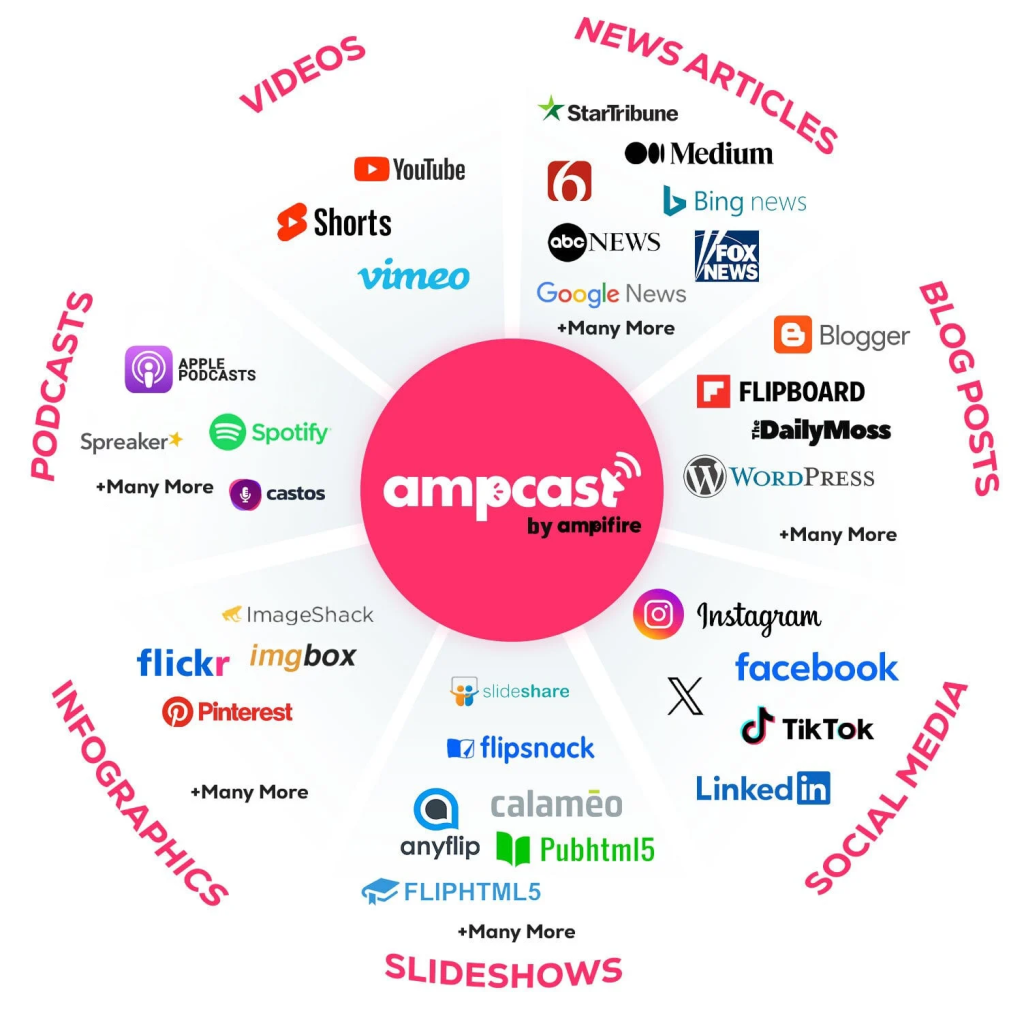
- Create & Repurpose: AmpiFire’s AmpCast AI generates news articles, blog posts, interview podcasts, longer informational videos, reels/shorts, infographics, flipbooks/slideshows, and social posts.
- Distribute & Amplify: Auto-publish to 300+ sites, including Google News, YouTube, Spotify, and major news networks.
Get more traffic from people who want to buy your stuff, and powerful “As Seen On” trust badges for your site.
Do It Yourself (with AI), Done For You Content, & 100% Managed Organic Growth options available.
Grow Your Free Traffic From Everywhere
vidIQ Features: What the Platform Does
Browser Extension & Channel Analytics
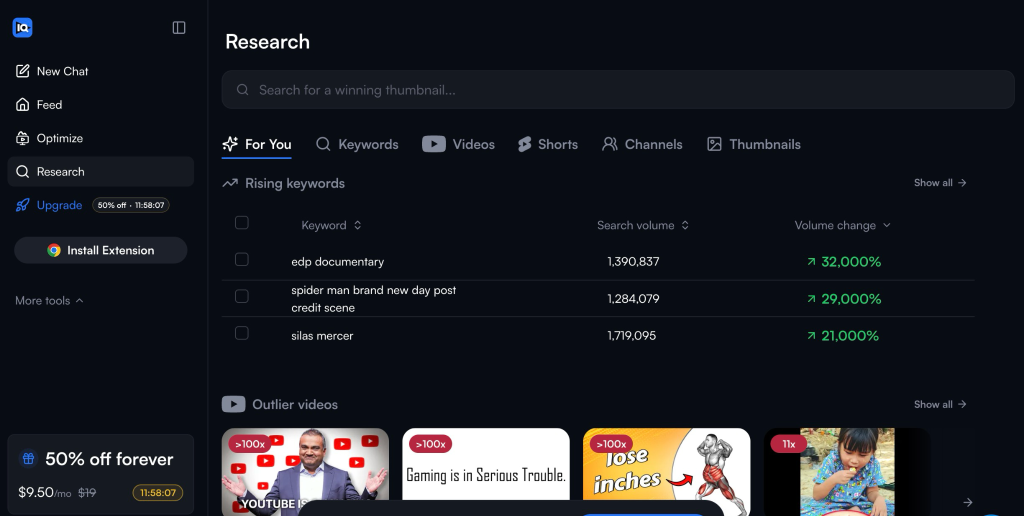
The extension is the part most creators use daily. Install it on Chrome, Firefox, or Edge, and every YouTube page you visit gains a panel showing view velocity, engagement rates, tags, and a vidIQ score estimating how well a video is optimized.
On your own channel, the dashboard tracks subscriber growth, watch time patterns, and which videos are outperforming your average. Channel audits flag older uploads with weak titles or descriptions worth refreshing.
Keyword Research & Trend Tools
vidIQ keyword tool reports estimated search volume, competition level, and a combined opportunity score for any term. Paid plans remove limits on trend research and add deeper keyword and competitor data, so you can build a list of topics with real demand and competition you can handle.
Trend tracking watches your niche and surfaces subjects gaining traction before they peak. Timing matters on YouTube, because early performance shapes how the recommendation system treats a new upload.
AI Coach & Daily Ideas
AI Coach reviews your channel data and answers questions in plain language, suggesting angles, hooks, and pacing changes. Daily Ideas pushes a short list of video concepts based on what is performing in your category.
Both run on AI credits, which are the real difference between plans. Free accounts get 150 credits monthly, Boost gets 2,000, and Max gets 6,000. Thumbnail generation, title drafts, and Coach conversations all draw from the same monthly pool, so the tier you need depends on how much of your workflow runs through the AI tools.
Thumbnails, Titles, & Clipping
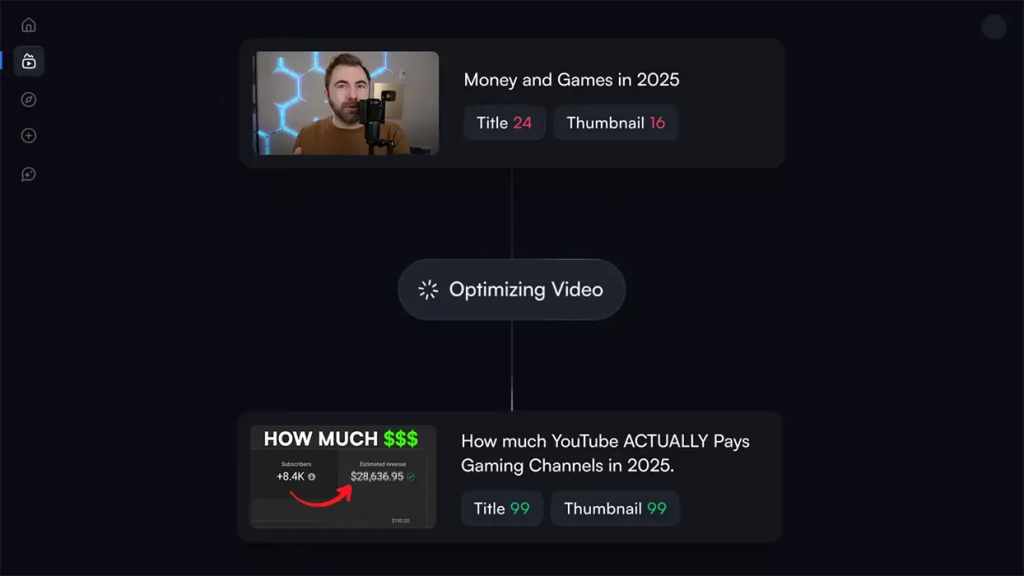
vidIQ generates title variations with a scoring system, drafts descriptions, and produces thumbnail concepts. A clipping tool cuts long videos into short vertical segments for Shorts and Reels, with Max allowing up to 11 hours of clipping and generation each month.
Quality here is mixed. Title scoring works well as a sanity check, though suggested titles sometimes run past YouTube’s recommended display/optimization lengths.
vidIQ Pricing: Plans & Monthly Costs
Free
$0 per month with 150 AI credits, niche trend data, daily content ideas, and personalized tips from the AI Coach. There is no separate trial of the paid tiers, so the free plan is how you test the product.
Boost
$19 per month on monthly billing, or $16.58 per month billed yearly, saving $29 across the year. You get 2,000 AI credits, thumbnail generation, unlimited trend research, unlimited subscriber insights, optimization suggestions, an AI Coach with deeper reasoning, and creator masterclasses.
Max
$49 per month on monthly billing, or $39 per month billed yearly, saving $120. Max triples the allowance to 6,000 AI credits, adds up to three times more AI Coach conversations, adds a stronger Max Mode AI for longer-range strategy, and includes the larger clipping allowance.
Coaching
vidIQ sells human coaching separately in two tiers. VIP Coaching costs $399 per month, or billed as a single payment of $3,830 per year, and pairs you with a dedicated coach for recurring live video calls, a channel audit, a three-phase growth plan, and feedback on titles, thumbnails, and videos. The lower teir, Chat Coaching cost $199 per month, or billed as a single payment of $1,188, and it swaps live calls for messaging.
Coaching is limited to English-language channels run by creators in the United States, United Kingdom, Canada, Ireland, Australia, and New Zealand. Coaches work on one channel per subscription, not a portfolio.
Enterprise
Custom-quoted for brands, agencies, and multi-channel networks managing more than three channels. It adds team roles and permissions, priority onboarding, and cross-channel reporting.
vidIQ Reviews: What Users Say
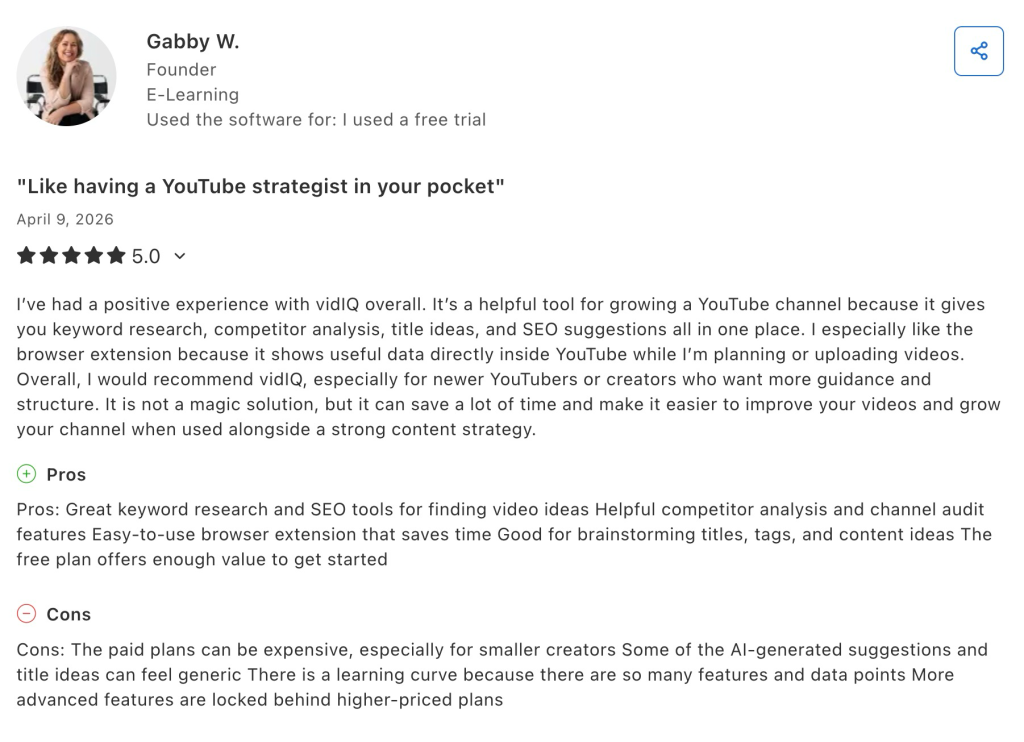
Reviewers on Capterra praise the keyword research, the competitor and channel audit tools, and the browser extension for putting data inside YouTube while they work. Daily Ideas comes up often as a way to break planning stalls. Recurring complaints involve paid plans feeling expensive for smaller channels, generic AI title suggestions, a learning curve created by the volume of data, and useful features locked to higher tiers.
Two operational issues also surface repeatedly. Some users report the Chrome extension slowing their machines during uploads, and a minority of reviewers criticized the move to credit-based AI after hitting their allowance mid-cycle. Ratings for value for money and customer service sit below the ratings for features and ease of use.
Is vidIQ Worth It?
For creators publishing weekly to YouTube, yes. The keyword scores, competitor data, and title feedback shorten the guesswork around what to make next, and the extension puts that information where decisions actually happen. Marketing teams managing a brand channel get similar value from the audit and tracking tools.
For occasional uploaders, the free tier covers keyword checks and trend spotting well enough, and Boost only pays off if you publish often enough to use 2,000 credits. Heavy AI users should price Max carefully, since credit ceilings drive the real cost.
Beyond YouTube Optimization: Where AmpiFire Picks Up
vidIQ earns its price as an optimization layer. It sharpens titles, tags, and topic choices for a channel you are already feeding, and the free tier is honest enough that you can judge the paid plans before paying. However, vidIQ is primarily a YouTube growth and optimization platform, not a cross-platform content-distribution service.
AmpiFire, on the other hand, puts your brand everywhere. We research the topics your buyers search for before they buy, build content around those topics in eight formats: news articles, blog posts, interview podcasts, longer informational videos, reels/shorts, infographics, flipbooks/slideshows, and social posts, and publish the content across 300+ high-authority sites, including YouTube, Google News, Spotify, Pinterest, and FOX affiliate sites. That leaves a tool like vidIQ with more traffic to optimize, so if you want buyers finding you across more than one platform, try AmpCast AI today.
Frequently Asked Questions (FAQs)
Is vidIQ safe to connect to my YouTube channel?
Yes. vidIQ connects through YouTube’s official API using Google sign-in, so it never needs your password. It requests read access to your analytics and write access for editing titles, tags, and descriptions. You can revoke access at any time from your Google account permissions page.
Does vidIQ work for Shorts and Instagram?
vidIQ supports Shorts through its clipping tool, which cuts long videos into vertical segments, and it reports on Shorts performance. The same vidIQ account now also covers Instagram, adding Reels insights and content ideas, though the core platform remains built around YouTube.
vidIQ vs TubeBuddy: which is better?
Both cover keyword research and video optimization from inside YouTube. vidIQ leans harder into AI coaching, trend detection, and content ideas, while TubeBuddy is stronger on bulk editing tasks like updating cards and end screens across many videos. Serious creators sometimes run both.
Will vidIQ grow my channel on its own?
No. vidIQ surfaces data and suggestions, but growth still depends on the videos you make and how consistently you publish. Reviewers who report strong results describe using it alongside a clear content plan rather than as a replacement for one.
How is AmpiFire different from a YouTube tool like vidIQ?
vidIQ optimizes videos you have already made. AmpiFire’s AmpCast AI makes the content for you, turning one topic into 8 formats: a news article, blog post, infographic, slide show, podcast, long-form video, social posts, and short-form video. Each format then goes out to the platforms where buyers research, not YouTube or Instagram alone.
*Disclaimer: Results may vary based on individual circumstances, business type, and content strategy. The time savings and outcomes mentioned are based on typical user experiences and are not guaranteed. For specific pricing and service details, please visit AmpiFire.
Author
Related Posts


Pion333rs Reviews, Features & Pricing Plans: Is This Brand Growth Service Worth It?
Find out Pion333rs core features and pricing plans. Read client testimonials to know if this brand growth consultancy is worth…


SendX Pricing, Features & Reviews: Is This AI-Powered Email Marketing Software Worth the Cost?
See real SendX reviews covering pricing, AI-powered features, and deliverability tools. Learn if this email marketing software is worth it.

Similarweb Pricing, Reviews & Features: Is This Digital Intelligence Platform Worth It?
Similarweb pricing starts at $129/month, or $99/month billed annually. Compare self-serve tiers, enterprise packages, user ratings, and hidden costs in…
Moosend Features, Reviews & Pricing: Is This Email Marketing & Automation Platform Worth It?
Get honest Moosend reviews. Learn features, pricing, and whether this email marketing and automation platform is worth it for your…


Brandwatch Features, Pricing & Reviews: Is This Social Media Management & Consumer Intelligence Platform Worth It?
Learn about Brandwatch's features, pricing tiers, and G2 reviews, plus how AmpiFire builds the brand mentions and content presence that…

Clearscope Pricing & Features: Is This AI Content Optimization Platform Worth It?
Learn Clearscope's pricing, features, and worth for SEO teams, plus how AmpiFire's AmpCast AI extends your content's reach beyond search…









