
Key Takeaways
- The four best slideshow-to-video converter tools are AmpCast AI, CapCut Web, VEED, and Canva, each built for a different type of user and budget.
- AmpCast AI turns a single topic into a full content system across 8 formats starting at $397/month, while CapCut Web focuses purely on fast, template-based slideshow-to-video conversion with a free plan available.
- VEED adds auto-captions, branding, and direct social publishing to its video editor starting at $20/month, while Canva blends slideshow creation with its design library and templates with a free plan available.
- A single converted video rarely reaches a broad audience on its own, so businesses need content spread across search, social, video, and podcast channels to compete online.
- AmpiFire’s AmpCast AI stands out because it builds that full multi-channel presence automatically, turning one topic into multiple formats and distributing them across 300+ sites.
Matching a Slideshow to Video Converter to Your Workflow
AmpCast AI, CapCut Web, VEED, and Canva each convert slideshows into video, but they do it differently. CapCut Web is the fastest free option, VEED handles social-ready captions and branding, and Canva leans into design templates. Most buyers assume the differences end there, but what happens after the slideshow-to-video conversion often matters more than the conversion itself.
A single exported video works fine if you only need one file, but it stops there. It won’t turn into a podcast episode, a blog post, or a set of platform-specific clips without extra tools and extra work, which is the real cost most comparisons leave out.
AmpiFire’s AmpCast AI closes that gap by generating multiple content formats, including longer informational videos, reels/shorts, infographics, and flipbooks/slideshows, from a single topic, then distributing them across hundreds of sites so the slideshow becomes one piece of a larger content system.

How AmpiFire Works:
- Research & Target: Find high-demand topics your buyers search for.
- Create & Repurpose: AmpiFire’s AmpCast AI generates news articles, blog posts, interview podcasts, longer informational videos, reels/shorts, infographics, flipbooks/slideshows, and social posts.
- Distribute & Amplify: Auto-publish to 300+ sites, including Google News, YouTube, Spotify, and major news networks.
Get more traffic from people who want to buy your stuff, and powerful “As Seen On” trust badges for your site.
Do It Yourself (with AI), Done For You Content, & 100% Managed Organic Growth options available.
Grow Your Free Traffic From Everywhere
4 Best Slideshow to Video Converter Tools
1. AmpCast AI: Best For Multi-Format & Multi-Platform Content Campaigns
At AmpiFire, our AmpCast AI platform turns a single content idea into multiple content formats and distributes them across different channels, rather than limiting you to converting slideshows to videos one at a time. It’s designed for businesses that want to create, repurpose, optimize, and distribute content as part of a broader campaign.
AmpCast AI Features
We first research buyer-intent topics and then turn each topic into 8 platform-optimized content formats: news articles, blog posts, interview podcasts, longer informational videos, reels/shorts, infographics, flipbooks/slideshows, and social posts. These content formats are then automatically distributed across 300+ sites, including Vimeo, YouTube, Google News, Spotify, Pinterest, and other major platforms.
This helps businesses reach potential customers wherever they search, watch, listen, and browse, instead of relying on just one type of channel. The result is a broader stream of organic traffic from multiple sources that can continue building over time.
AmpCast AI Price
We offer two entry options: a DIY credit at $397 or an upgraded AI AmpCast credit starting at $495, with each option requiring a $27/month maintenance fee that includes unlimited AI content creation, syndication, and distribution services.
2. CapCut Web: Best Free Slideshow to Video Converter
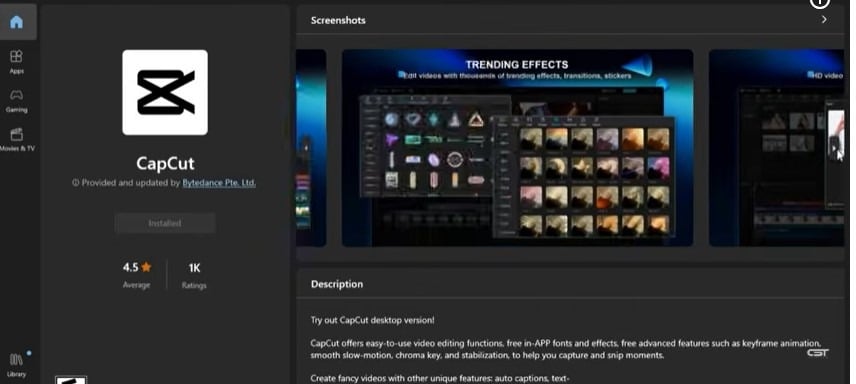
CapCut Web now includes a PPT-to-video feature that also works perfectly for turning slideshows into videos. It lets you upload presentation slides or slideshow-style content and automatically converts them into a smooth, video-ready format with transitions, music, and timing already set. This makes it useful for both presentations and social media slideshow videos.
CapCut Web Features
CapCut Web’s main strength is how quickly it turns static slides or slideshow content into a complete video without manual editing.
Key features include:
- Fast conversion of PPT slides and slideshow content into videos
- AI-generated scripts that turn slide content into narration
- AI voiceovers and custom audio recording options
- Auto-captions and subtitles for accessibility
- Ready-made templates, transitions, and formats for TikTok, Instagram, and YouTube Shorts
- Automatic sequencing of slideshow-style visuals with music and timing synced
This is especially useful for users who want to turn simple slideshow presentations into engaging videos without spending time on editing or design work.
CapCut Web Price
CapCut Web offers a free plan and a paid Pro option. The free plan costs $0 and includes basic editing tools, slideshow-to-video and PPT-to-video features, templates, captions, and standard exports, making it suitable for simple slideshow creation.
The Pro plan starts at $19.99 per month or $179.99 per year and unlocks 4K export, the full AI toolkit, 1TB of cloud storage, and higher-quality exports. It’s mainly for users who want more control, better output quality, and extra creative features beyond the free version.
3. VEED: Best for Social Media-Focused Slideshow Videos
VEED is a browser-based video editor built mainly for social media creators and small teams. Unlike more automation-heavy tools, it gives users better control over design, captions, and formatting. It’s especially strong for slideshow-style videos that need to perform well on platforms like Instagram, TikTok, and YouTube Shorts, where subtitles and visual clarity matter.
VEED’s subtitle and transcription tools are among its strongest features, with accuracy that stands out in the market. Its auto-caption feature is highly reliable, and it also supports direct publishing to social platforms, making it easier to go from slideshow creation to posting within a single workflow.
VEED Features
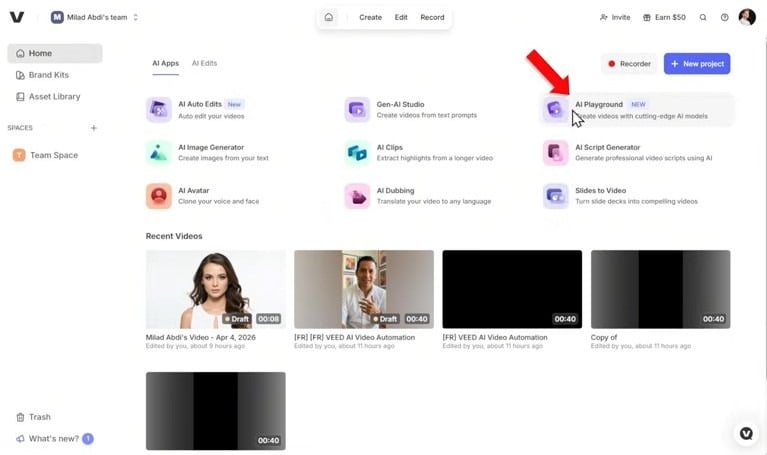
VEED’s features include accurate auto-subtitles with styling options, screen recording for tutorial-style slideshows, brand kits for consistent visuals, and tools to resize videos into multiple formats. It also offers background noise removal and audio cleanup, which helps improve overall video quality without extra software.
VEED Price
VEED offers a free plan that includes a watermark and usage limits. Paid plans start with the Creator plan at $20 per user per month, followed by the Pro plan at $44 per user per month and the Studio plan at $70 per user per month. Businesses with larger teams or custom requirements can choose an Enterprise plan with custom pricing.
For most individual creators, the Creator plan is the most affordable option, while Pro and Studio are designed for users who need more advanced capabilities and higher usage limits.
4. Canva Video Editor: Best for Designers & Visual Slideshows
Canva is a design-focused video editor that makes it easy to create professional-looking slideshow videos without advanced editing skills. Rather than focusing primarily on video production, Canva combines slideshow creation with its well-known design tools, making it a strong choice for marketers, small businesses, educators, and content creators.
Canva Video Editor Features
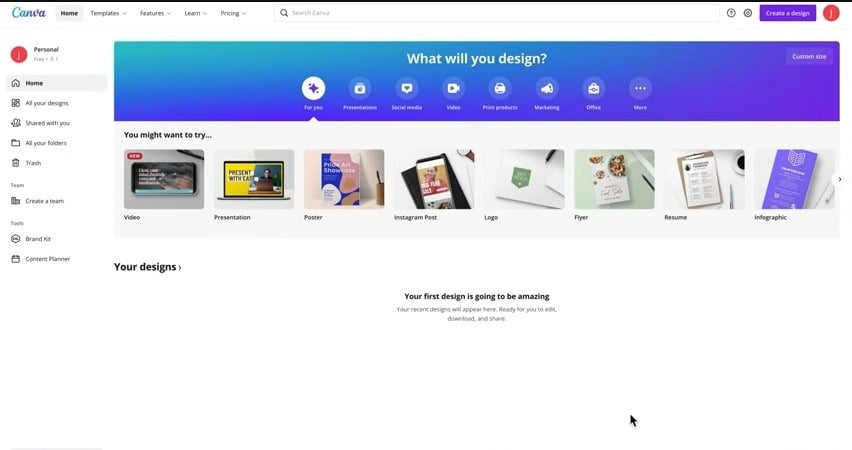
Canva gives users access to a large library of templates, stock photos, videos, graphics, and animations that can be added directly to slideshow projects. Its drag-and-drop editor makes it easy to customize layouts, colors, fonts, and transitions, while built-in AI tools can help generate images, designs, and content. It also allows users to turn presentations into video slideshows and add music, voiceovers, and animations without needing separate software.
Canva Video Editor Price
Canva provides a Free plan that includes the video editor, basic templates, and watermark-free exports. For users who need more features, Canva Pro starts at $15 per month. Teams can choose Canva Business, starting at $20 per user per month, while Canva Enterprise offers custom pricing for larger organizations.
For occasional slideshow projects, the free plan is often enough. Businesses and regular content creators may find Pro or Teams worthwhile for additional design, branding, and collaboration features.
Top 4 Slideshow to Video Converter Tools: Summary Table
| Tool | Best For | Free Plan | Paid Plans From | AI Capabilities | Distribution Reach |
| AmpiFire’s AmpCast AI | Multi-format content creation and distribution | No (starts at $397/mo) | $397/month | Topic research, 8-format content generation, platform-specific optimization | 300+ sites, including Google News, YouTube, Spotify, Vimeo, Pinterest |
| CapCut Web | Free, fast slideshow-to-video conversion | Yes | $19.99/month | AI scripts, voiceovers, auto-captions | Export only, no built-in distribution |
| VEED | Social media-ready videos | Yes (with watermark) | $20/user/month | Auto-subtitles, audio cleanup | Direct publishing to social platforms |
| Canva | Design-focused slideshows | Yes | $15/month | AI image and design generation | Export only, no built-in distribution |
A Converted Slideshow Is a Start, AmpiFire’s AmpCast AI Builds the Rest
The right slideshow-to-video converter depends on the outcome you need. A quick free tool covers basic conversion, while paid options add captions, branding, and design polish for social media or client-ready presentations. None of that changes what happens once the video is finished and needs a bigger audience.
We built AmpCast AI to pick up from there, turning one high-demand buyer topic into eight content formats and distributing them across hundreds of high-authority sites online. If you want your slideshow video working as part of a wider campaign, try AmpCast AI today.
Frequently Asked Questions (FAQs)
What is the easiest way to make a slideshow video?
An AI-powered converter is generally the easiest option because it can automate slide timing, narration, transitions, and other editing tasks. CapCut is useful for simple conversions, while AmpCast AI is designed for broader content creation and distribution.
Do I need to download software to convert a slideshow to video?
No. All four tools, AmpCast AI, CapCut Web, Veed, and Canva, work directly in the browser, so you can create and export slideshow videos online without installing anything. This makes them easy to use on most devices.
Which slideshow-to-video converter tool is best for social media?
VEED and CapCut Web are strong choices for individual social media videos, offering captions, templates, transitions, and platform-friendly formats. AmpCast AI is better for businesses that want to create multi-format content and distribute it across hundreds of sites online.
Can AmpiFire create a slideshow from a topic?
Yes. AmpiFire’s AmpCast AI can turn a buyer-intent topic into a flipbook/slideshow, plus seven other formats: news articles, blog posts, interview podcasts, longer informational videos, reels/shorts, infographics, and social posts. The content is then distributed across 300+ sites, helping businesses reach potential customers across multiple channels.
*Disclaimer: Results may vary based on individual circumstances, business type, and content strategy. The time savings and outcomes mentioned are based on typical user experiences and are not guaranteed. For specific pricing and service details, please visit AmpiFire.
Author
Related Posts


6 Best Video-to-Podcast Converter Tools [Free & Paid]
Find out about the 6 best video-to-podcast converter tools, both free and paid. Compare features, pricing, and free plans to…


Best Article to Video Converter Tools [2026 Edition]
Learn the best article-to-video converters for 2026. Compare top tools like AmpCast, Synthesia, and Pictory for efficient content creation.

4 Best Blog-to-Infographic Converter Tools in 2026 (Free & Paid)
Learn about the 4 best blog-to-infographic converter tools in 2026, both free and paid. Compare top picks to repurpose content…

How to Convert a Blog Into a Slideshow
Turn any blog post into a slideshow in 5 clear steps. This guide covers everything from extracting key points to…

5 Best YouTube Video-to-Blog-Post AI Tools [Free & Paid]
Check out the 5 best YouTube-to-blog-post AI tools, both free and paid. Compare top picks like AmpiFire and GravityWrite to…

LinkedIn Average Cost per Lead in 2026: Content vs Ads Compared
LinkedIn CPL in 2026 ranges from $45 to $164. Compare paid vs organic costs and see how AmpiFire amplifies content…








