


Key Takeaways
- Planable suits agencies and multi-brand teams that need approval workflows and unlimited user seats, while Buffer fits solo creators and small teams that want simple, affordable scheduling with a usable free tier.
- Planable starts at $33 per workspace per month with unlimited users on every plan, while Buffer starts at $5 per channel per month on annual billing, so the cheaper tool depends on whether you have more team members or more social channels.
- Buffer covers 11 social platforms and bundles a free AI Assistant plus basic analytics into every paid plan, while Planable covers 9 platforms with four approval workflow types and charges analytics as a separate $14 per workspace per month add-on.
- For social media management, Planable is built around shared workspaces, client approvals without paid seats, and universal content planning that covers blogs and newsletters, while Buffer focuses on queue-based publishing, a clean editor, and best-time-to-post suggestions.
- AmpiFire is the strongest alternative for businesses whose real goal is organic traffic growth, turning one topic into 8 content formats (news articles, blog posts, interview podcasts, longer informational videos, reels/shorts, infographics, flipbooks/slideshows, and social posts) and publishing them to 300+ sites including YouTube, Spotify, Pinterest, and Google News.
Planable vs Buffer: Which Tool Is Better?
For agencies and teams that need client approvals, Planable is the better tool, with workflows starting at $33 per workspace per month and unlimited users. For solo creators and small teams that need affordable scheduling, Buffer wins with paid plans starting at $5 per channel per month, a usable free tier covering 3 channels, and a free AI Assistant on every plan.
AmpiFire is a solid alternative built for businesses that want organic traffic from search, video, and podcast platforms, not just a tidier posting schedule. It turns one topic into 8 content formats and publishes them to 300+ sites including YouTube, Spotify, Pinterest, and Google News.
This article breaks down the pricing, features, supported platforms, AI tools, and reviews for both. We also cover an alternative option for users whose real goal is growing organic traffic from many sources, rather than only managing a posting schedule.

How AmpiFire Works:
- Research & Target: Find high-demand topics your buyers search for.
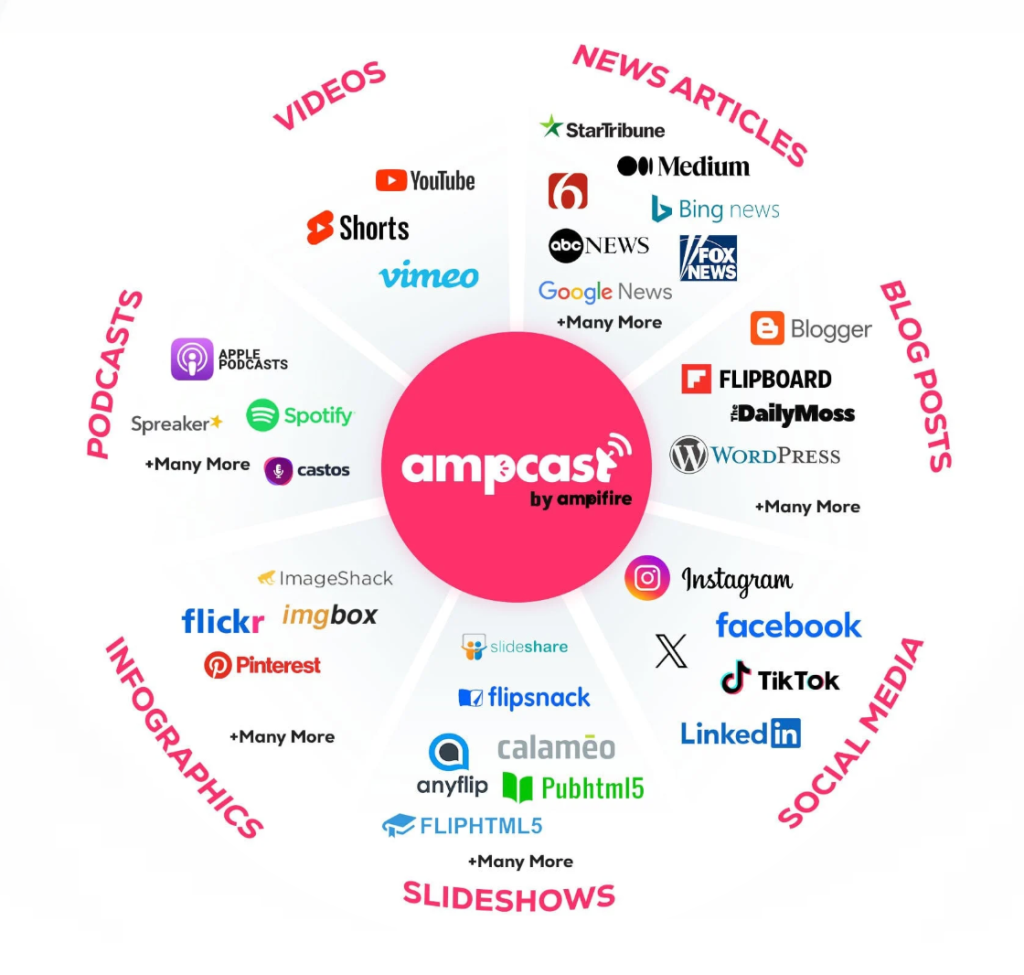
- Create & Repurpose: AmpiFire’s AmpCast AI generates news articles, blog posts, interview podcasts, longer informational videos, reels/shorts, infographics, flipbooks/slideshows, and social posts.
- Distribute & Amplify: Auto-publish to 300+ sites, including Google News, YouTube, Spotify, and major news networks.
Get more traffic from people who want to buy your stuff, and powerful “As Seen On” trust badges for your site.
Do It Yourself (with AI), Done For You Content, & 100% Managed Organic Growth options available.
Grow Your Free Traffic From Everywhere
What is Planable?
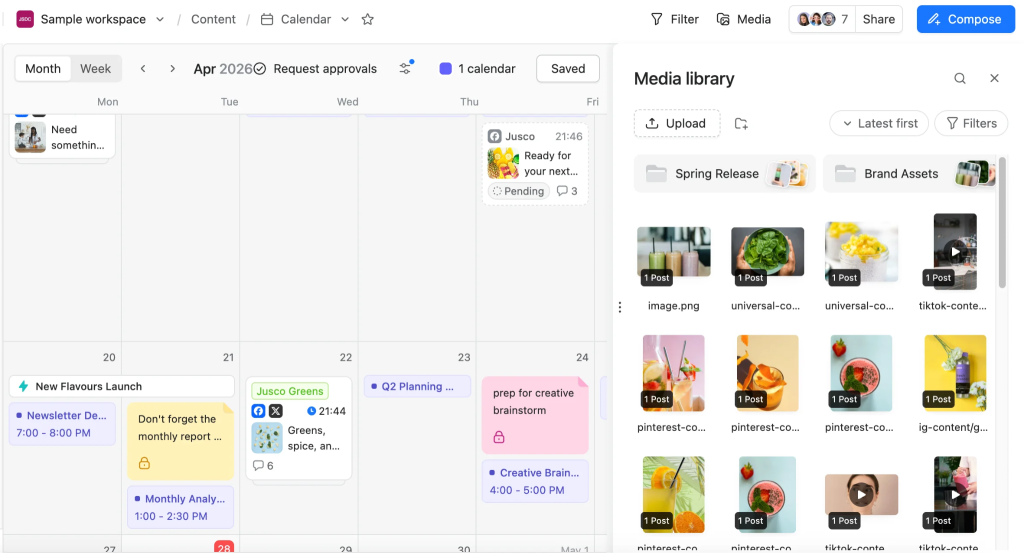
Planable is a collaboration-first social media tool used by over 5,000 teams worldwide. It supports nine platforms: Facebook, Instagram, LinkedIn, X (Twitter), YouTube, TikTok, Pinterest, Google Business Profile, and Threads.
The tool is built around approval workflows and shared workspaces. Each workspace holds one brand or client, with separate content calendars, social pages, team members, and assets. Clients can review and approve posts without needing a paid seat.
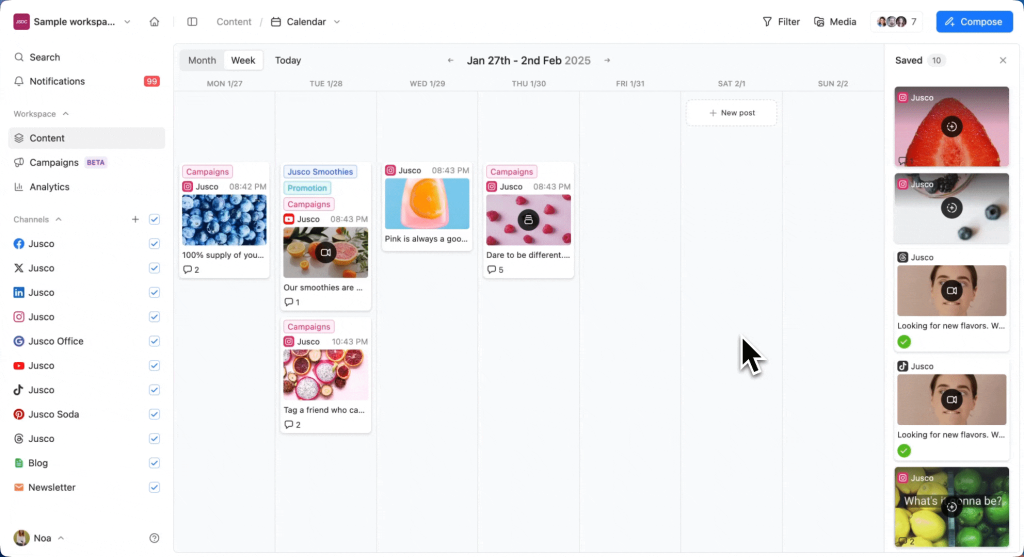
Planable offers four content views (Feed, Calendar, Grid, List), a drag-and-drop calendar, and an AI feature that helps draft and rewrite captions inside the post composer.
Planable also supports universal content planning; teams can plan blog posts, newsletters, and ad copy in the same workspace as social posts, helpful for marketing teams that want a single calendar for everything.
What is Buffer?
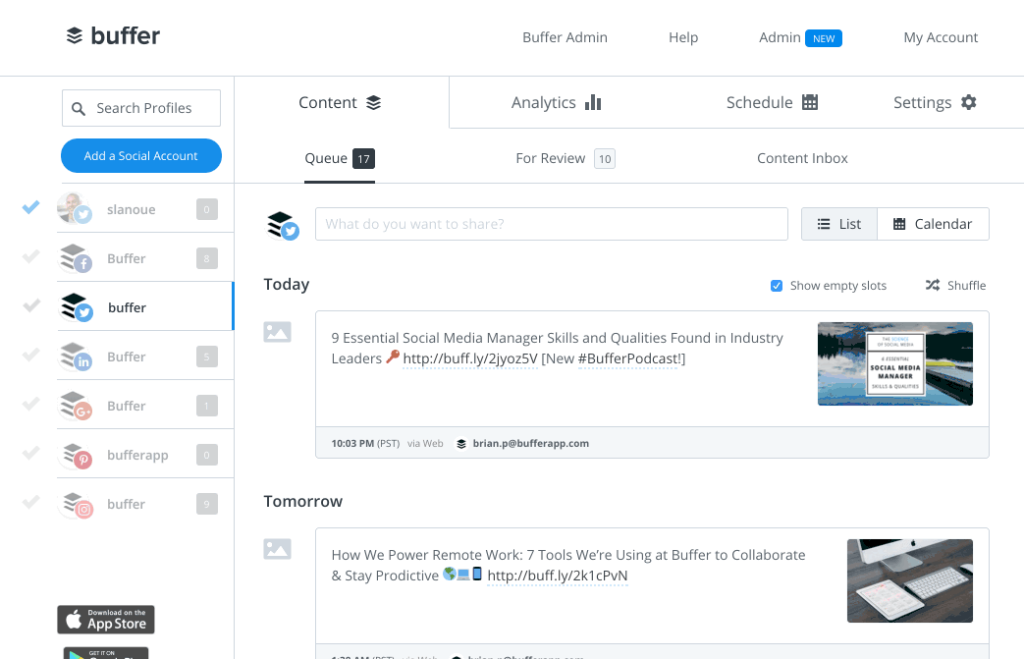
Buffer is one of the simplest social media schedulers on the market. It supports 11 platforms, including Facebook, Instagram, X/Twitter, LinkedIn, TikTok, Pinterest, YouTube, Google Business Profile, Threads, Bluesky, and Mastodon.
Buffer focuses on quick scheduling, queue-based publishing, and a clean editor. It includes a free AI Assistant, powered by GPT-4 from OpenAI, that helps generate, repurpose, and rewrite captions for any plan, including the free tier. Buffer also includes a Community Inbox for replies, a free Start Page (link-in-bio tool), basic analytics, a Canva integration, and best-time-to-post suggestions.
Buffer rebuilt its plans around per-channel pricing in late 2025, with cheaper rates as users connect more channels.
Pricing Comparison: Planable vs Buffer
Planable Pricing
Planable charges per workspace, with unlimited users on every plan. The plans (annual billing) are:
- Free: 50 total posts, no time limit, no credit card required
- Basic: $33/workspace/month for small teams
- Pro: $49/workspace/month, the most popular plan, adds advanced approvals
- Enterprise: custom pricing
Analytics and Social Inbox are paid add-ons, priced at $14/workspace/month and $9/workspace/month, respectively. If you run five clients, you need five workspaces.
Buffer Pricing
Buffer’s pricing page shows three tiers:
- Free: 3 channels, 10 scheduled posts per channel
- Essentials: $5/channel/month (annual) or $6/channel/month (monthly)
- Team: $10/channel/month (annual) or $12/channel/month (monthly)
Annual billing saves 20%. Buffer applies volume discounts after 10 channels, so per-channel rates drop as your account count grows. Nonprofits get 50% off paid plans.
A solo creator on five channels pays around $25/month with Buffer’s Essentials. A team running five client brands on Planable Basic pays $165/month, but covers unlimited users and approvers.
Features Comparison
Approval Workflows & Collaboration
Planable wins clearly here. It offers four approval workflow types: none, optional, required, and multi-level. You can set up multiple approval layers per workspace (team, legal, client, stakeholders). Comments live on the post itself, and external clients can approve posts without paying for a seat.
Buffer offers basic team collaboration on the Team plan (notes, drafts, channel access controls) but no multi-tier approval workflow. For solo users, this is fine. For agencies handling client sign-offs, brand compliance, or legal review, Buffer falls short.
Scheduling & Publishing
Both tools schedule posts across major platforms. Buffer covers more networks (11 vs Planable’s 9), including Bluesky and Mastodon. Buffer also uses a queue system that automatically fills set time slots, which works well for steady posting cadences.
Planable supports drag-and-drop calendar planning, Instagram grid preview, bulk scheduling, and four content views. It also lets users plan non-social content like newsletters, blog posts, and ads in the same workspace, which Buffer does not.
Analytics & Reporting
Buffer includes basic analytics on all paid plans, with engagement metrics, reach, and best-time-to-post suggestions based on its own data. Planable’s analytics are a paid add-on and cover six platforms (Facebook, Instagram, LinkedIn, YouTube, TikTok, and Google Business Profile).
Neither tool offers deep social listening or brand monitoring. For mention tracking, both teams need a separate platform.
AI & Content Creation
Both platforms include AI features. Buffer’s AI Assistant is free on every plan, even the free tier, and helps generate, repurpose, and rewrite captions for each network. Planable’s AI generator works inside the post composer to draft and rewrite copy as part of the approval flow.
Buffer’s AI is more open-ended for solo users; Planable’s is more workflow-integrated for teams.
AmpiFire vs Planable vs Buffer: Comparison Table
| Feature | AmpiFire | Planable | Buffer |
| Starting paid price | A $397 DIY credit or AI AmpCast credit from $495, plus a $27/month maintenance fee | $33/workspace/month | $5/channel/month |
| Free plan | No free plan | 50 total posts | 3 channels, 10 posts each |
| Approval workflows | Managed by AmpiFire team | 4 types incl. multi-level | Basic (Team plan only) |
| Supported platforms | 300+ distribution sites | 9 | 11 |
| Content formats | 8 (news articles, blog posts, interview podcasts, longer informational videos, reels/shorts, infographics, flipbooks/slideshows, and social posts) | Social posts only | Social posts only |
| AI content generator | Yes (AmpCast AI) | Yes | Yes (free on all plans) |
| Analytics | Full distribution reporting included | Paid add-on | Included on paid plans |
| Best for | Businesses wanting multi-channel organic traffic | Agencies, multi-brand teams | Solo creators, small teams |
Why AmpiFire is the Better Alternative?
Planable is ideal for agencies and teams that need multi-tier approvals, client-facing workspaces, and visual planning across multiple brands. Buffer is suitable for solo creators and small businesses that want simple, affordable scheduling on a handful of channels with a usable free tier and a free AI Assistant. Pick based on team size, approval needs, and how many channels you actually run.
If your goal goes past social scheduling and you want organic traffic from search, video, podcast, and social all at once, we built AmpCast AI for that. Our tool turns a single topic into 8 content formats (news articles, blog posts, interview podcasts, longer informational videos, reels/shorts, infographics, flipbooks/slideshows, and social posts) and auto-publishes to 300+ sites, including YouTube, Spotify, Pinterest, Google News, and MSN. This way, you grow free traffic from people already searching for what you sell, while building powerful “As Seen On” trust badges on hundreds of authority sites. If you want to grow organic traffic without paid ads, see how we can help.
Frequently Asked Questions (FAQs)
Is Planable better than Buffer for agencies?
Yes, for most agencies. Planable’s approval workflows, client-facing workspaces, and unlimited user model fit how agencies handle multiple clients. Buffer’s per-channel pricing and lighter collaboration features make it better suited to solo users and small in-house teams running fewer accounts.
Does Buffer have a free plan?
Yes. Buffer’s free plan supports up to three connected channels, ten scheduled posts per channel, the AI Assistant, basic analytics, and the Start Page link-in-bio tool. There is also a lifetime cap of eight unique channel connections on the free tier, which does not apply to paid plans.
Can I use Planable and Buffer together?
You can, but most teams pick one. Some agencies use Planable for client-facing planning and approvals, then push approved content to Buffer for queue-based publishing. This adds workflow steps, so most users stick with a single tool that meets their core need to keep things simple.
What features should an agency look for in a social media tool?
Look for multi-tier approvals, separate workspaces for each client, unlimited team users, white-label reports, a visual content calendar with drag-and-drop, and predictable pricing that does not punish growth. Bulk scheduling and external client review (without paid seats) also save real time on multi-client work.
How do I grow social traffic without paid ads?
Build a multi-channel content strategy across blogs, podcasts, video, social posts, and news articles. At AmpiFire, we handle this end-to-end. We research buyer intent topics, create 8 content formats from each topic, and distribute them to 300+ sites, including Spotify, YouTube, Pinterest, and Google News, growing organic traffic without ad spend.
*Disclaimer: Results may vary based on individual circumstances, business type, and content strategy. The time savings and outcomes mentioned are based on typical user experiences and are not guaranteed. For specific pricing and service details, please visit AmpiFire.
Author
Related Posts

Metricool vs ContentStudio for Social Media Management: Pricing, Features & Alternatives
Compare Metricool vs ContentStudio pricing, features, and alternatives like Buffer, Hootsuite, and AmpiFire to pick the right social media tool.

Hootsuite Pricing: Plans & Free Social Media Management Alternatives
Explore Hootsuite pricing, compare plans with free alternatives like Buffer and Metricool, and learn how AmpiFire drives multi-channel organic traffic.


Hootsuite vs Buffer Social Media Management Tools: Free Plan & Pricing Comparison
See how Buffer and Hootsuite compare on pricing, free plans, and features. Learn which social media management tool has the…
ContentStudio vs Buffer: Which Social Media Management Tool is Better?
Compare ContentStudio vs Buffer to see which social media tool fits your needs, from simple scheduling to advanced content marketing…
Sprinklr vs Buffer: Which Social Media Management Tool is Better?
Compare Sprinklr vs Buffer on features, usability, and use cases to choose the right social media management tool for your…


Social Champ Reviews, Pricing & Features: Is This Social Media Management Tool Worth It?
Get honest Social Champ reviews. Learn pricing, features, and if this social media management tool is worth your investment for…








