

Key Takeaways
- Restream lets you multistream to 30+ platforms at once. You go live once, and the platform distributes your stream to channels like YouTube, Facebook, Twitch, LinkedIn, and more.
- It includes built-in live production tools. Restream Studio runs in your browser and supports guest interviews, custom layouts, overlays, screen sharing, and a unified cross-platform chat.
- Plans range from free to premium tiers. The free plan allows streaming to 2 channels, while paid plans starting around $16/month unlock more destinations, higher video quality, and advanced features.
- Overall, user feedback is positive. Creators praise the easy setup and reliable multistreaming, though some mention occasional connection issues and limited recording storage on lower plans.
- For 7–8 figure eCommerce businesses who want to go beyond live streaming, AmpiFire takes one topic and turns it into 8 content formats, published across 300+ sites such as Google News, YouTube, and Spotify.
What Restream Does and Who It’s For
Restream is a solid multistreaming platform that delivers on its core promise: go live once and reach multiple audiences at the same time. It is a cloud-based live streaming platform that streams your video to multiple social channels simultaneously. Instead of going live separately on YouTube, then Facebook, then LinkedIn, you stream once, and Restream distributes it everywhere simultaneously.
The platform offers multiple ways to go live. You can use Restream Studio, which runs entirely in your browser with no software to install, or you can integrate Restream with third-party streaming software like OBS Studio, vMix, or Ecamm. You can also schedule pre-recorded videos to broadcast as live streams using Upload & Stream. You connect your social accounts, hit “Go Live,” and Restream handles the distribution. It supports over 30 platforms, including YouTube, Facebook, Twitch, TikTok, LinkedIn, and X. You can also connect custom destinations using RTMP.
Restream serves a wide range of users, with dedicated solutions for creators, tech teams, media and entertainment companies, government and public sector organizations, and houses of worship. Its use cases span gaming, podcasting, live shopping, fitness, webinars, product launches, and more. It currently serves over 10 million creators and organizations worldwide.

How AmpiFire Works:
- Research & Target: Find high-demand topics your buyers search for.
- Create & Repurpose: AmpiFire’s AmpCast AI generates news articles, blog posts, interview podcasts, longer informational videos, reels/shorts, infographics, flipbooks/slideshows, and social posts.
- Distribute & Amplify: Auto-publish to 300+ sites, including Google News, YouTube, Spotify, and major news networks.
Get more traffic from people who want to buy your stuff, and powerful “As Seen On” trust badges for your site.
Do It Yourself (with AI), Done For You Content, & 100% Managed Organic Growth options available.
Grow Your Free Traffic From Everywhere
Core Features of Restream
Multistreaming to 30+ Platforms
This is Restream’s main function. You connect your streaming channels (YouTube, Facebook, Twitch, LinkedIn, TikTok, Kick, and more) and broadcast to all of them from one place. The number of simultaneous channels depends on your plan: 2 on the Free plan, 3 on the Standard plan, 5 on the Professional plan, 8 on the Business plan, and a custom number on the Enterprise plan. You don’t need extra bandwidth to multistream, either. Restream’s servers handle the distribution, so your upload speed stays the same regardless of how many channels you’re streaming to.
Restream Studio: Browser-Based Live Production
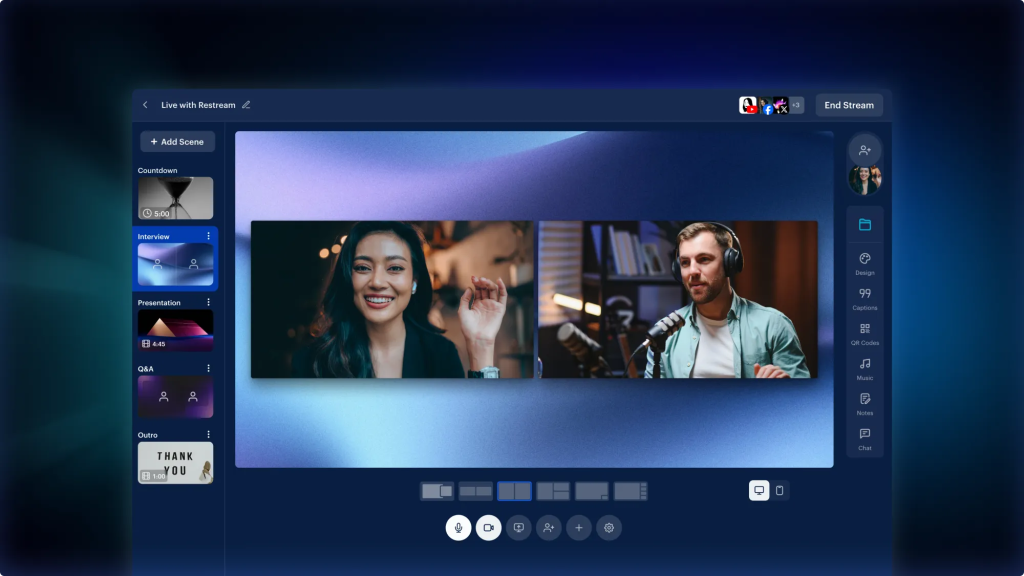
Restream Studio is the platform’s built-in broadcasting tool. It runs in your browser and lets you go live with your webcam and microphone without installing any software. You can add custom overlays, logos, backgrounds, scrolling tickers, and QR codes to your stream.
The Studio also supports screen sharing, customizable scenes, custom layouts, and AI-generated background music, available to all users across 3 genres on the Free plan and 22 on paid plans. You can invite up to 6 on-screen participants on the Free plan or up to 10 on paid plans using a simple invite link, making it easy to host interviews, panel discussions, or co-hosted shows.
Upload & Stream: Pre-Recorded Video Broadcasting
If you don’t want to go live in real time, Restream’s Upload & Stream feature lets you upload a pre-recorded video and schedule it to broadcast as a live stream.
You can set the date, time, and platforms in advance. This is helpful for creators who want to batch their content or stream across different time zones.
Cross-Platform Chat
Restream pulls comments from all your connected platforms into a single chat window. Instead of switching between tabs to read and respond to viewers on YouTube, Facebook, and Twitch separately, you see everything in one place. You can reply directly from the unified chat, either to all connected platforms at once or to a specific one by selecting it from a dropdown.
Note that reply support varies by platform; some channels, like LinkedIn and X, are read-only in Restream Chat, meaning you can see incoming messages but must reply on those platforms directly.
Clips
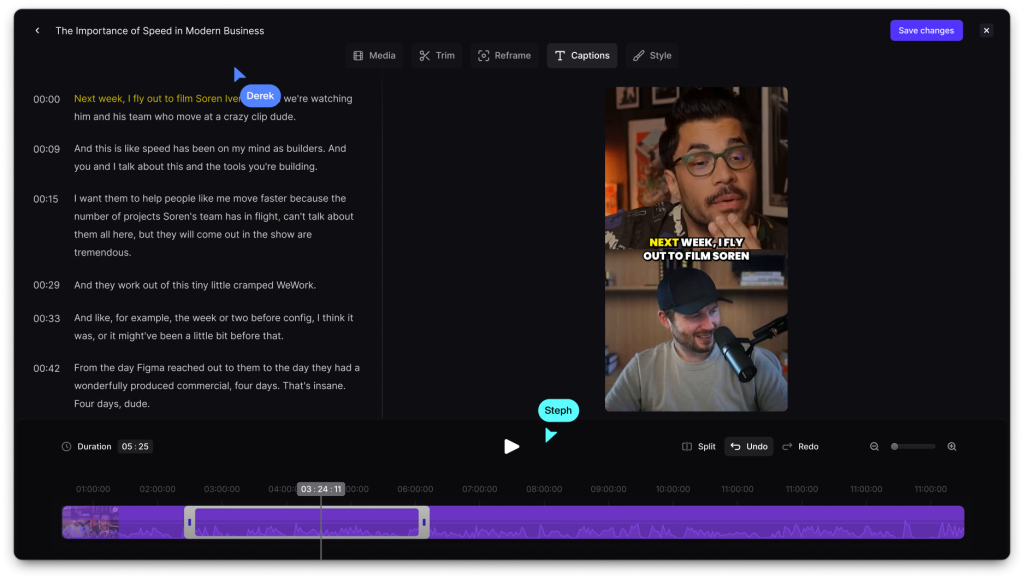
Restream’s Clips feature (available as a paid add-on on any paid plan) uses AI to automatically turn your live stream recordings and uploaded videos into short, shareable video clips. These clips are formatted for platforms like TikTok, YouTube Shorts, Instagram Reels, Facebook Reels, LinkedIn, and X.
Clips are automatically generated for streams over 10 minutes, and you can also manually generate clips from recordings or uploads that are at least 10 seconds long.
Stream Analytics and Cloud Recordings
Restream provides a central analytics dashboard that tracks viewer counts, engagement metrics, and performance data across all your connected platforms. You can see which channels bring the most viewers and adjust your strategy accordingly. Cloud recordings are included on all paid plans and automatically saved for download, with storage lasting 15 to 30 days depending on your tier.
Storage duration is 15 days on the Standard and Professional plans and 30 days on the Business plan. Free plan users do not have access to cloud recordings, aside from a 15-minute recording trial available during the first 7 days after signup.
Restream Pricing Breakdown
Restream offers a free plan and four paid tiers. All paid plans can be billed monthly or annually, with annual billing saving you up to 20%. Here’s what each plan includes:
The Free plan costs $0 and lets you stream to 2 channels at once. You get access to Restream Studio with HD 720p quality, cross-platform chat, and stream analytics. The trade-off is Restream branding on your stream.
The Standard plan costs $16/month (billed annually) or $19/month (billed monthly). It bumps you up to 3 simultaneous channels, removes the Restream branding, and adds guest channels so your co-hosts can securely add their own streaming destinations to your event.
The Professional plan costs $39/month (billed annually) or $49/month (billed monthly). You get 5 simultaneous channels, Full HD 1080p streaming in Studio, 4K Ultra HD recording, dual-format streaming (horizontal and vertical simultaneously), and split-feed downloads for post-production editing.
The Business plan costs $199/month (billed annually) or $239/month (billed monthly). This tier includes 8 simultaneous channels, a website embed player for up to 1,000 concurrent viewers, 2 included team seats, co-producer mode, and team workspaces.
Restream also offers an Enterprise plan with custom pricing for media companies and corporate teams. This includes SSO and security review, multiple workspaces, dedicated account management, SRT ingest, stream backup, and unlimited Upload & Stream.
*Note: Price ranges are approximate and subject to change based on market conditions. Contact individual providers for the most up-to-date pricing.
Restream Reviews: What Users Are Saying
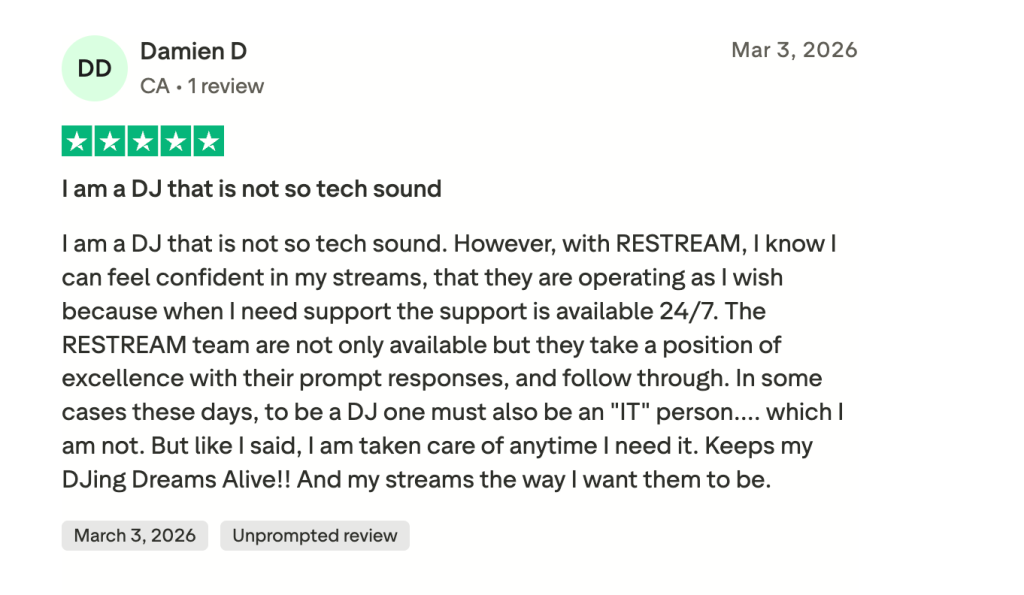
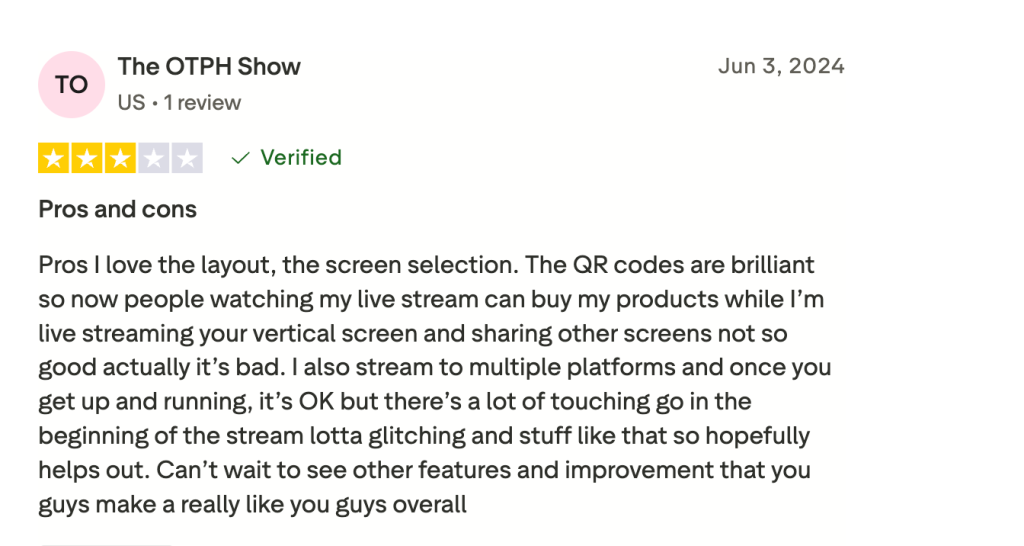
Users consistently highlight the platform’s ease of setup, with many reporting they were able to go live on multiple platforms within minutes of creating an account. Customer support is a standout theme, with reviewers describing the live chat team as fast, patient, and hands-on, even for users on the free plan. The multistreaming feature itself receives strong praise for its reliability and simplicity.
On the other hand, some users report occasional disconnects or syncing issues with specific platforms, particularly during longer broadcasts. A few reviewers note that the 15-day recording storage limit on lower-tier plans feels restrictive, forcing them to export content sooner. Some also note that features like the stream scheduler and Facebook Page streaming are locked behind higher-priced plans, which can feel limiting for budget-conscious creators.
Who Should Use Restream?
Restream serves a wide range of users. Its official solutions cater to creators, tech teams, media and entertainment companies, government and public sector organizations, and houses of worship. For solo creators, podcasters, and small teams who regularly go live on two or more platforms, the ability to reach multiple audiences from one dashboard saves real time, whether you’re streaming weekly shows, hosting interviews, running webinars, or broadcasting church services.
It’s also a strong fit for businesses using live video for product launches, Q&A sessions, or community engagement. The built-in branding tools and guest-invite system let you run professional-looking broadcasts without investing in expensive production software.
Scaling Attention Beyond Multistreaming With AmpiFire
Restream is a well-established multistreaming platform serving everyone from solo creators and small businesses to media companies, government organizations, and houses of worship. Its browser-based Studio removes the need for separate software, and the free plan offers a real starting point with 2 simultaneous channels, cross-platform chat, stream analytics, and HD streaming.
The platform works well for live shows, podcasts, interviews, webinars, and community broadcasts. Paid plans are competitively priced: The Professional plan at $39/month (billed annually) offers a strong balance of features for growing creators, including Full HD streaming, 4K recording, and dual format streaming. Restream provides 24/7 customer support across all plans.
Restream is focused on live video creation and distribution. Its AI Clips feature helps repurpose streams into short-form content for TikTok, YouTube Shorts, and Reels, but it does not distribute to non-video channels like blogs, news sites, or podcast directories. For creators and businesses who want to turn their expertise into traffic from search, social media, video, podcasts, and more, a broader content strategy is where tools like AmpiFire come in.
How AmpiFire Complements Live Streaming Tools Like Restream
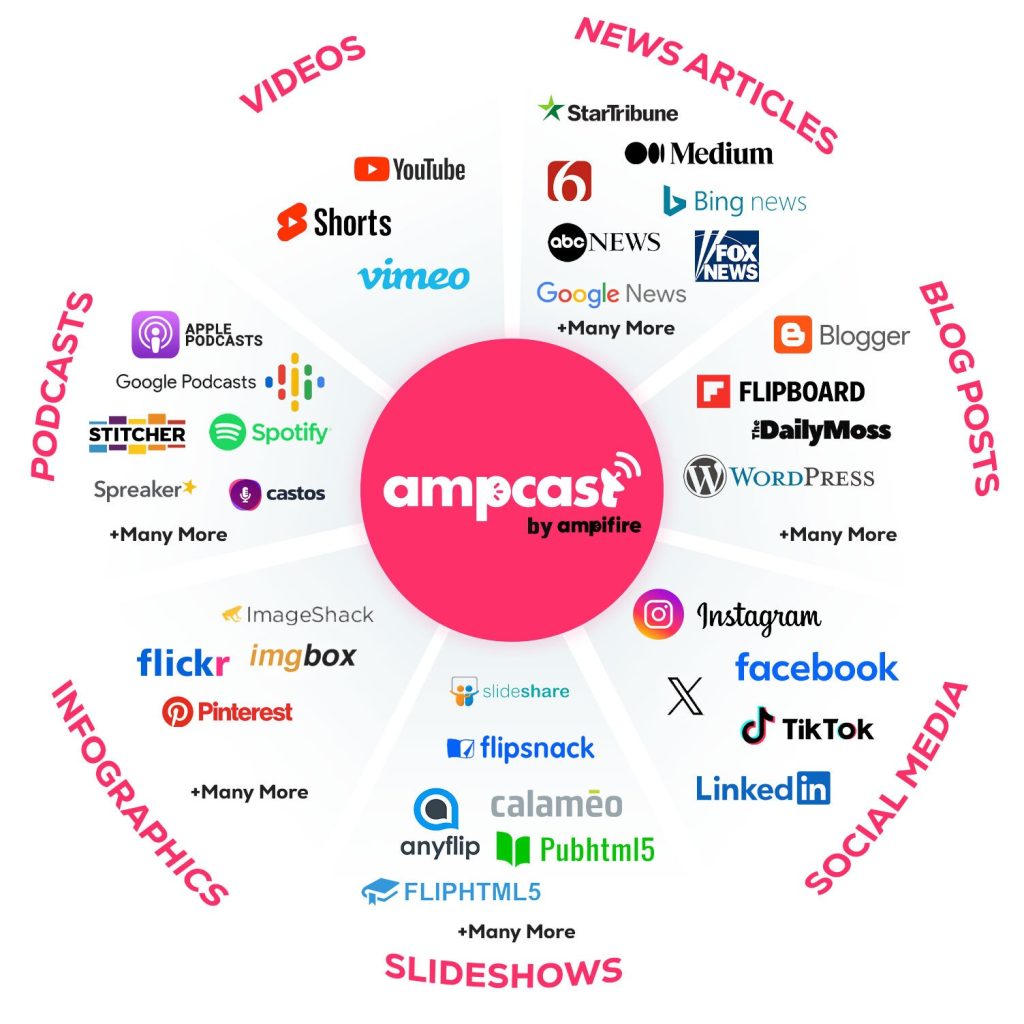
Live streaming tools like Restream help you broadcast to existing audiences in real time, but they don’t generate new traffic sources or long-term content that continues to work after the stream ends. That’s where AmpiFire comes in.
AmpiFire’s AmpCast AI takes one topic and transforms it into 8 formats: News articles, social posts, reels/shorts, infographics, interview podcasts, flipbooks/slideshows, blog posts, and longer informational videos. It then publishes that content across 300+ platforms, including Google News, YouTube, Spotify, Pinterest, FOX affiliate sites, and MSN. The process starts with researching buyer-intent topics people are actually searching for, then creating all 8 formats optimized for each platform, and automatically distributing them to build organic traffic from search, social media, video, podcasts, and more.
One AmpiFire case study showed a medical device store increasing monthly sales from roughly $48,000 to $735,000 after publishing 113 pieces of content in under 12 months. Results like these vary by business type and content strategy, but they show what a multi-channel organic approach can achieve. We offer DIY, Done-For-You, and Completely Managed service levels to match different needs.
Frequently Asked Questions (FAQs)
Is Restream really free?
Yes, Restream has a permanent free plan. You can stream to 2 channels simultaneously with Restream Studio, including HD 720p quality and cross-platform chat. The main limitation is a Restream watermark on your video and a two-channel cap.
Can I use Restream with OBS or other streaming software?
Yes. Restream integrates with third-party streaming software like OBS Studio, vMix, Streamlabs, Ecamm, and Zoom. You send your video feed to Restream via RTMP (or SRT on higher tiers), and Restream distributes it to all your connected platforms.
Does Restream add delay to my live stream?
Restream adds minimal delay, typically under 2 seconds. The number of channels you’re streaming to does not affect the delay. Your original video quality is preserved because Restream doesn’t re-encode your stream.
Can I stream pre-recorded videos as live content on Restream?
Yes. Restream’s Upload & Stream feature lets you upload a video, choose your platforms, and schedule it to broadcast at a specific date and time. Your audience sees it as a live stream, and you can combine multiple videos into a playlist for a continuous broadcast.
How does AmpiFire help businesses grow beyond live streaming?
AmpiFire takes one topic and creates 8 formats (News articles, social posts, reels/shorts, infographics, interview podcasts, flipbooks/slideshows, blog posts, and longer informational videos), then publishes them across 300+ platforms, including Google News, YouTube, and Spotify. This builds organic buyer traffic from search, social, and video channels, giving your brand lasting reach that works 24/7.
*Disclaimer: Results may vary based on individual circumstances, business type, and content strategy. The time savings and outcomes mentioned are based on typical user experiences and are not guaranteed. For specific pricing and service details, please visit AmpiFire.
Author
Related Posts

OneStream Live Pricing, Reviews & Alternatives: Is This Multistreaming Platform Worth It?
OneStream Live review: compare pricing, features, and top alternatives to see if this multistreaming platform is worth it.

Mailtrap Reviews, Pricing & Features: Is This the Best Email Deliverability Platform?
Is Mailtrap the best email deliverability platform? Full breakdown of features, pricing, integrations, and detailed user reviews for SaaS and…

Omnisend Reviews, Features & Pricing: Is It a Good Marketing Platform for E-commerce?
Get honest Omnisend reviews. Learn features, pricing, and if this marketing platform is worth it for your e-commerce business and…


Moosend Features, Reviews & Pricing: Is This Email Marketing & Automation Platform Worth It?
Get honest Moosend reviews. Learn features, pricing, and whether this email marketing and automation platform is worth it for your…

LoginRadius Reviews, Features & Pricing: Is This Identity and Access Management Platform Legit?
LoginRadius review: In-depth analysis of features, pricing, and legitimacy. Learn if this identity and access management solution meets your needs.

Selfpublishing.com: Features, Benefits & Pricing – Is it a Legit Platform for Authors?
Explore selfpublishing.com's programs, benefits, and pricing to see if it's the best platform for aspiring authors in our detailed review.








