
Key Takeaways
- To repurpose a TikTok for YouTube Shorts, download a watermark-free copy, confirm it is vertical and under 3 minutes, rewrite the caption into a keyword-rich title, add captions, and upload.
- TikTok spreads videos through trends and its feed, while YouTube relies on search and watch time, so a clip needs a searchable title to travel further on Shorts.
- Hooking viewers in the first three seconds, keeping clips short to lift completion rate, and adding burned-in captions are the habits that decide how far a Short travels.
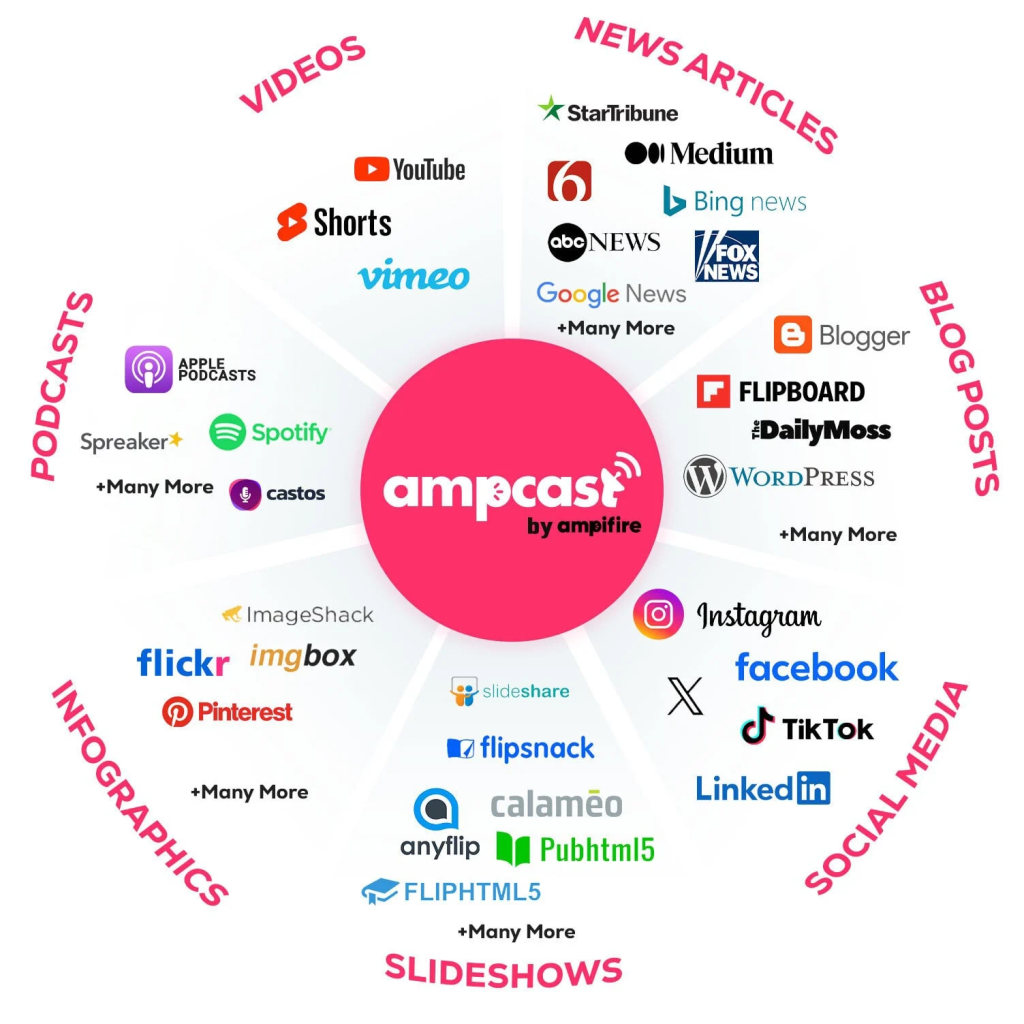
- The right tools speed things up: CapCut (free editing and watermark cleanup), OpusClip (AI clip selection), Repurpose.io (automated cross-posting), and Descript (transcript-based editing). AmpiFire’s AmpCast AI goes further by creating and auto-publishing multi-format content across many platforms.
- AmpiFire’s AmpCast AI turns one topic into 8 content formats, including short-form video, and auto-publishes them across 300+ sites like TikTok, YouTube, Spotify, and Pinterest.
Preparing a TikTok Clip for YouTube Shorts
Repurposing a TikTok video for YouTube Shorts is mostly cleanup and reframing, not new production, because both platforms already share the same vertical format. Most creators assume a straight re-upload will work just as well on YouTube, but the platforms surface content differently. TikTok pushes clips through trends and a feed, while YouTube rewards clips people actually search for.
Skipping that adjustment has a real cost. A visible TikTok watermark or a caption written for TikTok’s audience can quietly cap how far a clip travels on YouTube, even when the footage itself performed well elsewhere. Small changes to the title, captions, and framing are what let the same clip earn a second life on a different platform.
For businesses that want that reach to go further than a single reworked clip, AmpiFire’s AmpCast AI builds on the same topic to create short-form video alongside 7 other formats, then publishes them across the platforms buyers already use.

How AmpiFire Works:
- Research & Target: Find high-demand topics your buyers search for.
- Create & Repurpose: AmpiFire’s AmpCast AI generates news articles, blog posts, interview podcasts, longer informational videos, reels/shorts, infographics, flipbooks/slideshows, and social posts.
- Distribute & Amplify: Auto-publish to 300+ sites, including Google News, YouTube, Spotify, and major news networks.
Get more traffic from people who want to buy your stuff, and powerful “As Seen On” trust badges for your site.
Do It Yourself (with AI), Done For You Content, & 100% Managed Organic Growth options available.
Grow Your Free Traffic From Everywhere
How to Repurpose a TikTok Video for YouTube Shorts?
Follow these steps for each clip so the result feels native to YouTube rather than copied from TikTok.
- Save the original, watermark-free file from your camera roll or editing app. If you only have the published TikTok version, run it through a watermark remover, or crop and re-export it in a video editor first.
- Check the format and length. Confirm the clip is vertical, 9:16, and under 3 minutes, and trim it to 15-60 seconds when you can.
- Swap out TikTok-only elements. Replace TikTok sounds that are not licensed for YouTube, remove duet or stitch layouts, and cover any on-screen TikTok handles.
- Rewrite the caption as a title. Write a clear, keyword-rich title people might search for, add a short description, and include the #Shorts tag for added discoverability, though YouTube now classifies Shorts automatically based on aspect ratio and length.
- Add burned-in captions. Most people watch on mute, so on-screen text keeps your message readable and lifts watch time.
- Upload and post at a good time. Publish when your audience is active, and space out releases instead of dumping every clip at once.
Best Practices for YouTube Shorts That Get Watched
The clip already performed well on TikTok, so the goal here is to help it perform on a platform that surfaces and rewards content differently. TikTok pushes videos through its feed and trends, while YouTube leans on search and watch time, which means a few small changes can determine how far a clip travels. These habits make the difference between a Short that quietly dies and one that keeps pulling views for months.
1. Hook Viewers in the First Three Seconds
Viewers decide almost instantly to keep watching or swipe away, so open with the payoff, the question, or your strongest line. Save the slow build for long-form video, because on Shorts, a weak opening is the fastest way to lose views. If your TikTok had a delayed start, trim those seconds off before you upload.
2. Write Titles People Actually Search For
TikTok rewards curiosity and trending sounds, but YouTube is a search engine, so clarity wins. A title like “How to clean white sneakers in 60 seconds” beats a vague tease because it tells YouTube and viewers exactly what the clip delivers. Put the main topic in both the title and the first line of the video.
3. Keep Clips Tight to Lift Completion Rate
The 3-minute ceiling is a limit, not a target. Completion rate drives reach more than length does, so a 25-second clip that most people finish will usually beat a 2-minute clip that half the audience abandons. Cut dead air, pauses, and anything that does not move the point forward.
4. Make Captions Readable & Keep Text in the Safe Zone
Since most viewers watch with the sound off, burned-in captions carry your message and raise watch time. Keep on-screen text large, and leave room at the top and bottom of the frame so YouTube’s buttons and labels do not cover your words. Two short lines at a time read better than a wall of text, and highlighting a key word or two helps the point land while someone scrolls.
5. Adjust Each Clip Instead of Copy-Pasting Blindly
Posting the exact same file everywhere is the lazy version of repurposing, and it shows. A fresh hook, a clean caption, and platform-correct text take only a few minutes and help the algorithm treat the upload as its own video. When you have time, test a shorter cut against a longer one to see what your audience finishes.
Best Tools for Repurposing TikTok Videos to YouTube Shorts
1. AmpiFire (AmpCast AI)
AmpiFire is a content creation and distribution platform that does more than edit clips. Instead of you cutting and reposting a single video, AmpCast AI creates short-form videos and 7 other content formats for topics your buyers search for, and publishes them automatically to 300+ high-authority sites, including TikTok, YouTube, LinkedIn, Spotify, Pinterest, Google News, and more.
It fits businesses that want their reach to span many channels rather than be tied to a single short clip on one app.
2. CapCut
CapCut is a free editor that covers the basics of repurposing well. You can trim clips, resize to vertical, add captions, and export a clean file without a TikTok watermark. It is a solid starting point for creators who edit by hand and want full control over each upload.
3. OpusClip
OpusClip uses AI to turn longer videos into short, ready-to-post clips. It finds high-retention moments, reframes them to vertical, and adds auto-captions, which saves time when you have a lot of footage to cut down. It also scores each clip on how likely it is to perform, so you can post the strongest cuts first. It suits creators turning long-form video into many Shorts.

4. Repurpose.io
Repurpose.io focuses on automation. You can set up a workflow that automatically publishes your TikTok videos to YouTube Shorts, keeping your channel active without manual re-uploads. It works best once your editing process is settled and you want hands-off cross-posting.

5. Descript
Descript edits video like a text document, so you cut footage by editing the transcript. It also adds captions, removes filler words, and exports vertical clips, making it useful for cleaning up talking-head TikToks for YouTube.

Top 5 Tools for Repurposing TikTok to YouTube Shorts
| Tool | Best for | Key Strengths |
| AmpiFire (AmpCast AI) | Businesses wanting reach beyond one channel | Creates 8 different content formats, then auto-publishes it widely across 300+ sites |
| CapCut | Hands-on editing and watermark cleanup | Free, full manual control |
| OpusClip | Cutting long videos into many clips | AI clip selection and auto-captions |
| Repurpose.io | Automated cross-posting | Set-and-forget publishing |
| Descript | Talking-head and tutorial clips | Transcript-based editing |
AmpCast AI Takes a TikTok Clip Further Than One Repost
Moving a TikTok to YouTube Shorts is mostly cleanup and reframing for search, not new production. Clear the watermark, write a title people search for, keep the clip tight, and the right tool removes most of the manual steps, so one filming session can feed two platforms and two different audiences.
At AmpiFire, we built AmpCast AI for the next step, when one channel stops being enough. Rather than tying your reach to a single Short on YouTube, we turn your topic into short-form videos plus content people find through search, audio, and video. This way, buyers keep encountering your brand wherever they look. If you want short clips backed by that kind of multichannel presence, you can try AmpCast AI today.
Frequently Asked Questions (FAQs)
Can you post the same content on TikTok and YouTube Shorts?
No. YouTube does not care that your video also lives on TikTok, and different audiences use each platform, so cross-posting usually helps growth. What YouTube does lower is the reach of clips that show a visible TikTok watermark, so always upload the clean original file.
Do I need to change the video length for YouTube Shorts?
Often only a little. YouTube Shorts can be up to 3 minutes, while TikTok allows much longer videos, so trim anything over 3 minutes. For the best completion rate, aim for 15 to 60 seconds, since shorter clips are easier for viewers to finish.
How do I remove the TikTok watermark from my video?
The cleanest way is to save the original file from your camera roll or editing app before you post it to TikTok. If you only have the published version, a watermark-removal tool or a quick crop and re-export in an editor like CapCut can remove the logo before you upload to YouTube.
Should I use the same caption from TikTok on YouTube Shorts?
No. TikTok captions lean on trends and personality, while YouTube works like a search engine. Rewrite your caption as a clear, keyword-rich title that matches what people search for, add a short description, and include the #Shorts tag for discoverability, though YouTube now categorizes Shorts automatically by format and length.
How can AmpiFire help me reach more people than reposting clips alone?
Reposting one clip reaches one channel. AmpiFire researches what your buyers search for, creates short-form video and 7 other content formats around it, and automatically publishes it to the platforms where people look, including YouTube. This keeps your brand showing up across search, video, and audio at once, so your traffic isn’t tied to a single app’s algorithm.
*Disclaimer: Results may vary based on individual circumstances, business type, and content strategy. The time savings and outcomes mentioned are based on typical user experiences and are not guaranteed. For specific pricing and service details, please visit AmpiFire.
Author
Related Posts

How to Repurpose YouTube Videos for TikTok
Learn how to repurpose YouTube videos for TikTok using AmpiFire's AmpCast AI and other tools, so you reach more people…


How to Repurpose TikTok Videos for Instagram: Tips & Tools
Learn how to repurpose TikTok videos for Instagram with expert tips and top tools like AmpCast AI, CapCut, InShot, Canva,…


How to Repurpose YouTube Videos for Instagram: Step-by-Step Guide & Tools
Learn how to repurpose YouTube videos for Instagram Reels using a simple editing workflow, top tools, and automation, then read…

How to Repost YouTube Shorts to TikTok & Vice Versa
Learn how to repost YouTube Shorts to TikTok and vice versa with our step-by-step guide. Get optimization tips to double…

YouTube Shorts vs TikTok: Views, Monetization & Content Strategy
YouTube Shorts vs TikTok: see which platform truly wins on views, reach, and virality, plus how AmpiFire publishes your content…


Where to Share YouTube Videos & Shorts to Get More Views
Discover the best places to share YouTube videos and shorts for more views. Learn effective promotion strategies to grow your…








