
Key Takeaways
- OpusClip is good for repurposing long, talking-heavy videos into short vertical clips for TikTok, YouTube Shorts, and Instagram Reels, but it only works with footage you already have.
- OpusClip’s AI picks the strongest moments and scores each clip for virality, then adds animated captions in 20+ languages and auto-reframes to vertical. Starter includes limited B-roll, while Pro adds full AI B-roll and a social media scheduler.
- OpusClip offers a watermarked free plan, Starter at $15/month, Pro at $29/month, and custom Business pricing, with Pro adding team seats, custom fonts, and limited API access.
- One credit covers one minute of input video, so a single 60-minute podcast uses about 20% of Pro’s monthly credits, which makes heavy podcasters run out fast.
- AmpiFire’s AmpCast AI goes further than clips by turning one topic into 8 content formats and publishing them on 300+ sites, so you build traffic from search, video, podcasts, and social at the same time.
Is OpusClip Good for Repurposing Videos?
OpusClip is a good tool for repurposing videos into short clips. It suits creators, podcasters, and marketers who already record long videos and want clips without hiring an editor. If you record podcasts, interviews, or 10+ minute YouTube videos and want them clipped automatically, it is built for that job. Light users can start free, while teams making several hours of video a month will need Pro.
But there are two limits. First, OpusClip can only repurpose footage you already have, so it is no help before you record anything. Second, it produces one output: short vertical clips for a few social apps, not articles, audio, or longer videos. Full AI B-roll, multiple aspect ratios, and the social media scheduler also sit behind the Pro plan, which can push light users to upgrade sooner than expected. For talking-heavy videos you want sliced into shorts, though, it stays one of the fastest and cheapest options around.
It also will not create new content from scratch or publish beyond a few social apps, so it works best as one part of a wider plan. AmpiFire fills that wider role by turning a single topic into many content formats and publishing them across hundreds of sites.

How AmpiFire Works:
- Research & Target: Find high-demand topics your buyers search for.
- Create & Repurpose: AmpiFire’s AmpCast AI generates news articles, blog posts, interview podcasts, longer informational videos, reels/shorts, infographics, flipbooks/slideshows, and social posts.
- Distribute & Amplify: Auto-publish to 300+ sites, including Google News, YouTube, Spotify, and major news networks.
Get more traffic from people who want to buy your stuff, and powerful “As Seen On” trust badges for your site.
Do It Yourself (with AI), Done For You Content, & 100% Managed Organic Growth options available.
Grow Your Free Traffic From Everywhere
What Does OpusClip Do?
OpusClip is a cloud tool, so everything happens online, and you do not install software. You give it a long video, tell it the clip length and content type you want, and it returns a set of short clips ready to post. Its AI finds the strongest opening moment in your video, reorders sections so the clip makes sense on its own, and exports it as a finished short.
The credit system matters most here. One credit equals one minute of input video processed, and credits are consumed based on input length only, not the number of clips you generate. A single 60-minute podcast uses about 20% of the monthly credits on the Pro plan, so heavy podcasters and livestreamers use up their allowance quickly.
OpusClip’s Main Features
AI Clipping & Virality Score
The main feature automatically identifies the strongest moments in your video and cuts them into short clips. Upload a 1-hour podcast or YouTube video, and it identifies the most engaging moments, cuts them into short clips, and scores each one on estimated virality. The score helps you decide which clips to post first, rather than reviewing every output by hand.
Captions, Reframing, & B-Roll
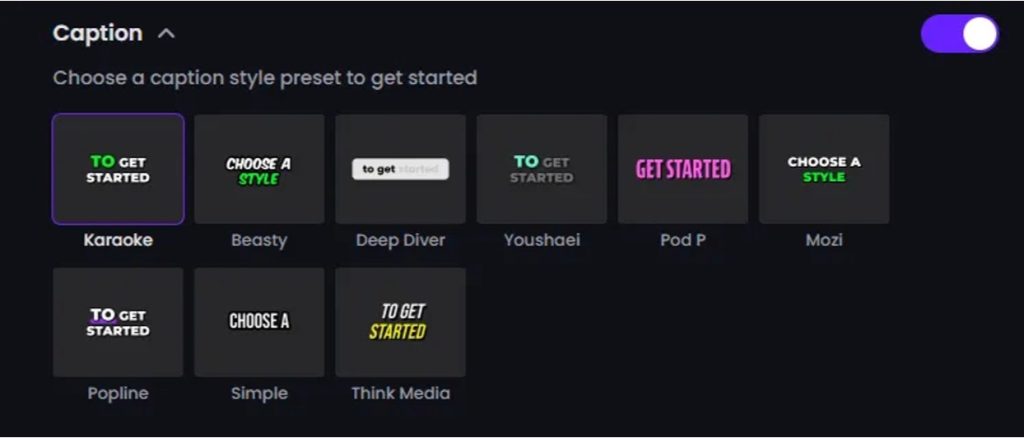
Every clip gets animated captions, and OpusClip can translate them into many languages. It offers AI-animated captions in 20+ languages, auto-reframing for vertical video, and emoji and keyword highlighting. On paid plans, you also get filler-word and silence removal plus the option to add music and text overlays, while Pro adds full AI B-roll and your own brand fonts.
Scheduling, Sources, & Team Tools
OpusClip can post and schedule your clips so you do not switch between apps. The Pro plan adds a social media scheduler, input from 10+ sources like Zoom, Riverside, and StreamYard, export to Adobe Premiere Pro and DaVinci Resolve, and a team workspace with two seats. Higher plans add analytics, API access, and a Zapier connection for automated workflows.
OpusClip Pricing Plans
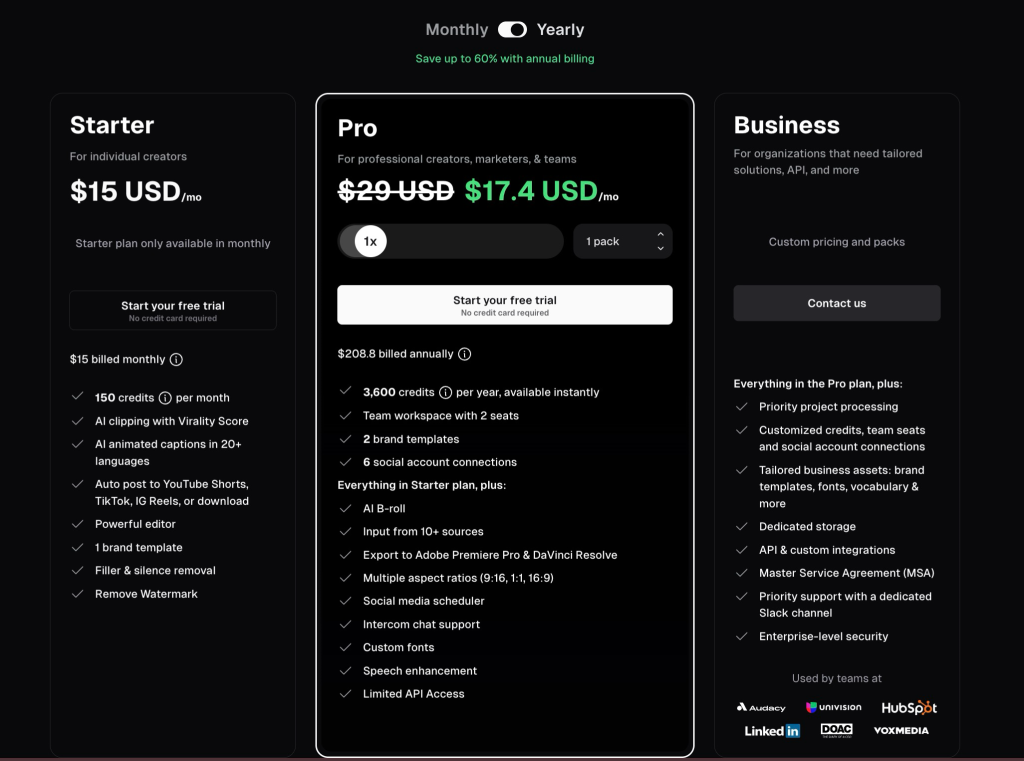
OpusClip has four tiers, and the gaps between them are wide. The free plan is fine for testing, but not for publishing.
The Free plan gives you 60 credits a month. It renders clips up to 1080p with auto-reframing and AI captions, but it adds a watermark, offers no editing, and deletes your clips after 3 days.
The Starter plan costs $15/month. It includes 150 credits, removes the watermark, and unlocks AI clipping with the virality score, the editor, one brand template, and direct posting to YouTube Shorts, TikTok, and Instagram Reels (scheduling requires Pro). It is a single-user plan with no team features.
The Pro plan costs $29/month, or $14.50/month when billed annually ($174/year). It includes 300 credits a month, or 3,600 credits upfront on the yearly plan, plus a team workspace with two seats, AI B-roll, multiple aspect ratios, custom fonts, speech enhancement, and limited API access. You can buy add-on packs for more credits and seats, up to 4 seats.
The Business plan uses custom pricing for organizations that need API access, more seats, dedicated storage, and enterprise security.
OpusClip Handles Short Clips, AmpiFire Gets Your Content Seen Everywhere
OpusClip does its core job well. If you already record long videos and want them cut into short clips quickly, the Starter and Pro plans include captions, reframing, and scheduling at a low monthly cost. The main trade-offs are the credit system, which eats into long uploads, and the editing tools that sit behind the Pro plan. For pure short-form clipping, it is a solid pick.
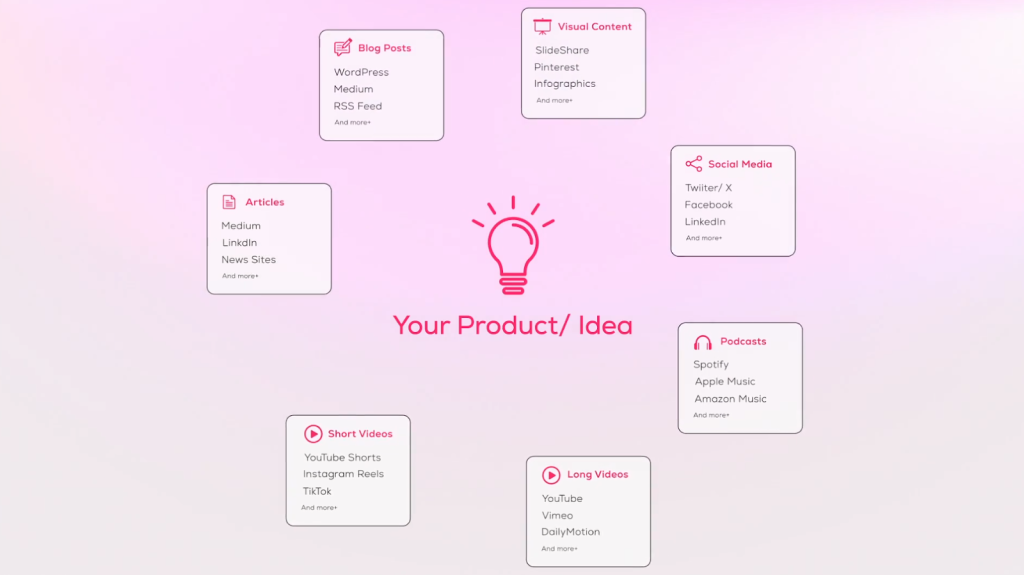
What it cannot do is build traffic outside of short video. AmpiFire handles that broader job by creating content in 8 unique content formats (e.g., news articles, blog posts, interview podcasts, longer informational videos, reels/shorts, infographics, flipbooks/slideshows, and social posts) and publishing it across 300+ high-authority sites (e.g., YouTube, Spotify, Google News), so buyers find you through search, podcasts, longer videos, and social, instead of a single feed. To grow your organic traffic from everywhere, try AmpCast AI today.
Frequently Asked Questions (FAQs)
Is OpusClip free to use?
OpusClip has a free-forever plan that lets you test the AI without paying. The free plan adds a watermark to every clip, disables the editing tools, and deletes your clips after 3 days. It works for trying the tool, but most people who plan to publish will need a paid plan.
Which is better, CapCut or OpusClip?
OpusClip is better for automatically turning long videos into short clips, while CapCut offers more hands-on editing tools. Choose OpusClip for quick repurposing and CapCut for greater editing control.
How do you remove the OpusClip watermark?
The free plan adds a watermark. To remove it, upgrade to a paid plan such as Starter, which includes watermark-free exports.
Can you make money with OpusClip?
Yes, you can use OpusClip to create short-form content for monetized platforms, or earn through its affiliate program. However, OpusClip itself does not pay you simply for creating clips.
How is AmpiFire different from a clipping tool like OpusClip?
OpusClip only repurposes one video into short clips for a few social apps. AmpiFire’s AmpCast AI works at a wider level. It turns one demand-verified topic into multi-format, platform-optimized content campaigns, then auto-publishes them across hundreds of sites so buyers find your brand through search, video, podcasts, and social. It is built for multichannel organic traffic, not short-form video alone.
*Disclaimer: Results may vary based on individual circumstances, business type, and content strategy. The time savings and outcomes mentioned are based on typical user experiences and are not guaranteed. For specific pricing and service details, please visit AmpiFire.
Author
Related Posts


Klap Pricing & Features: Is This AI Video Repurposing Tool Worth It?
Compare Klap pricing, features, and plan limits for this AI video repurposing tool, and find out whether it is worth…


Riverside.fm Features & Pricing: Is This Editing & Repurposing Tool Worth It?
Learn how Riverside.fm helps creators record, edit, livestream, and publish podcasts and videos. Compare features, pricing, and find the best…

Lumen5 Features & Pricing Plans: Can This AI Tool Repurpose Text into Quality Videos?
Learn how Lumen5 turns blogs and documents into videos with AI. Find out its features, pricing, and how it fits…


How to Create an Amp: Repurposing Content for Social Media, Videos, Blogs & More
Learn how to create an amp using AmpiFire’s AmpCast and transform one piece of content into multiple formats for social…

Exemplary AI Pricing & Features: Can This Tool Repurpose Audio & Video Into Quality Content?
Read Exemplary AI review covering features, pricing, content quality, and whether it's worth it. Compare it with AmpiFire for broader…


Klap Reviews & Pricing: Is This The Best AI App to Turn Long-Form Videos into Short Clips?
Find out if Klap AI is the right tool for turning long videos into short clips, including key features, pricing…








