

Key Takeaways
- Trustmary is a Finnish review platform that collects customer feedback through one short survey, then shows the resulting reviews in website widgets, badges, and Google search results.
- Trustmary has operated from Jyväskylä, Finland since 2016 under a named CEO, publishes dated client case studies, complies with GDPR, and offers a free plan you can test before paying.
- G2 and Capterra both score Trustmary 4.6 out of 5, with reviewers praising same-hour setup and criticizing shallow reporting and limited customization.
- Pricing runs on two meters, monthly survey responses and widget views, so a $26 custom plan with two add-ons costs about a quarter of the $203 Starter tier.
- Review widgets and badges work only for visitors already on your site. AmpiFire brings in new ones by publishing buyer-focused content across 300+ sites where people research before choosing a platform.
Is Trustmary a Legit Customer Feedback Tool?
Trustmary is a legitimate customer feedback tool, based in Jyväskylä, Finland, since 2016, with a team of around 20 people under CEO Johannes Karjula. It publishes dated case studies naming the client businesses, maintains claimed profiles on G2 and Capterra where the ratings match, and operates under GDPR as a European vendor with a published data protection addendum. The free plan lets any buyer verify the product before paying.
One thing Trustmary cannot do, though, is bring people to your site in the first place. Trustmary turns visitors into customers, while AmpiFire brings those visitors by turning one topic into 8 content formats, including news articles, blog posts, podcasts, videos, shorts, infographics, slideshows, and social posts, then publishing them across 300+ sites where buyers research tools before they commit.

How AmpiFire Works:
- Research & Target: Find high-demand topics your buyers search for.
- Create & Repurpose: AmpiFire’s AmpCast AI generates news articles, blog posts, interview podcasts, longer informational videos, reels/shorts, infographics, flipbooks/slideshows, and social posts.
- Distribute & Amplify: Auto-publish to 300+ sites, including Google News, YouTube, Spotify, and major news networks.
Get more traffic from people who want to buy your stuff, and powerful “As Seen On” trust badges for your site.
Do It Yourself (with AI), Done For You Content, & 100% Managed Organic Growth options available.
Grow Your Free Traffic From Everywhere
What Trustmary Does For Your Business
Collecting Feedback & Reviews
Trustmary’s core product is what the company calls a 3-in-1 survey, a single short form that does three jobs in one pass. It opens with a satisfaction question, either a Net Promoter Score (NPS) rating or a star rating, then asks for open written feedback. From there, it invites the customer to turn that feedback into a public review or testimonial, video included.
Surveys go out by email, SMS in Europe, QR code, unique link, website embed, or email signature, and sending can be automated through triggers. Native integrations cover HubSpot, Pipedrive, QuickBooks, and Google Sheets, with Zapier and Make handling everything else.
Displaying Reviews on Your Website
Reviews already sitting on other platforms can be pulled in automatically. Trustmary supports imports from Google, Facebook, G2, Capterra, TripAdvisor, Yelp, Booking.com, Airbnb, Trusted Shops, Google Play, and TrustRadius, plus spreadsheet and manual entry.
Those reviews then feed widgets you paste into a page with a short script: carousels, star-rating badges, NPS badges, and lead-generation pop-ups. Widgets include review schema markup, so Google can pick up star ratings for search results, and Trustmary also generates a hosted review page for your brand.
Analyzing Feedback
Trustmary dashboard shows NPS, response volume, widget views, and conversions in one view, with AI-assisted analysis of open feedback. Results can be segmented by location, product, service, or individual agent, helping multi-location service businesses compare branches.
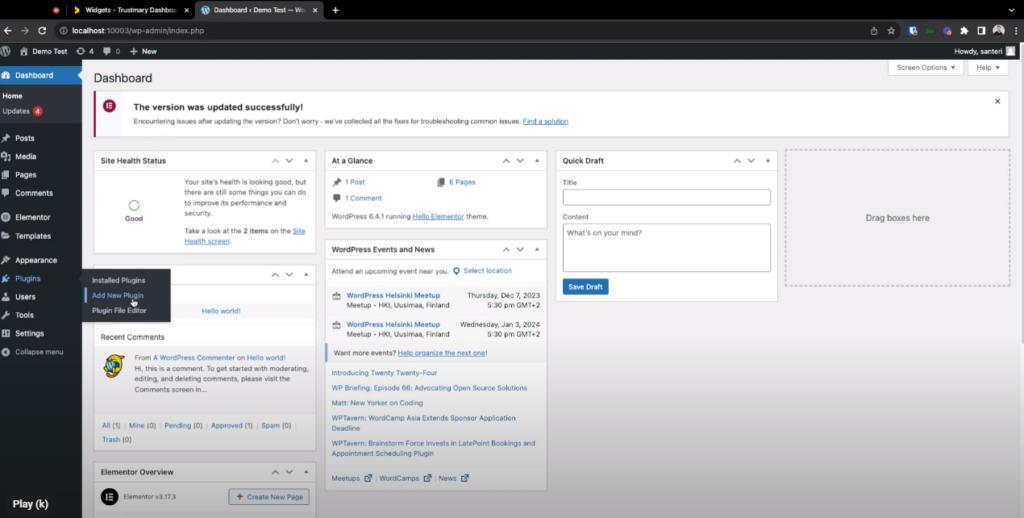
Trustmary Pricing Plans & Add-Ons
Trustmary prices on two usage meters: monthly survey responses and monthly widget views. The figures below are the annual billing rates published on the Trustmary pricing page, where annual billing saves 14% over monthly billing.
Solo & Build Your Plan
Solo is free with no time limit and includes review importing, website widgets, and the Trustmary review page, which is enough to test the tool properly before paying anything.
Build Your Plan starts at $26 per month and is the flexible option, adding automatic review importing and Schema.org review markup for search results. You set the response and view limits yourself, so the final price depends on how far you push the sliders.
Starter & Business
Starter is $203 per month and includes three review connections, custom surveys, analytics, and premium support. Business is $463 per month and adds ten review connections, lead generation widgets, whitelabeling, and premium integrations.
The jump from Build Your Plan to Starter is large because the packaged tiers include add-ons rather than more capacity. Buyers who need only one or two of those extras usually pay less by building a custom plan and attaching the add-ons individually.
What a Typical Setup Costs
A small service business wanting auto-imported Google reviews, one branded widget, and around 5,000 monthly views sits on Build Your Plan at $26 per month. Attaching whitelabeling at $19 and an extra set of review connections at $10 brings the total to $55.
That figure is well under the $203 Starter rate, which bundles analytics and premium support many small teams never open. Business at $463 makes arithmetic sense mainly for companies running lead-generation widgets across several locations, with response volume to match.
Add-On Costs
Add-ons are billed monthly on top of the base plan. The AI Visibility Optimized Profile Page is the most expensive at $197, followed by Premium Integrations and Premium Support at $98 each, Analytics and the HR package at $59, lead generation forms and Experiments at $29, whitelabeling at $19, and review connections, custom surveys, and review translations at $10 each. A one-time onboarding package costs $990.
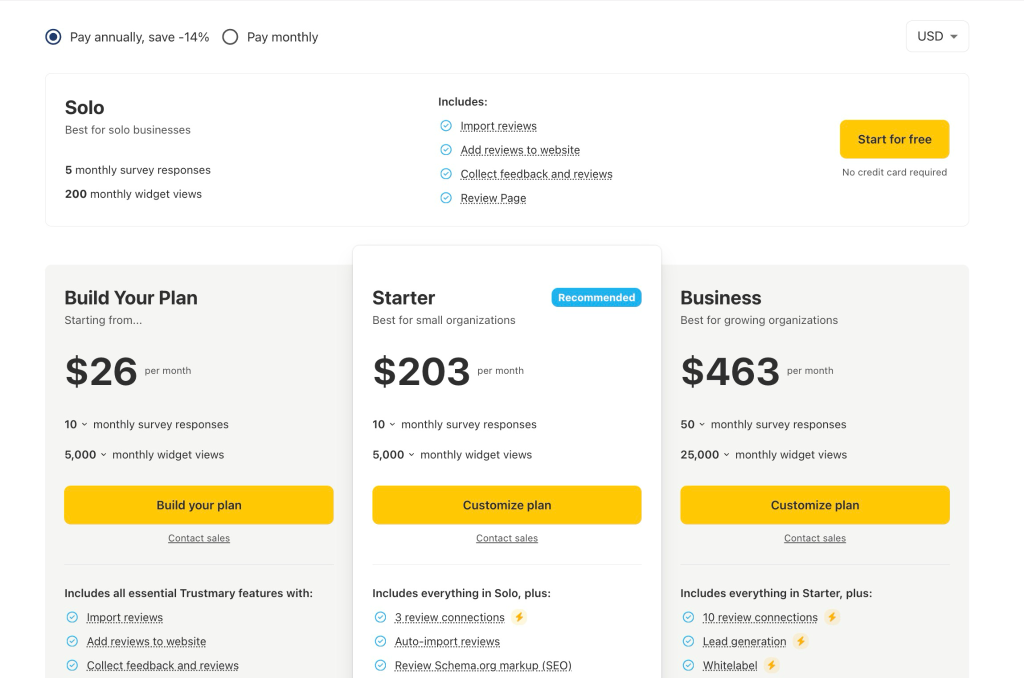
Trustmary Pricing Plans Summary Table
| Plan | Price (billed annually) | Survey responses | Widget views | Key inclusions |
| Solo | Free | 5/month | 200/month | Review import, website widgets, review page |
| Build Your Plan | From $26/month | 10/month | 5,000/month | Solo features plus auto-import and review schema markup |
| Starter | $203/month | 10/month | 5,000/month | 3 review connections, custom surveys, analytics, premium support |
| Business | $463/month | 50/month | 25,000/month | 10 review connections, lead generation, whitelabel, premium integrations |
Trustmary Reviews
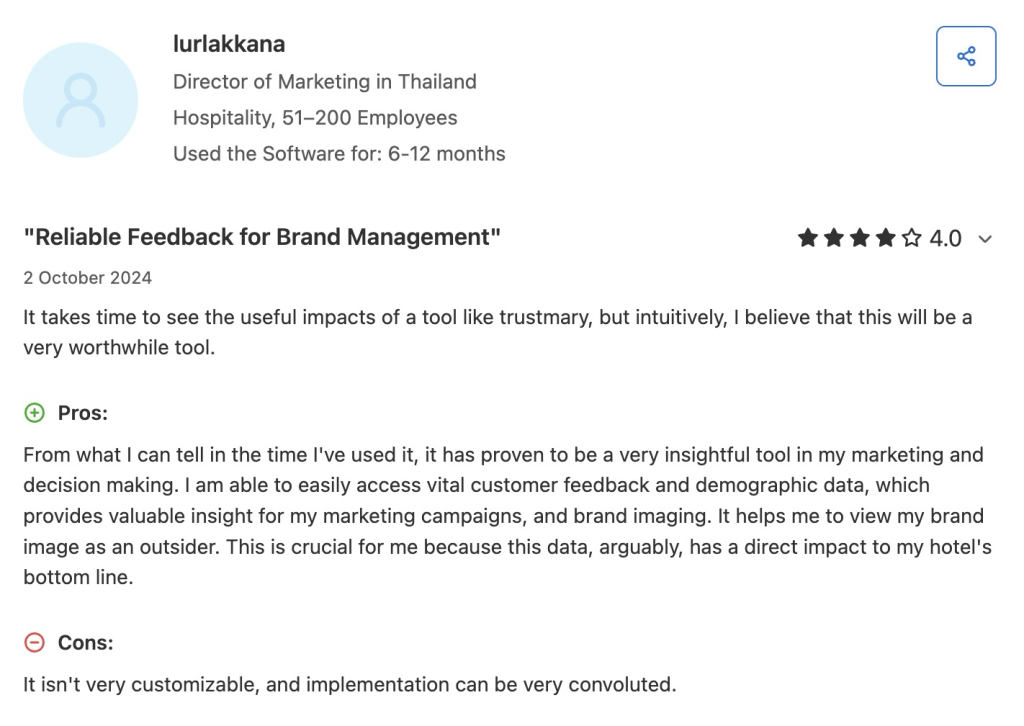
Trustmary holds a 4.6 out of 5 rating on G2 and the same 4.6 out of 5 on Capterra. Reviewers on both platforms praise the speed of setup, describing accounts that go live and start collecting feedback within an hour without developer help. The clean dashboard, the ability to capture written and short video testimonials, and the HubSpot integration for triggering surveys all draw repeated praise, along with the demographic detail the reports feed back into marketing decisions.
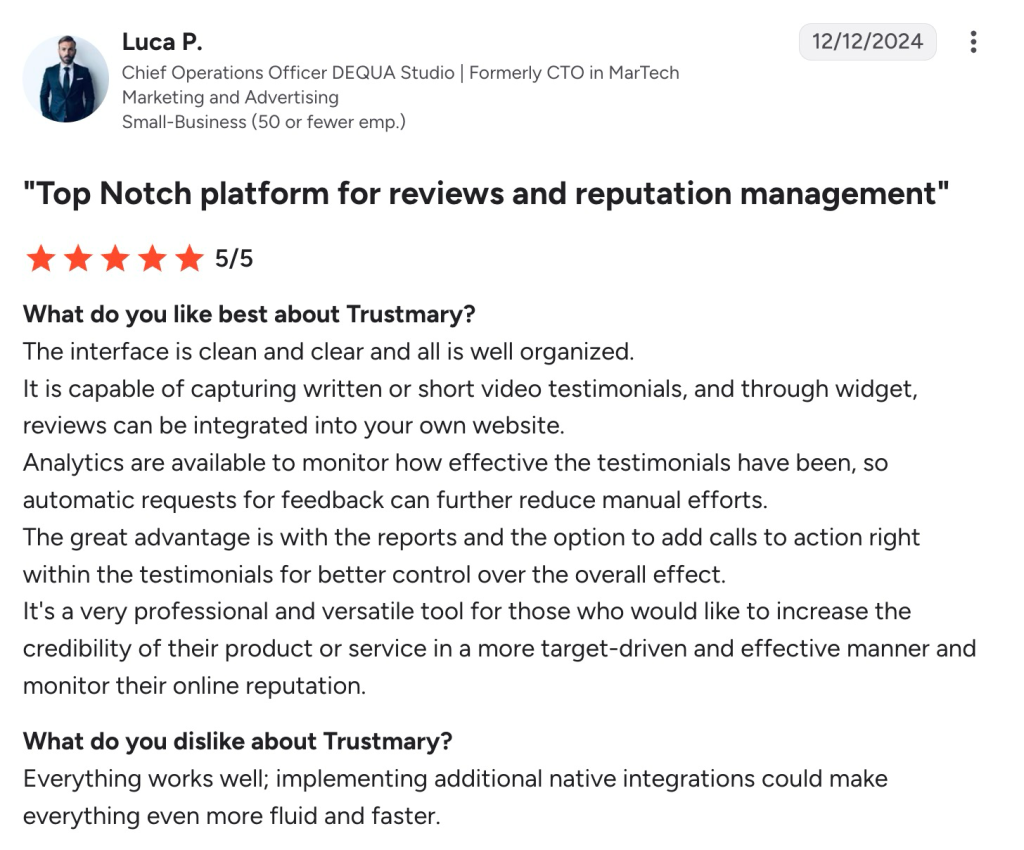
Criticism is relatively narrow and focuses on customization and implementation. Some users say Trustmary is not flexible enough for more tailored workflows and that setup can feel convoluted. Reporting has also drawn complaints from users wanting more visual output and easier ways to sort and compare survey responses across forms.
AmpiFire Brings the Visitors Your Trustmary Widgets Convert
Trustmary’s legitimacy is settled, so the remaining work is picking the right plan. Estimate your monthly survey responses and widget views, add up only the extras you will use, and compare that total against the packaged tiers before committing to a subscription.
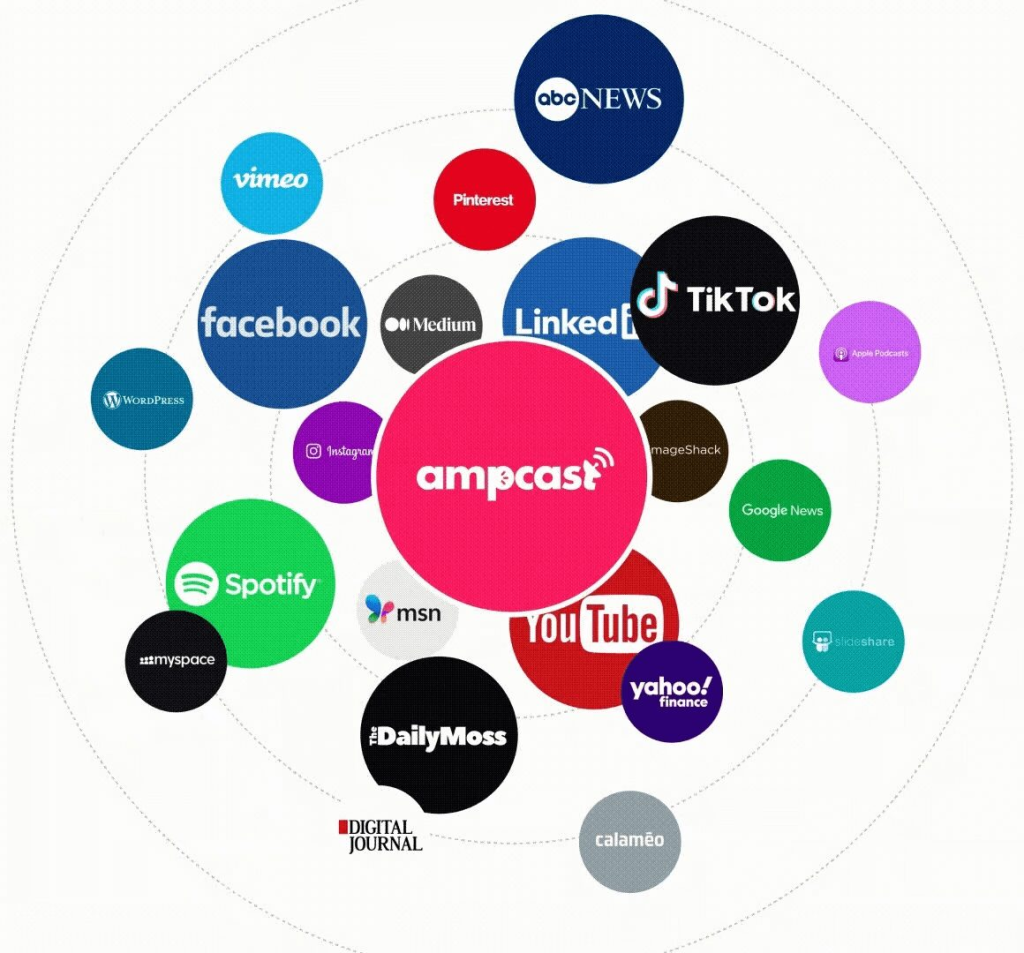
At AmpiFire, we handle the traffic those widgets depend on by researching the topics your buyers look into before choosing a vendor, creating content in 8 different formats, and publishing it on the channels where they look, including YouTube, Spotify, Pinterest, Google News, and MSN. Once your reviews are in place, start your first AmpiFire campaign to put them in front of more buyers.
Frequently Asked Questions (FAQs)
Can I move my existing feedback into Trustmary?
Trustmary states that its team can help migrate existing feedback and review data into the platform in most cases, and asks new customers to book a meeting to arrange it. Reviews already published on supported third-party platforms can also be pulled in automatically once the account is connected.
Can Trustmary collect employee feedback?
Alongside customer surveys, Trustmary runs eNPS and HR surveys for collecting feedback and testimonials from staff. These run through the same survey builder and dashboard as customer feedback, and an HR package is available as a paid add-on for teams that want to handle the employee side separately.
Can I customize Trustmary review widgets to match my brand?
Trustmary widgets apply automatic branding that adopts your website’s existing styling, and you can override the styles and placements manually at any point. Changes take effect without touching the embed script again, so marketing teams can adjust widgets without developer help.
How does Trustmary get customers to leave Google reviews?
After a customer submits feedback through a Trustmary survey, the form shows them the option to post a public review on Google or another review site. The prompt arrives while the customer is already inside the survey, so leaving a public review is one extra step rather than a separate visit later.
How does AmpiFire help a business that already uses a review tool like Trustmary?
AmpiFire creates the visitors those widgets convert by researching what your buyers search for, turning each topic into 8 content formats (news articles, blog posts, interview podcasts, longer informational videos, reels/shorts, infographics, flipbooks/slideshows, and social posts), and publishing them across 300+ sites, including YouTube, Spotify, Pinterest, Google News, and MSN.
*Disclaimer: Results may vary based on individual circumstances, business type, and content strategy. The time savings and outcomes mentioned are based on typical user experiences and are not guaranteed. For specific pricing and service details, please visit AmpiFire.
Author
Related Posts


Canny Reviews, Pricing & Features: Is This the Best Customer Feedback Management Platform?
Compare Canny reviews, pricing tiers, and features in this guide. Find out if this customer feedback management platform is the…


SocialBee Reviews, Features & Pricing: Is This AI Social Media Management Tool Legit?
Check out if SocialBee is worth it. Learn its AI social media management, pricing plans, and real user reviews to…

NeuronWriter Pricing, Features & Reviews: Is This AI Content Optimization Tool Legit?
Learn NeuronWriter's pricing, core features, and honest user reviews, plus how AmpiFire's AmpCast AI extends content reach beyond search. Read…


Sellfy Reviews & Pricing Plans: Is This E-Commerce Tool For Creators Legit?
See Sellfy reviews, pricing plans, and sales caps explained, so you can decide if this creator store builder truly fits…

Heepsy Reviews & Pricing: Is This Influencer Marketing Tool Legit?
See what Heepsy reviews and pricing reveal about this influencer marketing tool, from creator search and audience checks to plans…

Mentionlytics Reviews & Pricing: Is This Brand Monitoring Tool Legit?
Read Mentionlytics reviews and pricing. Discover if this brand monitoring tool is legit and worth adding to your marketing tools.









