

Key Takeaways
- Notion AI delivers the most value to teams already working inside Notion, since it is built to boost an existing workspace more than to serve as a standalone writing tool.
- Its main advantage is context, so it writes, summarizes, pulls answers from your own pages, transcribes meetings, and runs multi-step tasks without leaving your workspace.
- Ongoing AI use is reserved for the Business plan, starting at $20 per member per month billed yearly, and Enterprise, while Free and Plus include only a limited trial.
- It works best when your workspace is well organized and full of notes, so light users or writers who need deep long-form and SEO help may get less from it.
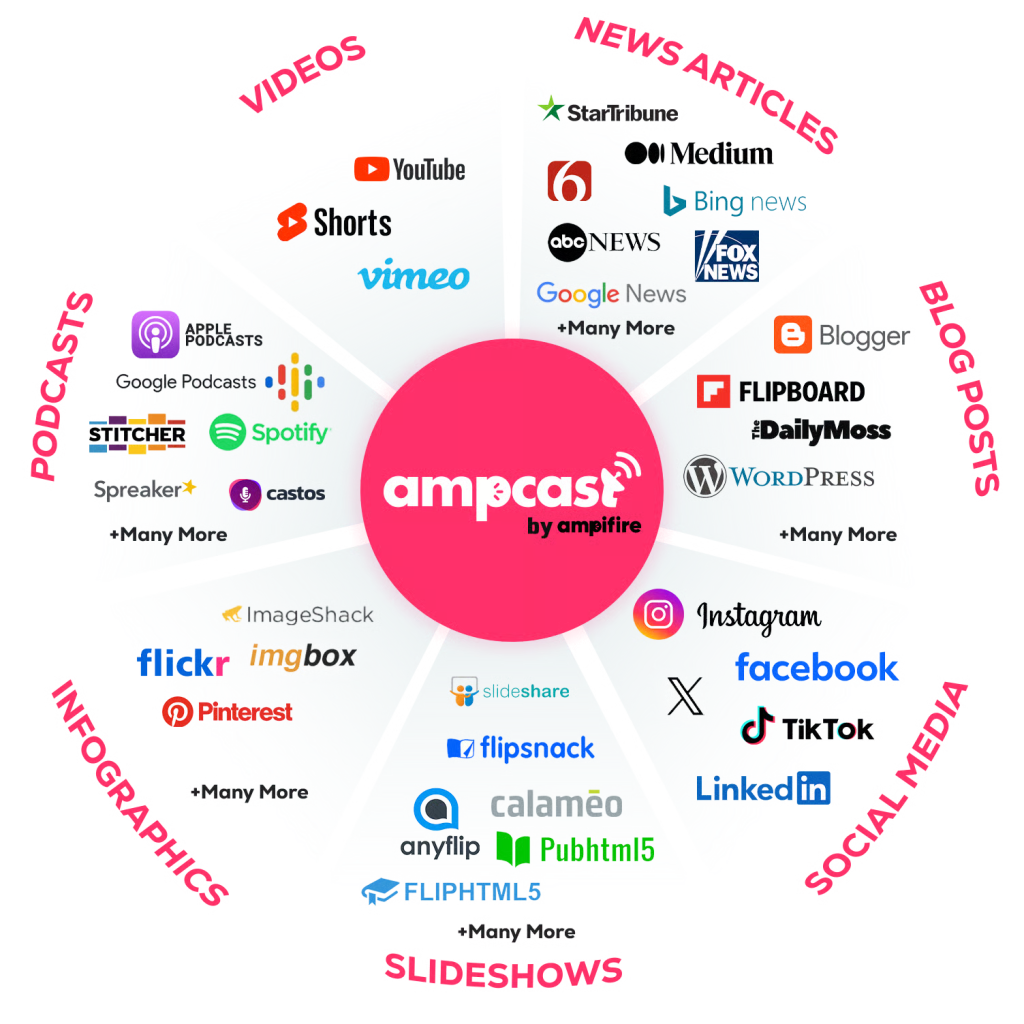
- AmpCast AI turns one topic into eight formats, including news articles, podcasts, videos, and infographics, and publishes them to 300+ sites such as Spotify, YouTube, Pinterest, and Google News, so buyers find you wherever they research.
Is Notion AI Worth It?
Notion AI is worth it if you are already an active Notion user with a reasonably organized workspace. For that user, the AI bundled into the Business plan delivers a strong productivity return through meeting summaries, inline writing assistance, and Q&A retrieval that most standalone tools cannot replicate in that context.
Business plan users get the best value, with AI bundled into a per-seat price that is competitive when you factor in what you would otherwise pay for equivalent separate tools.
If you are not already embedded in Notion, or if your primary need is high-quality long-form writing assistance, more purpose-built AI writing tools will serve you better for less. Notion AI is a workspace enhancer first, an AI writing tool second, and that distinction matters when you are deciding where to spend your AI budget.

How AmpiFire Works:
- Research & Target: Find high-demand topics your buyers search for.
- Create & Repurpose: AmpiFire’s AmpCast AI generates news articles, blog posts, interview podcasts, longer informational videos, reels/shorts, infographics, flipbooks/slideshows, and social posts.
- Distribute & Amplify: Auto-publish to 300+ sites, including Google News, YouTube, Spotify, and major news networks.
Get more traffic from people who want to buy your stuff, and powerful “As Seen On” trust badges for your site.
Do It Yourself (with AI), Done For You Content, & 100% Managed Organic Growth options available.
Grow Your Free Traffic From Everywhere
What Is Notion AI?
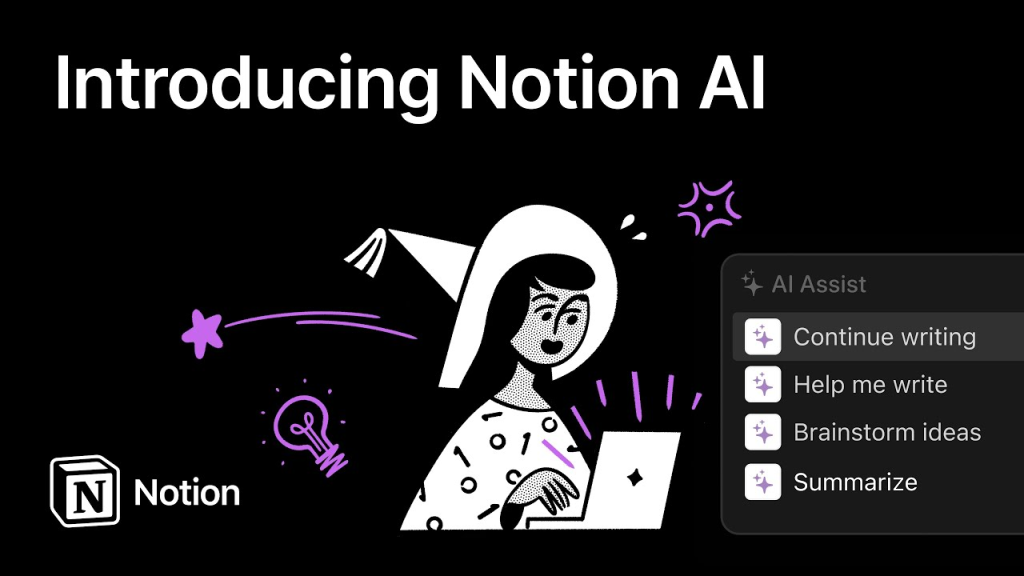
Notion AI is an artificial intelligence layer built directly into the Notion workspace. Unlike standalone AI writing tools, it doesn’t operate in isolation.
It has full awareness of your pages, databases, meeting notes, and project docs. Notion says its AI helps you think bigger, work faster, and augment your creativity inside your connected workspace, without switching tabs or copying content between tools.
Notion AI Features
AI Writing Assistant
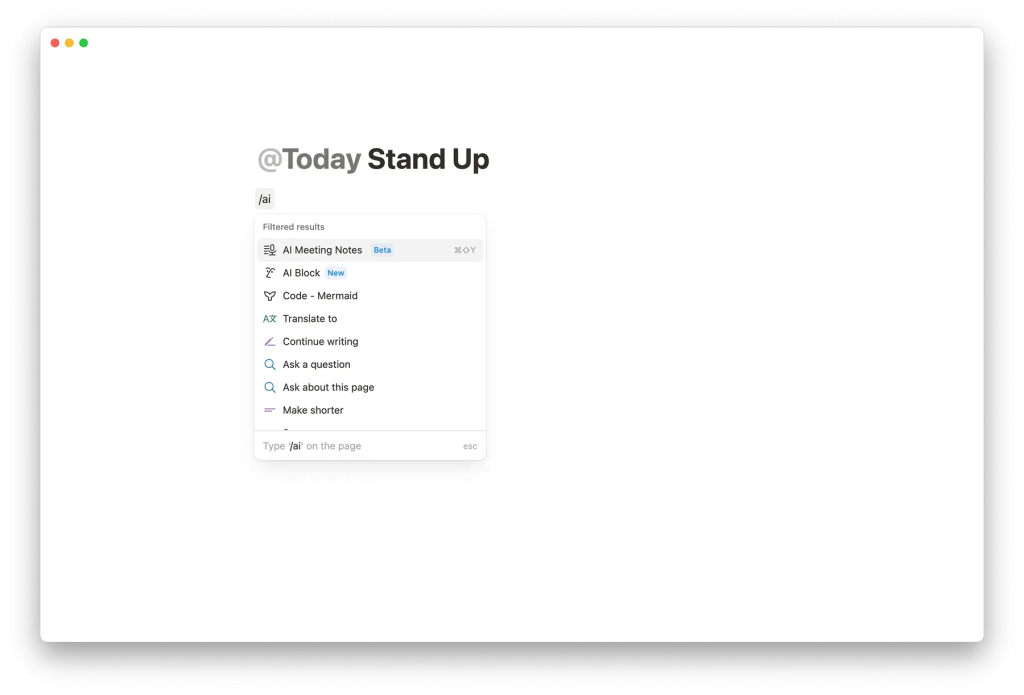
Notion AI includes an inline writing assistant that works directly inside Notion pages. You can highlight existing text or open an AI prompt within a page to generate content, rewrite paragraphs, adjust the tone, correct grammar, summarize documents, or translate text into another language.
For writers, one of its most practical uses is creating the first structure for a new page. You can ask it to produce an outline, organize rough notes, expand bullet points, or draft an initial version without moving your work into another writing tool.
Enterprise Search & Q&A
Notion AI can search information across the Notion pages, databases, meeting notes, wikis, and project documents that you have permission to access.
You can ask a question such as, “What did we decide about the product launch timeline?” Notion AI then finds relevant information and produces a summarized answer with links to its sources.
With Notion AI Connectors, search can also include supported apps such as Slack and Google Drive. Web results may also be included when web search is enabled. The usefulness of the answers still depends heavily on the quality, relevance, and organization of the information Notion AI can access.
AI Meeting Notes
AI Meeting Notes records and transcribes a meeting after the user starts the meeting notes block. It turns the transcript and any manually added notes into an organized summary with key points and action items.
The notes are saved directly inside Notion, making them available for later searches, project updates, follow-up messages, and task assignments. The desktop app provides the fullest experience because it can capture microphone and system audio during online meetings.
AI Database Properties & Autofill
Notion AI can automatically populate database properties using the content of each database page, generating values for fields like summaries, sentiment scores, categories, or priority ratings. It can create summaries, extract key information, translate content, assign tags, and generate custom text, all without you reviewing every entry by hand.
For a writer managing a content pipeline, this means auto-tagging articles by topic, auto-summarizing briefs, extracting deadlines, or classifying research notes without manually touching each record. It’s a quiet but powerful feature that saves significant time at scale, and the more structured your database schema, the more accurately the AI fills in the properties.
Notion Agent
Notion Agent can complete multi-step tasks inside a workspace after the user gives it a goal. It can use information from Notion pages, databases, connected apps, and permitted web sources to create or edit pages and databases.
For example, you could ask it to research a topic, draft a document using existing project information, create a content database, or update several pages. Unlike a basic writing prompt, Notion Agent can take several actions during the same task.
Notion AI Pricing
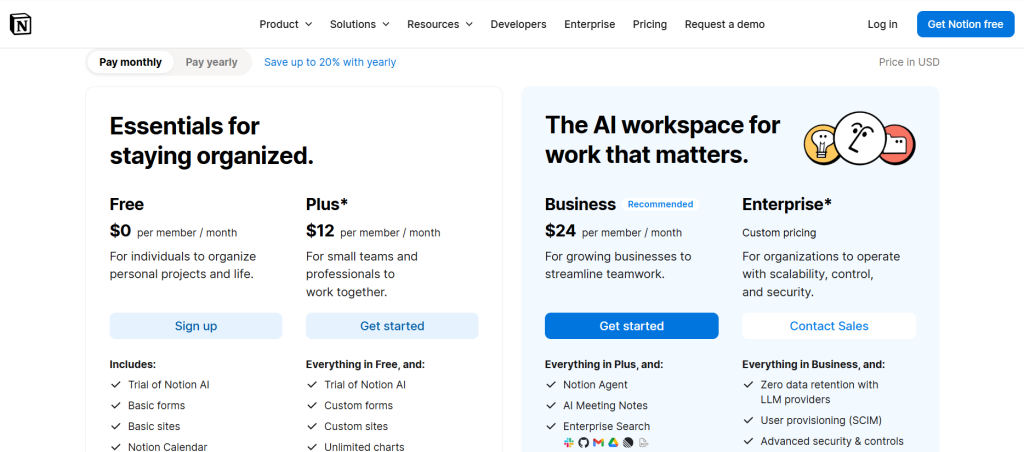
Notion AI pricing is tied directly to Notion’s workspace plans. Free and Plus users receive limited AI responses for testing, while Business and Enterprise members receive ongoing access to Notion AI.
Free Plan
The Free plan costs $0 per member per month and includes a limited trial of Notion AI. Users can test features such as document generation and database Autofill, but the trial does not provide ongoing AI access.
Once the complimentary responses are used, the workspace must upgrade to Business or Enterprise to continue using Notion AI. Plus includes the same limited trial, with no ongoing AI allotment.
Plus Plan
The Plus plan costs $12 per member per month with monthly billing or $10 per member per month with yearly billing.
Like the Free plan, Plus only includes a limited Notion AI trial. There is no separate AI add-on that provides ongoing access. Users who need Notion AI regularly must move to Business or Enterprise.
Business Plan
The Business plan costs $24 per member per month with monthly billing or $20 per member per month with yearly billing. It is the first standard plan that includes ongoing access to Notion AI.
Business members receive Notion Agent, AI writing tools, AI Meeting Notes, Enterprise Search, and basic AI Autofill for databases. Custom Agents first draw on each member’s monthly Select credits included with the plan. Usage beyond that, or agents funded by the workspace, runs on Notion credits priced at $10 per 1,000 per month, and unused credits do not roll over.
Enterprise Pricing
Enterprise uses custom pricing and requires contact with Notion’s sales team. It includes everything in Business plus zero data retention with Notion’s AI model providers, user provisioning through SCIM, advanced security controls, audit logs, security and compliance connections, and access to a customer success manager.
Notion AI Pros & Cons
Pros
- Works inside your pages, so you can generate, edit, summarize, and translate content without opening a separate writing tool.
- Enterprise Search pulls answers from the Notion pages, databases, and connected apps you have permission to access, and from the web when it is enabled.
- AI Meeting Notes transcribes conversations and turns them into key points and action items saved in your workspace.
Cons
- Free and Plus plans include only a limited number of complimentary AI responses, which is not enough to build a workflow on.
- Continued use requires the Business plan at $24 per member per month or Enterprise, which may cost more than an individual writer needs.
- Several features repay you only once you already keep substantial notes, documents, and project information in Notion.
- Workspace answers are only as good as the information Notion AI can reach, so a thin or disorganized workspace returns thin answers.
Go Beyond AI Writing With AmpCast AI
Notion AI is a strong fit if your team already works in Notion. The more you store there, the more useful it becomes, but its help ends at the edge of your workspace. Writing and organizing content is only part of the job, since content that stays inside your team cannot win you new customers.
AmpCast AI, our technology at AmpiFire, goes beyond writing by turning one topic into eight formats: a blog post, news article, infographic, slideshow, podcast, long-form video, short-form video, and social posts. It then publishes that content automatically across 300+ sites, from Spotify and YouTube to Pinterest, Apple Podcasts, and Google News, so buyers find you wherever they look. That reach puts you in front of people across search, social, video, and AI search tools, so let AmpCast AI get your brand seen today.
Frequently Asked Questions (FAQs)
Is Notion AI free?
Notion AI is not free for ongoing use. Free and Plus plans include only a limited trial of AI features, which is enough to test the writing assistant and basic Q&A but not to build a workflow. For continued access, you need the Business plan at $24 per member per month or Enterprise.
Does Notion AI work outside of Notion?
Mostly no, since it is built to work inside your Notion workspace. It reads and acts on your pages, databases, and notes, and can search connected apps like Slack and Google Drive. Notion Agent can also take some actions in connected apps, such as posting Slack messages or sending Gmail emails, but it is not a tool for publishing content to outside websites or platforms.
What can Notion AI do for writers specifically?
For writers, the most practical features are inline draft generation, summarization, tone adjustment, and scaffolding for recurring formats like briefs and outlines. The Q&A feature helps most if you keep a large research library in Notion, since you can question your own notes and get synthesized answers. It will not replace a dedicated tool for long-form content that needs sustained voice or SEO depth.
Does Notion AI train on your personal data?
Notion states that it does not use your workspace content to train its AI models unless you opt in. Your pages and databases are used to generate responses for you, not fed into model training. For writers handling client or sensitive material, it is worth confirming this in Notion’s current terms before committing, since policies can change.
How does Notion AI compare to AmpCast AI?
The two tools solve different problems: Notion AI works inside your workspace to help your team write, summarize, and find information faster. AmpCast AI puts your business in front of customers who have not discovered you yet. It handles the work of getting your content seen automatically, so you earn organic traffic from search engines, social platforms, and AI search tools.
*Disclaimer: Results may vary based on individual circumstances, business type, and content strategy. The time savings and outcomes mentioned are based on typical user experiences and are not guaranteed. For specific pricing and service details, please visit AmpiFire.
Author
Related Posts


INK Editor Features & Pricing: Is This AI SEO Writing Tool Worth It?
See how INK Editor's features, pricing, and semantic SEO scoring work to decide if this AI SEO writing tool is…


Bramework Features & Pricing: Is This AI Writing & Marketing Tool Worth It?
Learn what Bramework offers, its features and pricing, and whether this AI writing and marketing tool is worth the investment…

ContentShake AI Features & Pricing: Is This AI Content Writing Tool Worth It?
Learn about ContentShake AI's features, pricing, and content workflow to decide if this AI content writing tool delivers real value…

KoalaWriter Features & Pricing: Is This AI Blog Writing Tool Worth It?
Learn about KoalaWriter's features, pricing tiers, and whether this AI blog writing tool is worth the investment for SEO-driven content…


Writesonic Features & Pricing: Is This AI Writing & SEO Assistant Worth It? [2027 Review]
Learn Writesonic's features, pricing, AI SEO tools, and user experience in 2027 to see if it's the right AI writing…

Outranking Features & Pricing: Is This AI SEO Content Tool Worth It?
Learn how Outranking's features, pricing, and real content quality stack up to see if this AI SEO content tool is…