


Key Takeaways
- Animaker AI uses a freemium model with paid plans starting at around $15/month (billed yearly), but the free tier comes with significant limitations like watermarks and only 5 AI video generations per month.
- The platform is built for non-designers, including marketers, educators, and content creators who need fast, polished animated videos without hiring a production team.
- Animaker AI’s key features include text-to-video animation, a vast asset library, and an intuitive drag-and-drop editor, among others.
- Real user reviews highlight the massive asset library and ease of use as standout strengths, but some complaints note that lower-tier plans often restrict advanced features.
What is Animaker AI & Is It Worth Trying?
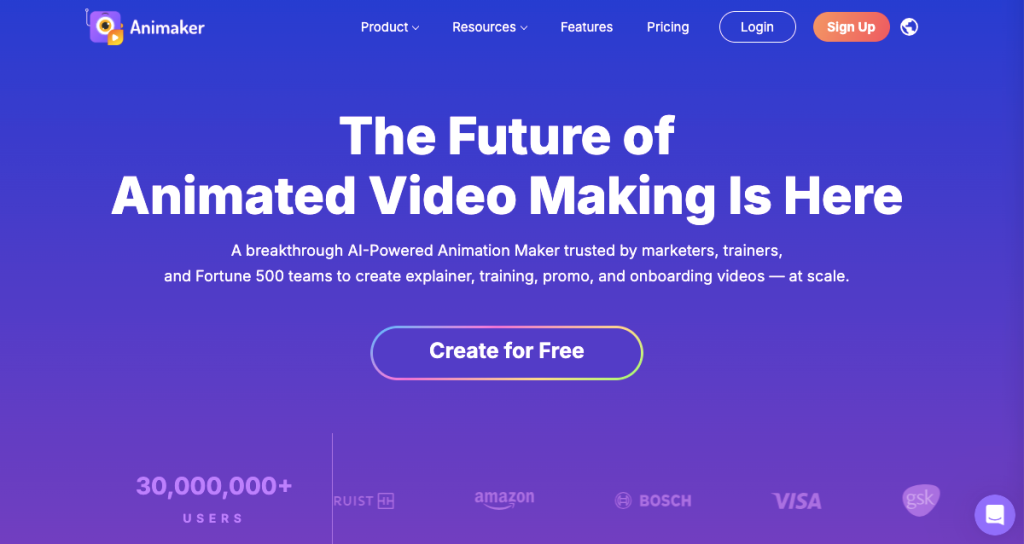
Animaker is an AI-powered animation maker with text-to-video generation. For most non-designers and content creators, yes, Animaker AI is worth trying. It is a cloud-based video creation platform that uses artificial intelligence to help users build animated videos fast.
Animaker AI has been around since 2014 and has evolved significantly, adding AI-powered features such as text-to-video generation, AI voiceovers, and auto lip-sync to its already extensive template and asset library.
Some of the most highly praised features on the platform include text-to-video animation, AI voices, auto lip-sync, and drag-and-drop editing. Users note that this video creation platform is easy to use, and even though it has a free version, a small number of users complain that it’s often limited.
Regarding pricing, Animaker AI’s tiers start at $15–$27/month for the basic plan, billed monthly or yearly.
This review breaks down everything, including features, real pricing, what users are saying, and who this tool is genuinely built for.

How AmpiFire Works:
- Research & Target: Find high-demand topics your buyers search for.
- Create & Repurpose: AmpiFire’s AmpCast AI generates news articles, blog posts, interview podcasts, longer informational videos, reels/shorts, infographics, flipbooks/slideshows, and social posts.
- Distribute & Amplify: Auto-publish to 300+ sites, including Google News, YouTube, Spotify, and major news networks.
Get more traffic from people who want to buy your stuff, and powerful “As Seen On” trust badges for your site.
Do It Yourself (with AI), Done For You Content, & 100% Managed Organic Growth options available.
Grow Your Free Traffic From Everywhere
Animaker AI’s Core Features Broken Down
Text-to-Video Animation Generator
This is Animaker’s flagship AI feature. Enter a text prompt or paste a script, and the AI generates a complete animated video with scenes, characters, background music, and transitions already assembled. It supports multiple animation styles, including whiteboard, 2D animation, infographic, and typography-based video.
1,800+ AI Voices & Auto Lip-Sync
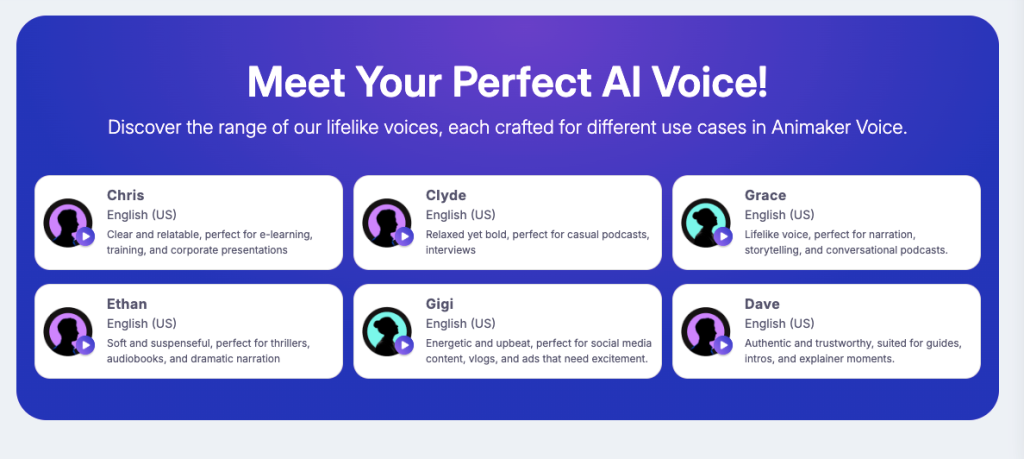
Animaker provides over 1,800 AI-generated voices across more than 180 languages. The auto lip-sync feature automatically maps mouth movements to your chosen voiceover, which removes one of the most time-consuming steps in character animation.
Voice quality varies by language. English voices tend to be the most natural-sounding, while some regional languages still feel noticeably robotic. You can also upload your own voiceover and have lip-sync applied automatically.
Asset Library: Characters, Backgrounds, & Templates
Animaker’s asset library is one of its biggest competitive advantages. The platform gives users access to thousands of pre-built assets across multiple categories, including characters, backgrounds, templates, props, icons, music, and SFX.
Access to the full library is gated by plan tier. Free users get a limited selection, and premium assets are unlocked progressively as you move up the pricing ladder. The Starter plan and above offer the most practical access for real project work.
Drag-and-Drop Editor
Beyond the AI tools, Animaker includes a full manual editor. You can build videos scene by scene, customize every element, control timing, add text overlays, and fine-tune transitions. The interface is browser-based and requires no software installation. The editor works well for both standalone manual projects and for refining AI-generated video drafts.
Animaker AI User Reviews
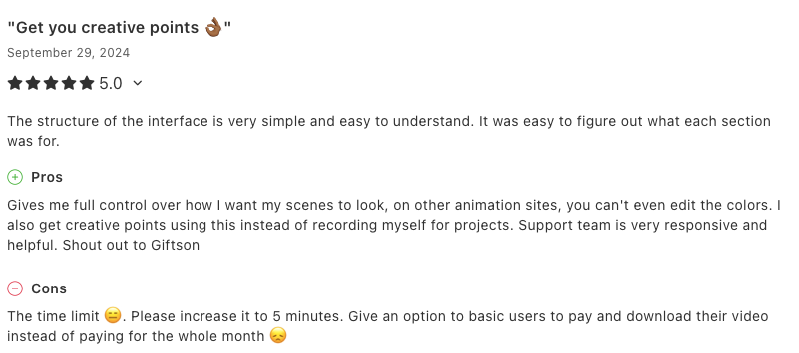
Across platforms like G2 (4.7/5), Capterra (4.2/5), and Trustpilot (4/5), Animaker AI consistently pulls in positive ratings. The most common praise centers on how quickly new users can go from zero to a finished video, especially compared to traditional animation tools that have steep learning curves. Other reviewers also praise the platform’s level of creative control and its wide asset library.
That said, the reviews aren’t without friction. A common complaint among lower-tier users is that the watermark on the free plan can feel intrusive, while others note that the features on the free version and low tiers are generally limited. Overall, though, most users find the value-to-effort ratio genuinely strong.
Animaker AI Pricing Plans: What You Get at Each Tier
Animaker AI uses a freemium pricing model with four main paid tiers plus a free entry point. The free plan is genuinely useful for testing the platform, but it’s not practical for ongoing content production. Here’s how each plan breaks down:
- Free: 10 Gen AI asset credits/month, 5 AI video generations/month, 40 mins AI text-to-speech generator, watermark.
- Basic: $15/month billed yearly, $27/month billed monthly with 50 Gen AI asset credits/month, 10 AI video generations/month, HD quality videos, whiteboard animations, no watermark, AI text-to-speech generator.
- Starter: $25/month billed yearly, $45/month billed monthly with 10 premium downloads/month, 90 secs generative video/month, 200 Gen AI asset credits/month, 15 mins video length, FHD quality videos, whiteboard animations, AI tools, AI subtitles.
- Pro: $43/month billed yearly, $79/month billed monthly with 20 Premium Downloads/month, 180 secs generative video/mo, 300 Gen AI asset credits/month, 2K quality videos, whiteboard animations, multiple download formats, 2 Factor Authentication (2FA), custom fonts.
- Enterprise: Custom pricing with unlimited premium downloads, 6000 seconds of generative video/yr, 5000 Gen AI asset credits/yr, unlimited video length, 5000 AI video generations/yr, 4K quality videos, whiteboard animations, live collaboration, AI video translate, and an account manager.
Who is Animaker AI Built For?
Animaker AI is great for digital marketers, educators, and corporate trainers who will benefit from the wide library of animation styles. Independent content creators on YouTube or social platforms can use it to maintain consistent output without burning out on manual production work.
You’ll love this tool if you’re:
- A marketer who needs branded explainers or social media videos without a production team.
- An educator or trainer building engaging lesson content or onboarding materials.
- A small business owner looking for an affordable alternative to video agencies.
- A content creator producing YouTube, Instagram, or TikTok animation content at volume.
- A non-profit or NGO that needs a professional-looking video on a tight budget.
Is Animaker AI Worth It? The Final Verdict
Animaker AI is genuinely well-suited for anyone who needs to produce a high volume of polished animated videos without great technical skills or a large budget.
But the platform is not really built for professional animators or studios who need frame-by-frame control and custom rigging. Instead, it’s optimized for speed and accessibility, and the goal is to get a high-quality video out the door quickly, not to replace dedicated animation software like Adobe Animate or Blender.
For the majority of its target users, including marketers, educators, and content creators who need fast, affordable animated video, Animaker AI is genuinely worth it, particularly at the Starter plan and above.
The combination of AI text-to-video generation, 1,800+ voice options, a massive asset library, and a functional manual editor, all on a single browser-based platform, is hard to match at this price point. The free plan is useful for evaluation, but anyone serious about using it for real content should budget for at least the $25/month Starter tier.
How Animaker & AmpiFire’s AmpCast AI Can Work Together
Creating a great animated video is only half the battle, and getting it in front of the right audience is the other half. That’s where AmpiFire’s AmpCast AI platform becomes a natural complement to Animaker AI.
AmpCast AI is a content amplification tool that automatically creates 8 distinct content types from a single topic, including news articles, blog posts, interview podcasts, longer informational videos, reels/shorts, infographics, flipbooks/slideshows, and social posts. It optimizes these content formats for different audiences and distributes them simultaneously across a network of 300+ high-authority websites, news outlets, podcast platforms, and video channels.
For small businesses or solo creators who need both production efficiency and distribution reach, combining Animaker’s output with AmpCast’s amplification creates a powerful end-to-end content pipeline.
Frequently Asked Questions (FAQs)
Is Animaker AI completely free to use?
Animaker AI has a free but limited plan. The free plan gives you 5 AI video generations per month, 10 Gen AI asset credits, and allows you to build just two custom characters, all with a visible watermark.
It’s enough to test the platform and understand how the tools work, but the watermark and generation limits make it impractical for publishing or client work.
Can I use Animaker AI videos for commercial purposes?
Yes, Animaker AI allows commercial use of videos created on paid plans. The assets in the library, including the characters, backgrounds, music, and templates, are licensed for commercial use when you’re on a paid subscription.
Free plan users, however, should carefully review Animaker’s terms of service before using any generated content commercially, as the licensing terms differ between the free and paid tiers.
Does Animaker AI work without any design experience?
Yes. Animaker AI was built specifically for non-designers. The text-to-video feature automates scene selection, character placement, and transitions, so you don’t need to know anything about animation principles or design software to produce a usable video.
The drag-and-drop editor is equally approachable. Most new users report completing their first full video within an hour of signing up, without any tutorials.
Is Animaker AI safe to use for business content?
Animaker AI is generally considered safe and reliable for business content creation. The platform has been operating since 2014 and serves users globally across corporate, educational, and government sectors. It follows standard data security practices, and its terms of service align with those of typical SaaS platforms at this price tier.
How can I use Animaker AI and AmpCast AI?
AmpiFire’s AmpCast AI takes a single topic or piece of content and automatically transforms it into eight formats (news articles, blog posts, interview podcasts, longer informational videos, reels/shorts, infographics, flipbooks/slideshows, and social posts), then distributes them across 300+ platforms.
In practice, you can use Animaker AI to create animated video content, and AmpCast AI to repurpose and distribute that content (along with written and audio versions) across hundreds of high-authority sites to drive organic traffic and visibility at scale.
*Disclaimer: Results may vary based on individual circumstances, business type, and content strategy. The time savings and outcomes mentioned are based on typical user experiences and are not guaranteed. For specific pricing and service details, please visit AmpiFire.
Author
Related Posts


Tagshop AI Reviews, Features & Pricing: Is This Video Ad Generator Worth It?
Learn honest Tagshop AI reviews, top features like URL-to-Video and 1,000+ AI avatars, plus pricing from free to $99/mo. See…


VEED.IO Pricing & Reviews: Is This AI Text-to-Video Generator Worth It?
Get honest VEED.IO reviews and pricing details. Learn if this AI text-to-video generator is worth your investment for creating video…


Tally Pricing, Reviews & Features: Is This Form Builder Worth It?
Find out if Tally is the right free form builder with unlimited submissions, robust integrations, and responsive support. Learn if…

SEOTesting Features, Reviews & Pricing: Is This SEO Tool Worth It?
Read our SEOTesting review to learn about features, pricing, and user feedback, then decide if this SEO testing and performance-tracking…

PR.co Pricing, Features & Reviews: Is This All-in-One PR Software Worth It?
Discover PR.co's features, pricing, and benefits in our comprehensive review. Learn if this all-in-one PR platform is right for your…

Semrush Reviews, Pricing Plans & Features: Is This Keyword Research Tool Worth It?
Get honest Semrush reviews. Learn pricing plans, features, and if this SEO and keyword research tool is worth your investment…








