

Key Takeaways
- Blaze AI is a marketing platform that writes and auto-posts copy like blogs, captions, emails, and ads, while Canva is a design platform built for graphics, decks, and videos.
- Blaze AI writes in your brand voice and learns from what performs; Canva’s Magic Studio centers on visuals, adding Magic Write for short copy and Dream Lab for images.
- Blaze AI plans up to 12 months ahead, auto-posts across major social channels, and runs Meta ad campaigns. Canva offers a drag-and-drop editor, 1 million+ templates, and 100+ design types.
- Blaze AI starts at $79 per month after a 7-day free trial, while Canva keeps a permanent free plan and charges $18 per month for Pro.
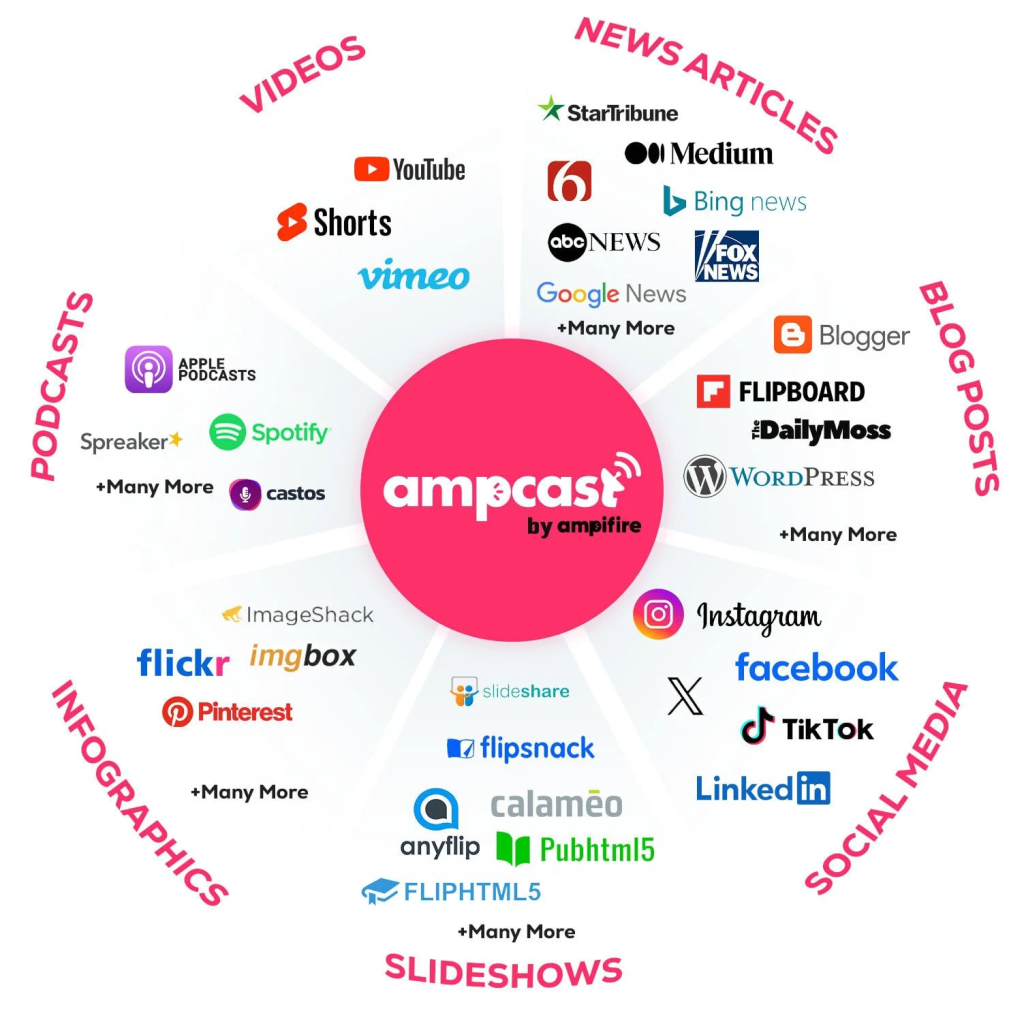
- AmpiFire’s AmpCast AI turns one topic into eight content formats, including news articles, podcasts, and videos, then publishes them across 300+ sites so buyers find you while researching.
What Is the Difference Between Blaze AI and Canva?
Blaze AI is the stronger pick for written marketing content that gets planned and posted for you, while Canva is the stronger pick for visual design. The two often get compared because both sell themselves as AI content tools, but they cover different halves of a marketing workload and barely overlap.
Choosing on price alone can leave gaps. A team that picks Canva for its free plan still needs a way to write and schedule blogs, emails, and captions, while a Blaze AI user still needs a design tool for polished graphics and decks.
Neither tool puts your content in front of buyers who haven’t found you yet. AmpiFire handles that step, spreading each topic across news sites, podcast platforms, and video channels where people research before they buy.

How AmpiFire Works:
- Research & Target: Find high-demand topics your buyers search for.
- Create & Repurpose: AmpiFire’s AmpCast AI generates news articles, blog posts, interview podcasts, longer informational videos, reels/shorts, infographics, flipbooks/slideshows, and social posts.
- Distribute & Amplify: Auto-publish to 300+ sites, including Google News, YouTube, Spotify, and major news networks.
Get more traffic from people who want to buy your stuff, and powerful “As Seen On” trust badges for your site.
Do It Yourself (with AI), Done For You Content, & 100% Managed Organic Growth options available.
Grow Your Free Traffic From Everywhere
Blaze AI vs Canva: How Their AI Content Differs
Blaze AI Content
Blaze AI is a marketing platform where the AI runs the strategy, writing, and optimization while you review, approve, and direct each step. On the content side, it drafts blog posts, social captions, emails, ad copy, product descriptions, and short video scripts.
Your brand voice shapes everything. You upload past content or paste a sample URL, and Blaze studies your tone so future drafts sound like you. It also keeps preset tones and a banned-phrase list at the workspace level, and a learning loop reviews what performs to guide the next round. A basic image generator covers simple brand visuals.
Canva AI Content
Canva groups its AI under one name: Magic Studio. This includes Magic Write for copywriting and Dream Lab for turning text prompts into images, plus a conversational feature that builds an editable design from a plain-language request.
Most of the AI here supports visuals rather than long writing. Background Remover, Magic Eraser, Magic Expand, and Magic Resize handle common editing jobs, and Canva can also generate short videos and turn data into charts. Paid plans share a monthly AI credit pool across all of these tools.
Differences in Features
Blaze AI Features
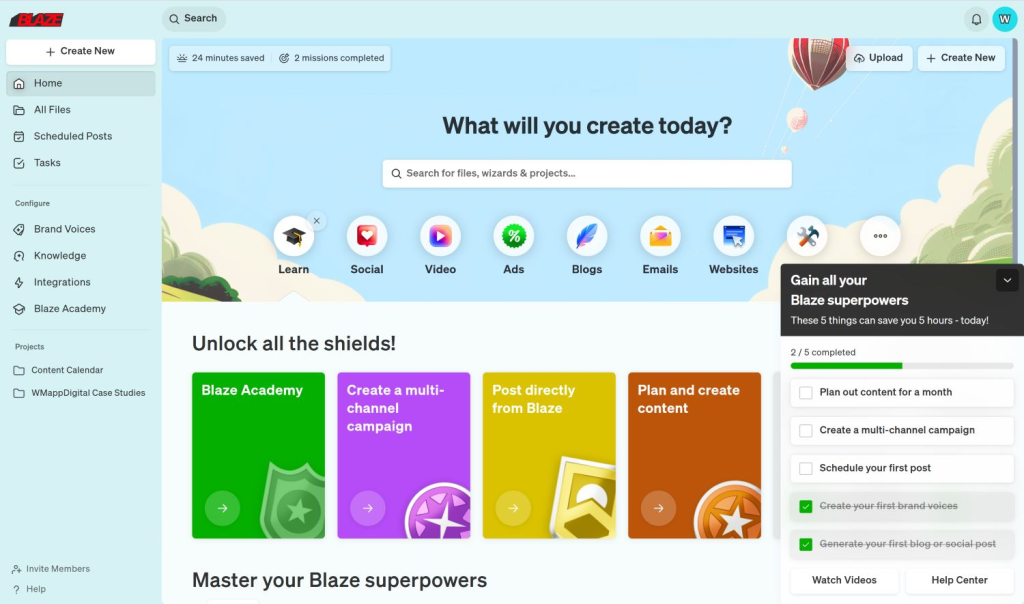
Blaze AI does more than write. It builds a content calendar, then schedules and auto-posts across Facebook, Instagram, TikTok, YouTube Shorts, LinkedIn, Twitter/X, Google My Business, and email and blog channels. You review and approve posts before they go live.
The platform plans in advance. You can set a schedule from a single week up to twelve months out, change how often each channel posts, swap topics, or add short-form video, blog, and email content. It also reports basic performance, showing engagement and reach so you can see what is working.
Blaze AI also handles ads and teamwork. It creates and manages automated Meta ad campaigns, and Growth plan users can run several campaigns at once and add unlimited teammates with approval workflows. Zapier integrations link it to CRMs, spreadsheets, and Slack.
For teams that want more than software, Blaze AI sells fully managed services covering organic content, paid ads, landing pages, reputation, and an AI booking assistant. Add-ons include video editing, ad creative packs, and creator-made UGC.
Canva Features
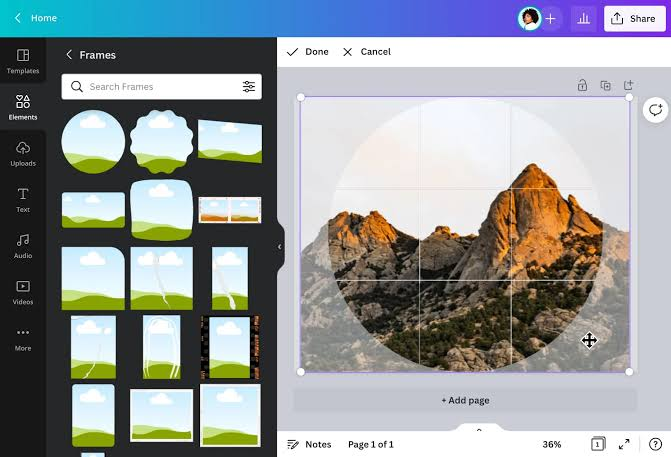
Canva lets you design without design skills. Its drag-and-drop editor and library of more than a million templates cover social posts, presentations, documents, websites, short videos, and print products across 100-plus design types. A Brand Kit stores your colors, fonts, and logos so designs stay on brand.
Built-in tools speed up routine work. Magic Resize reshapes one design for several platforms in a couple of clicks, and Background Remover cleans up product shots and headshots, while Magic Switch can resize and translate a design into other formats and languages. A content planner schedules posts, though it covers fewer platforms than a dedicated scheduler.
Teams can edit the same file in real time, leave comments, and share work, and Canva connects with tools like Google Drive, Instagram, and PowerPoint. Desktop and mobile apps let you pick up a design on any device, and Canva Print can produce physical items such as business cards and posters.
Canva also scales for bigger needs. In 2025, it made the professional Affinity design suite free for heavier editing, and Business plans add more storage, extra brand kits, and admin controls. Founded in Australia in 2013, Canva now serves more than 260 million monthly users.
Prices Compared
Blaze AI Pricing
Blaze AI comes with a 7-day free trial, then two do-it-yourself plans. Starter is $79 per month with three posting accounts, 600 generation credits, and automated ad campaigns for one user. Growth is $149 per month with ten posting accounts, 1,500 credits, and unlimited users.
Credits are spent per item: one credit for a social post, three for an email or blog post, and fifteen for an AI video; you can buy extra credits if you run out. For hands-off help, Blaze also runs done-for-you plans from around $899 to $1,049 per month, where its own team owns the work.
Canva Pricing
Canva’s Free plan is permanent and covers a lot, with templates, the drag-and-drop editor, and basic AI. Canva Pro is $18 per month, or $144 per year, and unlocks full Magic Studio AI with a monthly credit allowance. Those credits reset each month and do not roll over.
For teams, Canva Business (formerly Teams) is $25 per user per month, or $250 per user per year, and adds brand controls and approval workflows. Enterprise pricing is custom. Canva usually includes a 30-day trial on Pro.
Who Each Tool Is Best For
Pick Blaze AI if your main need is written marketing content that gets planned, created, and posted for you. It suits busy solo founders and small teams who would otherwise pay for a writer and a separate scheduler, and its done-for-you plans help those who want to hand off the work entirely.
Pick Canva if you need visual content and want control over how it looks. It suits marketers, small business owners, and creators making graphics, decks, and short videos, and its low starting price makes it easy to add to almost any budget.
Blaze AI vs Canva: Comparison Table
| Feature | AmpiFire’s AmpCast AI | Blaze AI | Canva |
| Primary Use | Turns one topic into 8 content formats and publishes them on 300+ sites | AI writing and automated marketing posting | AI-assisted visual design |
| Best Content Type | News articles, blog posts, interview podcasts, longer informational videos, reels/shorts, infographics, flipbooks/slideshows, and social posts | Blog posts, social captions, emails, ad copy | Graphics, presentations, videos, print |
| Automation | Auto-publishes to YouTube, Spotify, Pinterest, Google News, FOX affiliate sites, and more | Plans, schedules, and posts on autopilot | Manual design; limited post scheduling |
| AI Features | Buyer-intent topic research and multi-format content creation | Brand voice writing, learning loop, basic images | Magic Studio: Magic Write, Dream Lab, editing tools |
| Free Option | N/A | 7-day free trial | Permanent free plan |
| Starting Paid Price | $397 DIY credit + $27/month maintenance | $79/month (Starter) | $18/month (Pro) |
| Best For | Organic traffic from search, social media, video, and podcasts, with DIY, Done-For-You, or Completely Managed options | Hands-off written content and posting | Visual content without design skills |
Blaze AI and Canva Create the Content, AmpiFire Helps Buyers Find It
Blaze AI fits teams that want written marketing content planned, created, and posted on autopilot, starting at $79 per month. Canva fits anyone who needs graphics, decks, and short videos without design skills, with a free plan to start. Since they barely overlap, running both often makes more sense than choosing one.
Either way, making the content is only half the job, because it still has to reach the people searching for what you sell. Before buyers pick a tool or a brand, they research it through search results, social feeds, videos, and podcasts. Our AmpCast AI platform helps you show up across those places so your name keeps appearing while they compare options. To build steady organic traffic on top of the content you already create with Blaze AI or Canva, try AmpCast AI today.
Frequently Asked Questions (FAQs)
Can Blaze AI create images like Canva?
Blaze AI includes a basic image and graphic editor, which is fine for simple social visuals and quick brand images. It is not a full design tool, though. Canva gives far more control, templates, and AI image features, so most people who want polished graphics, presentations, or videos still turn to Canva for that part of the work.
Does Canva write marketing content like Blaze AI?
Canva’s Magic Write can draft captions, short copy, and text inside a design, and it works well for quick pieces. It does not plan full campaigns, model your brand voice in depth, or auto-post on a schedule the way Blaze AI does. For high-volume written content with automated posting, Blaze AI is the stronger fit.
Which is better for social media scheduling?
Blaze AI is built for scheduling and can post across many channels on autopilot once it is set up. Canva has a content planner, but it reaches fewer platforms and is lighter than dedicated schedulers like Buffer or Later. If hands-off, automated posting matters most, Blaze AI handles more of that work.
Can I use Blaze AI and Canva together?
Yes. Canva handles the visuals, such as graphics, thumbnails, and videos, while Blaze AI writes and schedules the marketing content around them. Using them together covers both the design side and the written-and-posted side. If you’d rather create written, video, audio, and visual content in one place, AmpCast AI produces 8 content formats from a single topic.
How does AmpiFire help after I create content with Blaze AI or Canva?
Once you have an idea, AmpiFire takes it further with AmpCast AI, which transforms one topic into 8 content formats: news articles, blog posts, interview podcasts, longer informational videos, reels/shorts, infographics, flipbooks/slideshows, and social posts. We then automatically publish this content across 300+ sites and platforms, including Google News, YouTube, Spotify, Pinterest, and FOX affiliate sites. This helps potential customers discover your brand across search, social media, video, podcasts, and news while researching their options, extending your reach beyond what content creation tools like Blaze AI and Canva do on their own.
*Disclaimer: Results may vary based on individual circumstances, business type, and content strategy. The time savings and outcomes mentioned are based on typical user experiences and are not guaranteed. For specific pricing and service details, please visit AmpiFire.
Author
Related Posts


Blaze AI Features & Pricing: Can This App Generate High-Quality Content Quickly?
Blaze AI simplifies content marketing with automation, brand voice adaptation, and affordable pricing, perfect for solopreneurs and small businesses.

Blaze AI vs ChatGPT: Which is the Better AI Content Generator?
Compare Blaze AI vs ChatGPT for content creation. See which AI tool fits your needs and how AmpiFire amplifies reach…


4 Best Slideshow to Video Converter Tools: Features & Cost Compared
Compare slideshow-to-video converter tools like AmpCast AI, CapCut, VEED, and Canva by features and pricing, and find the best fit…

ClickDesigns Features, Pricing, Pros & Cons: Can This AI-Powered Graphic Designer Beat Canva?
Discover ClickDesigns' features, pricing, pros, and cons to see if this AI-powered tool can truly compete with Canva for your…


forms.app Review: Features, Prices, & Comparison (2026)
In-depth forms.app review covering pricing, features, pros and cons, and real use cases. Find out if this online form builder…
Sprout Social Pricing Plans: Features & Monthly Costs Compared
Compare Sprout Social plans from Standard to Enterprise. See features, pricing, and how AmpiFire can boost your brand reach across…








