

Key Takeaways
- Sprout Social offers four plans, namely Standard, Professional, Advanced, and Enterprise, each designed for different team sizes and social media management needs, from solo users to large organizations.
- Pricing starts at $199/seat/month for Standard, $299/seat/month for Professional, and $399/seat/month for Advanced, while Enterprise pricing is custom-quoted based on organizational scale.
- All plans include Smart Inbox and publishing tools, but higher tiers unlock unlimited profiles, competitor reports, automated workflows, sentiment analysis, and Analytics API access.
- Standard suits individuals or small teams managing up to 5 profiles, Professional fits multi-brand teams, Advanced is built for larger teams with complex workflows, and Enterprise serves organizations needing custom features and dedicated support.
- To expand beyond social media, use AmpiFire. Our AmpCast AI turns one topic into 8 unique content formats (news articles, blog posts, interview podcasts, longer informational videos, reels/shorts, infographics, flipbooks/slideshows, and social posts) and publishes them across 300+ sites like YouTube, Spotify, Pinterest, and Google News.
What Does Each Sprout Social Plan Offer?
Sprout Social offers four plans (i.e., Standard, Professional, Advanced, and Custom) designed to fit different team sizes and needs. It charges between $199 and $399 per seat each month across its three published plans, with a custom-priced Enterprise tier for larger organizations.
The Standard plan provides built-in tools like publishing, scheduling, the Smart Inbox, and basic reporting, ideal for individuals or small teams with a few social profiles. The Professional plan adds unlimited profiles, digital asset libraries, competitive reporting, content tagging, and advanced scheduling features for growing teams or agencies.
The Advanced plan includes automation, content approval workflows, digital asset libraries, and access to the Analytics API for larger teams with more complex workflows. The Enterprise plan is fully customized, offering premium support, enhanced security, and tailored features for organizations with specific requirements.
Choosing the right plan comes down to how many profiles you manage, the level of reporting you need, and whether your team requires approval workflows or API access. For businesses that want to grow beyond scheduling and engagement on existing social accounts, AmpiFire’s AmpCast AI offers a different approach by creating multi-format content and distributing it across 300+ external sites, complementing what tools like Sprout Social do within social media itself.

How AmpiFire Works:
- Research & Target: Find high-demand topics your buyers search for.
- Create & Repurpose: AmpiFire’s AmpCast AI generates news articles, blog posts, interview podcasts, longer informational videos, reels/shorts, infographics, flipbooks/slideshows, and social posts.
- Distribute & Amplify: Auto-publish to 300+ sites, including Google News, YouTube, Spotify, and major news networks.
Get more traffic from people who want to buy your stuff, and powerful “As Seen On” trust badges for your site.
Do It Yourself (with AI), Done For You Content, & 100% Managed Organic Growth options available.
Grow Your Free Traffic From Everywhere
The 4 Sprout Social Pricing Plans Broken Down
Sprout Social offers four plans for different team sizes and social media needs, with pricing and features that scale accordingly.
Standard Plan – $199/seat/month
The Standard plan costs about $199 per seat per month and is ideal for small teams or solo users. It includes up to five social profiles, publishing and scheduling tools, the Smart Inbox, basic analytics, mobile apps, and AI Assist. Advanced reporting and unlimited profiles are not included.
Professional Plan – $299/seat/month
The Professional plan is around $299 per seat per month and suits teams managing multiple brands. It adds unlimited social profiles, message tagging, enhanced analytics, content approval workflows, digital asset libraries, competitor reports, and scheduling features like Optimal Send Times.
Advanced Plan – $399/seat/month
The Advanced plan costs roughly $399 per seat per month and is built for larger teams. It includes everything in Professional plus API access, sentiment analysis, automated workflows, advanced alerts, and AI-assisted messaging.
Enterprise Plan – Custom
The Enterprise plan is custom quoted for large organizations and includes white-glove onboarding, dedicated support, tailored features, and priority service. Pricing is negotiated based on organizational needs and scale.
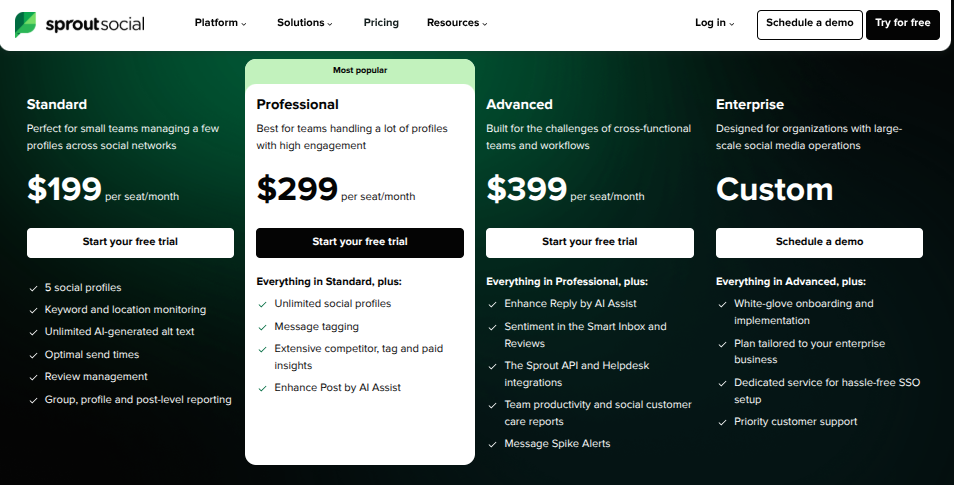
Note: Pricing is subject to change; verify current rates on Sprout Social’s official website.
Features Compared Across Every Plan
Choosing the right plan depends on which features matter most for your team’s daily work. Each tier provides a different level of functionality, and you can visit Sprout Social’s support page for full pricing and plan details.
Social Profiles & Network Support
The Standard plan supports up to five social profiles, while Professional, Advanced, and Enterprise include unlimited profiles. All plans work with major networks like Instagram, Facebook, X (Twitter), LinkedIn, TikTok, YouTube, and Pinterest. The Standard plan’s profile limit is often why small teams or agencies need to upgrade quickly.
Smart Inbox & Engagement Tools
The Smart Inbox is available on all plans, consolidating messages, comments, and mentions into one stream. Advanced tiers add saved and suggested replies, automated routing rules, and spike alerts for sudden engagement increases, important for high-volume community management.
Publishing & Scheduling Capabilities
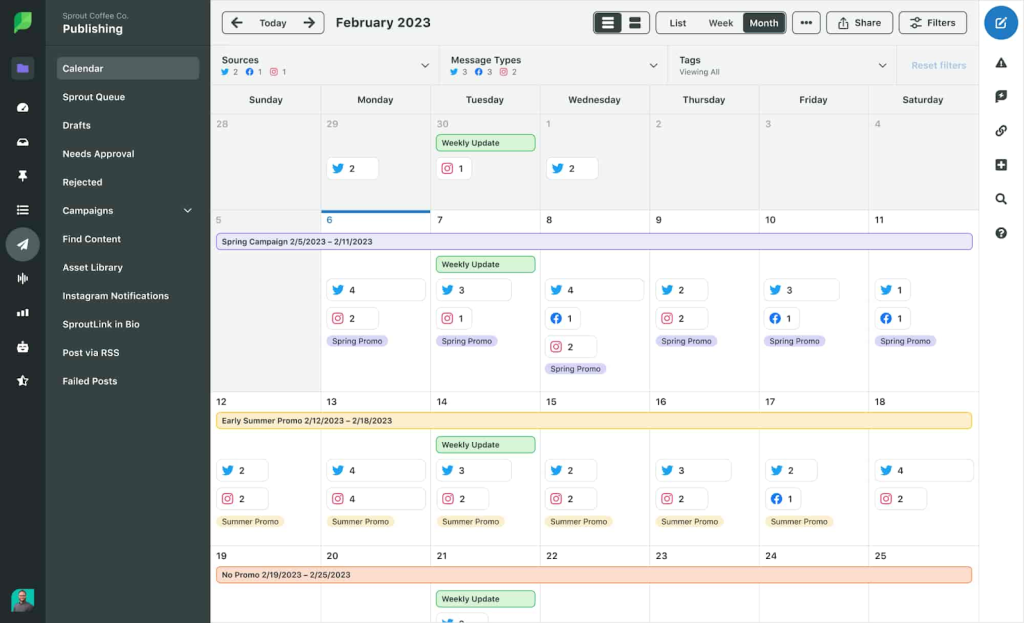
All plans include core publishing tools like the content calendar, queue scheduling, and multi-network post composer. Professional and higher tiers add Optimal Send Times for automated scheduling recommendations and content libraries. Advanced also offers digital asset and content libraries, plus multi-step content approval workflows for larger teams or regulated industries.
Analytics & Reporting Access
Standard provides basic performance metrics for profiles and posts. Professional unlocks competitive reporting to benchmark against rivals, and Advanced adds API access for custom dashboards or BI tools. Premium analytics are available as an add-on for more detailed cross-channel reporting and granular exports.
Sprout Social Pricing Plans & Features Comparison
| Plan | Price (per seat/month) | Social Profiles | Key Features |
| Standard | $199 | Up to 5 | Publishing & scheduling, Smart Inbox, basic analytics, mobile apps, AI Assist |
| Professional | $299 | Unlimited | Everything in Standard, plus message tagging, enhanced analytics, competitor reports, and Optimal Send Times |
| Advanced | $399 | Unlimited | Everything in Professional, plus API access, sentiment analysis, automated workflows, advanced alerts, and AI-assisted messaging |
| Enterprise | Custom | Unlimited | Tailored features, dedicated support, white-glove onboarding, priority service, and custom pricing based on organization |
AmpiFire: Expand Your Reach Across Every Platform
Sprout Social’s tiered pricing makes it accessible for solo users at $199/seat/month and scalable to enterprise teams, with each plan adding profiles, analytics depth, and workflow tools as needs grow. Picking the right tier ultimately depends on team size and how much automation and reporting you require to manage your social presence well.
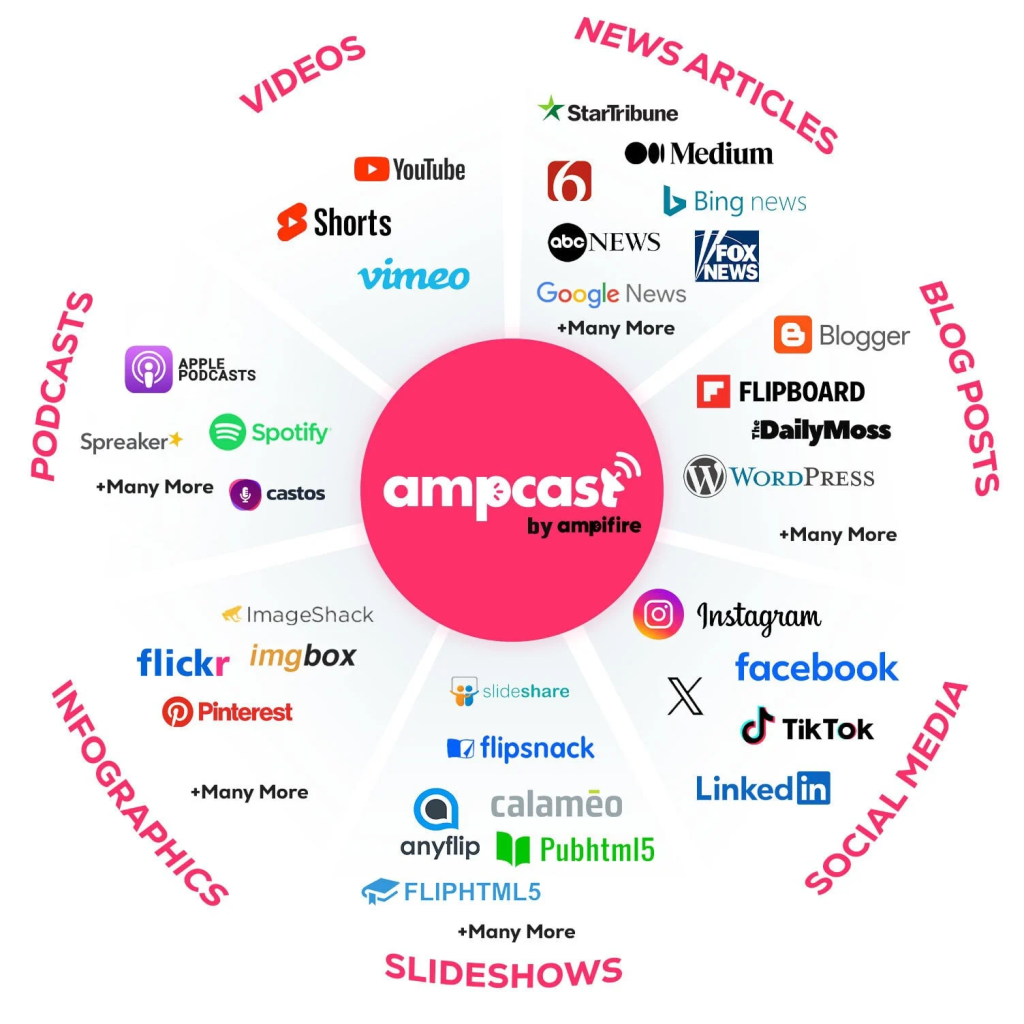
At AmpiFire, our AmpCast AI takes one topic and turns it into 8 formats, including news articles, blog posts, interview podcasts, longer informational videos, reels/shorts, infographics, flipbooks/slideshows, and social posts, then distributes them across 300+ sites like YouTube, Spotify, Pinterest, and Google News. This opens up traffic from search, video, and podcast channels, not just social. If you want to grow free traffic from everywhere, we can help.
Frequently Asked Questions (FAQs)
What is the cheapest Sprout Social plan available?
The most basic Sprout Social plan is the Standard plan. It’s designed for individuals or very small teams managing a handful of social accounts. This plan gives you access to standard tools like message management, content scheduling, and basic analytics, making it a simple starting point for keeping your social profiles organized and active.
Does Sprout Social offer a free trial?
Yes, Sprout Social provides a 30-day free trial for most of its plans. During this trial, you can experience the platform fully, test workflows, and see if it fits your team’s needs. It’s a great way to get hands-on experience before committing to a paid subscription.
Can I add more users to my Sprout Social plan?
You can add extra users to any plan at any time. Under annual billing, each new user is billed at the same rate as your current plan. However, under monthly billing, the first user pays a premium, and additional users cost less. It’s worth thinking about who truly needs full access, as some team members may only need to view reports rather than manage content.
Does Sprout Social charge per social profile?
It depends on your plan. The Standard plan has a limit on the number of included profiles, while higher-tier plans give you unlimited profiles. If you’re managing multiple brands or accounts, moving to a higher plan can simplify things.
How can I expand my social media reach beyond Sprout Social?
Sprout Social helps manage and schedule content across profiles, but AmpiFire’s AmpCast AI can take your reach further by turning one topic into 8 unique content formats (news articles, blog posts, interview podcasts, longer informational videos, reels/shorts, infographics, flipbooks/slideshows, and social posts), and publishing them across 300+ sites, including YouTube, Spotify, Pinterest, and Google News automatically. Using both together helps your content reach a wider audience and boosts engagement across multiple channels effortlessly.
*Disclaimer: Results may vary based on individual circumstances, business type, and content strategy. The time savings and outcomes mentioned are based on typical user experiences and are not guaranteed. For specific pricing and service details, please visit AmpiFire.
Author
Related Posts


Canva Pro Pricing: Plans & Monthly Subscription Costs Explained
Find out Canva plans from Free to Enterprise, including Pro & Business, and learn how AmpiFire can amplify your designs…

Sprout Social vs Later: Which is Better for Social Media Scheduling?
Compare Sprout Social vs Later: features, pricing, scheduling, and ideal users. Learn which platform fits your strategy and grow with…

Hootsuite Pricing: Plans & Free Social Media Management Alternatives
See Hootsuite pricing, compare plans with free alternatives like Buffer and Metricool, and learn how AmpiFire drives multi-channel organic traffic.


Social Champ Reviews, Pricing & Features: Is This Social Media Management Tool Worth It?
Get honest Social Champ reviews. Learn pricing, features, and if this social media management tool is worth your investment for…

SocialPilot Features, Reviews & Pricing: Is This Social Media Management Tool Legit?
Discover SocialPilot’s key features, honest reviews, and pricing breakdown. See if this social media management tool is worth your investment…


Jasper AI: Features, Pricing & Alternatives Compared
Unlock insights with our comprehensive Jasper AI Review! Explore features, pros & cons, pricing, and alternatives to make an informed…








