


Key Takeaways
- Vizard AI is a legitimate video repurposing tool that converts long-form videos like podcasts, webinars, and interviews into short-form clips for TikTok, Instagram Reels, and YouTube Shorts.
- Its core features include AI clip generation with viral scoring, auto-captions in 30+ languages, speaker tracking and reframing, multi-format export, direct social publishing, and team collaboration with Brand Kit support.
- Pricing starts at $0 with a limited free tier (60 credits, 720p, watermarked exports), then $29/month for Creator and $39/month for Business, with annual billing cutting costs by 50%.
- The tool performs best with clear, single-speaker content but can struggle with complex video formats, heavy B-roll, and non-English transcription, often requiring manual review in those cases.
- AmpCast AI creates eight content formats from a single topic, including long-form videos and short-form clips, and automates distribution across hundreds of high-traffic sites so your content reaches buyers on search engines, AI search tools, social media, podcasts, and more.
Is Vizard AI Legit?
Yes, Vizard AI is a legitimate, functional AI video repurposing tool that delivers real time savings for the right use case. It’s not vaporware, and it’s not over-hyped for creators working primarily with talking-head, interview, or podcast-style content. The AI clip detection works, the auto-captions are reliable for standard English, and the platform is faster than manual editing for high-volume social content production.
Where it earns a more cautious recommendation is for creators working with complex, heavily edited video formats. In those scenarios, the AI adds value but doesn’t eliminate the need for skilled manual editing. The free plan is a no-commitment way to test whether Vizard AI fits your specific content type before spending anything.

How AmpiFire Works:
- Research & Target: Find high-demand topics your buyers search for.
- Create & Repurpose: AmpiFire’s AmpCast AI generates news articles, blog posts, interview podcasts, longer informational videos, reels/shorts, infographics, flipbooks/slideshows, and social posts.
- Distribute & Amplify: Auto-publish to 300+ sites, including Google News, YouTube, Spotify, and major news networks.
Get more traffic from people who want to buy your stuff, and powerful “As Seen On” trust badges for your site.
Do It Yourself (with AI), Done For You Content, & 100% Managed Organic Growth options available.
Grow Your Free Traffic From Everywhere
What is Vizard AI?
Vizard AI is an AI video repurposing tool, available in the browser and as an iOS app, that takes long-form video content and automatically generates multiple short clips optimized for social media platforms. It handles the heavy lifting, including transcription, highlight detection, reframing, captioning, and formatting, so creators don’t have to.
The core workflow is straightforward: upload a video or paste a link, let the AI transcribe and analyze the content, and receive a set of ready-to-edit short clips.
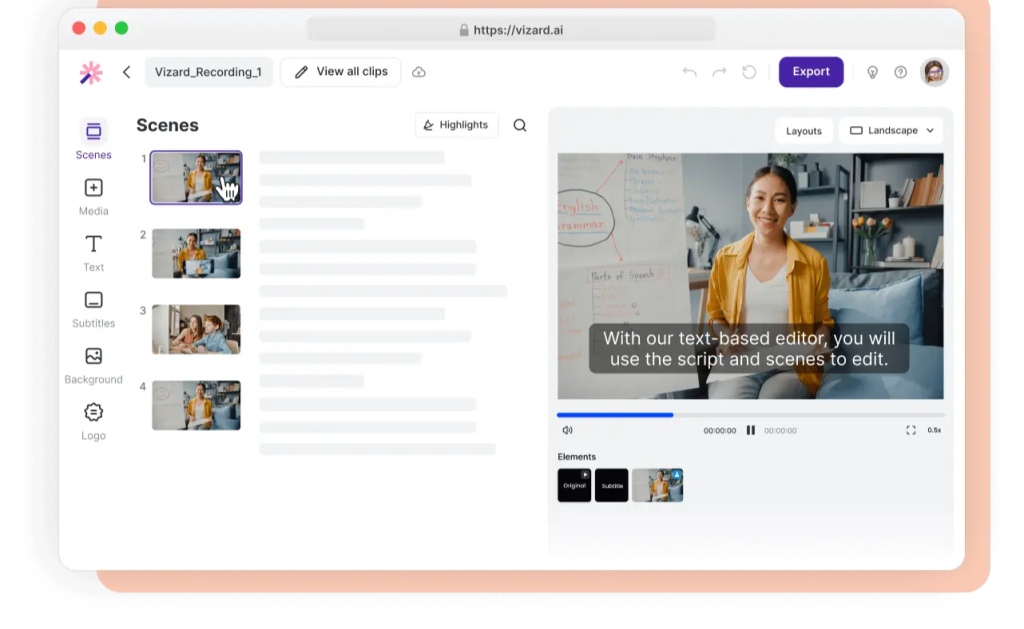
Vizard AI Features Breakdown
AI-Powered Clip Generation
This is Vizard AI’s headline feature. After uploading your video, the AI scans the transcript and identifies the most engaging segments, typically moments with strong sentences, clear speaker emphasis, or high information density. It then automatically generates multiple clip options, ranked by predicted engagement potential.
For videos with heavy B-roll, complex editing, or multiple overlapping speakers, the AI clip suggestions can be hit or miss and often require manual review before publishing.
Auto Captions & Hashtag Suggestions
Vizard AI auto-generates captions from the video transcript with solid accuracy. Captions are time-synced, styled, and can be customized in terms of font, color, and positioning directly in the editor. The platform also generates AI-suggested titles, descriptions, and hashtags matched to each social media platform.
Speaker Tracking & Reframing
Vizard AI automatically detects and tracks the active speaker in your video, reframing the shot to keep them centered as the clip plays. This is useful for multi-speaker content like panel discussions or interviews where the camera doesn’t always follow the right person.
Multi-Language & Aspect Ratio Support
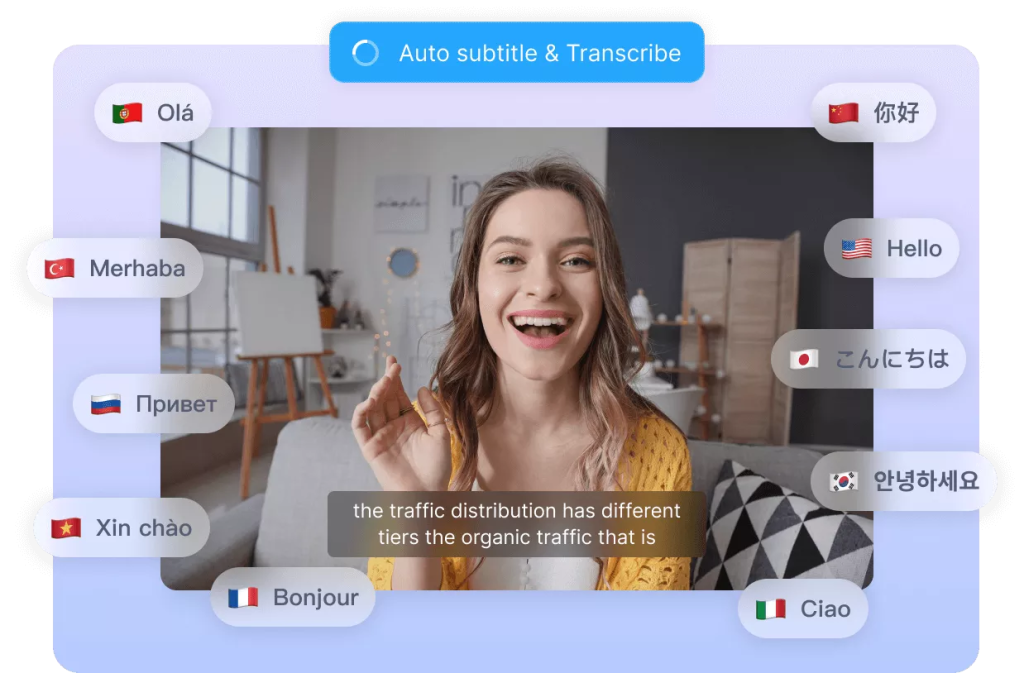
Vizard AI supports caption translation and transcription across multiple languages, making it a viable option for teams creating content for international audiences. On the format side, the platform handles all major aspect ratios, including 16:9 for YouTube, 1:1 for Instagram feed, and 9:16 for TikTok and Reels, automatically.
Direct Publishing
Clips can be exported and shared directly from the Vizard AI platform without needing to download and re-upload to each social channel separately. This streamlines the publishing workflow considerably for teams managing multiple accounts or platforms simultaneously.
Team Workspace & Brand Kit
For agencies and content teams, Vizard AI includes a collaborative workspace where multiple users can access, edit, and manage video projects together. The Brand Kit feature lets teams lock in consistent fonts, colors, and logo placement across all exported clips.
Vizard AI Pricing Plans Explained
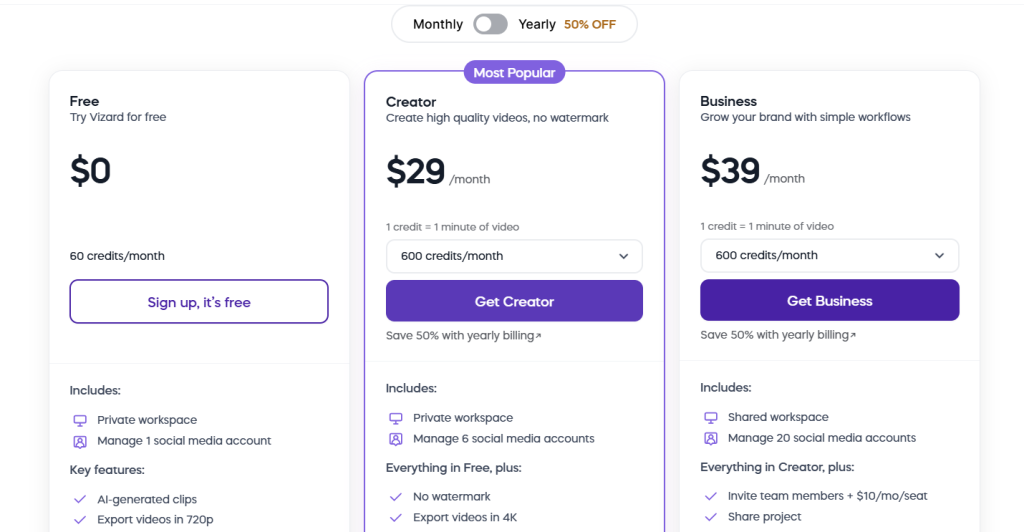
Vizard AI offers a tiered pricing structure designed to scale from solo creators to full production teams. Switching to yearly billing saves 50%.
Free Plan
You get 60 credits per month, a private workspace, 1 social media account, and AI-generated clips exported at 720p. All exports carry a watermark and storage expires after 3 days. It’s useful for testing the AI clip detection, but not a realistic option for anyone publishing content regularly.
Creator Plan at $29/month
Starting at 600 credits per month, the Creator Plan removes the watermark and unlocks 4K export, 6 social media accounts, scheduled posting, and API access. This tier is best suited for individuals who repurpose content consistently but aren’t managing a team.
Business Plan at $39/month
Starting at 600 credits per month with everything in Creator, plus a shared workspace, Brand Kit, 20 social media accounts, team member invites at $5/month per seat, and project sharing. Built for agencies, marketing teams, and high-volume creators managing multiple accounts.
Vizard AI Pros & Cons
Where Vizard AI Excels
Vizard AI is at its best when handling high volumes of talking-head content like podcasts, webinars, interviews, and recorded presentations. The AI clip detection is fast, the auto-captions are accurate for clear English speech, and the automatic aspect ratio conversion eliminates a genuinely tedious manual step.
For marketing teams or agencies needing to repurpose the same long-form video into clips for different platforms simultaneously, Vizard AI compresses what would be hours of work into minutes.
Where Vizard AI Falls Short
The AI clip suggestions struggle with content that isn’t structured around a single clear speaker. Think documentary-style videos, heavily edited YouTube content, or anything with significant B-roll. In these cases, the “highlights” the AI selects can feel generic or miss the actual most engaging moments entirely, requiring substantial manual review that partially defeats the purpose of the tool.
Caption accuracy can drop with strong accents, technical terminology, or fast-paced speech. For non-English content, the transcription quality varies by language, so international teams should test their specific language thoroughly before committing to a paid plan.
Maximize Your Video Reach with AmpCast AI
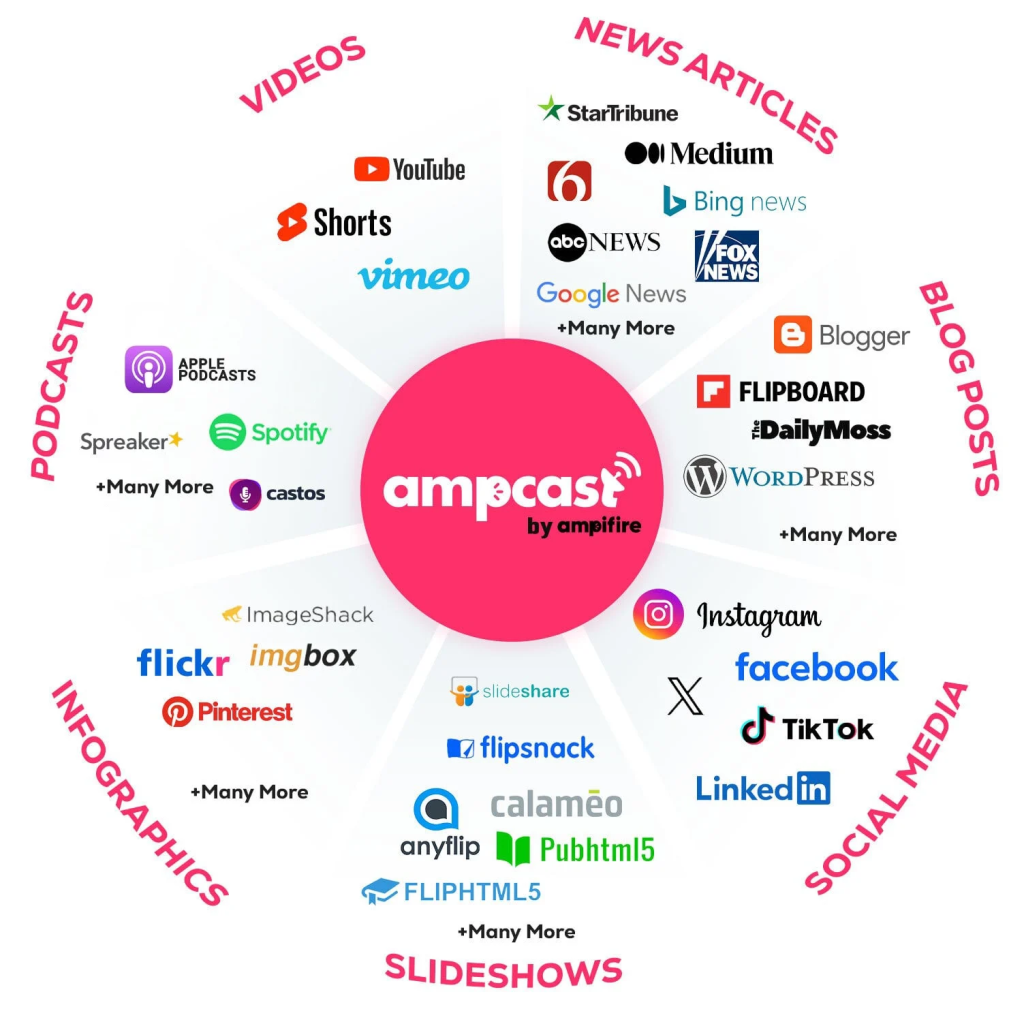
Vizard AI turns long-form video into short, social-ready clips quickly and at scale. It handles the clipping, captioning, and reformatting well enough to save editing hours. But repurposing video into more video only gets your content in front of audiences on a few social platforms.
AmpCast AI takes a different approach by researching what your buyers are actively searching for, then creating full campaigns around those topics as news articles, blog posts, podcasts, reels, videos, infographics, slideshows, and social posts. Each campaign is then published across 300+ high-traffic sites, such as YouTube, Spotify, Instagram, TikTok, Google News, Pinterest, Fox affiliate sites, and more, so your brand shows up wherever your audience is looking. See how AmpiFire can turn your expertise into organic traffic from every channel.
Frequently Asked Questions (FAQs)
Is Vizard AI free to use?
Yes, Vizard AI has a free plan that gives you 60 credits per month (1 credit = 1 minute of video), AI clip generation, and basic transcription. However, the free tier exports at 720p with a watermark, limits you to 1 social media account, and storage expires after 3 days.
Does Vizard AI add watermarks to exported videos?
Watermarks are applied automatically on the free plan and are removed when you upgrade to a paid Creator or Business plan. If you’re planning to publish clips professionally to any social platform, you’ll need at minimum the Creator tier to export clean, watermark-free content.
Can Vizard AI handle videos in multiple languages?
Vizard AI supports transcription and caption generation in over 30 languages, but accuracy varies depending on the language. Clear English speech consistently produces the most reliable results compared to non-English content.
How does Vizard AI compare to CapCut for short-form content?
CapCut is a full-featured video editor across mobile, desktop, and web with strong manual editing tools, effects, templates, and its own AI auto-editing features. Vizard AI is specifically built for automated repurposing, designed to take one long-form video and generate multiple ready-to-publish short clips with minimal manual input. CapCut gives you more editing control, while Vizard AI prioritizes speed and volume.
What is the best alternative to Vizard AI for video marketing?
If your goal is to drive traffic and reach buyers across multiple channels, our AmpCast AI offers a broader solution. Instead of repurposing one video into more video clips, AmpCast AI creates eight content formats from a single topic and publishes them across hundreds of sites automatically. This means your marketing reaches audiences on search engines, social media, podcasts, news sites, and more, all from one campaign.
*Disclaimer: Results may vary based on individual circumstances, business type, and content strategy. The time savings and outcomes mentioned are based on typical user experiences and are not guaranteed. For specific pricing and service details, please visit AmpiFire.
Author
Related Posts

Klap Pricing & Features: Is This AI Video Repurposing Tool Worth It?
Compare Klap pricing, features, and plan limits for this AI video repurposing tool, and find out whether it is worth…
OpusClip Features & Pricing: Is This AI Tool Good for Repurposing Videos?
Learn OpusClip features and pricing, from its virality score to the credit system, and find out if this AI tool…

Riverside.fm Features & Pricing: Is This Editing & Repurposing Tool Worth It?
Learn how Riverside.fm helps creators record, edit, livestream, and publish podcasts and videos. Compare features, pricing, and find the best…

Exemplary AI Pricing & Features: Can This Tool Repurpose Audio & Video Into Quality Content?
Read Exemplary AI review covering features, pricing, content quality, and whether it's worth it. Compare it with AmpiFire for broader…


Viddyoze Features & Pricing: Is It Legit & What Does This Video Software Do?
Learn about the pricing, features, and alternatives to Viddyoze and determine if this zero-experience video creation software is right for…

Summify.io Features & Pricing: Is This YouTube Video Summarizer & Transcriber Legit?
Learn about Summify.io, its features, pricing, and alternatives, and know if it's the right AI audio and video transcriber for…