

Key Takeaways
- Canva prioritizes user accessibility and speed through drag-and-drop tools, while Adobe Creative Suite offers high-level technical precision and professional-grade customization for complex projects.
- Canva provides an affordable, browser-based solution for everyday design, whereas Adobe requires a significant financial investment and high-performance hardware for its specialized applications.
- Adobe remains the industry standard for high-resolution vector graphics and complex print layouts, while Canva excels at real-time team collaboration and template-driven workflows.
- Choosing between tools depends on project needs: Canva suits rapid social media creation, while Adobe is necessary for pixel-level control and professional retouching.
- AmpiFire’s AmpCast AI amplifies creative work by MultiCasting designs into 8 formats and distributing them across 300+ high-authority websites for maximum visibility.
Canva vs Adobe: Which Tool Do Professional Designers Actually Need?
Choosing between Canva and Adobe Creative Cloud depends on your need for speed versus technical precision. Canva is an accessible, browser-based powerhouse ideal for rapid social media creation and team collaboration, with Pro plans starting at $14.99/month. In contrast, Adobe remains the industry standard for professional-grade work, offering deep customization through specialized tools like Photoshop and Illustrator for $69.99/month.
The two platforms also differ significantly in their hardware requirements and learning curves. Adobe’s suite requires high-performance computers with at least 16GB of RAM to handle complex vector and high-resolution projects. Meanwhile, Canva’s intuitive drag-and-drop interface works on virtually any device with an internet connection, making it the preferred choice for non-designers or professionals requiring quick, high-volume iterations.

How AmpiFire Works:
- Research & Target: Find high-demand topics your buyers search for.
- Create & Repurpose: AmpiFire’s AmpCast AI generates news articles, blog posts, interview podcasts, longer informational videos, reels/shorts, infographics, flipbooks/slideshows, and social posts.
- Distribute & Amplify: Auto-publish to 300+ sites, including Google News, YouTube, Spotify, and major news networks.
Get more traffic from people who want to buy your stuff, and powerful “As Seen On” trust badges for your site.
Do It Yourself (with AI), Done For You Content, & 100% Managed Organic Growth options available.
Grow Your Free Traffic From Everywhere
Canva: The Accessible Design Powerhouse
Drag-and-Drop Interface That Makes Design Fast
Canva’s intuitive drag-and-drop interface streamlines the design process by eliminating technical barriers. Unlike Adobe’s complex toolbars and panels, Canva presents a streamlined workspace where elements can be changed directly with immediate visual feedback.
This approach reduces designers’ cognitive load, allowing them to focus on creative decisions rather than technical execution. The simplicity doesn’t mean compromising on quality—it means achieving professional results without going through layers of menus.
Canva’s interface succeeds through its contextual controls that appear only when needed. Select an image, and editing options appear. Choose text, and typography controls become available. This progressive disclosure approach keeps the interface clean while providing functionality exactly when required.
Template Library & Its Real-World Applications
Canva’s extensive template library represents one of its strongest advantages, offering over 5 million templates across 100+ design categories. These professionally designed templates cover everything from social media posts and presentations to business cards and animated content.
Each template serves as both a ready-to-use solution and an educational tool, demonstrating effective design principles through practical examples. For agencies handling multiple clients, these templates provide consistent starting points that can be quickly customized to match different brand guidelines.
Collaboration Features That Streamline Team Projects
Canva’s collaboration capabilities outshine Adobe’s traditional workflow in many respects, particularly for teams needing real-time interaction. The platform enables multiple users to work simultaneously on the same design, with changes appearing instantaneously for all participants.
This cloud-native approach eliminates version control issues and reduces feedback loops from days to minutes. Comments can be attached directly to specific elements, creating contextual conversations that clarify exactly what needs attention.
The Team feature takes collaboration further by centralizing brand assets, templates, and designs in shared folders with customizable permission levels. For agencies and marketing teams, this creates a single source of truth for brand materials while maintaining appropriate access controls.
Brand Kit & Design Consistency Tools
Maintaining brand consistency across multiple channels and team members represents a significant challenge for organizations. Canva’s Brand Kit addresses this by centralizing brand assets—logos, colors, fonts, and templates—in an easily accessible location. This feature eliminates the common problem of outdated brand elements being used in new materials.
With preset color palettes and typography settings, even team members without design training can create on-brand materials that adhere to guidelines.
Adobe Creative Suite: The Industry Standard Toolkit
Unlike Canva’s all-in-one approach, Adobe offers a collection of specialized applications, each optimized for a specific creative discipline. The suite includes:
Photoshop’s Advanced Image Manipulation
Photoshop remains the gold standard for digital image editing, offering capabilities that extend far beyond what any web-based tool can provide. Its non-destructive editing workflow using adjustment layers, masks, and smart objects allows for infinite refinement without quality loss.
For photographers and retouchers, features such as frequency separation, advanced color grading, and precise selection tools enable transformations that would be impossible on simplified platforms like Canva. The difference becomes particularly apparent when working with raw photography, which often requires subtle adjustments to realize a creative vision.
The technical depth of Photoshop continues to evolve with AI-powered tools like Neural Filters and Content-Aware Fill that automate previously tedious tasks. These advanced capabilities overcome technical barriers while still delivering the precision professionals demand.
Illustrator’s Vector Graphics Capabilities
Adobe Illustrator stands as a leader in vector graphics, offering precision that remains necessary for logo design, typography, and illustrations that need to scale across multiple applications.
Unlike pixel-based images that lose quality when enlarged, vector graphics created in Illustrator maintain perfect clarity at any size, necessary for projects ranging from business cards to billboards. The pen tool alone, while notoriously challenging to master, offers a level of curve control that Canva’s simplified tools simply cannot replicate.
For professional designers, Illustrator’s type handling capabilities provide typographic control that improves brand communications. The ability to create custom letterforms, adjust kerning with precision, and create complex type arrangements supports sophisticated brand identities that stand out in competitive markets.
InDesign’s Publishing & Layout Precision
When it comes to multi-page documents, editorial layouts, and print-ready files, Adobe InDesign provides capabilities that Canva hasn’t yet matched. InDesign’s master pages, paragraph and character styles, and advanced grid systems enable consistent, professional layouts that maintain integrity across extensive publications.
For agencies producing catalogs, magazines, annual reports, or books, these features aren’t luxuries; they’re standard workflow tools that ensure quality and efficiency. The technical specifications required for commercial printing find their proper home in InDesign, where CMYK color profiles, bleed settings, printer marks, and color separation are handled with precision.
The software’s preflight capabilities identify potential printing issues before they become costly mistakes. While Canva has improved its print capabilities, InDesign remains the preferred choice for complex print projects where technical accuracy directly impacts final quality.
Adobe Express: The Simplified Alternative
Adobe developed Express to answer the market demand for user-friendly creative tools. This browser-based platform offers simplified versions of Adobe’s professional capabilities with an emphasis on speed and ease of use.
While lacking the full depth of the Creative Suite, Express provides a significantly more accessible entry point to the Adobe ecosystem while maintaining compatibility with other Adobe applications.
For organizations seeking a balance between accessibility and professional output, Express offers a middle ground that combines Canva’s user-friendliness with Adobe’s quality standards and brand reputation.
Canva vs Adobe Creative Suite: Head-to-Head Comparison
| Factors | Canva | Adobe Creative Suite |
| Best For | Quick, accessible design for teams and beginners | Professional-grade, precision creative work |
| Interface | Drag-and-drop, intuitive | Complex toolbars and panels, steeper learning curve |
| Templates | Millions across 100+ categories | Limited (Adobe Express offers some) |
| Pricing | Free tier available; Pro at $14.99/month | $69.99/month for the complete suite |
| Collaboration | Real-time multi-user editing, shared folders, and inline comments | Traditional file-based workflow |
| Brand Management | Built-in Brand Kit (logos, colors, fonts) | Manual setup across apps |
| Image Editing | Basic editing tools | Photoshop — industry-leading, non-destructive editing |
| Vector Graphics | Simplified tools | Illustrator: professional precision and scalability |
How Do I Turn Creative Work Into Organic Traffic With AmpiFire?
As a designer or design agency, you can spend hours crafting the perfect visual just to post it to one platform, where it reaches a handful of followers before disappearing from the feed. That single post might get a few likes, but it rarely brings in new clients or generates the kind of visibility that builds a reputation. The problem is not the quality of the work. It is how few people ever see it. In fact, 93% of buyers research across search, social, video, podcasts, and AI before purchasing.
AmpiFire’s AmpCast platform changes that equation entirely. It takes your design concept or topic and MultiCasts it into 8 content formats: News Articles, Social Posts, Reels/Shorts, Infographics, Interview Podcasts, Flipbooks/Slideshows, Blog Posts, and Longer Informational Videos, then publishes them across 300+ high-authority sites, including YouTube, Spotify, Google News, Pinterest, and FOX affiliate sites.
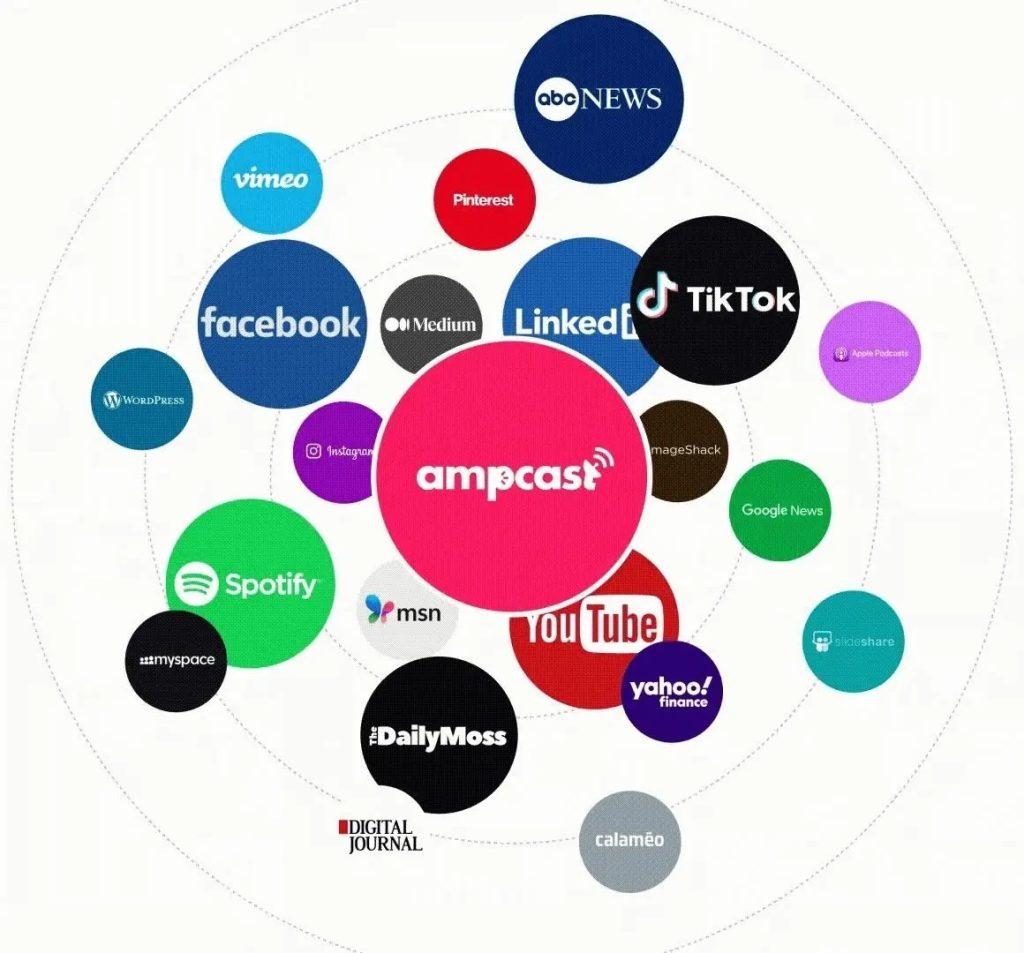
That kind of multi-platform presence does something a portfolio link in your bio cannot. When a potential client searches for design inspiration and finds your content on a news site, then sees your infographic on Pinterest, then comes across your video on YouTube, you are no longer one of thousands competing for attention in a single feed. You are the name that keeps showing up everywhere they look.
Instead of spending your time reformatting work for every platform and manually uploading across dozens of channels, AmpCast handles creation and distribution so you can focus on what you do best — designing. Your creative output reaches wider audiences, attracts more inquiries, and generates more project opportunities than any single-channel posting strategy ever could.
Frequently Asked Questions (FAQs)
Should I learn Canva or Adobe first as a beginner designer?
Start with Canva. Its drag-and-drop interface lets you create professional-looking designs immediately, with no steep learning curve. Once you understand core design principles through hands-on practice, you can move to Adobe tools when your projects demand more technical control, like detailed photo editing in Photoshop or print layouts in InDesign.
Can Canva fully replace Adobe Creative Suite for a small business?
For most everyday needs, yes. Canva handles social media graphics, presentations, basic print materials, and brand assets well enough for small teams. Where it falls short is on specialized tasks — detailed photo retouching, scalable vector illustrations, or complex multi-page print documents still require Adobe’s dedicated applications to meet professional standards.
Which types of projects are best suited to Adobe rather than Canva?
Adobe excels at work demanding pixel-level control or technical precision. Large-format print files, custom logo design in vector format, magazine layouts, advanced photo compositing, and anything requiring CMYK color accuracy belong in Adobe. If the project will be commercially printed or needs to scale from a business card to a billboard, Adobe is the right choice.
Is it worth paying for Canva Pro when Adobe Express is free?
Canva Pro offers a much larger template library, brand kit tools, background remover, and Magic Resize, which Adobe Express does not match at its free tier. If you need quick, polished content across multiple social platforms daily, Canva Pro delivers more value. Adobe Express makes more sense if you are already paying for Creative Cloud and want a lightweight companion tool.
How can AmpiFire help designers get more value from the content they create?
AmpCast takes your topics and turns them into 8 formats: News Articles, Social Posts, Reels/Shorts, Infographics, Interview Podcasts, Flipbooks/Slideshows, Blog Posts, and Longer Informational Videos, then publishes across 300+ sites like Google News, YouTube, and Spotify. Instead of designs sitting unused, your creative work reaches audiences everywhere they browse, generating organic traffic without extra effort.
*Disclaimer: Results may vary based on individual circumstances, business type, and content strategy. The time savings and outcomes mentioned are based on typical user experiences and are not guaranteed. For specific pricing and service details, please visit AmpiFire.
Author
Related Posts

ClickDesigns Features, Pricing, Pros & Cons: Can This AI-Powered Graphic Designer Beat Canva?
Discover ClickDesigns' features, pricing, pros, and cons to see if this AI-powered tool can truly compete with Canva for your…


21 High-Converting Landing Page Design Ideas: Proven Elements & Inspiring Template Examples
Discover the essential elements of a high-converting landing page. From clear headlines to social proof, this guide will show you…

5 Creative Content Creation Strategy Examples That Will Boost Your Online Store Sales
Creating high-quality content that people will respond to is one of the most difficult tasks for any business. But with…


Installing BigCommerce Stencil Store Themes: Customize Design for Seamless Ecom Experience
Learn how BigCommerce Stencil transforms your online store with faster loading speeds, customizable themes for all business needs, and best…
AmpCast vs. ChatGPT vs. Claude vs Canva: The Rapid Content Showdown
AmpCast AI • Benchmarks Content Creation Speed Revolution How AmpCast AI outpaces every content creation approach across video, audio, written…

Category Design Examples & Ideas to Own a Market
Key Takeaways Category design transforms existing concepts into ownable market positions – from Dave Asprey’s “Bulletproof Coffee” to Athletic Greens’…








