

Key Takeaways
- Klap is a browser-based AI tool that cuts long videos into short vertical clips for TikTok, Reels, Shorts, and LinkedIn, using speech analysis to find engaging moments.
- Core features include virality-scored clips, automatic vertical reframing, auto-synced captions, brand customization, direct publishing and scheduling, and transcription in 52 languages.
- Plans cost $29 (Basic), $79 (Pro), and $189 (Pro+) monthly, or about 50% less billed yearly, with higher tiers adding longer uploads, 4K exports, and AI dubbing.
- Klap is worth it for podcasts, interviews, and tutorials with clear speech, but it struggles with screen recordings and music-heavy footage and only produces short-form video.
- If your goal is reaching buyers through organic content across search, social, video, and audio, AmpiFire’s AmpCast AI handles the content creation and distribution that video clipping tools leave out.
Is Klap Worth It?
Klap is worth the cost if you regularly record spoken long-form content and need a fast way to create social media clips. Podcasters, YouTubers, coaches, and marketers who film interviews, webinars, or training sessions will see the most value. The tool replaces hours of manual editing, and the captions look polished enough to post with minimal tweaking.
For creators working with screen recordings, visual montages, or music-heavy content, the value drops. The AI needs clear speech to find good clip boundaries, so non-verbal video yields weaker results and takes more time to fix manually.
There is also a broader limitation to consider. Klap only produces short-form video clips for social platforms. It does not create blog posts, podcasts, news articles, infographics, or other formats that buyers use in their research. Buyers search Google, read articles, browse Pinterest, listen to podcasts, and check news sites before buying.
AmpiFire’s AmpCast AI covers those other channels by turning one topic into 8 unique content formats and publishing them where buyers do their research.

How AmpiFire Works:
- Research & Target: Find high-demand topics your buyers search for.
- Create & Repurpose: AmpiFire’s AmpCast AI generates news articles, blog posts, interview podcasts, longer informational videos, reels/shorts, infographics, flipbooks/slideshows, and social posts.
- Distribute & Amplify: Auto-publish to 300+ sites, including Google News, YouTube, Spotify, and major news networks.
Get more traffic from people who want to buy your stuff, and powerful “As Seen On” trust badges for your site.
Do It Yourself (with AI), Done For You Content, & 100% Managed Organic Growth options available.
Grow Your Free Traffic From Everywhere
What is Klap?
Klap takes a long video and cuts it into multiple short clips ready for social media. You paste a YouTube link or upload a file, and the AI analyzes the audio to find engaging moments based on speech patterns and pacing. From a single upload, it generates several clips, each with auto-generated captions, vertical reframing, and a virality score estimating how well each clip might perform.
The platform runs entirely in the browser, so users don’t need to download anything. Klap’s website states that a one-minute video typically produces about five clips. As of 2026, the platform reports over 3.5 million users and 8.5 million clips created.
The tool is purpose-built for dialogue-heavy content: podcasts, interviews, product reviews, educational videos, and training recordings. Because the AI depends on speech detection, spoken content consistently gets better results than visual-only footage.
Klap’s Core Features
AI Clip Generation
Klap’s AI scans your full video, identifies distinct topics and high-energy moments, and edits them into standalone short clips, typically 15 to 90 seconds long. Each clip gets a virality score to help you pick the strongest performers.
This works well for structured content, such as interviews and tutorials, where topic shifts are clear. For visual-only content with little dialogue, the AI has a harder time finding clean cut points, and clips often need manual adjustments before posting.
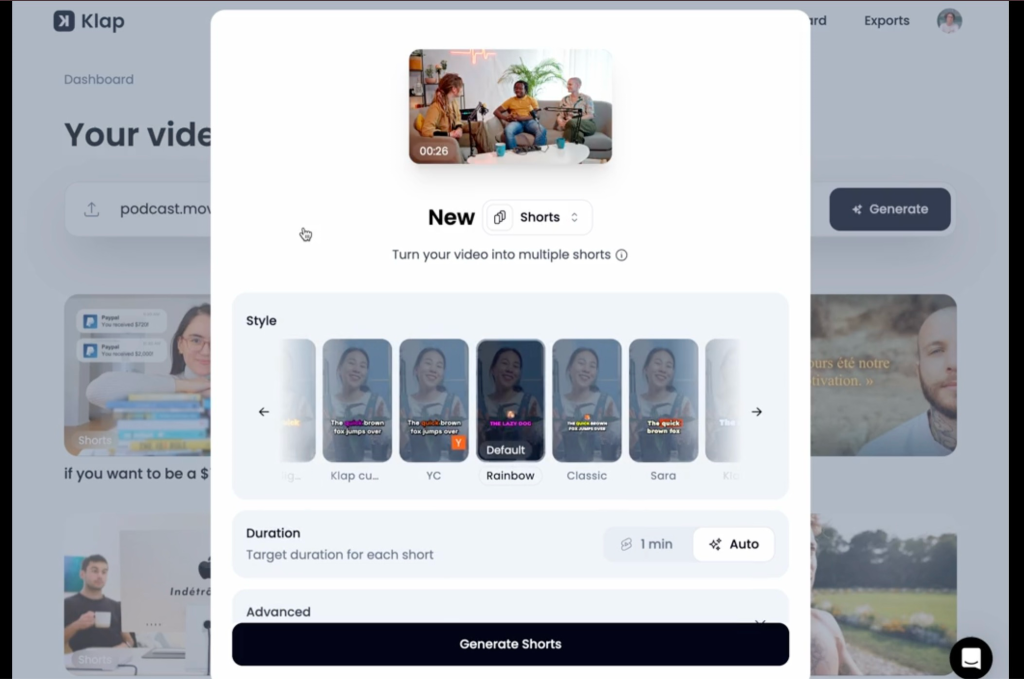
Auto Reframing (AI Reframe 2)
AI Reframe 2 converts horizontal footage into vertical (9:16) format using facial recognition to keep the speaker centered. It also supports layout options such as split screen, screencast, and gaming-style framing.
For one or two speakers in a standard recording setup, reframing handles the conversion cleanly. Group shots, wide angles, and fast camera movements often crop awkwardly and require manual corrections.
Captions & Brand Customization
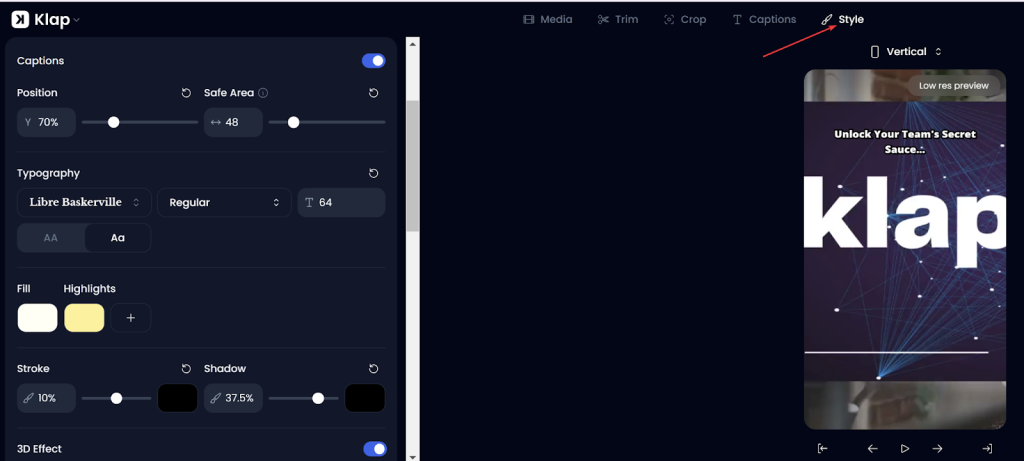
Every clip includes auto-synced captions. You can adjust fonts, colors, text size, highlight effects, drop shadows, and emojis. Brand options include logos, watermarks, and color schemes to keep your clips visually consistent. Klap also generates recommended social media captions to post alongside the video.
One downside: editing the caption text does not automatically re-sync the audio timing. If the pacing feels off after edits, you have to fix it manually in the timeline, which adds extra steps to your workflow.
Publishing and Scheduling
Klap lets you publish clips directly to TikTok, YouTube, Instagram, and LinkedIn without leaving the platform. A built-in scheduling tool helps you plan posts in advance and maintain a steady content calendar. This removes the need to export clips and re-upload them to each social channel.
Multilingual Support & AI Dubbing
Klap supports 52 languages for transcription and captions. On the Pro and Pro+ plans, AI dubbing translates spoken audio into 29 languages, which helps you reach international audiences. That said, always review translated clips manually. Even small translation errors can change the meaning, so a quick check before posting is a good habit.
Klap Pricing Plans
Klap has three paid tiers. Yearly billing saves about 50% compared to monthly. A free trial lets you test the tool with one video before paying anything.
| Feature | Basic | Pro | Pro+ |
| Monthly billing | $29/month | $79/month | $189/month |
| Yearly billing | $14/month | $39/month | $94/month |
| Video uploads per month | 10 | 30 | 100 |
| Max video length | 45 minutes | 2 hours | 3 hours |
| Clips per month | 100 | 300 | 1,000 |
| Download quality | HD | 4K | 4K |
| AI Dubbing (29 languages) | No | Yes | Yes |
The Basic plan at $29/month (or $14/month on yearly billing) covers solo creators who post a handful of clips per week. You get 10 video uploads, source videos up to 45 minutes, and 100 clips exported in HD.
The Pro plan at $79/month (or $39/month annually) is ideal for active creators who repurpose content across multiple channels. It raises the upload limit to 30, supports videos up to 2 hours, exports in 4K, and adds AI dubbing in 29 languages. The Pro+ plan at $189/month (or $94/month yearly) is built for agencies and high-volume teams. It supports 100 uploads and up to 1,000 clips per month, with source videos up to 3 hours long.
All plans include AI clip generation, auto-reframing, captions, brand customization, and a scheduling tool. The main differences are upload limits, video length caps, export resolution, and access to AI dubbing.
Compared to hiring a freelance video editor, which often costs several hundred dollars a month, Klap’s pricing is reasonable for creators whose content is mostly speech-based. For those working with non-speech video, extra time spent fixing clips can reduce the value.
Reach Buyers Beyond Short-Form Clips with AmpiFire
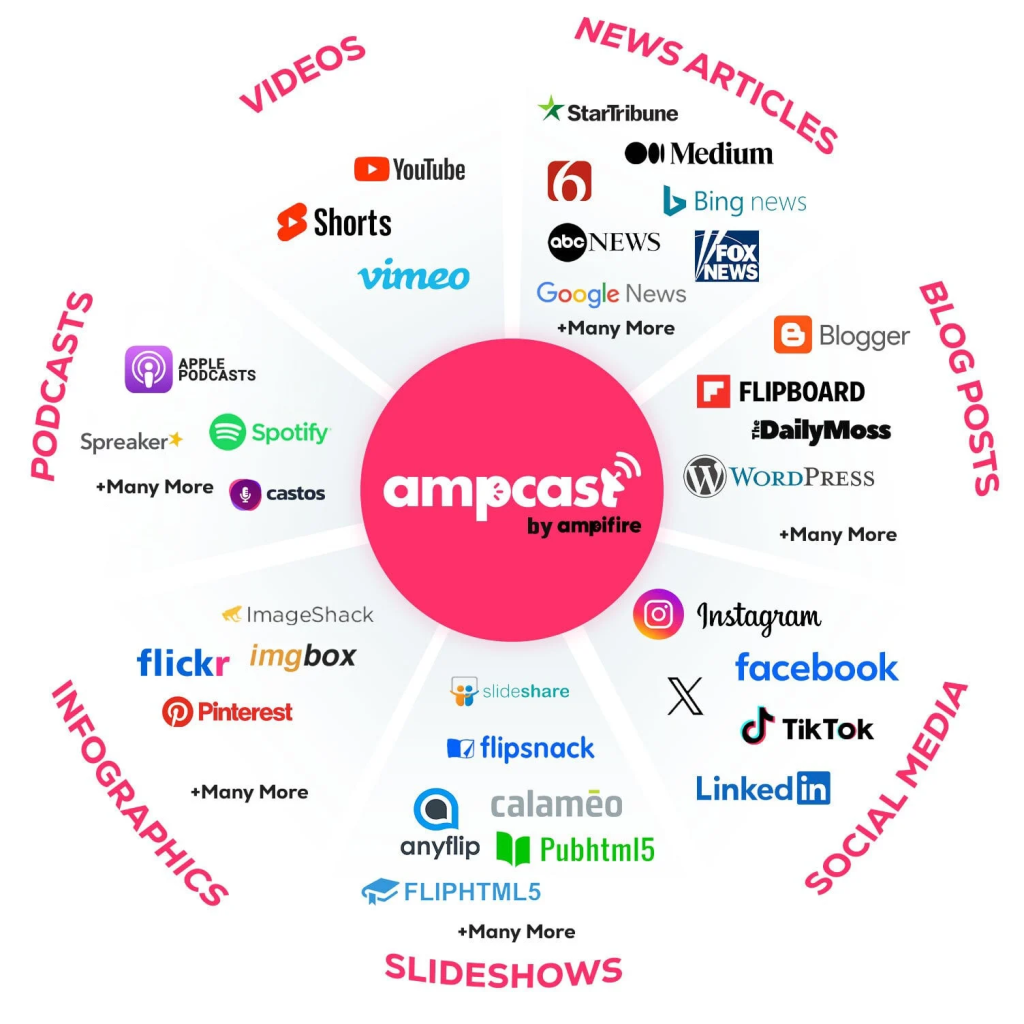
Klap handles one task well: turning spoken video into short social clips. But most buyers don’t stay on a single platform during their research. They move across search engines, blog posts, podcasts, Pinterest, and news sites before deciding to buy. A video clipping tool covers the short-form video channel, but leaves all those other touchpoints empty.
At AmpiFire, we pick up where video clipping stops. We research the topics your buyers search for, create 8 content formats (news articles, blog posts, interview podcasts, longer informational videos, reels/shorts, infographics, flipbooks/slideshows, and social posts), and publish them across 300+ sites like YouTube, Spotify, Pinterest, Google News, and FOX affiliate sites. Build organic traffic across the channels your buyers use, and reach them during the research stage with AmpiFire’s AmpCast AI.
Frequently Asked Questions (FAQs)
Does Klap offer a free plan?
Klap does not have a free ongoing plan. It offers a free trial so you can test the tool before subscribing. After that, you need a paid subscription to keep creating and exporting clips.
What types of videos work best with Klap?
Klap works best with videos that have clear spoken dialogue, such as podcasts, interviews, educational content, product reviews, and training sessions. Videos based on music, B-roll, or visual effects without speech tend to produce lower-quality clips that need more manual fixes.
Can Klap post directly to social media?
Yes, Klap supports direct publishing and scheduling to TikTok, YouTube, Instagram, and LinkedIn. You can plan posts ahead of time using the built-in scheduling tool, so you don’t need to export and re-upload each clip separately.
How does Klap compare to OpusClip?
Both Klap and OpusClip use AI to turn long videos into short clips. OpusClip offers an ongoing free plan, while Klap offers only a free trial. Klap stands out with its polished caption quality and AI dubbing in 29 languages on the Pro and higher plans.
How does AmpiFire differ from video clipping tools like Klap?
AmpiFire covers more than short-form video. It researches what buyers are searching for, creates content in multiple formats, and distributes it across hundreds of high-authority platforms, building organic traffic from search, social media, video, and audio channels.
*Disclaimer: Results may vary based on individual circumstances, business type, and content strategy. The time savings and outcomes mentioned are based on typical user experiences and are not guaranteed. For specific pricing and service details, please visit AmpiFire.
Author
Related Posts


Riverside.fm Features & Pricing: Is This Editing & Repurposing Tool Worth It?
Learn how Riverside.fm helps creators record, edit, livestream, and publish podcasts and videos. Compare features, pricing, and find the best…

Synthesia AI Features, Pricing & Alternatives: Is This Text-to-Video Tool Worth It?
Learn Synthesia AI's core features, pricing tiers, and how it compares to alternatives like AmpCast AI, HeyGen, and Pictory so…

Klap Reviews & Pricing: Is This The Best AI App to Turn Long-Form Videos into Short Clips?
Find out if Klap AI is the right tool for turning long videos into short clips, including key features, pricing…


Tagshop AI Reviews, Features & Pricing: Is This Video Ad Generator Worth It?
Learn honest Tagshop AI reviews, top features like URL-to-Video and 1,000+ AI avatars, plus pricing from free to $99/mo. See…

Exemplary AI Pricing & Features: Can This Tool Repurpose Audio & Video Into Quality Content?
Read Exemplary AI review covering features, pricing, content quality, and whether it's worth it. Compare it with AmpiFire for broader…

Pictory Features & Pricing: Is It the Best AI Video Creation Tool?
Discover why Pictory AI is one of the best AI video creation tools. Explore features, pricing plans, and capabilities that…








