


Key Takeaways
- Tally is a genuinely free and reliable form builder, letting users create unlimited forms and submissions with features like conditional logic, file uploads, and Stripe payments.
- Tally is easy to use, document-style, and GDPR-compliant, making form creation fast and secure.
- Pro ($29/month) adds branding removal, custom domains, and partial submissions; Business ($89/month) adds email verification and data controls.
- Users love Tally’s simplicity, integrations, responsive support, and robust free plan, though advanced features are limited and no refunds are offered.
Is Tally Worth It & Reliable?
Yes, Tally is worth it, especially for users who need a simple, reliable, and easy-to-use form builder without any technical complexity. Its no-code, document-style interface makes creating forms quick and intuitive, while the generous free plan with unlimited forms and submissions offers excellent value.
Freelancers, creators, and small businesses handling client intake, surveys, event registrations, or basic payments will find it particularly effective. Integrations with tools like Notion, Google Sheets, and Airtable also make data collection smooth and efficient.
In terms of reliability, Tally has earned a strong reputation for consistent performance, responsive support, and regular updates. As an EU-based platform, it follows GDPR compliance standards, adding an extra layer of trust for handling user data.
While it may not be ideal for advanced workflows, complex automations, or deep analytics, it excels at what it’s designed for. Overall, Tally is a dependable, high-value solution for straightforward form building and a great choice for individuals and small teams.

How AmpiFire Works:
- Research & Target: Find high-demand topics your buyers search for.
- Create & Repurpose: AmpiFire’s AmpCast AI generates news articles, blog posts, interview podcasts, longer informational videos, reels/shorts, infographics, flipbooks/slideshows, and social posts.
- Distribute & Amplify: Auto-publish to 300+ sites, including Google News, YouTube, Spotify, and major news networks.
Get more traffic from people who want to buy your stuff, and powerful “As Seen On” trust badges for your site.
Do It Yourself (with AI), Done For You Content, & 100% Managed Organic Growth options available.
Grow Your Free Traffic From Everywhere
Tally Pricing: Free Plan vs. Pro vs. Business
Tally’s pricing is refreshingly simple, with three clear tiers designed for different needs and no hidden fees or per-submission charges.

Free Plan: $0/Month for Unlimited Forms & Submissions
Tally’s Free plan isn’t a limited trial. It gives you unlimited forms and submissions, conditional logic, file uploads, and Stripe payment integration. For freelancers, small businesses, and creators, this plan often covers everything needed without requiring an upgrade.
Pro Plan: $29/Month for Branding Removal & Team Features
The Pro plan at $29 per month is built for teams and professionals who need a cleaner, branded experience. It removes Tally’s logo from forms, supports custom domains, and allows partial submissions so you can see responses even if someone doesn’t hit submit. Team collaboration is also enabled, making it ideal for small agencies or businesses managing multiple forms.
Business Plan: $89/Month for Data Controls and Version History
Tally’s Business plan targets organizations that need advanced data management. It includes automatic data deletion after a set time, email verification to confirm respondents, and an extended version history with restore options. For most users, the jump from Pro to Business is only necessary if strict compliance or sensitive data handling is required.
Tally’s Core Features
Tally covers all the essentials for form building. All plans include unlimited forms and submissions, conditional logic, file uploads, and Stripe payment processing. Integrations include Notion, Google Sheets, Airtable, and Slack. Pro and Business plans add partial submissions, custom domains, email verification, data auto-deletion, and version restore.
Conditional Logic & File Uploads on the Free Plan
Conditional logic on the free plan lets you show or hide questions based on previous answers, creating interactive, personalized forms. File uploads and Stripe payments are also included for free, making it a fully functional option for most users.
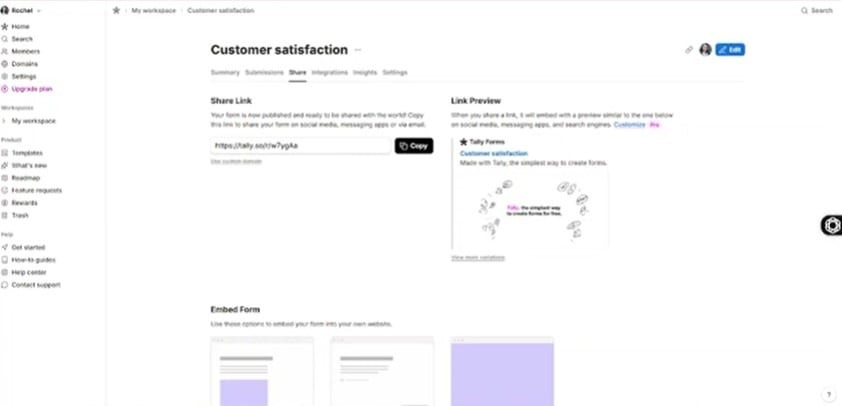
Stripe Payment Processing Built In
Stripe payments are built into Tally’s free plan, allowing you to collect payments for digital products, services, event registrations, or donations. Setup is simple: connect your Stripe account, add a payment field, and Tally handles the rest.
What Tally Offers on Paid Plans
The Pro plan adds features like partial submissions, team collaboration, and custom domains. The Business plan includes email verification, automatic data deletion, and an extended version history with restore options, providing more control and data management for organizations.
| Plan | Price | Key Features |
| Free | $0/month | Unlimited forms & submissions, conditional logic, file uploads, Stripe payment integration |
| Pro | $29/month | Remove Tally branding, custom domains, partial submissions, and team collaboration |
| Business | $89/month | Email verification, automatic data deletion, extended version history & restore |
Real Users Review on Tally
User feedback on Tally is very positive, especially for the platform’s core audience. Reviews highlight the simplicity of the interface, the generous free plan, and responsive customer support from its small team. Most criticisms focus on limited advanced features and the no-refund policy.
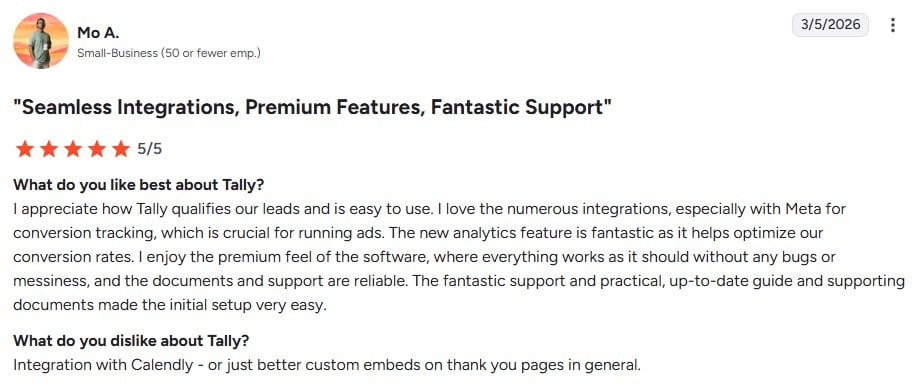
Seamless Integrations, Premium Features & Excellent Support
Rating: 5/5
What User Likes
Users appreciate how Tally makes lead management simple while remaining easy to use. Its wide range of integrations, including Meta for conversion tracking, helps businesses run and optimize ads effectively. The analytics tools provide clear insights for improving conversion rates, and the overall platform feels polished and reliable. Many reviewers also highlight Tally’s responsive support team and helpful, up-to-date documentation, which make getting started straightforward.
What User Dislikes
Some users note minor limitations, such as improvements needed for Calendly integration or more flexible custom embeds on thank-you pages.
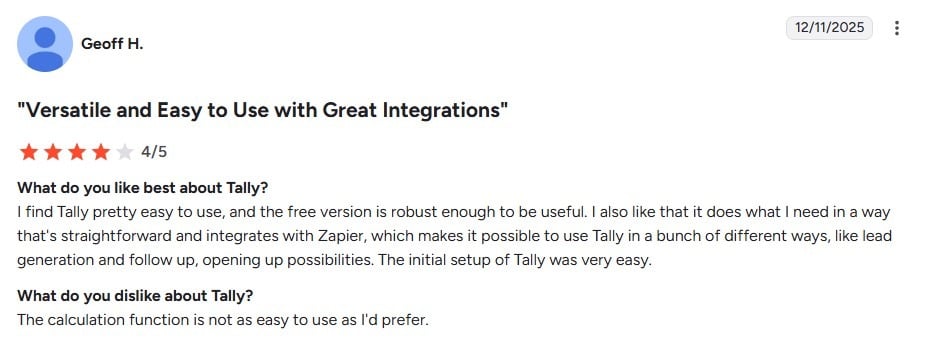
Versatile & User-Friendly with Strong Integrations
Rating: 4/5
What User Likes
Users find Tally intuitive and appreciate that even the free version is powerful enough for most needs. Its integration with Zapier allows flexible use for lead generation, follow-ups, and other workflows, expanding how businesses can harness the platform. Users also note that setting up Tally is quick and straightforward.
What User Dislikes
Users mention that the calculation feature could be easier to use and more intuitive.
AmpiFire: Supercharge The Online Visibility of Your Forms
With AmpiFire, growing your form or brand’s online presence has never been easier. Our AmpCast AI platform transforms a single topic into 8 unique types of content (news articles, blog posts, interview podcasts, longer informational videos, reels/shorts, infographics, flipbooks/slideshows, and social posts) and automatically distributes them across 300+ high-authority sites.
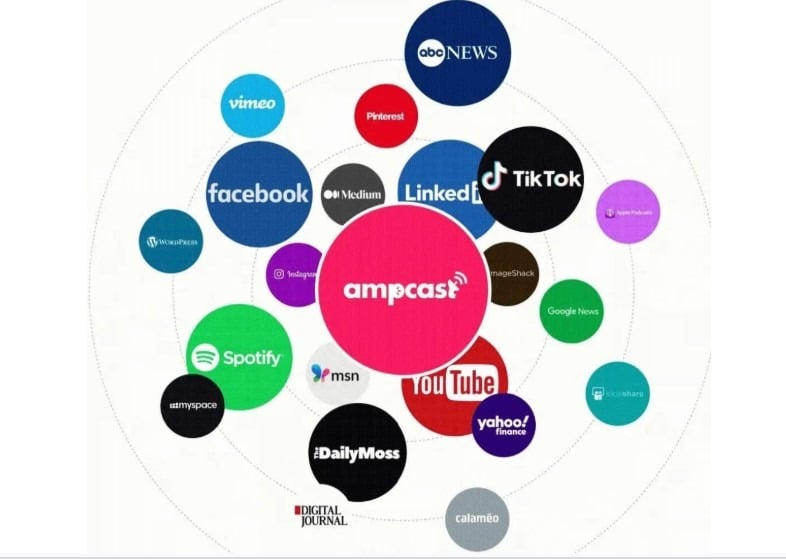
This means your form or brand gets found on Google, YouTube, Spotify, Apple Podcasts, Facebook, Instagram, TikTok, Pinterest, and major news sites. It’s a straightforward way to get more traffic from search, social, news, video, podcast, and AI recommendations, without posting to each platform by hand.
Frequently Asked Questions ( FAQs)
Is Tally really free?
Yes, Tally is truly free. The free plan lets you create unlimited forms and receive unlimited responses, with no trial period or hidden limits. Core features like conditional logic, file uploads, and Stripe payment are all included, giving most users everything they need without ever upgrading. Paid plans exist for those who want extra options like removing branding, custom domains, or additional data controls, but the free plan is fully functional on its own.
Can Tally help with marketing?
Tally makes it easy to gather leads, feedback, or survey responses. Combined with AmpCast AI by AmpiFire, you can turn any topic into news articles, blog posts, interview podcasts, longer informational videos, reels/shorts, infographics, flipbooks/slideshows, and social posts, published automatically to 300+ sites, including Google News, YouTube, Spotify, and major news affiliates.
Where is Tally based?
Tally was founded in 2020 in Ghent, Belgium, and is fully compliant with European data regulations. This makes it a safe choice for anyone collecting information from EU residents. Its data policies are built to meet common legal requirements without extra setup, giving businesses confidence when using the platform.
Is Tally good for building surveys?
Tally is well-suited for surveys, especially when you need quick setup and simple branching logic. It works best for customer feedback, event registration, product research, and audience polls. While it handles data collection efficiently, it doesn’t offer advanced in-platform analysis, so users typically export results for further review. For most small businesses, creators, and casual survey needs, Tally is more than enough.
Does Tally offer a refund?
Tally does not offer refunds on paid plans. The free plan is robust enough to test the platform thoroughly before deciding to upgrade. If you do move to Pro or Business, it’s best to confirm that the features you need work as expected. Most upgrades are motivated by branding, custom domains, or compliance requirements, so only pay when a feature is genuinely necessary.
*Disclaimer: Results may vary based on individual circumstances, business type, and content strategy. The time savings and outcomes mentioned are based on typical user experiences and are not guaranteed. For specific pricing and service details, please visit AmpiFire.
Author
Related Posts


OptiMonk Pricing & Reviews: Is This Popup Builder Worth It?
Discover OptiMonk pricing, features, and user reviews in our detailed analysis. Learn how this popup builder stacks up against other…


Stripo Reviews, Pricing & Features: Is This The Best Email Template Builder?
Explore Stripo’s email template builder, its free and paid pricing plans, and whether it’s the right fit for your email…


SEOTesting Features, Reviews & Pricing: Is This SEO Tool Worth It?
Read our SEOTesting review to learn about features, pricing, and user feedback, then decide if this SEO testing and performance-tracking…

Moosend Features, Reviews & Pricing: Is This Email Marketing & Automation Platform Worth It?
Get honest Moosend reviews. Learn features, pricing, and whether this email marketing and automation platform is worth it for your…

ClickSites AI Pricing & Alternatives: Is This Website Builder Worth It?
Learn about ClickSites AI pricing, features, pros & cons, and top alternatives. Find out if this lifetime AI website builder…

PR.co Pricing, Features & Reviews: Is This All-in-One PR Software Worth It?
Discover PR.co's features, pricing, and benefits in our comprehensive review. Learn if this all-in-one PR platform is right for your…








