


Key Takeaways
- PostNitro designs carousels, single-image posts, and short animated videos, using Nitro Chat to turn a topic, raw text, article URL, or X post or thread into a slide outline.
- Standard monthly prices are $0 for Free, $15 for Starter, $30 for Creator+, and $60 for Team+, with AI slides per carousel capped at five, eight, 15, and 20.
- PostNitro holds 4.9 out of 5 on Product Hunt and 4.2 out of 5 on Trustpilot, where users praise its ease of use, templates, and quick design process.
- PostNitro is worth it for creators, marketers, and agencies who publish carousels every week and want drafting, branding, and scheduling in one editor, while occasional posters can test it on the free plan before paying.
- At AmpiFire, our AmpCast AI researches the questions buyers ask about a topic, then turns one topic into 8 formats, such as blog posts, videos, and podcasts, for 300+ channels beyond a carousel feed.
Is PostNitro Worth It for Regular Carousel Posting?
PostNitro is worth it for creators and teams who publish carousels every week, because its pricing grows with posting volume and its reviews consistently credit it with saving design time. The common mistake is judging the tool by its AI drafts alone, since the bigger difference between plans is how many finished posts you can export and which tiers can send them out on a schedule.
That makes the free plan a sensible fit for someone who posts occasionally and uploads files by hand, while frequent publishers get more value from the tiers that lift download caps and add native publishing. Reviewers mostly describe a fast and simple editor, although both rating profiles are small, so testing the tool on your own content is worth doing before you commit to a paid plan.

How AmpiFire Works:
- Research & Target: Find high-demand topics your buyers search for.
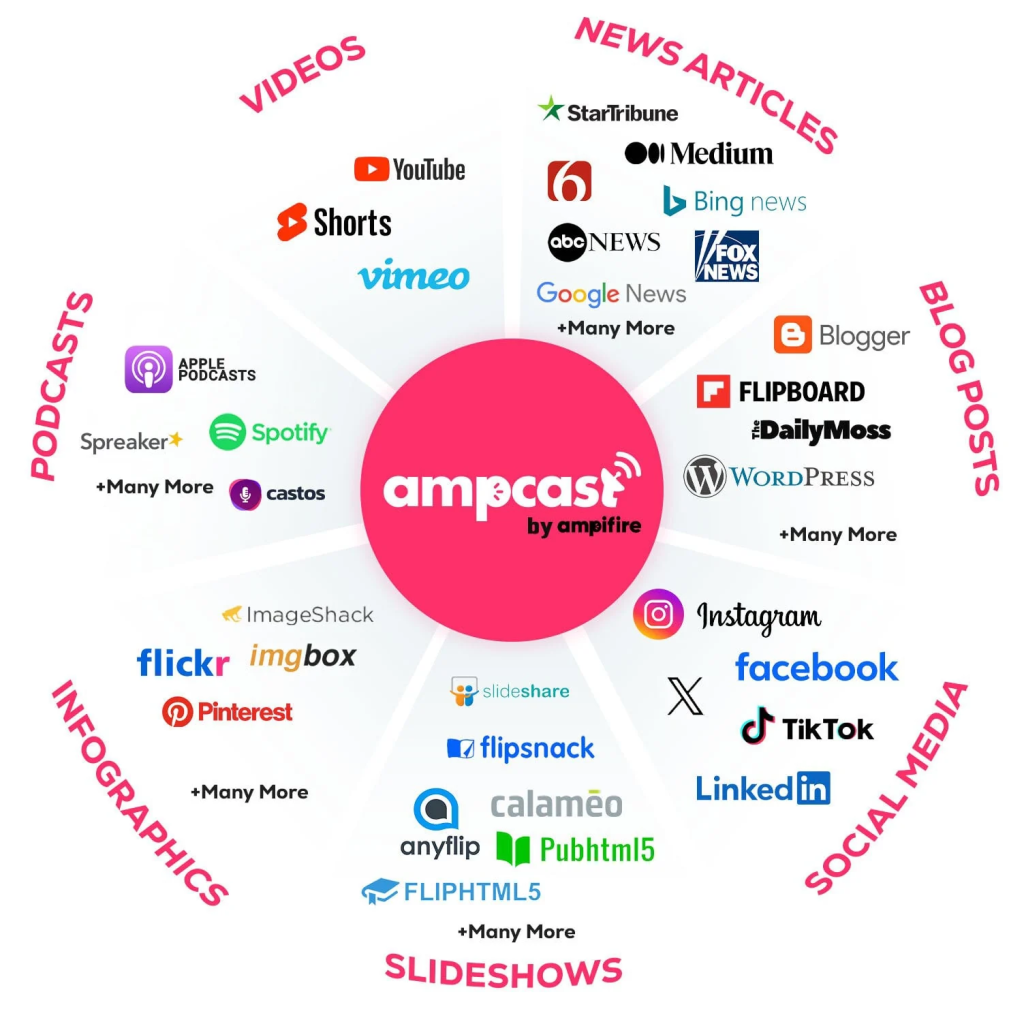
- Create & Repurpose: AmpiFire’s AmpCast AI generates news articles, blog posts, interview podcasts, longer informational videos, reels/shorts, infographics, flipbooks/slideshows, and social posts.
- Distribute & Amplify: Auto-publish to 300+ sites, including Google News, YouTube, Spotify, and major news networks.
Get more traffic from people who want to buy your stuff, and powerful “As Seen On” trust badges for your site.
Do It Yourself (with AI), Done For You Content, & 100% Managed Organic Growth options available.
Grow Your Free Traffic From Everywhere
PostNitro Features
Nitro Chat & AI Carousel Generation
PostNitro is an AI design tool for social media that builds carousel posts, single-image posts, and short animated videos, with carousels as its main focus. Nitro Chat is an AI assistant that sits beside the design canvas, and you can give it a topic, raw text, an article URL, or an X post or thread to work from. It drafts an outline first and waits for your approval before it writes the full deck.
After approval, the same chat can rewrite a slide, add, remove, or reorder slides, and turn a slide into an infographic, much like you would turn a blog post into an infographic. It also restyles the design on request, changing colors, gradients, font pairs, and canvas size, and PostNitro checks each palette for contrast before applying it.
Writers with finished copy can skip the AI writing step, import their slide text directly, and let PostNitro design it as written.
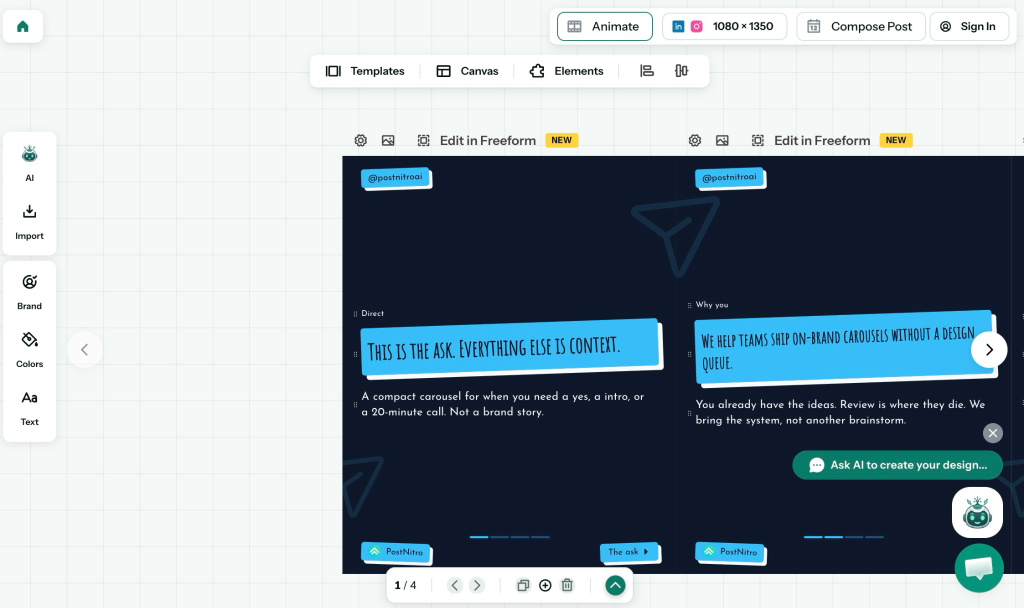
Freeform Editor, Templates, and Brand Kits
The Freeform Editor lets you drag, resize, and layer elements on any slide, and it can stretch a single image across two slides. Canvas sizes include 4:5, 1:1, 9:16, and 16:9, so you can shape one idea for a feed post, a grid, or a story, and infographic layouts such as columns, counters, and cycles help on slides that need to show data.
PostNitro pairs the editor with a Template Library of over 100 editable designs, and eligible plans can save a finished deck as a custom template for a recurring content series. Brand Kits store your colors, fonts, logos, and headshots, and you can upload your own licensed fonts or choose from more than 100 typefaces. Applying a kit redraws any template in your brand identity, so each new carousel looks consistent without manual setup.
Exports and Native Scheduling
Finished carousels export as PNG files (one image per slide) or as a single PDF that can be uploaded as a LinkedIn document post. Animated video posts render as an MP4 of up to two minutes with animated text and an audio track, and generated slides can still be edited by hand after PostNitro creates them.
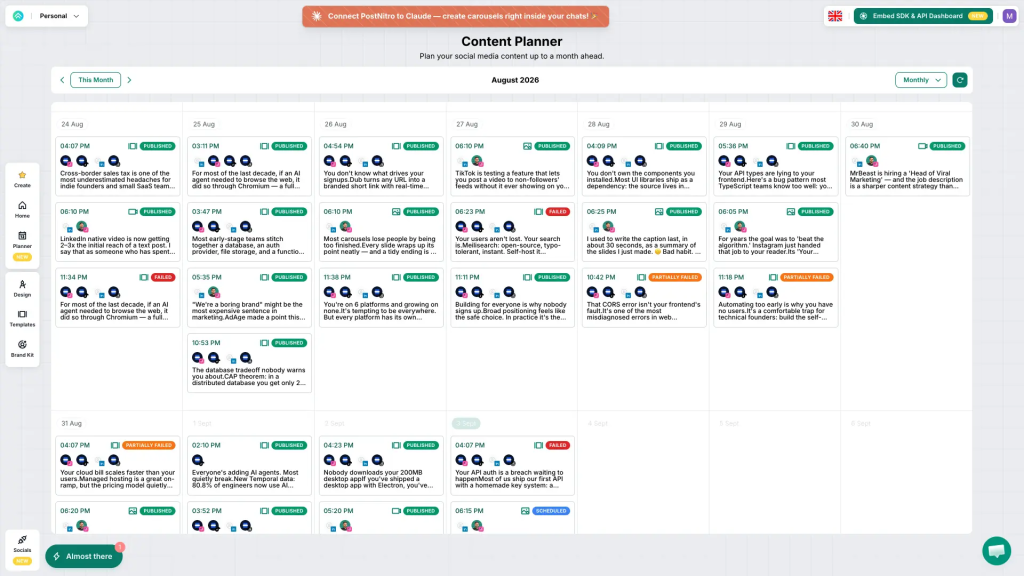
Native scheduling covers LinkedIn, Instagram, TikTok, Threads, Facebook, and Pinterest, and a monthly planner shows drafts and scheduled posts side by side, a feature also found in dedicated social media scheduling tools like Publer and Buffer.
Each network can get its own caption; LinkedIn posts go out as native PDF documents with a title, and TikTok posts can publish as a slideshow or a rendered reel. X works as an input source and for exported files, but PostNitro cannot publish to X natively.
How Much Does PostNitro Cost?
Free and Starter
The Free plan costs $0 and needs no credit card to sign up, as listed on PostNitro’s pricing page. It allows five AI slides per carousel, five downloads per month, and one brand kit, and every export carries a watermark, which makes it best suited to testing the editor and AI drafting.
Starter costs $15 per month, or $150 billed yearly, which works out to $12.50 per month and gives you two months free. It raises the limits to eight AI slides per carousel and 30 downloads per month, adds a second brand kit, one custom template, and five AI images per month, and removes the watermark.
Neither Free nor Starter includes scheduling, so posts made on these plans are exported and uploaded by hand.
Creator+ and Team+
Creator+ costs $30 per month and allows 15 AI slides per carousel, unlimited downloads, five brand kits, five custom templates, and 50 AI images per month. It is the first plan with scheduling and connects up to 10 social accounts; it also unlocks PostNitro’s advanced AI models, along with 200 API credits per month for agent and automation use. Like Starter and Team+, it shows a three-day trial, and paid subscription fees are refundable within seven days of purchase.
Team+ costs $60 per month and raises the limits to 20 AI slides per carousel, 15 brand kits, 15 custom templates, 100 AI images per month, and 500 API credits per month, with unlimited downloads. Scheduling extends to 30 social accounts, and the plan adds five workspaces and five team members, which suits agencies and teams that manage several brands at once.
PostNitro’s Black Friday offer, which ends November 30, 2026, takes a recurring 40% off annual plans with code BF26A and 16.7% off monthly plans with code BF26M on the Creator+ and Team+ plans. With the annual discount, Creator+ starts at $18 per month ($216 per year) and Team+ at $36 per month ($432 per year), while monthly billing brings them down to $24.99 and $49.98 per month. The discount continues for as long as the qualifying subscription stays active.
| Plan | Price | AI Slides per Carousel | Downloads | Brand Kits | Scheduling |
| Free | $0 per month | 5 | 5 per month | 1 | Not included |
| Starter | $15 per month | 8 | 30 per month | 2 | Not included |
| Creator+ | $30 per month | 15 | Unlimited | 5 | 10 accounts |
| Team+ | $60 per month | 20 | Unlimited | 15 | 30 accounts |
PostNitro Customer Reviews
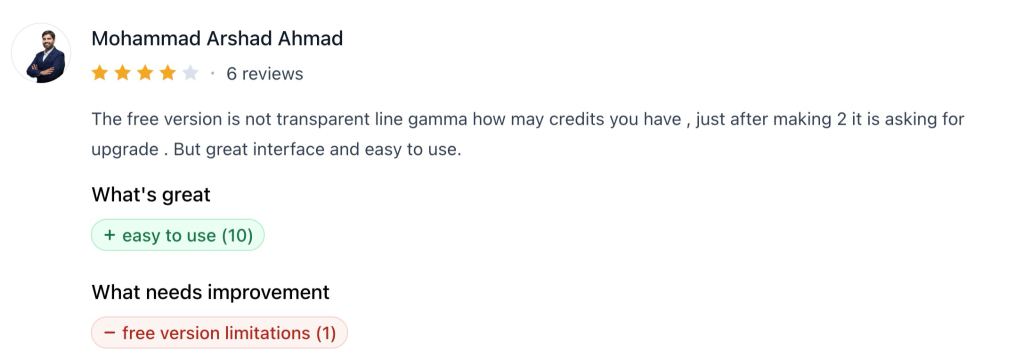
PostNitro scores 4.9 out of 5 across 17 reviews on its Product Hunt reviews page, where users describe a clean interface, a short learning curve, and attractive templates that make carousel design manageable even for beginners. Reviewers there also credit the tool with saving time and mention responsive support. One Product Hunt reviewer found it hard to see how many free credits remained before an upgrade prompt appeared.
On its Trustpilot review profile, PostNitro holds 4.2 out of 5 across 7 reviews, with users pointing to quick post creation from ready-made templates, helpful AI features, and fast replies from real support staff. Some reviewers also value direct publishing and the option to automate carousel creation through the API. One older Trustpilot review asked for more design customization, and both rating profiles remain small samples.
PostNitro Designs the Carousel, AmpiFire Turns the Topic Into 8 Formats on 300+ Sites
PostNitro earns its place for anyone who publishes carousels regularly, since it handles drafting, brand styling, and scheduling in one editor, and reviewers keep returning to how quickly it works. Its publishing stops at the social accounts you connect, though, which leaves the same topic unused in formats such as podcasts, news articles, and long-form video.
AmpiFire picks the topic up from there. Our AmpCast AI starts with research into what buyers search for before they buy, then turns your topic into a news article, blog post, interview podcast, longer informational video, reels/shorts, infographic, flipbook/slideshow, and social post. These pieces are published across 300+ sites, such as YouTube, Spotify, Pinterest, and Google News, so buyers find you on search, video, podcast, and social platforms, and your traffic doesn’t depend on a single feed.
In one AmpiFire case study, a one-person toy store publishing a few AmpCast AI posts a month grew its revenue 43% year over year and built a YouTube channel from zero to 129,342 views. To give your next carousel topic that wider reach, start with AmpCast AI.
Frequently Asked Questions (FAQs)
Does PostNitro have a free plan?
PostNitro has a free plan that anyone can start without entering a credit card. It works well as a trial of the editor, AI drafting, and templates, but its AI drafts are capped at five slides, downloads are limited each month, exports are watermarked, and posts cannot be scheduled. A paid tier matters once the download cap, the watermark, or the lack of scheduling becomes a concern.
Can PostNitro make LinkedIn carousels?
PostNitro makes LinkedIn carousels by exporting the slides as a single PDF, which LinkedIn shows as a document post. That PDF can be downloaded and uploaded by hand on any plan, while Creator+ and Team+ users can also schedule the document post to LinkedIn directly from PostNitro.
Can I edit a carousel after PostNitro generates it?
You can edit every carousel PostNitro generates by hand. You can move, resize, or stack elements on each slide, reapply a saved brand kit, or ask Nitro Chat to revise the wording and restyle the design, so fixing one weak slide does not require rebuilding the whole carousel.
Can PostNitro turn a blog post into a carousel?
PostNitro can turn a blog post into a carousel when you paste the article’s URL into Nitro Chat. The tool drafts an outline from that page for your approval, then designs the slides, which you can still adjust by hand. Raw text and X posts or threads work as starting points in the same way.
How does AmpiFire repurpose one topic across multiple channels?
AmpiFire starts by researching the topics buyers search for before they buy. Our AmpCast AI then turns one topic, product page, article, or video URL into a full multi-format content campaign. Each piece of content is optimized for the platform where it will appear.
*Disclaimer: Results may vary based on individual circumstances, business type, and content strategy. The time savings and outcomes mentioned are based on typical user experiences and are not guaranteed. For specific pricing and service details, please visit AmpiFire.
Author
Related Posts


Storydoc Reviews, Pricing & Features: Is This the Best AI Presentation Maker?
Learn Storydoc's key features and pricing plans, and read real user reviews to find out if this AI presentation maker…


FlexClip AI Reviews, Pricing & Features: Is This the Best AI Video Maker & Editor?
Compare FlexClip AI's features, pricing plans, and verified user reviews to see if this browser-based AI video maker fits your…

Animaker AI Pricing, Reviews & Features: Is This Animation Generator Worth It?
Learn Animaker AI's pricing, key features, and real user reviews to find out if this AI-powered animation generator is worth…


Leadpages Reviews, Pricing & Alternatives: Is This AI Landing Page Builder Worth It?
Leadpages reviews, pricing, and alternatives compared. See how this AI landing page builder stacks up and how AmpiFire fills the…


ProofHub Reviews, Pricing & Features: Is This Project Management Software Worth It?
Discover ProofHub's pricing, features, and reviews to see if it's worth it for your team, then learn how AmpCast AI…

Filestage.io Pricing, Reviews & Features: Is This Online Proofing Software Worth It?
Learn all about Filestage.io, including pricing tiers, features, and real user reviews to find out if this online proofing software…